USA
USA UAE
UAE

Available
Price on Request




Brand: CNC Software
MasterCAM is a complete CAM Software designed to serve Startups, SMBs, SMEs and Agencies. This CAM Software for Web-Based has a simple interface and is easy to use. MasterCAM provides end-to-end solutions for Windows operating systems and is compatible with Desktop. MasterCAM CAM Software helps with Milling,Router,Lathe and Mill-Turn. It also assists in MasterCAM for Solidworks,Educational Suite a...
See MoreHave you used MasterCAM before?
Share your insights for better experience
Looking for The Right Pricing?
Share your requirements and get a plan built around your business.
Price Available on Request
Get personalised MasterCAM pricing that fits your needs. Our team will connect with you.
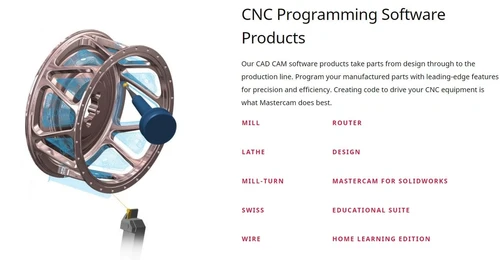
 Milling Router Lathe Mill-Turn MasterCAM for Solidworks Educational Suite Wire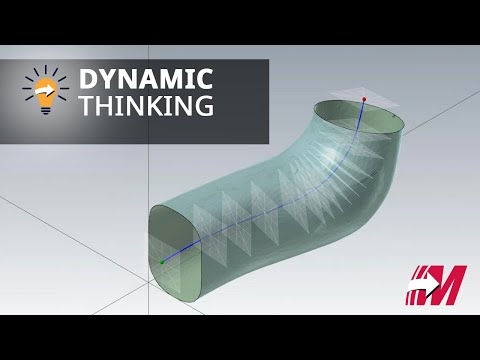

Watch the demo video to explore key features, real workflows, and how the software fits your business needs.
 Windows
  Desktop
  Cloud-Based
4.2
Out of 5

Overall Rating
Based on
6 Verified Ratings
Rating Breakdown
86% Recommend this Product
Add ReviewThis product has no reviews yet. Be the first to leave your feedback.
Add Review
MasterCAM
Price On Request
Desktop
Mobile
Web based
On Premises
Windows
Mac OS
CAMWorks
Price On Request
Desktop
Mobile
Web based
On Premises
Windows
Mac OS

Solidworks CAM
Price On Request
Desktop
Mobile
Web based
On Premises
Windows
Mac OS

Autodesk Inventor CAM Software
₹ 27140
Desktop
Mobile
Web based
On Premises
Windows
Mac OS

GibbsCAM
Price On Request
Desktop
Mobile
Web based
On Premises
Windows
Mac OS

Vectric Aspire
Price On Request
Desktop
Mobile
Web based
On Premises
Windows
Mac OS

Siemens Velocity
Price On Request
Desktop
Mobile
Web based
On Premises
Windows
Mac OS
(0) Product(s) selected
Available
Price on Request
Available
Price on Request
Starting Price:
₹27,140
Available
Price on Request
Starting Price:
₹224,639 /License
Available
Price on Request
MasterCAM CAM Software is compatible with Windows operating systems.
MasterCAM CAM Software app is not available.
MasterCAM CAM Software supports Web-Based.
MasterCAM CAM Software is typically used in All Industries.
MasterCAM CAM Software demo is available for free with Techjockey.com
MasterCAM CAM Software offers a free trial. However, the premium plan with advanced features available at Techjockey .
For MasterCAM CAM Software installation, insert the given CD/USB flash storage in your system and open the Setup Wizard to get started.
MasterCAM CAM Software helps with Milling,Router,Lathe and Mill-Turn. It's a complete solution for MasterCAM for Solidworks,Educational Suite and Wire.
20,000+ Software Listed
Best Price Guranteed
Free Expert Consultation
2M+ Happy Customers
Terms and Condtions

Users with registered businesses can purchase goods from merchants on the platform to satisfy their business needs. Users are not permitted to utilize any products acquired through the platform for resale, advertising, business, or further distribution.
For each purchase made, users will receive a Tax Invoice (or 'GST invoice') that includes specific details such as:
the GSTIN of the user associated with their registered business, and
the specified Entity Name for their business.
It should be noted that not all products are eligible for GST Invoice. Only the products displayed by participating sellers with the 'GST-based Invoice Available' callout on the product description page would qualify.
Certain goods and services are not eligible to get a GST Invoice, including items with VAS, i.e., Value Added Services (e.g., Total Mobile Protection/Assured Buyback) and those involving an exchange offer at the time of purchase.
Users must ensure the accuracy of the GSTIN, and business entity name provided for the GST Invoice. Requests for corrections into GST Invoice would not be accommodated by Techjockey.com or any Seller, and any issues arising from user-provided information are the sole responsibility of users.
Techjockey.com is not liable for the GST Invoice or any associated input tax credit. To efficiently claim an input tax credit, users should select the registered place of business address as per the GST authority's data and follow the provisions of the GST Act and rules.
To claim an input tax credit, the delivery and billing addresses must match. Furthermore, input tax credits will not be granted if the delivery address and GSTIN on the invoice are from different states. In case of incorrect GST details provided during the order placement, the order will be canceled automatically.