linkedin
Vectric Aspire logo
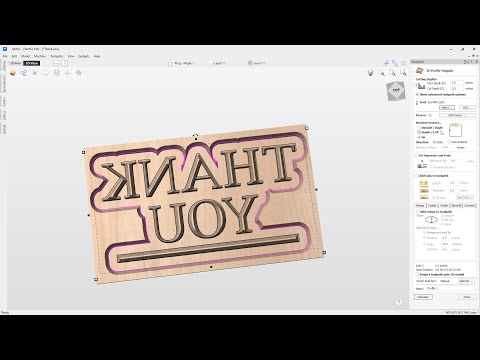
play How to use the VCarve inlay toolpath in Vectric software | 2.5D Toolpaths | V12 Tutorials
vectric aspire-dashboard
vectric aspire-homepage

Vectric Aspire

Brand: Vectric

  • No Ratings & Reviews

Have you used Vectric Aspire before?

Share your insights for better experience

Add a Review
Starting Price
₹224639

View plans

100% Genuine
Products
Best Price
Guaranteed
Safe & Secure
Payment
  • Description

  • Pricing

  • Features

  • Specification

  • Review

Starting at ₹224,639

Vectric Aspire Software Overview

Vectric Company Details

Founded Year:  2005

Vectric is an employee-owned software development company specialising in applications designed to make cutting parts using CNC technology a highly productive and enjoyable experience.

Director/Founders Vectric Ltd
Company Size 1-100 Employees

Vectric Aspire Pricing & Plans

Vectric Aspire
Key Features
  • 3D Model Preview
  • 3D assembly made easy
  • Dynamic editing
  • Instant preview updates
  • Machine Wrapped Rotary Parts
  • 3D Modeling
Starting at ₹224639
    • Licenses (Lifetime)

      Licenses (Lifetime)
      Licenses (Lifetime)

Key Features

  • 3D Model Preview

  • 3D assembly made easy

  • Dynamic editing

  • Instant preview updates

  • Machine Wrapped Rotary Parts

  • 3D Modeling

Vectric Aspire Features

  • icon_check Vector Drawing Tools
    Provides a comprehensive suite of geometric creation tools to generate precise 2D shapes for machining or 3D modeling processes.
  • icon_check 3D Component Modeling
    Enables the creation of complex three-dimensional relief shapes from 2D vectors using subtractive and additive building logic.
  • icon_check 3D Sculpting Engine
    Allows for the manual manipulation of 3D models using interactive tools to smooth, smudge, or add detail to digital relief
  • icon_check 3D Roughing Strategy
    Generates high-volume material removal passes that leave a specific skin of material for the final finishing toolpath to clear.
  • icon_check 3D Finishing Strategy
    Computes high-density raster or offset paths to produce a smooth surface finish on complex three-dimensional relief components.
  • icon_check V-Carving Logic
    Uses constant-velocity variable depth calculations to create sharp internal corners and decorative text using V-shaped cutters.
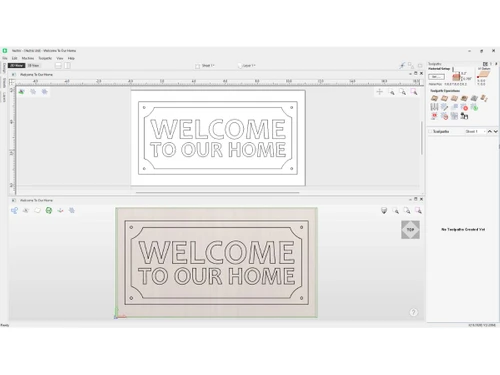
  • icon_check 3D Toolpath Preview
    Rendered simulation of the machining process that shows exactly how the final physical part will look after the cutting cycle.
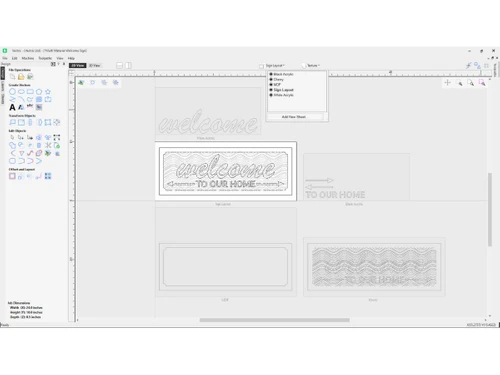
  • icon_check Vector Texture Tool
    Procedurally generates unique wavy or grain-like patterns that can be machined as decorative backgrounds on flat or 3D panels.
  • icon_check Clipart Library
    Includes a standardized collection of pre-modeled 3D components that can be combined and modified for custom project assembly.
  • icon_check Post Processor Support
    Converts calculated toolpath data into specific G-Code dialects required by various brands of CNC machine control software.
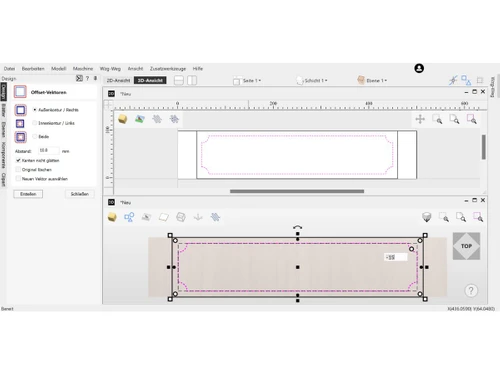
  • icon_check Profile Machining
    Creates cutting paths along the inside, outside, or center of vector lines to cut out parts from the primary material sheet.
Vectric Aspire Demo Video play icon

Get Vectric Aspire Demo

Watch the demo video to explore key features, real workflows, and how the software fits your business needs.

Understand
Key Features
Personal
Demo Insights
Interactive
Demo Support

Vectric Aspire Specifications

Supported Platforms
Windows Windows
Devices
Desktop Desktop
Deployment
Perpetual Perpetual
Suitable For
Manufacturing
Business Specific
All Businesses
Business Size
Individual Small Business Startups Medium Business SMBs SMEs MSMBs MSMEs Freelancers
Customer Support
Email Communities
Language
English
Training Resources
Videos

Vectric Aspire Review

Be the First to Review

This product has no reviews yet. Be the first to leave your feedback.

Add Review

Articles for Vectric Aspire

See All Related Articles

20,000+ Software Listed

Best Price Guranteed

Free Expert Consultation

2M+ Happy Customers

Terms and Condtions

close

Users with registered businesses can purchase goods from merchants on the platform to satisfy their business needs. Users are not permitted to utilize any products acquired through the platform for resale, advertising, business, or further distribution.

For each purchase made, users will receive a Tax Invoice (or 'GST invoice') that includes specific details such as:

  • the GSTIN of the user associated with their registered business, and

  • the specified Entity Name for their business.

It should be noted that not all products are eligible for GST Invoice. Only the products displayed by participating sellers with the 'GST-based Invoice Available' callout on the product description page would qualify.

Certain goods and services are not eligible to get a GST Invoice, including items with VAS, i.e., Value Added Services (e.g., Total Mobile Protection/Assured Buyback) and those involving an exchange offer at the time of purchase.

Users must ensure the accuracy of the GSTIN, and business entity name provided for the GST Invoice. Requests for corrections into GST Invoice would not be accommodated by Techjockey.com or any Seller, and any issues arising from user-provided information are the sole responsibility of users.

Techjockey.com is not liable for the GST Invoice or any associated input tax credit. To efficiently claim an input tax credit, users should select the registered place of business address as per the GST authority's data and follow the provisions of the GST Act and rules.

To claim an input tax credit, the delivery and billing addresses must match. Furthermore, input tax credits will not be granted if the delivery address and GSTIN on the invoice are from different states. In case of incorrect GST details provided during the order placement, the order will be canceled automatically.