USA
USA UAE
UAE


Available
Price on Request




Brand: Autodesk
Have you used Autodesk Inventor CAM Software before?
Share your insights for better experience
View plans
 Save upto 18%, Get GST Invoice on your business purchase T&C Buy Now & Pay Later, Check offer on payment page.
 Brand: Autodesk
Founded Year: 1982
Autodesk makes software for people who make things. If you’ve ever driven a high-performance car, admired a towering skyscraper, used a smartphone, or watched a great film, chances are you’ve experienced what millions of Autodesk customers are doing with our software.
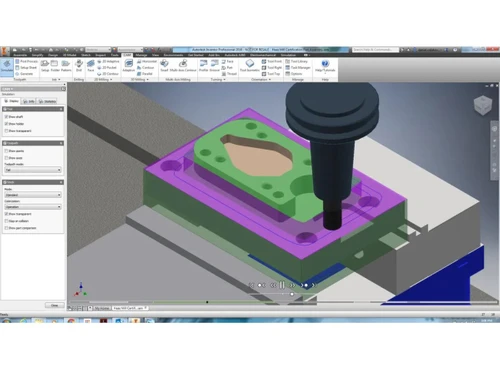
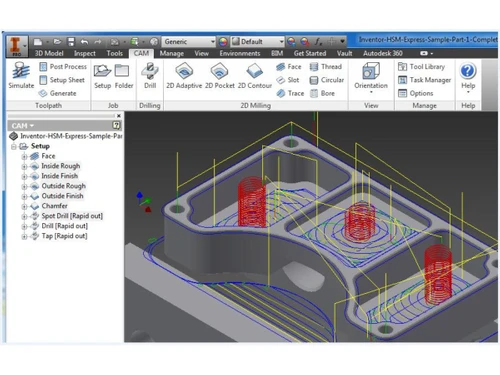
 Milling Probing Too Holder Avoidance Waterjet, Plasma, & Laser Cutting 4- and 5-axis Milling 2.5- and 3-axis Milling Adaptive Clearing Turning & Mill-Turn Post-Processor System Stock Simulation Drilling & Tapping Slope & Shadow Machining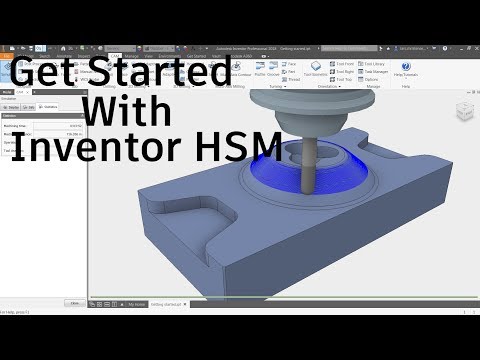

Watch the demo video to explore key features, real workflows, and how the software fits your business needs.
 Windows
  Desktop
  Cloud-Based
4.2
Out of 5

Overall Rating
Based on
4 Verified Ratings
Rating Breakdown
95% Recommend this Product
Add ReviewThis product has no reviews yet. Be the first to leave your feedback.
Add Review
Autodesk Inventor CAM Software
₹ 27140.00 excl. GST
Desktop
Mobile
Web based
On Premises
Windows
Mac OS
MasterCAM
Price On Request
Desktop
Mobile
Web based
On Premises
Windows
Mac OS
CAMWorks
Price On Request
Desktop
Mobile
Web based
On Premises
Windows
Mac OS

Solidworks CAM
Price On Request
Desktop
Mobile
Web based
On Premises
Windows
Mac OS

GibbsCAM
Price On Request
Desktop
Mobile
Web based
On Premises
Windows
Mac OS

Vectric Aspire
Price On Request
Desktop
Mobile
Web based
On Premises
Windows
Mac OS

Siemens Velocity
Price On Request
Desktop
Mobile
Web based
On Premises
Windows
Mac OS
(0) Product(s) selected
Available
Price on Request
Available
Price on Request
Available
Price on Request
Available
Price on Request
Starting Price:
₹224,639 /License
Available
Price on Request
It starts at around INR 27,140 at Techjockey.
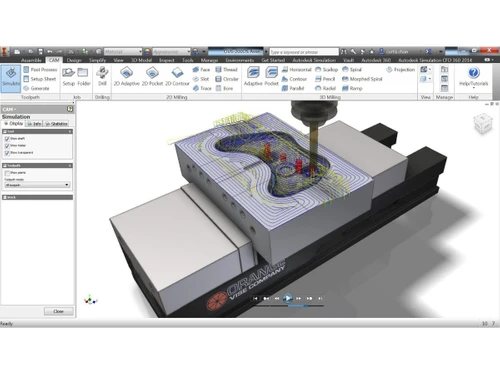
It is used to create CNC machining toolpaths for milling, turning, and multi-axis operations directly from CAD designs.
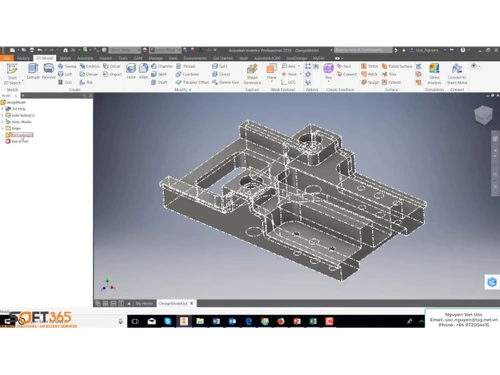
It integrates with Inventor CAD, allowing users to design parts, generate toolpaths, simulate machining, and export CNC code within a single platform.
It is ideal for engineers, CNC programmers, machinists, and manufacturing companies working with precision parts.
Yes, it supports simultaneous 4-axis and 5-axis machining for complex geometries.
Yes, it provides simulation tools to preview toolpaths and detect potential issues before machining.
No, it is available as part of Autodesk’s Product Design & Manufacturing Collection.
Yes, it includes a post-processor system to generate machine-ready CNC code.
20,000+ Software Listed
Best Price Guranteed
Free Expert Consultation
2M+ Happy Customers
Terms and Condtions

Users with registered businesses can purchase goods from merchants on the platform to satisfy their business needs. Users are not permitted to utilize any products acquired through the platform for resale, advertising, business, or further distribution.
For each purchase made, users will receive a Tax Invoice (or 'GST invoice') that includes specific details such as:
the GSTIN of the user associated with their registered business, and
the specified Entity Name for their business.
It should be noted that not all products are eligible for GST Invoice. Only the products displayed by participating sellers with the 'GST-based Invoice Available' callout on the product description page would qualify.
Certain goods and services are not eligible to get a GST Invoice, including items with VAS, i.e., Value Added Services (e.g., Total Mobile Protection/Assured Buyback) and those involving an exchange offer at the time of purchase.
Users must ensure the accuracy of the GSTIN, and business entity name provided for the GST Invoice. Requests for corrections into GST Invoice would not be accommodated by Techjockey.com or any Seller, and any issues arising from user-provided information are the sole responsibility of users.
Techjockey.com is not liable for the GST Invoice or any associated input tax credit. To efficiently claim an input tax credit, users should select the registered place of business address as per the GST authority's data and follow the provisions of the GST Act and rules.
To claim an input tax credit, the delivery and billing addresses must match. Furthermore, input tax credits will not be granted if the delivery address and GSTIN on the invoice are from different states. In case of incorrect GST details provided during the order placement, the order will be canceled automatically.