linkedin
Mediar logo
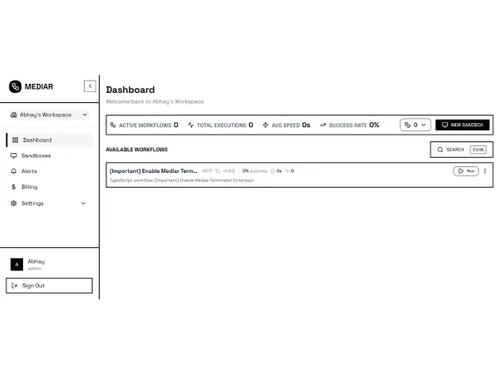
Mediar-dashboard
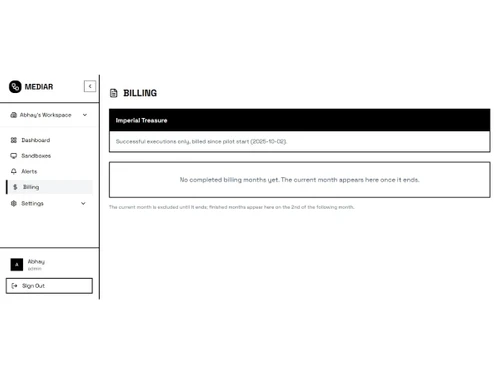
Mediar-billing
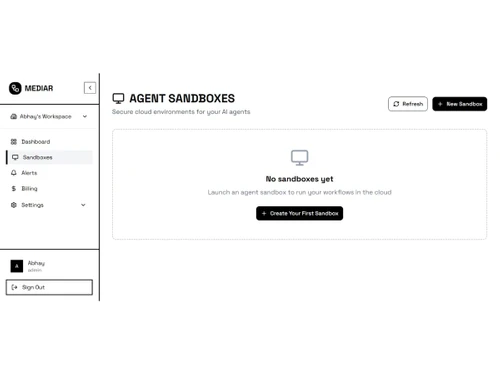
Mediar-agent sandboxes

Mediar

Brand: Mediar.ai

  • No Ratings & Reviews

Mediar builds AI agents that automate tasks across desktop applications and legacy systems beyond the reach of browser-based agents, enabling faster workflows and efficient automation.

See More

Have you used Mediar before?

Share your insights for better experience

Add a Review
Starting Price
$500

View plans

100% Genuine
Products
Best Price
Guaranteed
Safe & Secure
Payment
  • Description

  • Pricing

  • Features

  • Specification

  • Review

  • Compare

  • Alternatives

  • FAQ

Starting at $500

Mediar Software Overview

What is Mediar?

Mediar is a sophisticated AI agent builder designed to automate complex workflows, particularly within enterprise environments that rely on desktop and legacy applications. Unlike browser-centric automation tools, Mediar leverages OS-level accessibility APIs to interact directly with thick-client applications, mainframe terminals, and other systems that lack modern APIs. This unique approach allows it to drive software like SAP GUI, Oracle EBS, Epic, Cerner, and various financial platforms that are typically beyond the reach of web-based agents.

By integrating powerful AI models such as Gemini 3 Pro and Claude, Mediar can understand and execute multi-step tasks across a diverse range of applications. It is engineered to deliver significant efficiency gains, claiming to perform tasks 5 to 100 times faster than manual human execution. The platform is built for developers and enterprises seeking a robust solution to automate mission-critical, non-web-based processes.

Why Choose Mediar?

  • Unmatched Application Compatibility: The primary differentiator for Mediar is its ability to automate desktop applications. By using accessibility APIs, it can interact with legacy systems, EMR/EHR software, and financial terminals that other automation tools cannot access.
  • Powerful AI Integration: With unlimited access to leading AI models like Gemini 3 Pro and Claude included in its plans, Mediar equips its agents with advanced cognitive capabilities for understanding instructions and navigating complex user interfaces.
  • Flexible Deployment Models: Mediar caters to various organizational needs with self-hosted, managed cloud, and on-premise deployment options, ensuring that security, compliance, and control requirements can be met.
  • Transparent, Value-Based Pricing: The platform's pricing is based on execution time rather than per-seat licenses, offering a scalable and predictable cost model that directly correlates with the work performed.
  • Open Source Engine: The availability of an open-source engine provides transparency and empowers development teams with the flexibility to customize and extend the platform's capabilities to meet specific needs.

Advanced Features of Mediar

  • Desktop and Legacy System Automation: The platform's core capability is its direct interaction with non-web UIs. This allows for the creation of reliable automation for critical business software where API access is unavailable.
  • Full-Service Workflow Development: Through its Turnkey service, Mediar offers to build, deploy, and manage custom automation workflows, allowing clients to achieve their goals without needing in-house development resources.
  • Enterprise-Grade Security: The option for on-premise deployment in the Enterprise plan gives organizations complete control over their data and infrastructure, which is essential for meeting strict regulatory standards like HIPAA or SOC 2.
  • Dedicated Support and SLAs: Higher-tier plans include dedicated account managers, priority support, and Service Level Agreements (SLAs) to guarantee performance and uptime for business-critical automations.
  • Comprehensive Reporting: The Turnkey service includes monthly reporting, providing clear insights into agent performance, tasks completed, and the return on investment (ROI) of the automation initiatives.

Key Capabilities of Mediar

  • Financial Services Automation: Seamlessly interacts with core banking and financial platforms from providers like Jack Henry, Fiserv, and FIS, automating tasks such as data entry, report generation, and account management.
  • Healthcare EMR Automation: Drives Electronic Medical Record (EMR) systems, including Epic and Cerner, to streamline patient data management, billing processes, and administrative tasks.
  • ERP and Mainframe Automation: Manages workflows within complex Enterprise Resource Planning (ERP) systems like SAP GUI and Oracle EBS, as well as legacy mainframe terminals, bridging the gap between old and new technologies.
  • AI-Powered Task Interpretation: Leverages integrated large language models to interpret natural language commands and execute complex, multi-step processes across multiple disparate applications without rigid, pre-programmed scripts.
  • Customizable Agent Building: Provides an open-source engine that allows developers to build, test, and deploy their own AI agents tailored to unique and specific business processes.

How to Use Mediar?

  1. Initial Consultation: The process begins with a call with the Mediar team to discuss your automation needs, identify target applications, and define the scope of the project.
  2. Plan Selection: Based on your requirements, you will choose a suitable plan, whether it's the pay-as-you-go model for self-service development, the fully managed Turnkey service, or a custom Enterprise package.
  3. Deployment: Select your preferred deployment method. You can opt for a self-hosted implementation using the open-source engine or have the Mediar team manage the deployment for you in the cloud or on-premise.
  4. Workflow Creation: For Turnkey and Enterprise clients, Mediar's experts will develop the custom automation workflows. For self-service users, this stage involves using the platform's tools to build and configure the AI agents.
  5. Execution and Monitoring: Once deployed, the AI agents begin executing their assigned tasks. Performance is monitored, and for managed service clients, detailed monthly reports are provided to track progress and ROI.

Mediar Pricing

Mediar price starts at USD 500 at techjockey.com.

The pricing model is based on different parameters, including extra features, deployment type, and the total number of users. For further queries related to the product, you can contact our product team and learn more about the pricing and offers.

Read more

Mediar.ai Company Details

Founded Year:  2025

Replace repetitive ERP & EMR work by AI.

Director/Founders Matthew Diakonov
Company Size 1-100 Employees

Mediar Pricing & Plans

TURNKEY SERVICE
Key Features
  • Custom workflow development
  • Dedicated support
  • Managed deployment
  • Priority bug fixes
  • Monthly reporting
Starting at $500
    • Licenses

      Licenses
      Licenses
    • Monthly

      Monthly
      Monthly

Key Features

  • Custom workflow development

  • Dedicated support

  • Managed deployment

  • Priority bug fixes

  • Monthly reporting

Mediar Features

  • icon_check Workflow Automation
    Automates repetitive business workflows across desktop applications with AI-driven task execution.
  • icon_check Process Automations
    Streamlines multi-step operational processes by reducing manual intervention and repetitive work.
  • icon_check Task Automation
    Automates routine user actions such as data entry, navigation, validation, and updates.
  • icon_check No-Code Workflow Builder
    Enables users to create and deploy automations without coding or technical expertise.
  • icon_check Business Process Management
    Helps manage, execute, and optimize business processes through intelligent automation.
  • icon_check Data Extraction
    Extracts information from applications, forms, documents, and enterprise systems efficiently.
  • icon_check Data Entry Automation
    Reduces manual data input by automatically populating fields across applications.
  • icon_check Application Integration
    Connects workflows across multiple business applications and legacy software systems.
  • icon_check AI-Powered Recommendations
    Identifies repetitive tasks and suggests automation opportunities to improve efficiency.
  • icon_check Exception Handling
    Detects workflow disruptions and adapts execution to maintain process continuity.
  • icon_check Real Time Monitoring
    Provides visibility into automation performance, execution status, and task progress.
  • icon_check Audit Trail
    Maintains detailed records of workflow activities for compliance and accountability.
  • icon_check Role-Based Access Control (RBAC)
    Controls user permissions and access to automation workflows and system resources.
  • icon_check Productivity Analytics
    Measures automation impact and operational efficiency through performance insights.

Mediar Specifications

Supported Platforms
Ubuntu Ubuntu Windows Windows MacOS MacOS Linux Linux
Devices
Desktop Desktop
Deployment
Cloud-Based Cloud-Based
Suitable For
All Industries
Business Specific
All Businesses
Business Size
Small Business Startups Medium Business Enterprises SMBs SMEs MSMBs MSMEs
Customer Support
Email Live Chat
Language
English
Integration
API Integration
Training Resources
Live Online Documentation Videos
AI Features
AI Integrated
Technology
Next Generation

Explore the Best Alternative Solutions Similar to Your Business Size and Needs

Mediar Review

Be the First to Review

This product has no reviews yet. Be the first to leave your feedback.

Add Review

Compare Mediar With other AI Agent Builders

Products
Ratings
Pricing
Device Supported
Deployment
Supported Platforms
  • img

    Mediar

  • Price On Request

  • Desktop

    Mobile

  • Web based

    On Premises

  • Windows

    Mac OS

  • img

    Relevance AI

  • 4.1

  • Price On Request

  • Desktop

    Mobile

  • Web based

    On Premises

  • Windows

    Mac OS

  • img

    StackAI

  • 4.2

  • Price On Request

  • Desktop

    Mobile

  • Web based

    On Premises

  • Windows

    Mac OS

  • img

    Lyzr AI

  • 4.2

  • Price On Request

  • Desktop

    Mobile

  • Web based

    On Premises

  • Windows

    Mac OS

  • img

    Botpress

  • 4.5

  • Price On Request

  • Desktop

    Mobile

  • Web based

    On Premises

  • Windows

    Mac OS

  • img

    SmythOS

  • 4.2

  • Price On Request

  • Desktop

    Mobile

  • Web based

    On Premises

  • Windows

    Mac OS

  • img

    VoiceFlow

  • 4.1

  • Price On Request

  • Desktop

    Mobile

  • Web based

    On Premises

  • Windows

    Mac OS

  • img

    Gumloop

  • 4.3

  • Price On Request

  • Desktop

    Mobile

  • Web based

    On Premises

  • Windows

    Mac OS

  • img

    WOTNOT

  • 4.2

  • Price On Request

  • Desktop

    Mobile

  • Web based

    On Premises

  • Windows

    Mac OS

(0) Product(s) selected

Mediar Alternatives

See All Mediar Alternatives

Available

Price on Request

Starting Price:

€29 /Month

Starting Price:

$30 /Month

Available

Price on Request

What does Mediar do?

Mediar is an AI agent builder that automates workflows in thick-client desktop applications and mainframe terminals by reading what apps expose through OS-level accessibility APIs. It helps businesses achieve 5x-100x faster automation compared to manual work, leveraging an open-source engine with unlimited Gemini 3 Pro and Claude Code usage.

How much does Mediar cost?

Mediar price starts at USD 500 at techjockey.com.

What are the main features of Mediar?

Key features include automation via desktop accessibility APIs for thick-client apps, an open-source engine with unlimited Gemini 3 Pro and Claude Code, and significant speed improvements over manual processes. Mediar also offers custom workflow development, dedicated support, managed deployment, and on-premise options for enterprise clients.

Is there a free trial for Mediar?

Mediar does not explicitly offer a traditional free trial, but it provides a FREE Self-hosted or pay as you go option where costs are only incurred at USD 0.75 per minute of execution after deployment. You can also schedule a free call to discuss your needs.

Who can use Mediar?

Mediar is designed for businesses and developers who need to automate complex workflows within thick-client desktop applications, including those in finance (Jack Henry, Fiserv, FIS), healthcare (Epic, Cerner), and enterprises utilizing SAP GUI, Oracle EBS, or mainframe terminals. It caters to those seeking custom, managed, or on-premise automation solutions.

What kind of applications can Mediar automate?

Mediar can automate a wide range of thick-client desktop applications and mainframe terminals, including specific systems like SAP GUI, Jack Henry, Fiserv, FIS, Oracle EBS, Epic, and Cerner. It achieves this by interacting with applications through OS-level accessibility APIs.

How does Mediar's automation approach differ from browser-based agents?

Mediar utilizes time-based, desktop accessibility APIs to directly interact with and drive thick-client desktop applications and mainframe terminals, which browser-based agents cannot access. In contrast, browser-based agents operate within a browser environment and are limited to automating web portals and modern SaaS applications.

What support options are available with Mediar?

For the Turnkey Service, Mediar provides dedicated support, managed deployment, priority bug fixes, and monthly reporting. Enterprise clients benefit from SLA guarantees and a dedicated account manager.

20,000+ Software Listed

Best Price Guranteed

Free Expert Consultation

2M+ Happy Customers

Terms and Condtions

close

Users with registered businesses can purchase goods from merchants on the platform to satisfy their business needs. Users are not permitted to utilize any products acquired through the platform for resale, advertising, business, or further distribution.

For each purchase made, users will receive a Tax Invoice (or 'GST invoice') that includes specific details such as:

  • the GSTIN of the user associated with their registered business, and

  • the specified Entity Name for their business.

It should be noted that not all products are eligible for GST Invoice. Only the products displayed by participating sellers with the 'GST-based Invoice Available' callout on the product description page would qualify.

Certain goods and services are not eligible to get a GST Invoice, including items with VAS, i.e., Value Added Services (e.g., Total Mobile Protection/Assured Buyback) and those involving an exchange offer at the time of purchase.

Users must ensure the accuracy of the GSTIN, and business entity name provided for the GST Invoice. Requests for corrections into GST Invoice would not be accommodated by Techjockey.com or any Seller, and any issues arising from user-provided information are the sole responsibility of users.

Techjockey.com is not liable for the GST Invoice or any associated input tax credit. To efficiently claim an input tax credit, users should select the registered place of business address as per the GST authority's data and follow the provisions of the GST Act and rules.

To claim an input tax credit, the delivery and billing addresses must match. Furthermore, input tax credits will not be granted if the delivery address and GSTIN on the invoice are from different states. In case of incorrect GST details provided during the order placement, the order will be canceled automatically.