linkedin
Midjourney logo
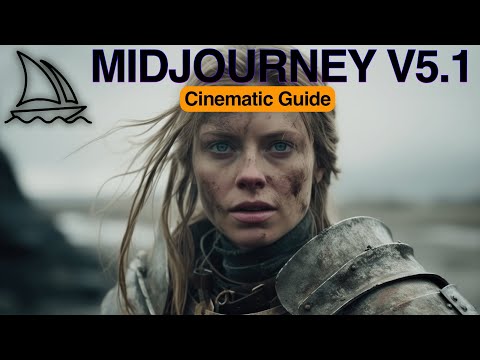
play Midjourney V5.1 Guide (Ultra Realistic Cinematic AI Photography)
Midjourney Image Generation
Midjourney Design tools

Midjourney

Brand: Midjourney

  • 4.0

  • 14 Ratings & 14 Reviews

A versatile AI image generator that uses Discord as the medium to bring their creative ideas to life.

See More

Have you used Midjourney before?

Share your insights for better experience

Add a Review
Starting Price
$10

View plans

100% Genuine
Products
Best Price
Guaranteed
Safe & Secure
Payment
  • Description

  • Pricing

  • Features

  • Specification

  • Review

  • Compare

  • Alternatives

  • FAQ

  • Questions

Starting at $10

Midjourney Software Overview

What is Midjourney?

Midjourney is an end-to-end AI image generator that has a smooth user interface, adjustable design options, and superior AI-driven image production. It is one of the most user-friendly AI image generators present in the market because of its rapid production of high-quality images and highly creative results.

Why Choose Midjourney?

One should select Midjourney AI image generator as their preferred image generator for several reasons. Some of them are listed below:

  1. Good Quality Output: Midjourney is famous for its extremely good and highly detailed image quality. It generates images that are of high resolution, which can be further customized.
  2. Artistic Flair: It produces extremely well-defined images with visually appealing images and unique artistic styles. It allows the user to set their image to a particular format.
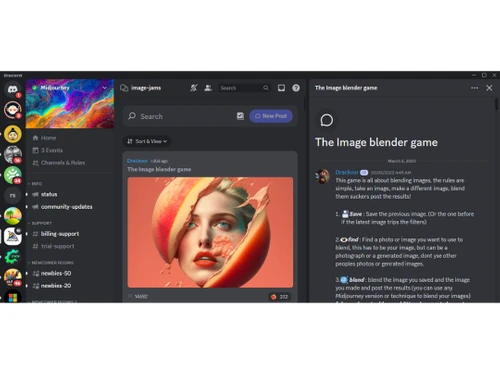
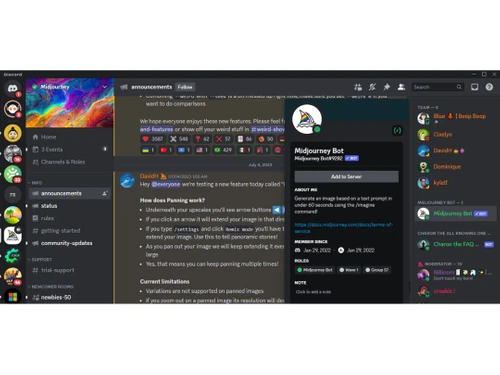
  3. Community Support: As the software runs on Discord, it has great community support wherein people from around the globe can come together and get their issues resolved. Users active in the community can get inspiration to create new designs and illustrations.

Additional Features of Midjourney

Midjourney has a lot of features that make it stand out in the world of image generators. Some of them are as follows:

  • Automatic Prompt Enhancer: Unlike other AI image generators, users aren’t specifically required to input their prompt (without much detailed explanation). It is good that they do, but Midjourney has an automatic prompt enhancer that increases the length of the prompt on its own, thereby liberating the hassle of creating a perfect prompt to retrieve the perfect image.
  • Image Tiling: It provides the user with tools that help them adjust the balance between image and text prompts. It helps in creating seamless textures, wallpapers, and clothing patterns.
  • Weird: It is used to add a level of variety and jitter to a generated image. By using the ‘-weird’ or ‘-w’ command with a value between 0 and 3000, the user can adjust the level of ‘weirdness’ in your images. A higher value typically results in more unconventional and unexpected outcomes.

Who are the Key Users of Midjourney?

Midjourney is one of the promising AI image generators present in the market. It is used by various industries and people:

  • Content Creators: Content creators and marketers can make eye-catching content for their social media channels with the help of Midjourney capability. This improves brand value and increases internet visibility and audience engagement.
  • Game Designers: They use Midjourney to create characters, their props, and the environment.
  • Design Enthusiasts: They make use of this software to explore and expand their creativity and generate new ideas.
  • Illustrators: Illustrators can get new inspiration and produce original images and designs with Midjourney.

Key Takeaways of Midjourney

Some of the important takeaways of Midjourney are as follows:

  • Midjourney is one of the best AI image generators in the market, and its outcome can surprise users.
  • Although that mode of communication is Discord, the quality of images that are generated is the best.
  • It is equipped with several functionalities that make it a popular pick amongst various users, irrespective of their work domain.
  • Midjourney is used by a wide range of people working in different types of companies, such as content creators, game designers, illustrators, etc.
  • Users can interact with the community, join channels, and get inspiration.

Midjourney Pricing Plans

Midjourney pricing model is distributed in four major sections:

  • The Basic Plan costs $10/month with a GPU Time of 3.3 hr/month.
  • The Standard Plan costs $30/month with a GPU Time of 15 hr/month.
  • The Pro Plan costs $60/month with a GPU Time of 30 hr/month.
  • The Mega Plan costs $120/month with a GPU Time of 60 hr/month.
Read more

Midjourney Company Details

Founded Year:  2022

Midjourney is a non-profit research lab that is investigating new thought mediums to improve the human species' inventive abilities.

Director/Founders David Holz
Company Size 1-100 Employees

Midjourney Pricing & Plans

Basic
Starting at $10
    • Licenses

      Licenses
      Licenses
    • Monthly

      Monthly
      Monthly

Key Features

  • Limited generations (~200 / month)

  • General commercial terms

  • Access to member gallery

  • Optional credit top ups

  • 3 concurrent fast jobs

Standard
Starting at $30
    • Licenses

      Licenses
      Licenses
    • Monthly

      Monthly
      Monthly

Key Features

  • 15h Fast generations

  • Unlimited Relaxed generations

  • General commercial terms

  • Access to member gallery

  • Optional credit top ups

  • 3 concurrent fast jobs

Pro
Starting at $60
    • Licenses

      Licenses
      Licenses
    • Monthly

      Monthly
      Monthly

Key Features

  • 30h Fast generations

  • Unlimited Relaxed generations

  • General commercial terms

  • Access to member gallery

  • Optional credit top ups

  • Stealth image generation

  • 12 concurrent fast jobs

Midjourney Features

Image Generation and Processing

  • icon_check Text-to-Image Generation
    Converting the entered text into an image
  • icon_check Multi-Layer Image Processing
    Builds pictures layer by layer adjusting various components to produce more precise and detailed images
  • icon_check High-Resolution Output
    Generates HD-quality output
  • icon_check Preset Styles
    Provides in-built styles and templates
  • icon_check Image-to-Image Transformation
    Modifies the existing image to new style
  • icon_check Real-time Preview
    Provides real-time previews of the image as users adjust its parameters offering immediate feedback on the changes
  • icon_check Real-Time Rendering
    Produces immediate results by creating the final image in real time while the user modifies the prompt or settings
  • icon_check Batch Generation
    Generates multiple images from a single prompt, ideal for exploring different variations
  • icon_check Drag and Drop
    Providing drag and drop functionality and an easy-to-use interface

Editing and Customization Tools

  • icon_check Style Transfer
    Applying artistic style of image to another
  • icon_check Adjustable Parameters
    Controling the aspects like size, resl.,color scheme,etc
  • icon_check Layer Control
    Allows users to manipulate layers, background, objects, shadows, etc.
  • icon_check Realistic Object Generation
    Creates realistic and coherent images
  • icon_check Resolution Control
    Lets users choose the resolution at that they want created images to be
  • icon_check Image Upscaling
    Enhances the image quality
  • icon_check Image Tiling
    Allows the user to create seamless patterns and repeating patterns
  • icon_check Denoising
    Reducing noise from the image and thereby providing clarity
  • icon_check Style Adaptation
    Allows users to create multiple alteration of an image and apply the visual style of one image onto another
  • icon_check AI Editor
    Use artificial intelligence to improve, fix, or create images
  • icon_check 3D Effects
    Make 3D design images from simple text descriptions
  • icon_check Content Filters
    Users can add filters to photos, regulating content production, such as allowing or prohibiting NSFW content.
  • icon_check Object Removal
    Uses AI techniques to eliminate undesired things from photos, erasing all traces of the deleted objects
  • icon_check Background Removal
    Smartly detects the image and removes the elements as per the users' choice
  • icon_check Text Overlay
    Allows the user to add text over the generated images
  • icon_check Image Weights
    Gives options for varying the proportion of text prompts to picture prompts

Prompt Control and Enhancements

  • icon_check Prompt Sensitivity
    Adjust the accuracy of the generated image and ensure that it matches the input
  • icon_check Prompt Flexibility
    Facilitates the users with ability to adjust and modify their text prompts and get desired results
  • icon_check Prompt Editing
    Allows the user modify the entered prompt
  • icon_check Prompt Enhancer
    Reads your prompt, analyzes it and then make changes in it automatically so that you get an upgraded image.
  • icon_check Prompt Matrix
    Modifies settings to create multiple versions of a single prompt
  • icon_check Negative Prompt
    Feature using which user can enter those details that they want explicitly not included
  • icon_check Seed
    Gives the user the ability to specify a seed number for consistent image generation
  • icon_check Real-Time Generation
    Generates images as users enter the prompts thereby reducing wait time

Model and AI Capabilities

  • icon_check Fine Tuning
    The process of training a pre-trained model that fits the requirements of the user
  • icon_check Multi-Model Support
    Gives users access to a variety of AI models so they may select the one that best suits their needs
  • icon_check Model Merging
    Combines features from several AI models to produce image generating tools that are more effective and versatile

Collaboration and Sharing

  • icon_check Collaboration Tools
    Feature that allows multiple users to work in collaboration
  • icon_check Image Sharing
    Easily share your artwork with other via links on social media
  • icon_check Prompt Libraries
    Provides users with a set of pre-written text suggestions
  • icon_check Custom Templates
    Allows the user create and save new templates

Branding and Commercial Use

  • icon_check Brand Kit Integration
    Enables users to brand created photos, guaranteeing uniformity across material
  • icon_check Commercial Rights
    Defines the legal usage of generated images allowing the user if they can use it for commercial purposes
  • icon_check Data Privacy
    Ensures user data and generated content are securely handled

Integration Supported

  • icon_check Content Management Systems (CMS) Integration
    Allowing direct integration with CMS platforms allowing user to publish images on websites
  • icon_check API Integration
    Provides the creator with an API of an image so that they can use it on other processes or apps
  • icon_check Design and Editing Software Integration
    Connectiing the design other editing tools for further image refinement
  • icon_check Cloud Storage and Collaboration Tools Integration
    Allows users to save and share images directly onto the cloud storage
  • icon_check E-Commerce Platforms Integration
    Provides the ability to generate product images directly for use on platforms
  • icon_check 3D Modeling Software Integration
    Allow the user to create and modify 3D components inside the images using 3D applications
  • icon_check Game Engines Integration
    Allows created pictures to be seamlessly integrated with gaming engines
  • icon_check Video Editing Tools Integration
    Allows the user to connects with video editing software
  • icon_check Animation Tools Integration
    Enables the mixing of AI-generated images with animation software
  • icon_check NFT Marketplaces
    Supports direct export of AI-generated images as NFTs allowing users to mint and sell their creations on platforms
  • icon_check Plugin & Extensions
    Extending functionality by adding add-ons and plugins
Midjourney Demo Video play icon

Get Midjourney Demo

Watch the demo video to explore key features, real workflows, and how the software fits your business needs.

Understand
Key Features
Personal
Demo Insights
Interactive
Demo Support

Midjourney Specifications

Supported Platforms
Ubuntu Ubuntu Windows Windows MacOS MacOS Linux Linux
Devices
Desktop Desktop Mobile Mobile Tablet Tablet iPad iPad
Deployment
Cloud-Based Cloud-Based
Suitable For
Media House Photograpy Game
Business Specific
All Businesses
Business Size
Small Business Startups Medium Business
Customer Support
Email Communities
Language
English
Training Resources
Videos
AI Features
AI Integrated

Explore the Best Alternative Solutions Similar to Your Business Size and Needs

Midjourney Reviews

4.0

Out of 5

img

Overall Rating

Based on
14 Verified Reviews

Rating Breakdown

  • Features 4.0
  • Value for Money 4.1
  • Ease of Use 4
  • Customer Support 4.0

85% Recommend this Product

Add Review

Pros

  • "MidJourney has been great for its flexibility in designing images. It offers HD output and offers both basic and advanced editing."

    Yashpal Jayaram Singh Sep 2, 2024

  • "The variety of design options with MidJourney has been impressive. It also offers predefined style, custom templates which saves a lot of time."

    Nishtha SharmaSep 2, 2024

  • "MidJourney is easy to use and time-saving software, as it comes with text to prompt feature. Further, it provides accurate results based on your text prompt."

    Sunil Kumar Sep 2, 2024

Cons

  • "The only drawback I’ve faced is the lack of customer support."

    Janvi Jun 19, 2024

  • "Sometimes the interface can be slow, when generating high-resolution images. "

    Vipin KumarJun 19, 2024

Midjourney Video Reviews

youtubeVideoId

4.8

“Midjourney 5 must be stopped at all costs”

Review by: Fireship

youtubeVideoId

4.8

“Midjourney review Generating AI Art Images”

Review by: Przemek Chojecki

youtubeVideoId

4.8

“MidJourney AI Review Can computers make art”

Review by: UncleFrogface

Nitin Chauhan

Project Manager

Industry: Project Management User since: 1-2 years

4

Reviewed on: Jul 9, 2024

Techjockey Verified

“MidJourney: Amazing AI Art Generator but Limited Customization”

MidJourney has been my go-to tool for creating quick and stunning AI-generated art. I’ve used it for various projects, and the results always impress me. However, I often feel like I’m sacrificing some control over the final image, and that’s a little frustrating when I have something very specific in mind. Even so, the platform is intuitive and delivers excellent results without much effort.

Pros

MidJourney has been a great tool for generating AI art, especially when I need inspiration or want something creative in no time. The quality of the images is impressive, and I’ve been able to use them for both personal projects and client work.

Cons

One thing that limits MidJourney is the lack of control over specific details in the artwork. Sometimes, I wish I could tweak certain aspects more to suit my vision. It also takes some trial and error to get exactly what I want, and the subscription pricing can add up if you’re using it regularly.

Switched from Getimg AI

Reason to switch

I chose MidJourney because I wanted a faster way to generate creative visuals without having to spend hours on manual design work.

Yashpal Jayaram Singh

Graphic Designer

Industry: Graphic Design User since: 1-2 years

3.7

Reviewed on: Sep 2, 2024

Techjockey Verified

“MidJourney: Stands out for its flexibility.”

MidJourney is flexible software.

Pros

MidJourney has been great for its flexibility in designing images. It offers HD output and offers both basic and advanced editing.

Cons

Nothing to dislike, having a great experience.

Reason to switch

I chose MidJourney because it offered more flexibility and higher quality output.

Archit jaiswal

Graphic Designer

Industry: SAAS User since: 1-2 years

3.8

Reviewed on: Jun 18, 2024

Techjockey Verified

“MidJourney: A Complete solution for image generation”

MidJourney comes with a wide range of options for image creation.

Pros

MidJourney offers a wide range of options for image design. Further, it provides integration with other tools as well.

Cons

Some features are little bit confusing like custom template.

Reason to switch

I was looking for change.

See All Midjourney Reviews

Compare Midjourney With other AI Image Generators

Products
Ratings
Pricing
Device Supported
Deployment
Supported Platforms
  • img

    Midjourney

  • 4.0

  • Price On Request

  • Desktop

    Mobile

  • Web based

    On Premises

  • Windows

    Mac OS

  • img

    Remaker AI

  • 4.2

  • Price On Request

  • Desktop

    Mobile

  • Web based

    On Premises

  • Windows

    Mac OS

  • img

    Deepnude

  • 3.7

  • Price On Request

  • Desktop

    Mobile

  • Web based

    On Premises

  • Windows

    Mac OS

  • img

    Leonardo AI

  • 3.8

  • Price On Request

  • Desktop

    Mobile

  • Web based

    On Premises

  • Windows

    Mac OS

  • img

    Adobe Firefly

  • 4.0

  • Price On Request

  • Desktop

    Mobile

  • Web based

    On Premises

  • Windows

    Mac OS

  • img

    DeepSukebe

  • 4.2

  • Price On Request

  • Desktop

    Mobile

  • Web based

    On Premises

  • Windows

    Mac OS

  • img

    Facet AI

  • 4.3

  • Price On Request

  • Desktop

    Mobile

  • Web based

    On Premises

  • Windows

    Mac OS

  • img

    SUPERMACHINE

  • 4.2

  • Price On Request

  • Desktop

    Mobile

  • Web based

    On Premises

  • Windows

    Mac OS

  • img

    GoEnhance AI

  • 4.3

  • Price On Request

  • Desktop

    Mobile

  • Web based

    On Premises

  • Windows

    Mac OS

  • img

    Getimg AI

  • 3.9

  • ₹ 850

  • Desktop

    Mobile

  • Web based

    On Premises

  • Windows

    Mac OS

  • img

    DiffusionBee

  • 4.2

  • Price On Request

  • Desktop

    Mobile

  • Web based

    On Premises

  • Windows

    Mac OS

(0) Product(s) selected

Midjourney Alternatives

See All Midjourney Alternatives

Starting Price:

$30 /Month

Available

Price on Request

Available

Price on Request

SAVE UPTO 25%

Articles for Midjourney

See All Related Articles

Which operating system does Midjourney Software Support?

Midjourney software is compatible with Windows and macOS operating systems.

Is there any Midjourney AI Image Generator App?

The Midjourney AI Image Generator app is available on Android and iOS devices.

What is the deployment type of the Midjourney?

The Midjourney supports web-based deployment.

Who uses Midjourney AI Image Generator Tool?

The Midjourney AI Image Generator tool can be used by image editors, content creators, bloggers, video editors, and individuals who need an AI-powered image generation tool.

Is there any free trial or demo for the Midjourney AI Image Generator?

The Midjourney AI Image Generator demo is available for free with techjockey.com.

Is Midjourney Free?

The Midjourney AI Image Generator tool does not offer a free trial.

How can you download the Midjourney AI Software?

Midjourney is a web-based platform. So, you need not download any software or app to use it.

How does the Midjourney AI Image Generator Tool work?

Midjourney is an innovative image generator by an independent research lab. It delves into uncharted territories of thought, enhancing human imagination. By employing cutting-edge AI technology, it crafts images that push the boundaries of creativity, offering a glimpse into the unexplored realms of human potential.

How do I access Midjourney AI?

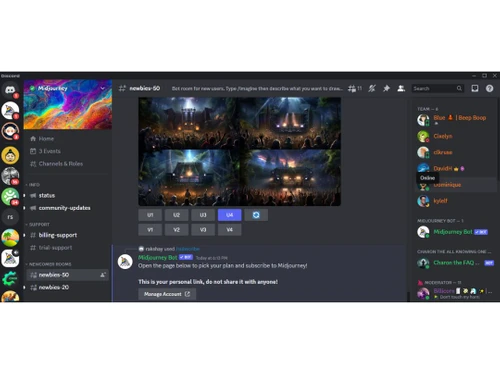
First, sign up with Discord. Go to the Midjourney homepage, select Join the Beta, and either register for a Discord account or sign in. To add the Midjourney server, click the + button and join the Midjourney server from Discord's toolbar. Explore the interface as a free member to learn about its features.

Can Midjourney edit photos?

Yes, Midjourney is a powerful AI photo editing software that allows the user to edit the photos, apply various art styles and create an enhanced version of your photo.

Is Midjourney safe to use?

Midjourney is laced with data security system and data encryption that ensures user’s privacy and confidentiality. So yes, it would right to say that Midjourney is safe to use.

Can I use Midjourney images on YouTube?

Yes, you can use Midjourney images on YouTube. Although if you are a free user then you won’t be able to use the image commercially on YouTube.

Can Midjourney make videos?

Yes, Midjourney can be used to make videos. It is a power AI-image/video generator that could be used to create videos. To do so use the command --video parameter.

Is Midjourney an app?

Midjourney has an app which is supported by both Android and iOS environments. In order to use the app, you must first download it from the app/play store, gets its subscription verified and then enter the command, also known as Prompts in Midjourney.

How do I get Midjourney to use my face?

If you want Midjourney to use your face/image as an input, all you must do is join the Midjourney’s discords server, be its member. Then invite Midjourney and InsightFace Bot to your private server, register your picture by using the command /saveid. Now just rename your ID and restart the application.

How do you use Midjourney?

Join Midjourney's Discord channel and accept their invitation to gain access to Midjourney AI. Next, enter /subscribed in the #newbies channel. All that remains is to choose a plan and finish the payment process. After completing the payment process, navigate to #general, input your prompt, and then type the command /imagine. Feel free to make changes, and if you are happy with the outcome, save the picture.

Is Midjourney free to use?

No, Midjourney is not free to use. It offers a limited free trial, but continued use requires a paid subscription.

Midjourney Questions

Q:

Can people in India use Midjourney?

Hitesh patil • Mar 27, 2026
A:

Yes, people in India can use Midjourney from both web and mobile. They just need to enroll with Discord, get a premium subscription to the application, and move forward.

Sharun • Mar 30, 2026
Q:

Can I use Midjourney on my phone?

Siban Hipparage • Mar 26, 2026
A:

Yes, you can use Midjourney on your phone. It has an app that is supported by both Android and Apple devices and is available to download from their respective app stores.

Joitaram • Mar 30, 2026
Q:

Can Midjourney do animations?

Koyal Hulke • Mar 24, 2026
A:

Midjourney, has a Gen-2 Text-to-Video tool, using which you could create short AI generative videos based on the prompt that you enter. You could endlessly generate immersive output until you are satisfied.

Abhijeet Singh chauhan • Mar 26, 2026
Q:

Can you give Midjourney an image?

Joitaram • Mar 23, 2026
A:

Yes, you could add images in Midjourney by using the image’s URL in the prompt section. You could also add an image in its Discord server to add image.

Abdulrahman Bin Hindi • Mar 30, 2026
Q:

How does Midjourney create art?

Randell Reginio • Mar 17, 2026
A:

Midjourney uses advance Machine learning models to fetch and analyze the prompt that you enter and its database. It translates text by breaking down a phrase into smaller chunks of information (called Tokens) into visual data and thereby giving us an immersive image as an output.

Baba Barphani offset • Mar 30, 2026
See All Midjourney Questions

20,000+ Software Listed

Best Price Guranteed

Free Expert Consultation

2M+ Happy Customers

Terms and Condtions

close

Users with registered businesses can purchase goods from merchants on the platform to satisfy their business needs. Users are not permitted to utilize any products acquired through the platform for resale, advertising, business, or further distribution.

For each purchase made, users will receive a Tax Invoice (or 'GST invoice') that includes specific details such as:

  • the GSTIN of the user associated with their registered business, and

  • the specified Entity Name for their business.

It should be noted that not all products are eligible for GST Invoice. Only the products displayed by participating sellers with the 'GST-based Invoice Available' callout on the product description page would qualify.

Certain goods and services are not eligible to get a GST Invoice, including items with VAS, i.e., Value Added Services (e.g., Total Mobile Protection/Assured Buyback) and those involving an exchange offer at the time of purchase.

Users must ensure the accuracy of the GSTIN, and business entity name provided for the GST Invoice. Requests for corrections into GST Invoice would not be accommodated by Techjockey.com or any Seller, and any issues arising from user-provided information are the sole responsibility of users.

Techjockey.com is not liable for the GST Invoice or any associated input tax credit. To efficiently claim an input tax credit, users should select the registered place of business address as per the GST authority's data and follow the provisions of the GST Act and rules.

To claim an input tax credit, the delivery and billing addresses must match. Furthermore, input tax credits will not be granted if the delivery address and GSTIN on the invoice are from different states. In case of incorrect GST details provided during the order placement, the order will be canceled automatically.