 USA
USA UAE
UAESmall Business
Designed for startups and growing businesses


See More


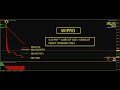


Brand: MKC Trading Software
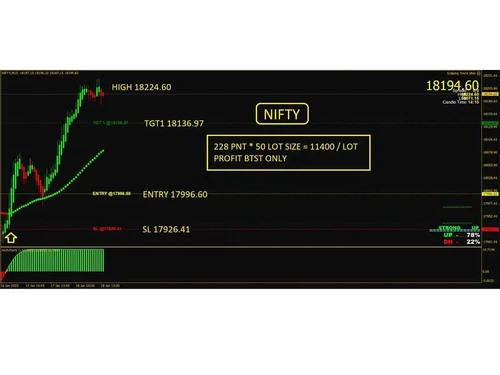
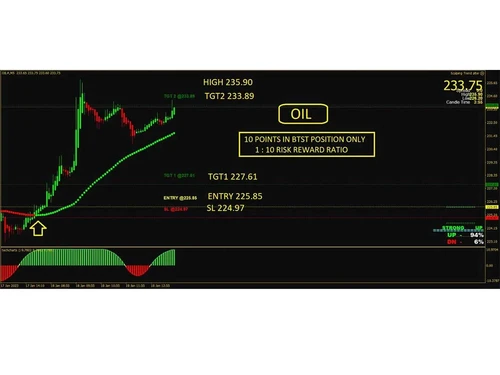
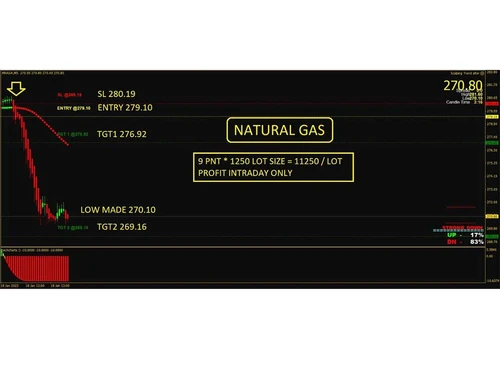
MKC Trading Software is a software specialized in providing accurate trading signals and technical tools.
See MoreHave you used MKC Trading Software before?
Share your insights for better experience
View plans
 Save upto 18%, Get GST Invoice on your business purchase T&C Buy Now & Pay Later, Check offer on payment page.
 Core Features
 Portfolio Management Market Data Watchlist Charting Tools Order Control Order Execution Stock Screener
 Order Execution
Limit Order Market Order Stop (Loss) Order Stop Limit Orders Trailing Stop Order Research and Analysis
Analyst Ratings Multi-Timeframe Analysis Advanced Order Flow Analysis Sentiment Analysis Technical Analysis
Trendlines Technical Indicators Smart drawing tools Custom Indicators Automated Technical Patterns Detection Fundamental Analysis
Industry Analysis Financial Ratios Income Statement Balance Sheet Cash Flow Statements Earnings Forecasts Company Valuation Models Backtesting and Optimization
Paper Trading Historical Data Simulation Strategy Tester Strategy Optimization Monte Carlo Simulation Risk Management
Performance Analytics Risk Calculator Position Sizing Calculator Diversification Analysis Stop-Loss Automation Maximum Drawdown Analysis Trading Options
Paper Trading Swing Trading Intraday Trading Derivative Trading Algorithm Trading Options Trading Futures Trading Automatic Trading Rotational Trading Forex Trading Crypto Trading Spread Trading Reporting & Analytics
Dashboards Portfolio Tracking Customizable Reports Risk Analytics Trade Performance Attribution Account Management
Multi-Factor Authentication (MFA) Customizable User Interface Account Summary Reports User Access Management Audit Trail Integrations
API Integration Multi-Language Support Third Party Integration Market Data Integration Brokerage Integration Cloud Data Integration Social Media Integration Alerts & Notifications
Price Alert Push Notifications Real-Time Market Updates News Alert Volume Alerts Sentiment Alerts 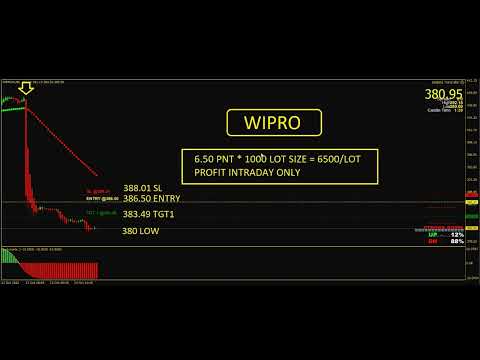

Watch the demo video to explore key features, real workflows, and how the software fits your business needs.
 Windows
  MacOS
MacOS  Desktop
  Mobile
  Cloud-Based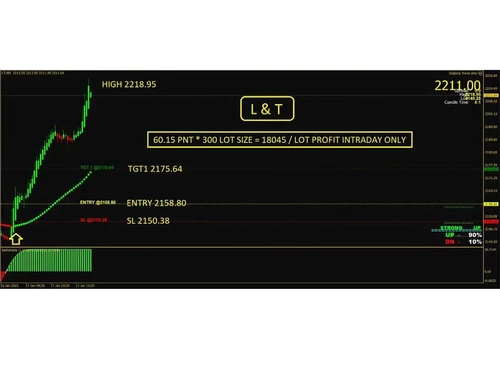

Small Business
Designed for startups and growing businesses
Medium Business
Built for business growth and flexibility
Enterprises
Designed for complex and large-scale business needs
4.3
Out of 5

Overall Rating
Based on
1 Verified Review
Rating Breakdown
100% Recommend this Product
Add Review
MKC Trading Software
₹ 20000.00 excl. GST
Desktop
Mobile
Web based
On Premises
Windows
Mac OS

TradingView
₹ 1295
Desktop
Mobile
Web based
On Premises
Windows
Mac OS

Falcon7
₹ 10339
Desktop
Mobile
Web based
On Premises
Windows
Mac OS

MultiCharts
Price On Request
Desktop
Mobile
Web based
On Premises
Windows
Mac OS

TrendSpider
Price On Request
Desktop
Mobile
Web based
On Premises
Windows
Mac OS

M2 Trading System
₹ 18500
Desktop
Mobile
Web based
On Premises
Windows
Mac OS

ProRealTime
Price On Request
Desktop
Mobile
Web based
On Premises
Windows
Mac OS

GoCharting
₹ 599
Desktop
Mobile
Web based
On Premises
Windows
Mac OS
Tickertape
Price On Request
Desktop
Mobile
Web based
On Premises
Windows
Mac OS

OptionX
₹ 999
Desktop
Mobile
Web based
On Premises
Windows
Mac OS

Tradetron
₹ 300
Desktop
Mobile
Web based
On Premises
Windows
Mac OS
(0) Product(s) selected








MKC Trading Software is compatible with Linux, macOS, Linux, and other operating systems.
Yes, the MKC Trading Software app is available for mobile devices.
MKC Trading Software supports web-based deployment.
MKC Trading Software pricing starts at 20,000/lifetime.
MKC Trading Software is typically used by professionals who are actively engaged in trading stocks.
The MKC Trading Software demo is available for free with techjockey.com.
MKC Trading Software offers a free trial. However, the premium plan with advanced features starts at ? 20,000/lifetime.
MKC Trading Software installation is not required, as it is web-based. Just open the Setup Wizard to get started.
MKC Trading Software is a complete solution that helps with trading. It offers advanced trading tools, real-time data, and automation capabilities. All these functionalities make it an ideal choice for businesses and individuals that are actively involved in trading activities.
The MKC Trading Software demo is available for free with techjockey.com
MKC Trading Software calculates Value at Risk (VaR) as a standard feature, given its focus on risk management and trading tools. VaR is a statistical measure that estimates the potential loss in a portfolio over a specific time period with a given confidence level.
0 0
The major programming languages that are supported for API access are Python, Java, C#, and C++. With these languages, you can access advanced market data, order execution facility, advanced charting, historical data, custom indicators, and more.
0 0
Yes, MKC Trading Software allows users to backtest their strategies using custom indicators created within the platform. This feature is used to evaluate the performance of strategies based on unique indicators or combinations that may not be available as pre-built indicators.
0 0
Relative Strength Index (RSI) is calculated using the standard formula in MKC. The formula is:
RSI = 100 - (100 / (1 + RS)) RS = Average Upward Closes / Average Downward Closes
Where,
Average Upward Closes is the average of upward price changes over some time.
Average Downward Closes is the average of downward price changes over some time.
Lookback period, smoothing, and overbought/oversold level are some parameters that users can customize.
0 0
MKC Trading Software uses a sophisticated order routing system to efficiently execute orders on various exchanges. This system is used for:
0 0
20,000+ Software Listed
Best Price Guranteed
Free Expert Consultation
2M+ Happy Customers
Terms and Condtions

Users with registered businesses can purchase goods from merchants on the platform to satisfy their business needs. Users are not permitted to utilize any products acquired through the platform for resale, advertising, business, or further distribution.
For each purchase made, users will receive a Tax Invoice (or 'GST invoice') that includes specific details such as:
the GSTIN of the user associated with their registered business, and
the specified Entity Name for their business.
It should be noted that not all products are eligible for GST Invoice. Only the products displayed by participating sellers with the 'GST-based Invoice Available' callout on the product description page would qualify.
Certain goods and services are not eligible to get a GST Invoice, including items with VAS, i.e., Value Added Services (e.g., Total Mobile Protection/Assured Buyback) and those involving an exchange offer at the time of purchase.
Users must ensure the accuracy of the GSTIN, and business entity name provided for the GST Invoice. Requests for corrections into GST Invoice would not be accommodated by Techjockey.com or any Seller, and any issues arising from user-provided information are the sole responsibility of users.
Techjockey.com is not liable for the GST Invoice or any associated input tax credit. To efficiently claim an input tax credit, users should select the registered place of business address as per the GST authority's data and follow the provisions of the GST Act and rules.
To claim an input tax credit, the delivery and billing addresses must match. Furthermore, input tax credits will not be granted if the delivery address and GSTIN on the invoice are from different states. In case of incorrect GST details provided during the order placement, the order will be canceled automatically.





