linkedin
Omnify Software logo
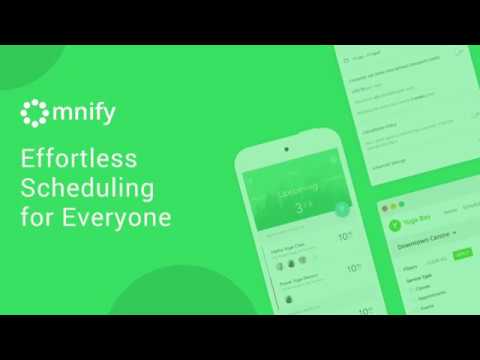
play Omnify- Effortless Scheduling for Everyone
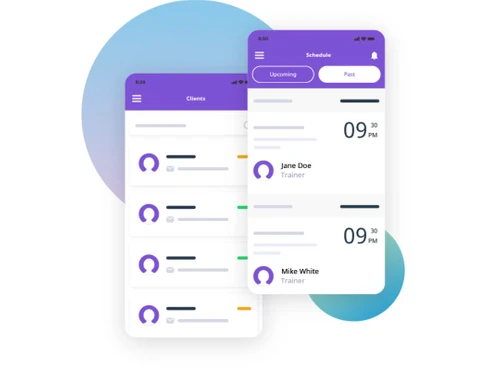
omnify software-schedule
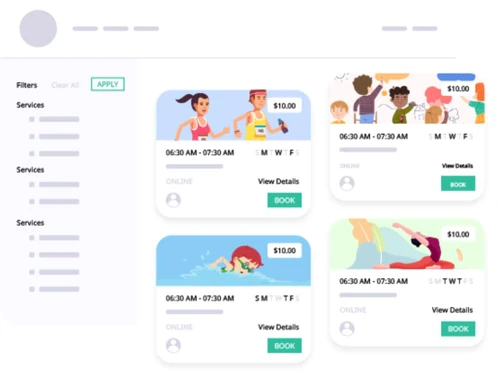
omnify software-services

Omnify Software

Brand: Omnify Software

  • 5

  • 1 Rating & 1 Review

Omnify Software is a cloud-based Sports League Management Platform that helps recreational clubs, sports facilities, and community centers, with their business proceedings. The software, with its comprehensive set of tools, makes the reservation process a super easy and convenient task. With Omnify, team managers can schedule slots, accept bookings, limit attendees and track cancellations seamles...

See More

Have you used Omnify Software before?

Share your insights for better experience

Add a Review
Starting Price
$149

View plans

100% Genuine
Products
Best Price
Guaranteed
Safe & Secure
Payment
  • Description

  • Pricing

  • Features

  • Specification

  • Review

  • Compare

  • Alternatives

  • FAQ

Starting at $149

Omnify Software Overview

What is Omnify Software?

Omnify Software is a cloud-based Sports League Management Platform that helps recreational clubs, sports facilities, and community centers, with their business proceedings. The software, with its comprehensive set of tools, makes the reservation process a super easy and convenient task. With Omnify, team managers can schedule slots, accept bookings, limit attendees and track cancellations seamlessly. Moreover, sports associations can also enable the guest checkout process to let their clients book services in real-time all by themselves, eliminating account creation tasks. Custom filters let clients choose their preferences and book selected services in real-time. 

What makes Omnify Sports League Management software stand out from the rest?

  1. Advanced Reservation Systems: Clubs can leverage the platform to accept payments and bookings other than managing waitlists as per their requirements. Managers can generate time-based slots throughout the day, limit the attendee numbers and access rights as well. 
  2. Unified Collaborative Portal: The Sports League Management software can be used to generate class-wise lists, manage appointments, memberships and upcoming events. Coaches can collaborate with team members and let them get access to a shared calendar. They can also keep track of attendance with an integrated check-in feature. 
  3. Customer Self Service: Dedicated customer portal and family members can access this module, and let your clients make reservations all by themselves. Omnify Software with its automated email facility enhances the retention levels of individual clients.

Omnify Software Pricing

Omnify Sports League Management software pricing is available on request. If you are interested to know more about the product, feel free to send in a callback request. 

How does Omnify Sports League Management software help users with their marketing process?

  1. Automated Emails: Sports associations can take control over their email delivery schedules, they can customize individual emails, add-in dynamic tags, and leverage the enhanced text editor as well.
  2. Real-time Reminders: Admins can automate the delivery of personalized reminders for due payments and upcoming services.
  3. Discounts: Omnify software can be used to generate personalized discount codes for individual customers, which they can avail for selected services. Clubs also get to run customer retention campaigns and attract potential clients as well. 
  4. Integration: The software offers active integration with external platforms via Zapier, making it easy for clubs to carry on with their business.
Read more

Omnify Software Pricing & Plans

Growth Pro
Starting at $149
    • Licenses

      Licenses
      Licenses
    • Monthly

      Monthly
      Monthly

Key Features

  • Up to 5 Team Members

  • Up to 1,000 Clients

  • 2% Transaction Fees

Accelerate Pro
Starting at $349
    • Licenses

      Licenses
      Licenses
    • Monthly

      Monthly
      Monthly

Key Features

  • Up to 10 Team Members

  • Up to 5,000 Clients

  • 1% Transaction Fees

Scale Pro
Starting at $599
    • Licenses

      Licenses
      Licenses
    • Monthly

      Monthly
      Monthly

Key Features

  • Up to 10 Team Members

  • Up to 20,000 Clients

  • 0.5% Transaction Fees

Omnify Software Features

  • icon_check Customer Accounts
    Sports clubs can let their clients login all by themselves and get access to upcoming schedules, manage transaction history and
  • icon_check Booking Module
    Clubs can accept bookings, through a range of PCI compliant payment gateway options. They can also set up recurring payments and
  • icon_check Payment Options
    The software makes it possible for clubs to set up recurring payments, share links and accept payments via email.
  • icon_check Calender Management
    Integrated service-based calendars make it easy for users to stay updated about daily schedules, manage attendees, and scheduling
  • icon_check Scheduling
    Admins can link their business calendars with Omnify Software to stay updated about their regular schedules.
  • icon_check Sales Management
    The Sports League Management software offers a detailed view of generated bookings, enabling users to delete, manage, and export
  • icon_check Analytics
    Admins get access to detailed insights regarding the performance of multiple business services, inclusive of metrics like
  • icon_check Team Management
    Managers can add or delete members out of a team, offer separate login access to coaches, and specify role-based access rights to
  • icon_check Marketing Campaigns
    The Sports League Management software can be integrated with external platforms to automate marketing emails and report
  • icon_check Service & Support
    A dedicated support team of Omnify Software offers relevant support via chat, helpdesk and video calls. 
Omnify Software Demo Video play icon

Get Omnify Software Demo

Watch the demo video to explore key features, real workflows, and how the software fits your business needs.

Understand
Key Features
Personal
Demo Insights
Interactive
Demo Support

Omnify Software Specifications

Supported Platforms
Windows Windows
Devices
Desktop Desktop
Deployment
Cloud-Based Cloud-Based
Suitable For
Sports & Lifestyle
Business Specific
Sports
Language
English

Explore the Best Alternative Solutions Similar to Your Business Size and Needs

Omnify Software Review

5

Out of 5

img

Overall Rating

Based on
1 Verified Review

Rating Breakdown

  • Features 4.0
  • Value for Money 4.8
  • Ease of Use 4.4
  • Customer Support 4.4

100% Recommend this Product

Add Review

Sunil Kukreja

User

5

Reviewed on: Oct 10, 2017

Techjockey Verified

“They suggested several good matches ”

Pros

extremely helpful team who did everything they could to help solve our issues

Cons

N/A

Compare Omnify Software With other Appointment Scheduling Software

Products
Ratings
Pricing
Device Supported
Deployment
Supported Platforms
  • img

    Omnify Software

  • 5

  • Price On Request

  • Desktop

    Mobile

  • Web based

    On Premises

  • Windows

    Mac OS

  • img

    Calendly

  • 4.5

  • Price On Request

  • Desktop

    Mobile

  • Web based

    On Premises

  • Windows

    Mac OS

  • img

    Reservio

  • 4.4

  • Price On Request

  • Desktop

    Mobile

  • Web based

    On Premises

  • Windows

    Mac OS

  • img

    GlossGenius

  • 4.5

  • Price On Request

  • Desktop

    Mobile

  • Web based

    On Premises

  • Windows

    Mac OS

  • img

    GoSchedule

  • 4.3

  • Price On Request

  • Desktop

    Mobile

  • Web based

    On Premises

  • Windows

    Mac OS

  • img

    Zoho Bookings

  • 4.2

  • ₹ 480

  • Desktop

    Mobile

  • Web based

    On Premises

  • Windows

    Mac OS

  • img

    Booksy

  • 4.1

  • Price On Request

  • Desktop

    Mobile

  • Web based

    On Premises

  • Windows

    Mac OS

  • img

    SuperSaaS

  • 4.3

  • Price On Request

  • Desktop

    Mobile

  • Web based

    On Premises

  • Windows

    Mac OS

  • img

    Setmore

  • 4.3

  • Price On Request

  • Desktop

    Mobile

  • Web based

    On Premises

  • Windows

    Mac OS

  • img

    Zoho Calendar

  • 4.2

  • Price On Request

  • Desktop

    Mobile

  • Web based

    On Premises

  • Windows

    Mac OS

(0) Product(s) selected

Omnify Software Alternatives

See All Omnify Software Alternatives

Starting Price:

$60 /Month

Starting Price:

$30 /Month

Starting Price:

$9 /Month

Starting Price:

$12 /User/Month

Starting Price:

$4

Articles for Omnify Software

See All Related Articles

Does Omnify Sports League Management software help with quick insights?

The software offers detailed insights into business stats, losses, upcoming bookings, visible gains, cancellations, and more.

How does the custom form module offered by Omnify Sports League Management software turn out to be useful?

Clubs and sports associations can use the custom form module to collect additional information from their clients. They can specify multiple steps to execute the booking flow.

Is Omnify Sports League Management software available for an online demo?

Yes, you can request an online demo of Omnify Software, our product experts will get back to you as per the date and time you are convenient with.

How does the migration assistance of Omnify Sports League Management software turn out to be useful?

The migration assistance lets users import their pre-existing clients and bookings from external platforms, upload data and forward email notifications as well.

Is Omnify Sports League Management solution available as a mobile app?

Yes, Omnify Sports League Management Software features a dedicated mobile app known as Omnify Go, compatible with Android and iOS devices.

20,000+ Software Listed

Best Price Guranteed

Free Expert Consultation

2M+ Happy Customers

Terms and Condtions

close

Users with registered businesses can purchase goods from merchants on the platform to satisfy their business needs. Users are not permitted to utilize any products acquired through the platform for resale, advertising, business, or further distribution.

For each purchase made, users will receive a Tax Invoice (or 'GST invoice') that includes specific details such as:

  • the GSTIN of the user associated with their registered business, and

  • the specified Entity Name for their business.

It should be noted that not all products are eligible for GST Invoice. Only the products displayed by participating sellers with the 'GST-based Invoice Available' callout on the product description page would qualify.

Certain goods and services are not eligible to get a GST Invoice, including items with VAS, i.e., Value Added Services (e.g., Total Mobile Protection/Assured Buyback) and those involving an exchange offer at the time of purchase.

Users must ensure the accuracy of the GSTIN, and business entity name provided for the GST Invoice. Requests for corrections into GST Invoice would not be accommodated by Techjockey.com or any Seller, and any issues arising from user-provided information are the sole responsibility of users.

Techjockey.com is not liable for the GST Invoice or any associated input tax credit. To efficiently claim an input tax credit, users should select the registered place of business address as per the GST authority's data and follow the provisions of the GST Act and rules.

To claim an input tax credit, the delivery and billing addresses must match. Furthermore, input tax credits will not be granted if the delivery address and GSTIN on the invoice are from different states. In case of incorrect GST details provided during the order placement, the order will be canceled automatically.