linkedin
Pabau logo
play Pabau Explainer Video
Pabau Patient portal
Pabau Images

Pabau

Brand: Pabau

  • 4.5

  • 1 Rating & 1 Review

Pabau empowers you by offering a holistic solution to streamline operations and enhance patient care.

See More

Have you used Pabau before?

Share your insights for better experience

Add a Review

Price Available on Request

Questions about pricing or customization? We’re here to help, just a click away.

100% Genuine
Products
Best Price
Guaranteed
Safe & Secure
Payment
  • Description

  • Pricing

  • Features

  • Specification

  • Review

  • Compare

  • Alternatives

  • FAQ

Pabau Software Overview

What is Pabau Software?

Pabau is a cutting-edge healthcare software that significantly transforms the landscape of medical practices; it addresses key challenges, ushering in a new era of efficiency and organization. Pabau's robust capabilities simplify the appointment management process seamlessly. Medical practitioners can effortlessly schedule appointments, optimize their workflow, and ensure prompt and well-coordinated patient care through intuitive tools. Pabau is crucial for medical professionals seeking to enhance their practice's operational efficacy. The software caters to the diverse needs of modern healthcare practices. A. This indispensable tool not only keeps pace with the industry's evolving demands but also sets a new standard for excellence in healthcare management.

Its paperless and streamlined approach aligns with modern environmental standards and ensures precision and accessibility in managing patient data. This shift to a digital paradigm reduces administrative overhead and enables healthcare providers to focus more on patient care rather than paperwork. This enhances the overall quality of healthcare services. That's not all, as Pabau also integrates a comprehensive point-of-sale system, among other utilities. These additions create a holistic solution, addressing medical practices' clinical and administrative aspects.

Why Choose Pabau System?

  • Effortless Appointment Scheduling: Intuitive features for easy and effective management.
  • Digital Record Precision: Maintain accurate and accessible client records electronically.
  • Automated Communication: Enhance patient engagement with automated pre and aftercare emails.
  • Financial Efficiency: Seamless point-of-sale system for streamlined transactions.
  • Enhanced Image Documentation: Capture and organize before-and-after images seamlessly.

Benefits of Pabau Healthcare CRM Solution

  • Efficiency: Optimize your practice's efficiency for seamless appointment scheduling and organization.
  • Accessibility: Increase patient convenience and accessibility by allowing easy online booking through this user-friendly platform.
  • Precision: Go paperless and ensure precision in client record-keeping with an efficient digital management system.
  • Engagement: Elevate patient engagement and care coordination with customizable and automated pre and aftercare communication tools.
  • Transactions: Seamlessly handle transactions and financial aspects of your practice with a comprehensive POS.
  • Protection: Mitigate no-shows and streamline deposit handling effortlessly with simplified and protective features.

Pricing of Pabau Healthcare Software

The pricing of Pabau is available on request on techjockey.com.

The pricing model is based on different parameters, including extra features, deployment type, and total users. For further queries related to the Pabau, you can contact our Pabau team and learn more about the pricing and offers.

Read more

Pabau Company Details

Founded Year:  2012

Pabau is a clinic management software that collects and organizes all the information you gather throughout the client life cycle, then empowers you to use it to achieve great things. It will help you automate the consultation process, help dramatically grow your sales & save you time.

Director/Founders William Brandham
Company Size 101-500 Employees

Pabau Pricing & Plans

Looking for The Right Pricing?

Share your requirements and get a plan built around your business.

  • Define your business needs
  • Get customised pricing
  • Choose features that fit your workflow

Price Available on Request

Get personalised Pabau pricing that fits your needs. Our team will connect with you.

Pabau Features

  • icon_check Appointment scheduling
    Easily set up and manage appointments for a smoother healthcare experience.
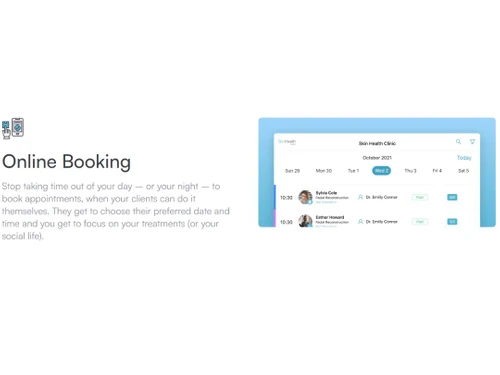
  • icon_check Online booking
    Let patients book appointments conveniently online for added flexibility.
  • icon_check Digital client records
    Go paperless with organized and accessible digital records for efficient patient management.
  • icon_check Customizable consent forms
    Tailor consent forms to fit individual preferences for a personalized approach.
  • icon_check Automated Pre/Aftercare emails
    Stay connected with patients through automated emails for better care coordination.
  • icon_check Appointment reminders
    Ensure everyone stays on track with automated reminders for appointments.
  • icon_check Point of Sale system
    Handle transactions seamlessly with an integrated point-of-sale system.
  • icon_check Deposits & No-Show protection
    Protect against no-shows and simplify transactions with deposit handling.
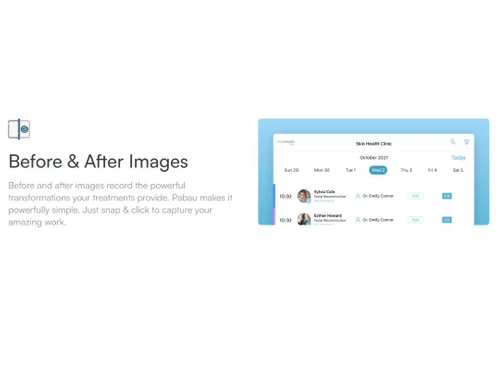
  • icon_check Before & after images
    Capture patient progress with visual documentation for comprehensive records.
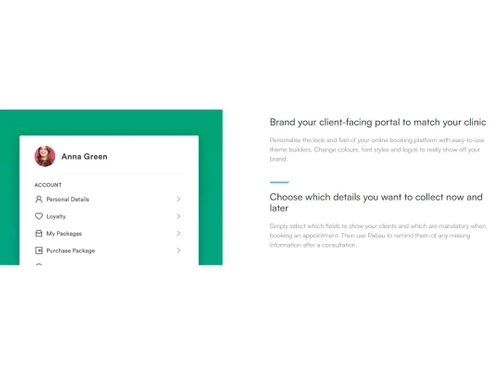
  • icon_check Patient portal
    Empower patients with easy access to their healthcare information through a secure online portal.
Pabau Demo Video play icon

Get Pabau Demo

Watch the demo video to explore key features, real workflows, and how the software fits your business needs.

Understand
Key Features
Personal
Demo Insights
Interactive
Demo Support

Pabau Specifications

Supported Platforms
Ubuntu Ubuntu Windows Windows iOS iOS MacOS MacOS Linux Linux
Devices
Desktop Desktop Mobile Mobile Tablet Tablet iPad iPad
Deployment
Cloud-Based Cloud-Based
Suitable For
Healthcare Spa & Salon Hospital
Business Specific
Hospitals Clinics Spa/Salon
Business Size
Small Business Startups Medium Business Enterprises
Customer Support
Email Communities Forums
Language
English français
Training Resources
Webinars Documentation Videos

Explore the Best Alternative Solutions Similar to Your Business Size and Needs

Pabau Review

4.5

Out of 5

img

Overall Rating

Based on
1 Verified Review

Rating Breakdown

  • Features 4.5
  • Value for Money 4.5
  • Ease of Use 4.5
  • Customer Support 4.5

90% Recommend this Product

Add Review

Pabau Video Review

youtubeVideoId

4.5

“How Pabau helped Ageless Enhancements aesthetics clinic save 10 minutes per patient”

Review by: Pabau CRM

Compare Pabau With other Healthcare CRM Software

Products
Ratings
Pricing
Device Supported
Deployment
Supported Platforms
  • img

    Pabau

  • 4.5

  • Price On Request

  • Desktop

    Mobile

  • Web based

    On Premises

  • Windows

    Mac OS

  • img

    Crelio CRM

  • 4.0

  • Price On Request

  • Desktop

    Mobile

  • Web based

    On Premises

  • Windows

    Mac OS

  • img

    DocEngage

  • 4.2

  • ₹ 17988

  • Desktop

    Mobile

  • Web based

    On Premises

  • Windows

    Mac OS

  • img

    BestNotes

  • 4.5

  • Price On Request

  • Desktop

    Mobile

  • Web based

    On Premises

  • Windows

    Mac OS

  • img

    niwi ai CRM

  • 5

  • Price On Request

  • Desktop

    Mobile

  • Web based

    On Premises

  • Windows

    Mac OS

  • img

    Health Cloud

  • 4.0

  • Price On Request

  • Desktop

    Mobile

  • Web based

    On Premises

  • Windows

    Mac OS

  • img

    Carepatron

  • 4.2

  • Price On Request

  • Desktop

    Mobile

  • Web based

    On Premises

  • Windows

    Mac OS

  • img

    Eduhealth

  • 4.1

  • Price On Request

  • Desktop

    Mobile

  • Web based

    On Premises

  • Windows

    Mac OS

  • img

    Humhealth

  • 4.0

  • Price On Request

  • Desktop

    Mobile

  • Web based

    On Premises

  • Windows

    Mac OS

  • img

    Isoratec

  • 4.4

  • Price On Request

  • Desktop

    Mobile

  • Web based

    On Premises

  • Windows

    Mac OS

(0) Product(s) selected

Pabau Alternatives

See All Pabau Alternatives

Available

Price on Request

Available

Price on Request

Articles for Pabau

See All Related Articles

Which operating system does Pabau support?

Pabau is compatible with Windows, Ubuntu, Linux, and macOS device systems.

Is there any Pabau App?

The Pabau app is available for mobile and tablet devices.

What is the deployment type of Pabau?

Pabau supports web-based deployment.

How much does Pabau cost?

Pabau pricing is available on request on techjockey.com.

Who are the potential users of Pabau?

Potential users of Pabau include healthcare professionals and medical practitioners. This healthcare software solution helps enhance appointment management, streamline client records, and optimize overall operational effectiveness.

Is there any free trial or demo for Pabau?

The Pabau platform demo is available for free with techjockey.com.

Is Pabau Free?

Pabau does offer a free trial.

How can you download Pabau?

Software installation is not needed since it supports web-based deployment. Just open the setup wizard and get started.

How Does Pabau Work?

Pabau operates by seamlessly integrating innovative features such as intuitive appointment scheduling, online booking, digital client record management, and automated communication tools, providing a comprehensive and streamlined healthcare software solution for medical professionals.

20,000+ Software Listed

Best Price Guranteed

Free Expert Consultation

2M+ Happy Customers

Terms and Condtions

close

Users with registered businesses can purchase goods from merchants on the platform to satisfy their business needs. Users are not permitted to utilize any products acquired through the platform for resale, advertising, business, or further distribution.

For each purchase made, users will receive a Tax Invoice (or 'GST invoice') that includes specific details such as:

  • the GSTIN of the user associated with their registered business, and

  • the specified Entity Name for their business.

It should be noted that not all products are eligible for GST Invoice. Only the products displayed by participating sellers with the 'GST-based Invoice Available' callout on the product description page would qualify.

Certain goods and services are not eligible to get a GST Invoice, including items with VAS, i.e., Value Added Services (e.g., Total Mobile Protection/Assured Buyback) and those involving an exchange offer at the time of purchase.

Users must ensure the accuracy of the GSTIN, and business entity name provided for the GST Invoice. Requests for corrections into GST Invoice would not be accommodated by Techjockey.com or any Seller, and any issues arising from user-provided information are the sole responsibility of users.

Techjockey.com is not liable for the GST Invoice or any associated input tax credit. To efficiently claim an input tax credit, users should select the registered place of business address as per the GST authority's data and follow the provisions of the GST Act and rules.

To claim an input tax credit, the delivery and billing addresses must match. Furthermore, input tax credits will not be granted if the delivery address and GSTIN on the invoice are from different states. In case of incorrect GST details provided during the order placement, the order will be canceled automatically.