USA
USA UAE
UAESmall Business
Designed for startups and growing businesses


See More




Brand: Quest
The Quest NetVault Backup is a data backup and data recovery software. It can protect software applications and data in any physical and virtual environment (cloud backups) from one centralized management interface. This enables the clients using the software to get control of their business from any place. Quest NetVault Backup is based on a client-server architecture and maintains a history of...
See MoreHave you used Quest NetVault Backup before?
Share your insights for better experience
Brand: Quest
Founded Year: 1987
Quest
Looking for The Right Pricing?
Share your requirements and get a plan built around your business.
Price Available on Request
Get personalised Quest NetVault Backup pricing that fits your needs. Our team will connect with you.
 Data deduplication Data Management Continuous Data Protection Application protection Virtualization Instant Recovery Enterprise-wide control Network-attached storage support Cloud-ready Backup Back up to disk and tape Bare metal recovery Multi-stream Performance Strong security Flexible storage attachment Dynamically-shared device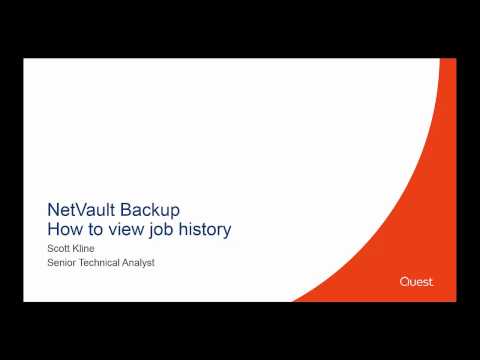

Watch the demo video to explore key features, real workflows, and how the software fits your business needs.
 Ubuntu
  Windows
  Linux
Linux  Desktop
  Cloud-Based
  Perpetual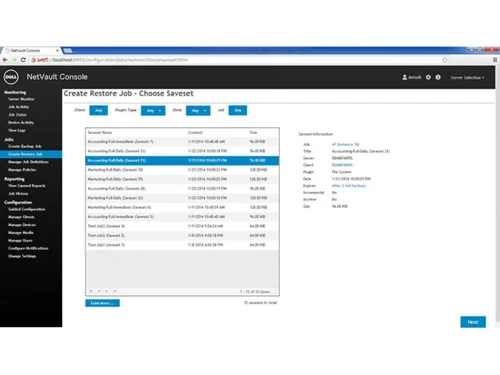
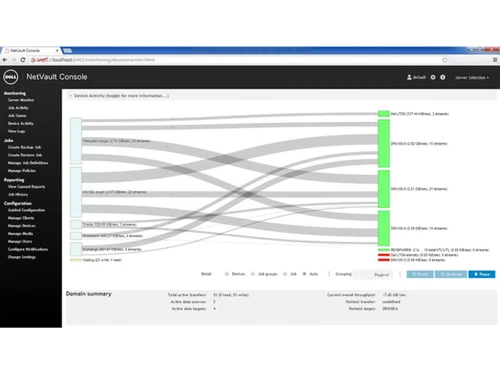
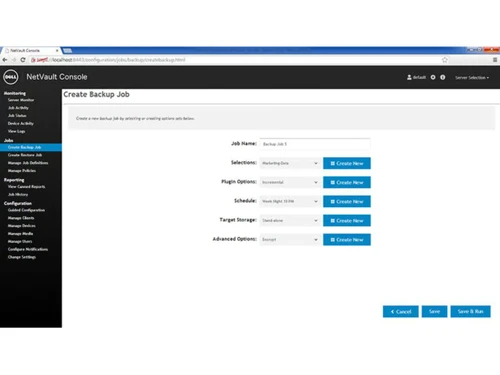
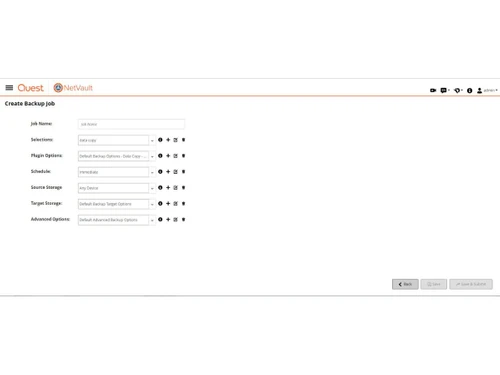
Small Business
Designed for startups and growing businesses
Medium Business
Built for business growth and flexibility
Enterprises
Designed for complex and large-scale business needs
5
Out of 5

Overall Rating
Based on
2 Verified Reviews
Rating Breakdown
100% Recommend this Product
Add Review
Jan 17, 2022
Techjockey Verified
“Netvault Backup is stable as a rock”
Pros
Netvault Backup server run under Linux (Ubuntu, SuSE, RedHat and more) an Windows. Access via browser is possible from every client with a browser. The Access is very comfortable and handling is very easy. To create a backup job or restore job needs only a few clickes and seconds. But what is most important, if you are using a backup appliance your backup is ransomware safe! We have installed the hole Netvault Backup infrastructure under Linux, including VMware access, and it run stable as a rock. The client is available for many operating systems. The data reduction with deduplication and compression (RDA APM) reduses the backup volume bei 90%, so you can do allways full backups without disadvantages. Only modified blocks were transported from the client.
Cons
Sometimes you have to wait for new supported releases of VMware or other products. But I think this is normal.
Reason to switch
Bad support, not state of the art
Apr 4, 2018
Techjockey Verified
“impressive service”
Pros
Really easy straight forward process from purchase to implementing the software.
Cons
N/A
Quest NetVault Backup
Price On Request
Desktop
Mobile
Web based
On Premises
Windows
Mac OS

Dr.Fone - Data Recovery
₹ 1899
Desktop
Mobile
Web based
On Premises
Windows
Mac OS

Ideas Plus
Price On Request
Desktop
Mobile
Web based
On Premises
Windows
Mac OS

Iperius Data Backup Software
₹ 3190
Desktop
Mobile
Web based
On Premises
Windows
Mac OS

Apna Backup
₹ 1562
Desktop
Mobile
Web based
On Premises
Windows
Mac OS

Allway Sync
Price On Request
Desktop
Mobile
Web based
On Premises
Windows
Mac OS

Staz
₹ 1000
Desktop
Mobile
Web based
On Premises
Windows
Mac OS

Retrospect Backup
Price On Request
Desktop
Mobile
Web based
On Premises
Windows
Mac OS

Veeam Data Cloud
Price On Request
Desktop
Mobile
Web based
On Premises
Windows
Mac OS

iTransor for iOS
₹ 3289
Desktop
Mobile
Web based
On Premises
Windows
Mac OS

BDRCloud
Price On Request
Desktop
Mobile
Web based
On Premises
Windows
Mac OS
(0) Product(s) selected
Available
Price on Request
Starting Price:
₹1,562 /Month ₹2,003
Available
Price on Request
Starting Price:
$20
Starting Price:
₹3,289 /Quantity ₹4,936
Available
Price on Request

Starting Price:
$149 /Year

Starting Price:
$579 Yearly/

Available
Price on Request

Starting Price:
$499

Available
Price on Request
With the software, clients can easily search for files and objects that are in backup and restore. They get access to the metadata of items that are backed up with NetVault.
The client gets access to direct-to storage backup with this solution. Now they can exhibit significant delivery performance and show greater storage efficiency.
With it, clients can easily perform faster and easier backups along with recovery time and point objectives. They can rightly serve the most demanding business needs with this feature.
The software provides all-round support to Office 365. One can easily backup, recover, exchange online mailboxes, calendars and individual files with the software.
The software has a Crypto Module that is certified by FIPS 140-2 level 1. It serves the clients as per the government’s data security requirements.
20,000+ Software Listed
Best Price Guranteed
Free Expert Consultation
2M+ Happy Customers
Terms and Condtions

Users with registered businesses can purchase goods from merchants on the platform to satisfy their business needs. Users are not permitted to utilize any products acquired through the platform for resale, advertising, business, or further distribution.
For each purchase made, users will receive a Tax Invoice (or 'GST invoice') that includes specific details such as:
the GSTIN of the user associated with their registered business, and
the specified Entity Name for their business.
It should be noted that not all products are eligible for GST Invoice. Only the products displayed by participating sellers with the 'GST-based Invoice Available' callout on the product description page would qualify.
Certain goods and services are not eligible to get a GST Invoice, including items with VAS, i.e., Value Added Services (e.g., Total Mobile Protection/Assured Buyback) and those involving an exchange offer at the time of purchase.
Users must ensure the accuracy of the GSTIN, and business entity name provided for the GST Invoice. Requests for corrections into GST Invoice would not be accommodated by Techjockey.com or any Seller, and any issues arising from user-provided information are the sole responsibility of users.
Techjockey.com is not liable for the GST Invoice or any associated input tax credit. To efficiently claim an input tax credit, users should select the registered place of business address as per the GST authority's data and follow the provisions of the GST Act and rules.
To claim an input tax credit, the delivery and billing addresses must match. Furthermore, input tax credits will not be granted if the delivery address and GSTIN on the invoice are from different states. In case of incorrect GST details provided during the order placement, the order will be canceled automatically.