
Description
Pricing
Features
Specification
Review
Compare
FAQs
Alternatives
 Get Free Advice
Get Quote





Brand : Robert McNeel and Associates


Have Questions?
Starting at
$ 995
Save Extra with 2 Offers
 Save upto 18%, Get GST Invoice on your business purchase |
Users with registered businesses can purchase goods from merchants on the platform to satisfy their business needs. Users are not permitted to utilize any products acquired through the platform for resale, advertising, business, or further distribution.
For each purchase made, users will receive a Tax Invoice (or 'GST invoice') that includes specific details such as:
the GSTIN of the user associated with their registered business, and
the specified Entity Name for their business.
It should be noted that not all products are eligible for GST Invoice. Only the products displayed by participating sellers with the 'GST-based Invoice Available' callout on the product description page would qualify.
Certain goods and services are not eligible to get a GST Invoice, including items with VAS, i.e., Value Added Services (e.g., Total Mobile Protection/Assured Buyback) and those involving an exchange offer at the time of purchase.
Users must ensure the accuracy of the GSTIN, and business entity name provided for the GST Invoice. Requests for corrections into GST Invoice would not be accommodated by Techjockey.com or any Seller, and any issues arising from user-provided information are the sole responsibility of users.
Techjockey.com is not liable for the GST Invoice or any associated input tax credit. To efficiently claim an input tax credit, users should select the registered place of business address as per the GST authority's data and follow the provisions of the GST Act and rules.
To claim an input tax credit, the delivery and billing addresses must match. Furthermore, input tax credits will not be granted if the delivery address and GSTIN on the invoice are from different states. In case of incorrect GST details provided during the order placement, the order will be canceled automatically.
Buy Now & Pay Later, Check offer on payment page. A 3D design software turns complex designs into smooth, workable creations. Precision meets creativity in a tool built for real designers! ...Read more
 Get Instant Expert
  Safe & Secure
  Assured Best Price
 We make it happen! Get your hands on the best solution based on your needs.
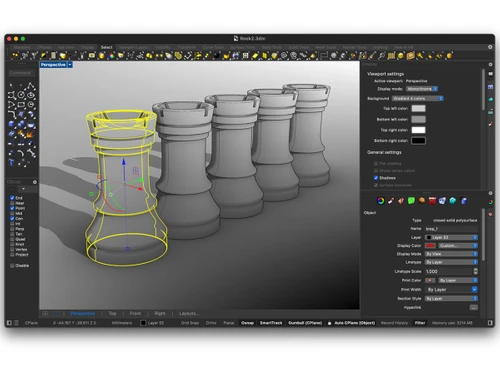
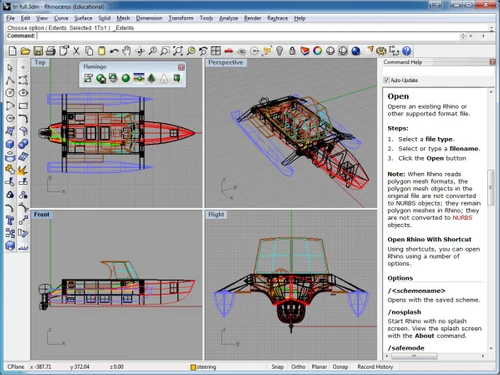
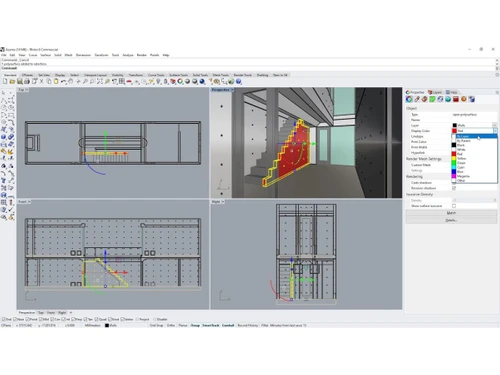
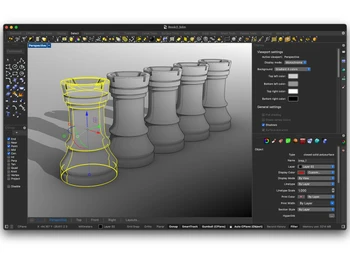
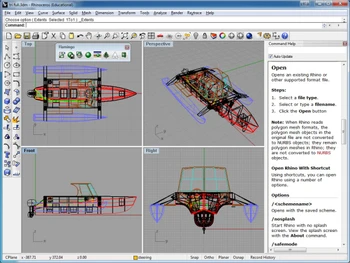
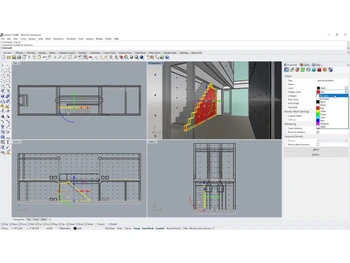
 NURBS Geometry Utilizes Non-Uniform Rational B-Splines to represent curves and surfaces with extreme mathematical precision and accuracy. Gumball Widget Displays a multi-functional graphical interface on selected objects to perform move, scale, and rotate transformations. Boolean Tools Executes union, difference, and intersection operations on solids and surfaces to construct complex volumetric geometries. SubD Modeling Implements subdivision surface technology to create smooth, high-precision organic shapes with high-speed editing controls. Layer Management Organizes complex models into a hierarchical structure for controlling object visibility, color, and material properties. Object Snapping Constrains the cursor to specific geometric locations like end points, midpoints, or tangents for exact spatial alignment. Loft Operation Generates a smooth surface that passes through a series of profile curves, defining the overall shape of the 3D geometry. Sweep Functions Extrudes a profile curve along one or more rail curves to create complex tubular or surface forms with variable profiles. Mesh Conversion Translates precise NURBS surfaces into polygonal mesh data for use in rendering, 3D printing, and computational analysis. Drafting Tools Supports 2D technical drawing through annotation, dimensioning, and the generation of flattened layouts from 3D models. Viewports System Displays multiple simultaneous perspectives of the workspace, including top, front, right, and 3D perspective views. Block Definitions Groups multiple objects into a single reusable instance to reduce file size and maintain consistency across assemblies. File Interoperability Supports over thirty distinct file formats for importing and exporting geometry between different CAD and BIM platforms.
 | Brand Name | Robert McNeel and Associates |
| Information | Robert McNeel & Associates develops Rhino 3D (Rhinoceros®), one of the most versatile 3D modeling tools in the world. |
| Founded Year | 1978 |
| Director/Founders | Robert McNeel and Associates |
| Company Size | 101-500 Employees |


 20,000+ Software Listed
 Best Price Guaranteed
 Free Expert Consultation
 2M+ Happy Customers
 USA
USA UAE
UAE
 Write a Review

