 USA
USA UAE
UAESmall Business
Designed for startups and growing businesses

See More





Brand: Autodesk
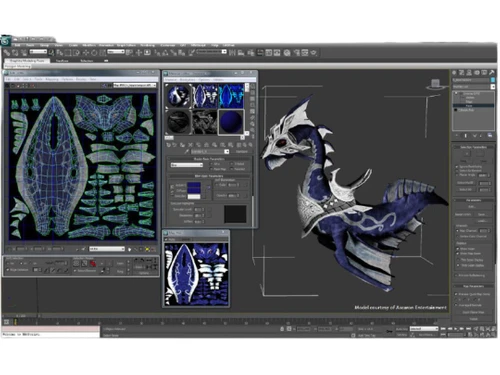
Autodesk 3DS Max is a cartoon animation software, featuring a wide variety of comprehensive and flexible toolset, helping its users in creating premium designs with full artistic control. Companies can design high graphic games and envisage high-quality architectural renderings with ease. Users can create real-life characters, add material finishes on surfaces, change their textures and use vibra...
See MoreHave you used Autodesk 3DS Max before?
Share your insights for better experience
Brand: Autodesk
Founded Year: 1982
Autodesk makes software for people who make things. If you’ve ever driven a high-performance car, admired a towering skyscraper, used a smartphone, or watched a great film, chances are you’ve experienced what millions of Autodesk customers are doing with our software.
 Modifier Stack Modeling & Shape Tools Automation Project Planning Font-related features Graphical analysis Innovate with Digital Channels 3D Features Animation Rendering modes Pipeline Management Workflow Management

Watch the demo video to explore key features, real workflows, and how the software fits your business needs.
 Windows
  Desktop
  Mobile
  Cloud-Based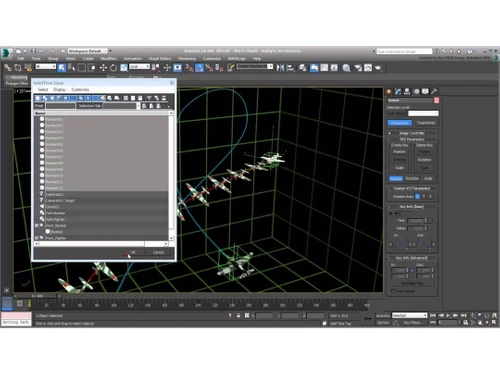
Small Business
Designed for startups and growing businesses
Medium Business
Built for business growth and flexibility
Enterprises
Designed for complex and large-scale business needs
4.3
Out of 5

Overall Rating
Based on
2 Verified Reviews
Rating Breakdown
90% Recommend this Product
Add Review
May 18, 2018
Techjockey Verified
“They suggested several good matches ”
Pros
Received my order very quickly. The product worked initially, I then had some issues, but Techjockey were very quick with their response and sorted all my problems within 12 hours. Will 100% be using again and would recommend!
Cons
N/A
Aug 17, 2018
Techjockey Verified
“Easy to use”
Pros
good software ..easy to adopt
Cons
NO CONS

Autodesk 3DS Max
Price On Request
Desktop
Mobile
Web based
On Premises
Windows
Mac OS

Autodesk Autocad Plant 3D Toolset
₹ 66129
Desktop
Mobile
Web based
On Premises
Windows
Mac OS

Autodesk Mudbox
Price On Request
Desktop
Mobile
Web based
On Premises
Windows
Mac OS

Autodesk AutoCAD LT 2017
Price On Request
Desktop
Mobile
Web based
On Premises
Windows
Mac OS

CLO 3D Fashion
Price On Request
Desktop
Mobile
Web based
On Premises
Windows
Mac OS

Coohom
₹ 750
Desktop
Mobile
Web based
On Premises
Windows
Mac OS

Pacdora
Price On Request
Desktop
Mobile
Web based
On Premises
Windows
Mac OS
Bambu Studio
Price On Request
Desktop
Mobile
Web based
On Premises
Windows
Mac OS
Spline
Price On Request
Desktop
Mobile
Web based
On Premises
Windows
Mac OS

SMART PLANT 3D (SP3D)
Price On Request
Desktop
Mobile
Web based
On Premises
Windows
Mac OS
MeshLab
Price On Request
Desktop
Mobile
Web based
On Premises
Windows
Mac OS
(0) Product(s) selected
Starting Price:
$18 /Month
Available
Price on Request
Starting Price:
$15 /Seat/Month
Available
Price on Request

Starting Price:
$15 /Month

Available
Price on Request

Starting Price:
$2,645 /Quantity
Available
Price on Request

Available
Price on Request

Starting Price:
$18 /Month
Users can view all real-time changes within a scene including camera settings, lighting and materials with Arnold GPU Renderer offered by the software.
By using the CivilView Workflow feature of Autodesk 3DS Max student version, users get to populate parametrically generated details in an automated manner.
Yes, interested users can get an online demo of Autodesk 3DS Max from Techjockey by sending their online demo request.
Your system needs to have: RAM: Minimum 4GB of RAM. Processor: 64-bit Intel or AMD multi-core processor. Hard Disk: 9GB out of the total hard disk space for installation.
No, Autodesk 3DS Max does not have a dedicated mobile app.
The pricing for Autodesk 3DS Max starts at USD 255 per month at techjockey.com.
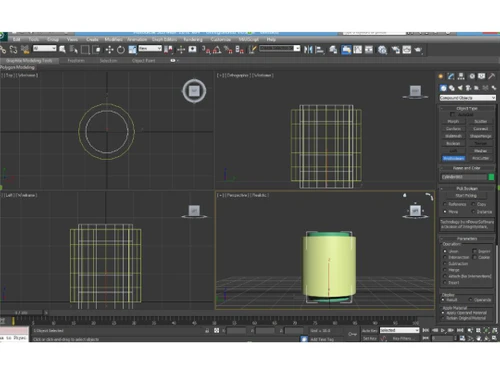
To this first create a rectangle with the RECTANGLE command. Then use the CYLINDER command to create a cylinder. Finally use the ALIGN command to model the square shape in the cylinder.
1 0
To adjust the rendered spline:
1 0
From the Rendering menu, choose render setup. Select the control panel from the dialog box. Another dialog box for common parameters is displayed. Here, in the Area to Render section, choose the Selected option from the drop down.
0 0
To bring back the arrows on your object, go to Customize the user interface. Then search for Transformation-Gizmo show then choose and assign a button. Afterwards close, press this button and you will see the red lines. Lastly, go to Settings > Gizmo and enable Gizmo again. Then click done.
0 0
To check your keyboard and mouse update or change the USB port drivers the device is plugged into. If that is not done, it could cause improper device input for mice, keyboards, etc. To check functionality for machine USB ports, ensure the working of the ports by testing each with a device.
0 0
20,000+ Software Listed
Best Price Guranteed
Free Expert Consultation
2M+ Happy Customers
Terms and Condtions

Users with registered businesses can purchase goods from merchants on the platform to satisfy their business needs. Users are not permitted to utilize any products acquired through the platform for resale, advertising, business, or further distribution.
For each purchase made, users will receive a Tax Invoice (or 'GST invoice') that includes specific details such as:
the GSTIN of the user associated with their registered business, and
the specified Entity Name for their business.
It should be noted that not all products are eligible for GST Invoice. Only the products displayed by participating sellers with the 'GST-based Invoice Available' callout on the product description page would qualify.
Certain goods and services are not eligible to get a GST Invoice, including items with VAS, i.e., Value Added Services (e.g., Total Mobile Protection/Assured Buyback) and those involving an exchange offer at the time of purchase.
Users must ensure the accuracy of the GSTIN, and business entity name provided for the GST Invoice. Requests for corrections into GST Invoice would not be accommodated by Techjockey.com or any Seller, and any issues arising from user-provided information are the sole responsibility of users.
Techjockey.com is not liable for the GST Invoice or any associated input tax credit. To efficiently claim an input tax credit, users should select the registered place of business address as per the GST authority's data and follow the provisions of the GST Act and rules.
To claim an input tax credit, the delivery and billing addresses must match. Furthermore, input tax credits will not be granted if the delivery address and GSTIN on the invoice are from different states. In case of incorrect GST details provided during the order placement, the order will be canceled automatically.




