linkedin
Enscape logo
play Enscape 3.4 - Feature updates to improve your workflow | OUT NOW
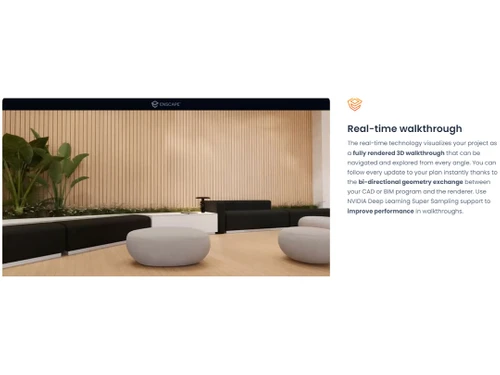
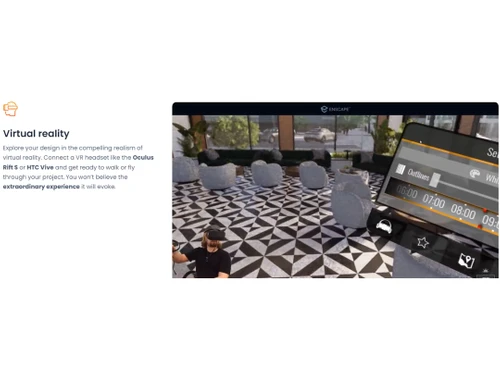
enscape realtime walkthrough
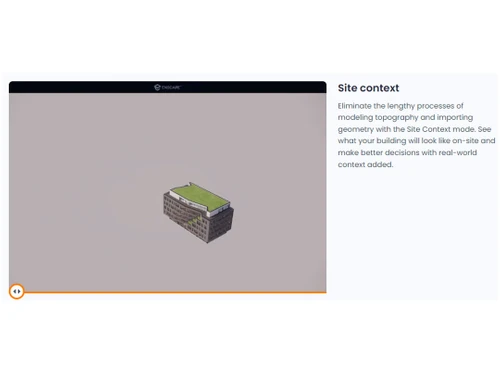
enscape site context

Enscape

Brand: Enscape

  • 4.4

  • 5 Ratings

Enscape is a 3D design software for architects and designers, seamlessly integrating with CAD and BIM tools. It enables instant rendering, VR walkthroughs, and high-quality visualizations for efficient design workflows.

See More

Have you used Enscape before?

Share your insights for better experience

Add a Review
Starting Price
$87

View plans

100% Genuine
Products
Best Price
Guaranteed
Safe & Secure
Payment
  • Description

  • Pricing

  • Features

  • Specification

  • Review

  • Compare

  • Alternatives

  • FAQ

Starting at $87

Enscape Software Overview

What is Enscape?

Enscape is a real-time rendering and 3D design software plugin designed for architects, designers, and engineers to create immersive 3D visualizations directly within their modeling tools. It integrates seamlessly with popular CAD platforms like Revit, SketchUp, Rhino, ArchiCAD, and Vectorworks, allowing users to visualize their designs instantly without exporting data. The software enables users to produce photorealistic images, animations, panoramas, and virtual walkthroughs with ease.

Its real-time technology updates the rendered environment as changes are made to the design, helping designers experiment with ideas and iterations efficiently. Enscape also features tools like video editing, lighting adjustments, asset libraries, and customizable settings to enhance visual presentations. Used by leading architecture firms worldwide, Enscape simplifies workflows by eliminating disconnected processes.

It is ideal for creating high-quality interior, exterior, and landscape visuals while improving collaboration with clients through shareable VR experiences. With its intuitive interface and advanced rendering capabilities, Enscape empowers professionals to bring their designs to life effortlessly.

Why Choose Enscape Software?

  • Real-Time Rendering: Instantly visualize designs with high-quality, real-time 3D rendering.
  • Seamless Integration: Works directly with CAD and BIM tools like Revit, SketchUp, Rhino, Archicad, and Vectorworks.
  • Immersive VR Experience: Create interactive virtual reality walkthroughs for better design understanding.
  • Fast and Easy Workflow: No complex setup; quick rendering without exporting to external software.
  • High-Quality Visuals: Realistic lighting, reflections, and textures enhance presentations.
  • Collaboration & Sharing: Easily share projects with clients through web-based links and standalone files.
  • Time-Saving: Helps designers make quick decisions with real-time updates and minimal rendering time.

Benefits of Enscape Software

  • Automatic Updates & Synchronization: Changes made in the design software are instantly reflected in Enscape without reloading.
  • Customizable Asset Library: Offers a vast library of high-quality 3D assets like furniture, vegetation, and people to enhance scenes.
  • Batch Rendering Feature: Allows multiple scenes to be rendered simultaneously, saving time and effort.
  • Cloud-Based Sharing: Enables easy collaboration by generating web-based links for remote access without additional software.
  • Support for Real-Time Ray Tracing: Enhances realism by simulating accurate lighting, reflections, and shadows.
  • User-Friendly Interface: Requires minimal learning curve, making it accessible even for beginners in 3D visualization.
  • Custom Material & Texture Editing: Provides flexibility in modifying materials, colors, and textures for detailed visual refinement.

Enscape Pricing

Enscape price in India starts at $87/month at techjockey.com.

The pricing model is based on different parameters, including extra features, deployment type, and the total number of users. For further queries related to the product, you can contact our product team and learn more about the pricing and offers.

Read more

Enscape Company Details

Founded Year:  2023

Real-time rendering and VR for architecture, engineering, and construction.

Director/Founders Moritz Luck, Thomas Willberger
Company Size 1-100 Employees

Enscape Pricing & Plans

Enscape Solo
Key Features
  • License is bound to one computer
  • Use your license with multiple CAD/BIM tools on th
  • Free upgrades to the latest software version
  • Expert support included
Starting at $87
    • Licenses

      Licenses
      Licenses
    • Monthly

      Monthly
      Monthly

Key Features

  • License is bound to one computer

  • Use your license with multiple CAD/BIM tools on th

  • Free upgrades to the latest software version

  • Expert support included

Enscape Features

  • icon_check Real-Time Walkthrough
    Instantly explore and navigate 3D designs in real time, making quick design decisions.
  • icon_check Virtual Reality
    Create immersive VR experiences for realistic architectural visualization and client presentations.
  • icon_check Automated Workflow Optimization
    Seamlessly updates design changes without manual rendering, improving efficiency.
  • icon_check Materials
    Offers realistic material editing with adjustable textures, reflections, and lighting properties.
  • icon_check Asset Management
    Provides a vast library of 3D assets like furniture, plants, and vehicles for detailed scenes.
  • icon_check Roadmap
    Regular updates and feature enhancements based on user feedback for continuous improvement.
  • icon_check Collaborations
    Enables easy sharing of projects with teams and clients via web links and standalone files.
  • icon_check Orthographic & Presentation Modes
    Supports orthographic views, stylized render modes (e.g. outline, sketch, watercolor), ideal for presentations and conceptual
  • icon_check BIM Data & Context Integration
    Can display BIM metadata in the render view; supports importing real-world context (e.g. site context via OpenStreetMap).
  • icon_check AI-Powered Enhancements
    Features like the AI Enhancer (improving vegetation & people visuals) and AI-aided scene enrichment to boost realism.
Enscape Demo Video play icon

Get Enscape Demo

Watch the demo video to explore key features, real workflows, and how the software fits your business needs.

Understand
Key Features
Personal
Demo Insights
Interactive
Demo Support

Enscape Specification

Supported Platforms
Windows Windows
Devices
Desktop Desktop
Deployment
Web-Based Web-Based
Suitable For
All Industries
Business Specific
All Businesses
Business Size
Small Business Startups Medium Business Enterprises SMBs SMEs MSMBs MSMEs
Customer Support
Phone Email Live Chat Communities Forums
Language
English
Training Resources
Videos

Explore the Best Alternative Solutions Similar to Your Business Size and Needs

Enscape Review

4.4

Out of 5

img

Overall Rating

Based on
5 Verified Ratings

Rating Breakdown

  • Features 4.4
  • Value for Money 4.5
  • Ease of Use 4.5
  • Customer Support 4.4

96% Recommend this Product

Add Review

Techjockey Trusted Reviews from Verified Users

No reviews are currently available for Enscape. Discover similar 3D Design Software reviews

  • Power NURBS Pro

    4.8

    Whats great - PowerNurbs is an incredible NURBS apparatus, natural and amazing. 3Ds max joined with PowerNurbs winds up a standout amongst ... read more

  • Autodesk Autocad Plant 3D Toolset

    4.6

    Whats great - Produce and offer isometrics, orthographics, and materials reports. read more

  • Power Translator Pro

    4.4

    Whats great - Exquisite on the grounds that its planners imagined the sorts of reports and situations that individuals need to decipher. read more

Compare Enscape With other 3D Design Software

Products
Ratings
Pricing
Device Supported
Deployment
Supported Platforms
  • img

    Enscape

  • 4.4

  • Price On Request

  • Desktop

    Mobile

  • Web based

    On Premises

  • Windows

    Mac OS

  • img

    CLO 3D Fashion

  • 4.7

  • Price On Request

  • Desktop

    Mobile

  • Web based

    On Premises

  • Windows

    Mac OS

  • img

    Coohom

  • 4.4

  • ₹ 750

  • Desktop

    Mobile

  • Web based

    On Premises

  • Windows

    Mac OS

  • img

    Pacdora

  • 4.2

  • Price On Request

  • Desktop

    Mobile

  • Web based

    On Premises

  • Windows

    Mac OS

  • img

    Bambu Studio

  • 4.3

  • Price On Request

  • Desktop

    Mobile

  • Web based

    On Premises

  • Windows

    Mac OS

  • img

    Autodesk 3DS Max

  • 4.3

  • Price On Request

  • Desktop

    Mobile

  • Web based

    On Premises

  • Windows

    Mac OS

  • img

    Spline

  • 4.1

  • Price On Request

  • Desktop

    Mobile

  • Web based

    On Premises

  • Windows

    Mac OS

  • img

    MeshLab

  • 4.2

  • Price On Request

  • Desktop

    Mobile

  • Web based

    On Premises

  • Windows

    Mac OS

  • img

    Rodin AI

  • 4.4

  • Price On Request

  • Desktop

    Mobile

  • Web based

    On Premises

  • Windows

    Mac OS

  • img

    Sweet Home 3D

  • 4.1

  • Price On Request

  • Desktop

    Mobile

  • Web based

    On Premises

  • Windows

    Mac OS

(0) Product(s) selected

Enscape Alternatives

See All Enscape Alternatives

Starting Price:

$18 /Month

Starting Price:

$15 /Seat/Month

Available

Price on Request

Starting Price:

$15 /Month

Available

Price on Request

Starting Price:

$2,645 /Quantity

in3D

4.3

Available

Price on Request

Starting Price:

$299 /Month

How much does Enscape Software cost?

Enscape price in India starts at $87/month at techjockey.com.

Is there a mobile app available for Enscape Software?

No, Enscape does not have a dedicated mobile app.

Which operating systems are compatible with Enscape Software?

Enscape is compatible with Windows only.

Does Enscape offer a free trial?

Yes, Enscape provides a free trial for users to test its features.

How does Enscape Software function?

Enscape integrates with CAD/BIM tools to provide real-time 3D rendering and visualization.

Who uses Enscape Software?

Architects, designers, engineers, and visualization professionals benefit from Enscape 3D design software.

Is a free demo available for Enscape?

Yes, Enscape offers a free demo for interested users.

Is Enscape available for free?

No, Enscape is a paid software but offers a free trial.

Which CAD and BIM tools does Enscape support?

Enscape integrates with Revit, SketchUp, Rhino, Archicad, and Vectorworks.

Does Enscape require an internet connection to work?

No, Enscape runs offline, but an internet connection is needed for updates and activation.

20,000+ Software Listed

Best Price Guranteed

Free Expert Consultation

2M+ Happy Customers

Terms and Condtions

close

Users with registered businesses can purchase goods from merchants on the platform to satisfy their business needs. Users are not permitted to utilize any products acquired through the platform for resale, advertising, business, or further distribution.

For each purchase made, users will receive a Tax Invoice (or 'GST invoice') that includes specific details such as:

  • the GSTIN of the user associated with their registered business, and

  • the specified Entity Name for their business.

It should be noted that not all products are eligible for GST Invoice. Only the products displayed by participating sellers with the 'GST-based Invoice Available' callout on the product description page would qualify.

Certain goods and services are not eligible to get a GST Invoice, including items with VAS, i.e., Value Added Services (e.g., Total Mobile Protection/Assured Buyback) and those involving an exchange offer at the time of purchase.

Users must ensure the accuracy of the GSTIN, and business entity name provided for the GST Invoice. Requests for corrections into GST Invoice would not be accommodated by Techjockey.com or any Seller, and any issues arising from user-provided information are the sole responsibility of users.

Techjockey.com is not liable for the GST Invoice or any associated input tax credit. To efficiently claim an input tax credit, users should select the registered place of business address as per the GST authority's data and follow the provisions of the GST Act and rules.

To claim an input tax credit, the delivery and billing addresses must match. Furthermore, input tax credits will not be granted if the delivery address and GSTIN on the invoice are from different states. In case of incorrect GST details provided during the order placement, the order will be canceled automatically.