linkedin
Skedda logo
play Skedda | The smartest way to manage your space
Skedda booking automation
Skedda booking system

Skedda

Brand: Skedda

  • 4.5

  • 5 Ratings

Streamlines the booking of desks and meeting rooms, enhancing productivity and workplace logistics for organizations.

See More

Have you used Skedda before?

Share your insights for better experience

Add a Review
Starting Price
$99

View plans

100% Genuine
Products
Best Price
Guaranteed
Safe & Secure
Payment
  • Description

  • Pricing

  • Features

  • Specification

  • Review

  • Compare

  • Alternatives

  • FAQ

Starting at $99

Skedda Software Overview

What is Skedda?

Skedda is a cloud-based space management and scheduling software designed to streamline the booking of desks, meeting rooms, and other shared spaces in organizations. It provides an intuitive platform that allows users to manage their workplace logistics efficiently, catering to the needs of hybrid work environments.

Skedda integrates seamlessly with popular tools like Microsoft 365 and Google Workspace, enabling users to utilize existing credentials for easy access. The software offers features such as real-time availability tracking, visitor management, and insightful analytics to help organizations optimize their workspace usage and enhance productivity.

Why Choose Skedda Software?

  • Streamlined Space Management: It provides a centralized platform for booking desks and meeting rooms, reducing the complexities of managing shared spaces.
  • User-Friendly Interface: The intuitive design allows employees to easily navigate and book available spaces, enhancing user experience and adoption.
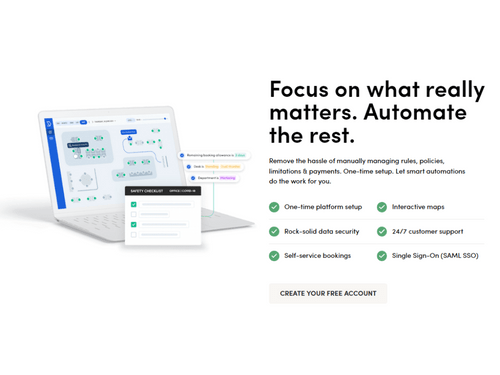
  • Automation Features: It automates scheduling processes, minimizing manual intervention and administrative workload, which increases efficiency.
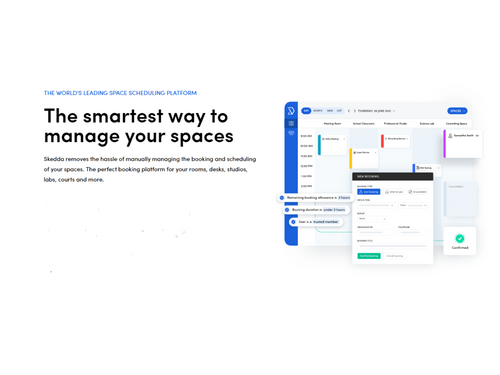
  • Real-Time Availability Tracking: Users can view real-time availability of spaces, helping to prevent double bookings and ensuring optimal use of resources.
  • Integration Capabilities: The software integrates seamlessly with popular tools like Microsoft 365 and Google Workspace, allowing users to utilize existing credentials for easy access.
  • Visitor Management: It includes features for managing visitors, enhancing the overall experience for both employees and guests.
  • Analytics and Insights: The platform provides valuable data on space utilization, enabling organizations to make informed decisions about their workspace strategies.
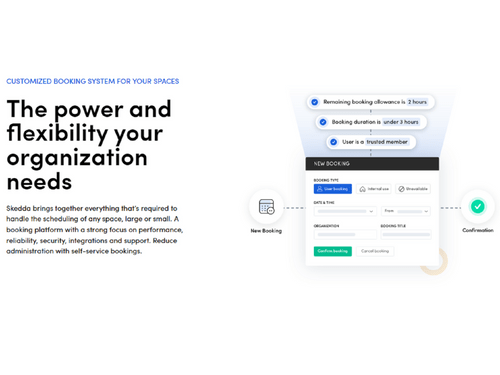
  • Customizable Booking Rules: Organizations can set specific booking rules and access privileges based on departments or roles, ensuring appropriate use of spaces.
  • Support for Hybrid Work Models: It is designed specifically for hybrid work environments, making it suitable for organizations adapting to flexible work arrangements.
  • Proven Reliability: Trusted by major organizations like IBM and Harvard University, Skedda has a strong track record of delivering effective space management solutions.

Benefits of Skedda Software

  • Centralized Booking Hub: It serves as a single point for all booking activities, ensuring employees can easily see available spaces and plan their schedules accordingly.
  • Automated Administrative Tasks: The platform automates scheduling processes, reducing the burden on office managers and allowing them to focus on more strategic tasks.
  • Custom Access Control: Administrators can set specific booking privileges and quotas for different teams, ensuring that resources are allocated appropriately based on departmental needs.
  • Utilization Analytics: Skedda provides insights into space usage patterns, enabling organizations to optimize their workspace and potentially reduce costs by identifying underutilized areas.
  • Enhanced Collaboration: The software's floor-plan maps help employees locate their colleagues easily, facilitating better collaboration and teamwork in a hybrid work environment.
  • Mobile Responsiveness: It is designed to be mobile-friendly, allowing users to manage bookings conveniently from their smartphones or tablets.
  • Scalability for Growth: Skedda can adapt to the needs of both small businesses and larger enterprises, making it suitable for organizations of varying sizes as they grow.
  • Integration with Existing Tools: The software integrates well with popular calendar applications, enhancing workflow continuity and reducing the need for manual entry.
  • Simplified User Experience: With fewer clicks required to book spaces, it minimizes the complexity often associated with scheduling software, making it accessible for all users.

Pricing of Skedda

Skedda price in India starts at $99 at techjockey.com.

The pricing model is based on different parameters, including extra features, deployment type, and the total number of users. For further queries related to the product, you can contact our product team and learn more about the pricing and offers.

Read more

Skedda Company Details

Founded Year:  2013

Online booking and scheduling for anything 'space' based

Director/Founders Jonathan Fagg, Ryan McBride, Sam Maurus
Company Size 1-100 Employees

Skedda Pricing & Plans

Starter
Starting at $99
    • Monthly

      Monthly
      Monthly

Key Features

  • Up to 25 spaces

  • Interactive floor plans

  • Unlimited users & bookings

  • Basic rules & roles engine

  • Limited insights dashboard

Plus
Starting at $149
    • Monthly

      Monthly
      Monthly

Key Features

  • Up to 100 spaces

  • Interactive floor plans

  • Unlimited users & bookings

  • Limited rules & roles engine

  • Full insights dashboard

Premier
Starting at $199
    • Monthly

      Monthly
      Monthly

Key Features

  • Unlimited spaces

  • Interactive floor plans

  • Unlimited users & bookings

  • Full rules & roles engine

  • Full insights dashboard

Skedda Features

  • icon_check Booking Calendar
    Simplifies scheduling with a centralized, user-friendly booking system.
  • icon_check Scheduling Automation
    Automates repetitive scheduling tasks, reducing manual effort.
  • icon_check Insights & Analytics
    Provides data-driven insights into booking trends and usage patterns.
  • icon_check Floor Plan
    Visual representation of spaces for easy room or resource selection.
  • icon_check User Management
    Controls access levels and manages user accounts effortlessly.
  • icon_check Sign in Options
    Supports multiple sign-in methods for user convenience and security.
  • icon_check Online Payment
    Facilitates secure, integrated payment options for bookings.
  • icon_check Mobile Friendly
    Fully optimized for smartphones and tablets, enabling on-the-go management.
Skedda Demo Video play icon

Get Skedda Demo

Watch the demo video to explore key features, real workflows, and how the software fits your business needs.

Understand
Key Features
Personal
Demo Insights
Interactive
Demo Support

Skedda Specifications

Supported Platforms
Windows Windows iOS iOS Android Android MacOS MacOS Windows(Phone) Windows(Phone) Linux Linux
Devices
Desktop Desktop Mobile Mobile Tablet Tablet iPad iPad
Deployment
Cloud-Based Cloud-Based
Suitable For
All Industries
Business Specific
All Businesses
Business Size
Small Business Startups Medium Business Enterprises SMBs SMEs MSMBs MSMEs
Language
English

Skedda Review

4.5

Out of 5

img

Overall Rating

Based on
5 Verified Ratings

Rating Breakdown

  • Features 4.2
  • Value for Money 4.5
  • Ease of Use 4.5
  • Customer Support 4.8

92% Recommend this Product

Add Review

Techjockey Trusted Reviews from Verified Users

No reviews are currently available for Skedda. Discover similar Scheduling Software reviews

  • Saviom

    4.8

    Whats great - Saviom software excels in resource management with clear capacity forecasting, smart workload balancing, and real-time availa... read more

  • Humanity

    4.3

    Whats great - Being a manager, planning for employee shifts in advance has become very easy. I can plan in advance and even forecast upcomi... read more
  • Primus KRONO

    4.1

    Whats great - Great customer service, very quick to reply, had a small issue (my fault) which they responded and resolved quickly. read more

Compare Skedda With other Scheduling Software

Products
Ratings
Pricing
Device Supported
Deployment
Supported Platforms
  • img

    Skedda

  • 4.5

  • Price On Request

  • Desktop

    Mobile

  • Web based

    On Premises

  • Windows

    Mac OS

  • img

    Tilos

  • 4.4

  • Price On Request

  • Desktop

    Mobile

  • Web based

    On Premises

  • Windows

    Mac OS

  • img

    Trevor AI

  • 4.2

  • Price On Request

  • Desktop

    Mobile

  • Web based

    On Premises

  • Windows

    Mac OS

  • img

    Saviom

  • 4.8

  • Price On Request

  • Desktop

    Mobile

  • Web based

    On Premises

  • Windows

    Mac OS

  • img

    iMRP

  • 4.3

  • Price On Request

  • Desktop

    Mobile

  • Web based

    On Premises

  • Windows

    Mac OS

  • img

    ControlBoard

  • 4.1

  • Price On Request

  • Desktop

    Mobile

  • Web based

    On Premises

  • Windows

    Mac OS

  • img

    Clockwise

  • 4.4

  • Price On Request

  • Desktop

    Mobile

  • Web based

    On Premises

  • Windows

    Mac OS

  • img

    BizScheduler

  • 4.3

  • Price On Request

  • Desktop

    Mobile

  • Web based

    On Premises

  • Windows

    Mac OS

  • img

    Float

  • 4.3

  • Price On Request

  • Desktop

    Mobile

  • Web based

    On Premises

  • Windows

    Mac OS

(0) Product(s) selected

Skedda Alternatives

See All Skedda Alternatives

Available

Price on Request

Starting Price:

$6 /Month

Available

Price on Request

iMRP

4.3

Available

Price on Request

Starting Price:

$8 /Month

Starting Price:

$8 /User/Month

How much does Skedda Software Cost?

The price of Skedda in India starts at $99 on TechJockey.com.

Is there any Skedda Software App?

Yes, Skedda has apps available for both Android and iOS.

Which operating system does Skedda Software Support?

Skedda supports Windows, MacOS, Windows(Phone), and Linux operating systems.

Does Skedda offer a free trial?

Yes, Skedda offers a free trial.

How does Skedda Software Work?

Skedda operates by providing a cloud-based platform that allows users to book and manage shared spaces like desks and meeting rooms through an intuitive online interface.

Who are the potential users of Skedda Software?

Potential users of Skedda include businesses of all sizes, particularly those in industries such as healthcare, education, and corporate environments that require efficient space management for hybrid work settings.

Is there any free demo for Skedda Software?

Yes, Skedda provides a free demo upon request.

Is Skedda Software Free?

Skedda offers a free version with limited features, while more advanced functionalities are available through paid plans tailored to organizational needs.

20,000+ Software Listed

Best Price Guranteed

Free Expert Consultation

2M+ Happy Customers

Terms and Condtions

close

Users with registered businesses can purchase goods from merchants on the platform to satisfy their business needs. Users are not permitted to utilize any products acquired through the platform for resale, advertising, business, or further distribution.

For each purchase made, users will receive a Tax Invoice (or 'GST invoice') that includes specific details such as:

  • the GSTIN of the user associated with their registered business, and

  • the specified Entity Name for their business.

It should be noted that not all products are eligible for GST Invoice. Only the products displayed by participating sellers with the 'GST-based Invoice Available' callout on the product description page would qualify.

Certain goods and services are not eligible to get a GST Invoice, including items with VAS, i.e., Value Added Services (e.g., Total Mobile Protection/Assured Buyback) and those involving an exchange offer at the time of purchase.

Users must ensure the accuracy of the GSTIN, and business entity name provided for the GST Invoice. Requests for corrections into GST Invoice would not be accommodated by Techjockey.com or any Seller, and any issues arising from user-provided information are the sole responsibility of users.

Techjockey.com is not liable for the GST Invoice or any associated input tax credit. To efficiently claim an input tax credit, users should select the registered place of business address as per the GST authority's data and follow the provisions of the GST Act and rules.

To claim an input tax credit, the delivery and billing addresses must match. Furthermore, input tax credits will not be granted if the delivery address and GSTIN on the invoice are from different states. In case of incorrect GST details provided during the order placement, the order will be canceled automatically.