linkedin
Humanity logo
humanity helpdesk
humanity features
humanity specifications

Humanity

Brand: HUMANITY

  • 4.2

  • 3 Ratings & 3 Reviews

Humanity is an employee scheduling software that helps businesses manage shift planning, staff scheduling, time tracking, and workforce compliance.

See More

Have you used Humanity before?

Share your insights for better experience

Add a Review
Starting Price
$3

View plans

100% Genuine
Products
Best Price
Guaranteed
Safe & Secure
Payment
  • Description

  • Pricing

  • Features

  • Specification

  • Review

  • Compare

  • Alternatives

  • FAQ

Starting at $3

Humanity Software Overview

What is Humanity?

Humanity is a dynamic, cloud-based employee scheduling software designed to automate and streamline workforce management. It empowers organizations to move beyond manual spreadsheets by providing a flexible, centralized platform for shift planning, communication, and labor cost optimization. The software leverages AI-powered capabilities to forecast staffing needs, build conflict-free schedules, and ensure compliance with labor laws and internal policies. Its core mission is to simplify the complexities of scheduling, reduce administrative overhead by up to 80%, and create a more transparent and engaging experience for both managers and employees.

By integrating scheduling with real-time data and communication tools, Humanity helps businesses make informed decisions, control budgets, and maintain optimal staffing levels. The platform is accessible via web and a full-featured mobile app, ensuring managers and staff can stay connected and informed from anywhere.

Why Choose Humanity?

  • Drastic Time Savings: Automate schedule creation with templates, custom rules, and AI-powered suggestions. Organizations like Atrium Health have reported reducing time spent on scheduling by as much as 50%.
  • Enhanced Communication: Keep your entire team synchronized with instant updates. Changes to schedules, open shifts, and approvals are communicated automatically via email, SMS, and in-app push notifications.
  • Improved Cost Control: Gain actionable insights into how scheduling decisions impact your budget. The software provides real-time data on labor costs, helping you prevent overtime and align staffing with demand.
  • Reduced Compliance Risk: Proactively manage adherence to labor laws, union agreements, and internal policies. Humanity's customizable rules engine flags potential conflicts before schedules are published, mitigating legal and financial risks.
  • Increased Employee Empowerment: The user-friendly mobile app allows employees to view schedules, request time off, adjust their availability, and trade shifts with colleagues, giving them greater control and flexibility.

Advanced Features of Humanity

  • AI-Powered Demand Forecasting: The Demand Scheduler uses artificial intelligence to analyze historical data and other business metrics to accurately predict future staffing requirements. This allows managers to plan schedules weeks or even months in advance with confidence.
  • Automated & Conflict-Free Scheduling: The system can auto-build optimal schedules in just a few clicks. It intelligently factors in employee skills, availability, location, and compliance rules to generate efficient, error-free shift assignments.
  • Comprehensive Labor Budgeting: Turn disorganized data into clear, organized insights. Humanity provides interactive data visualization and robust reporting tools that warn you of discrepancies between scheduled shifts and budget targets, enabling proactive adjustments.
  • Robust Mobile Application: The mobile app (available for iOS, Android, and Apple Watch) offers full functionality on the go. Managers can post open shifts and approve requests, while employees receive reminders, trade shifts, and manage their availability from their personal devices.
  • Seamless Integrations: Humanity unifies your workforce systems with its extensive integration capabilities. It connects with major payroll providers (like ADP), HCM/ERP vendors (including Oracle and Workday), and other business tools through a flexible, open API.

Key Capabilities of Humanity

  • Shift Planning: A flexible, interactive drag-and-drop interface serves as the central hub for creating and editing schedules. It simplifies shift management and eliminates the confusion of manual methods.
  • Compliance Management: A powerful rules engine allows you to configure and enforce adherence to local, federal, and company-specific labor regulations, ensuring every schedule is compliant.
  • Forecasting Tools: Predict future staffing needs with precision, allowing for proactive planning that aligns labor with anticipated business demand and prevents both understaffing and overstaffing.
  • Cost & Budget Management: Monitor and control labor expenses with real-time visibility into how schedules affect your bottom line. Pull detailed reports to analyze workforce performance and optimize spending.
  • Employee Communication: A multi-channel notification system ensures that all schedule-related information is delivered promptly to the right people, keeping the entire team aligned.

How to Use Humanity?

  1. Setup and Integration: Begin by configuring your organization's structure, locations, and roles. Integrate Humanity with your existing payroll and HR systems to ensure seamless data flow.
  2. Define Rules and Staff Profiles: Input employee details, including skills, qualifications, and availability. Configure custom compliance rules based on labor laws and internal policies.
  3. Create and Publish Schedules: Use the AI-powered auto-scheduler to generate an optimal schedule or build one manually with the intuitive drag-and-drop interface. Once finalized, publish the schedule to notify employees instantly.
  4. Manage Daily Operations: Use the manager dashboard and mobile app to handle day-to-day tasks like approving time-off requests, managing shift swaps, and filling open shifts.
  5. Analyze and Optimize: Regularly review reports on labor costs, attendance, and scheduling efficiency to identify trends and make data-driven decisions for future improvements.

Humanity Pricing

Humanity price starts at USD 3 at techjockey.com.

The pricing model is based on different parameters, including extra features, deployment type, and the total number of users. For further queries related to the product, you can contact our product team and learn more about the pricing and offers.

Read more

HUMANITY Company Details

Founded Year:  2019

Humanity is a healthcare company that aims to extend the healthspan of humanity.

Director/Founders Michael Geer, Peter Ward
Company Size 1-100 Employees

Humanity Pricing & Plans

ESSENTIALS(Annual Commitment)
Key Features
  • Drag-and-drop shift scheduling
  • Shift swaps, availability, and time-off requests
  • Multiple locations
  • Drag-and-drop shift scheduling
  • Admin dashboard
Starting at $3
    • Employees

      Employees
      Employees
    • Monthly

      Monthly
      Monthly

Key Features

  • Drag-and-drop shift scheduling

  • Shift swaps, availability, and time-off requests

  • Multiple locations

  • Drag-and-drop shift scheduling

  • Admin dashboard

Humanity Features

  • icon_check Schedule Builder
    Create and edit employee shifts easily with a flexible drag-and-drop interface for quick schedule adjustments.
  • icon_check Forecasting Tools
    Predict future staffing needs using historical patterns and business drivers to plan labor more accurately
  • icon_check Automated Shift Scheduling
    Automatically generate conflict-free employee schedules using AI forecasting based on demand and staff availability.
  • icon_check Employee Self-Service Portals
    Employees view schedules, request time off, update availability, and manage shift swaps independently.
  • icon_check Open Shift Posting
    Managers post open shifts that employees can claim, helping fill gaps and maintain shift coverage efficiently.
  • icon_check Availability Management
    Track employee availability and process time-off requests directly within the scheduling system.
  • icon_check Labor Cost Insights
    Monitor and adjust labor costs in real time using schedule data to stay within budget and control expenses.
  • icon_check Compliance Management
    Apply custom scheduling rules to meet labor laws and internal policies while avoiding conflicts and violations.
  • icon_check Payroll Integration
    Connect scheduling data with major payroll, HCM, and ERP systems like ADP, Oracle, Workday, and BambooHR.
  • icon_check Multi-Location Scheduling
    Manage schedules for multiple sites, departments, or teams from a unified platform.
  • icon_check Drag-and-Drop Planner
    Easily construct or adjust weekly and monthly schedules with intuitive drag-and-drop tools.
  • icon_check Shift Swapping
    Allow staff to exchange shifts with colleagues subject to manager approval or preset rules.
  • icon_check Role & Access Management
    Control who sees and edits schedule data by assigning specific roles and permissions.

Humanity Specifications

Supported Platforms
Windows Windows iOS iOS Android Android MacOS MacOS Windows(Phone) Windows(Phone)
Devices
Desktop Desktop Mobile Mobile Tablet Tablet iPad iPad
Deployment
Cloud-Based Cloud-Based
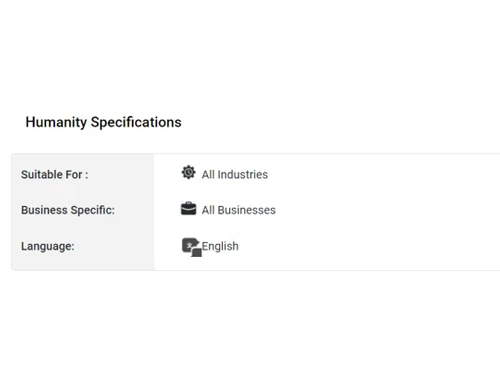
Suitable For
All Industries
Business Specific
All Businesses
Business Size
Small Business Startups Medium Business Enterprises SMBs SMEs MSMBs MSMEs
Customer Support
Phone Email Live Chat Forums
Language
English
Integration
API Integration
Training Resources
Documentation Videos

Explore the Best Alternative Solutions Similar to Your Business Size and Needs

Humanity Reviews

4.2

Out of 5

img

Overall Rating

Based on
3 Verified Reviews

Rating Breakdown

  • Features 4.1
  • Value for Money 4.3
  • Ease of Use 4.3
  • Customer Support 4.3

83% Recommend this Product

Add Review

Sneha Waje

Administrator

Industry: E-commerce User since: 1-2 years

4.2

Reviewed on: Sep 2, 2022

Techjockey Verified

“Nice software for planning shifts for managers”

Pros

Being a manager, planning for employee shifts in advance has become very easy. I can plan in advance and even forecast upcoming shifts and employee needs.

Cons

Sometimes I face problems while adjusting the breaks of my employees. Otherwise, it is a nice software.

Switched from Teamlease

Reason to switch

With Teamlease it was difficult to allocate different shifts to employees. I always faced errors.

neeraj sharma

Associate

Industry: Healthcare User since: 1-2 years

4.3

Reviewed on: Sep 1, 2022

Techjockey Verified

“Very simple to use software for team”

Pros

It is very easy to use, and you don’t also need any special training for it. We can plan our days in advance with Humanity software.

Cons

Their customer service is a bit slow. I had to wait for a long time for replies on their customer chat support.

Switched from Snapcomms

Reason to switch

Snapcomms was very complicated for my team to understand and use.

gowri sankar

Administrator

Industry: Education User since: 6-12 months

4.2

Reviewed on: Sep 5, 2022

Techjockey Verified

“Great for scheduling tasks”

Pros

With this app, you can easily schedule tasks and shifts for your employees. It automatically swaps shifts when employees request off time. We don’t have to do all this manually now.

Cons

There are some issues at times like you might face some difficulty in adjusting the time of shifts. But overall, we are satisfied with the app.

Switched from Indefend

Reason to switch

The reason for switching from Indefend was that there was no special scheduling features, which my company wanted.

Compare Humanity With other Employee Scheduling Software

Products
Ratings
Pricing
Device Supported
Deployment
Supported Platforms
  • img

    Humanity

  • 4.2

  • Price On Request

  • Desktop

    Mobile

  • Web based

    On Premises

  • Windows

    Mac OS

  • img

    Celayix

  • 4.2

  • Price On Request

  • Desktop

    Mobile

  • Web based

    On Premises

  • Windows

    Mac OS

  • img

    Zoho Shifts

  • 4.0

  • ₹ 60

  • Desktop

    Mobile

  • Web based

    On Premises

  • Windows

    Mac OS

  • img

    Schedule360

  • 4.0

  • Price On Request

  • Desktop

    Mobile

  • Web based

    On Premises

  • Windows

    Mac OS

  • img

    Aladtec

  • 4.0

  • Price On Request

  • Desktop

    Mobile

  • Web based

    On Premises

  • Windows

    Mac OS

  • img

    Planday Software

  • 4.2

  • Price On Request

  • Desktop

    Mobile

  • Web based

    On Premises

  • Windows

    Mac OS

  • img

    WorkSchedule

  • 4.2

  • Price On Request

  • Desktop

    Mobile

  • Web based

    On Premises

  • Windows

    Mac OS

  • img

    Shiftie

  • 4.5

  • Price On Request

  • Desktop

    Mobile

  • Web based

    On Premises

  • Windows

    Mac OS

  • img

    Deputy

  • 4.5

  • Price On Request

  • Desktop

    Mobile

  • Web based

    On Premises

  • Windows

    Mac OS

  • img

    ShiftNote

  • 4.2

  • Price On Request

  • Desktop

    Mobile

  • Web based

    On Premises

  • Windows

    Mac OS

  • img

    When I Work

  • 4.2

  • Price On Request

  • Desktop

    Mobile

  • Web based

    On Premises

  • Windows

    Mac OS

(0) Product(s) selected

Humanity Alternatives

See All Humanity Alternatives

Available

Price on Request

Available

Price on Request

Starting Price:

$6 /Month

Available

Price on Request

Articles for Humanity

See All Related Articles

Who are the potential users of Humanity?

Humanity Employee Management Software is typically used in All Industries.

Is there any free trial or demo for Humanity?

Humanity Employee Management Software demo is available for free at Techjockey.

Is Humanity free?

Humanity Employee Management Software offers a free trial. However, the premium plan with advanced features available at Techjockey.

How can you download Humanity?

For Humanity Employee Management Software installation, insert the given CD/USB flash storage in your system and open the Setup Wizard to get started.

How does Humanity work?

Humanity Employee Management Software helps with Employee Information System,Employee Management and Employee Database.

What is Humanity app used for?

Humanity is an employee scheduling software used to automate shift planning, manage labor costs, ensure compliance with labor laws, and communicate schedule updates to the entire team.

How much does Humanity cost?

Humanity price starts at USD 3 at techjockey.com.

Who can use Humanity?

Humanity is ideal for SMBs, large enterprises, and organizations in healthcare, retail, hospitality, and logistics that need employee scheduling, shift planning, time tracking, and workforce management.

Is Humanity a good scheduling app?

Humanity is a user-friendly and effective scheduling app, with one customer case study reporting a 50% reduction in time spent on employee shift scheduling.

How does Humanity help with future staffing needs?

Humanity uses AI forecasting capabilities with its Demand Scheduler to predict coverage demand, allowing managers to build and optimize schedules weeks or months in advance.

Can Humanity help my business stay compliant with labor laws?

Yes, the software includes a compliance management module that helps ensure adherence to labor laws and internal policies using customizable scheduling rules and conflict monitoring.

What can employees do in the Humanity mobile app?

Through the mobile app, employees can view their latest schedule, receive shift reminders, trade shifts with coworkers, and request time off directly from their mobile devices.

What other software can Humanity integrate with?

Humanity can integrate with major payroll providers and ERP/HCM systems like ADP, Oracle, Workday, and BambooHR, and also offers an open API for custom connections.

20,000+ Software Listed

Best Price Guranteed

Free Expert Consultation

2M+ Happy Customers

Terms and Condtions

close

Users with registered businesses can purchase goods from merchants on the platform to satisfy their business needs. Users are not permitted to utilize any products acquired through the platform for resale, advertising, business, or further distribution.

For each purchase made, users will receive a Tax Invoice (or 'GST invoice') that includes specific details such as:

  • the GSTIN of the user associated with their registered business, and

  • the specified Entity Name for their business.

It should be noted that not all products are eligible for GST Invoice. Only the products displayed by participating sellers with the 'GST-based Invoice Available' callout on the product description page would qualify.

Certain goods and services are not eligible to get a GST Invoice, including items with VAS, i.e., Value Added Services (e.g., Total Mobile Protection/Assured Buyback) and those involving an exchange offer at the time of purchase.

Users must ensure the accuracy of the GSTIN, and business entity name provided for the GST Invoice. Requests for corrections into GST Invoice would not be accommodated by Techjockey.com or any Seller, and any issues arising from user-provided information are the sole responsibility of users.

Techjockey.com is not liable for the GST Invoice or any associated input tax credit. To efficiently claim an input tax credit, users should select the registered place of business address as per the GST authority's data and follow the provisions of the GST Act and rules.

To claim an input tax credit, the delivery and billing addresses must match. Furthermore, input tax credits will not be granted if the delivery address and GSTIN on the invoice are from different states. In case of incorrect GST details provided during the order placement, the order will be canceled automatically.