linkedin
WorkSchedule logo
play WorkSchedule.Net Version 9 Employee/User Based FULL Tutorial
workschedule
workschedule

WorkSchedule

Brand: Program Works

  • 4.2

  • 5 Ratings

Helps businesses efficiently manage shift planning, workforce allocation, and attendance tracking. Streamlines scheduling tasks, improving productivity and reducing errors.

See More

Have you used WorkSchedule before?

Share your insights for better experience

Add a Review
Starting Price
$3

View plans

100% Genuine
Products
Best Price
Guaranteed
Safe & Secure
Payment
  • Description

  • Pricing

  • Features

  • Specification

  • Review

  • Compare

  • Alternatives

  • FAQ

Starting at $3

WorkScheduleSoftware Overview

What is WorkSchedule?

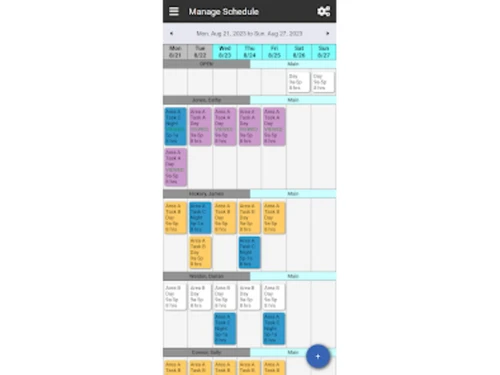
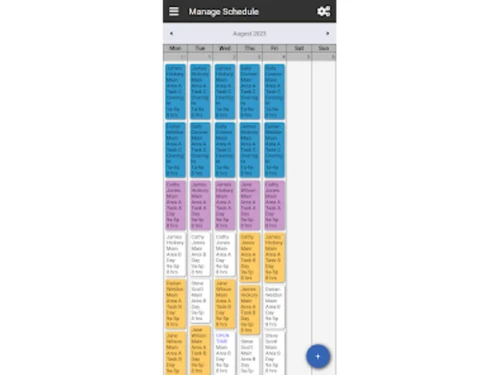
WorkSchedule is a cloud-based employee scheduling software designed to streamline scheduling, time tracking, and attendance management for various industries, including healthcare, hospitality, retail, and public service. It features powerful automation tools that allow managers to create schedules based on employee availability and maximum hours while enabling employees to swap shifts or sign up for open shifts.

The platform includes a mobile app for both employees and administrators, facilitating easy access to schedules and attendance management from anywhere. Additionally, WorkSchedule simplifies the handling of paid time off requests and integrates features for tracking staff attendance efficiently. With over 20 years of experience in the industry, WorkSchedule aims to enhance operational efficiency and usability for organizations of all sizes.

Why Choose WorkSchedule Software?

  • Efficiency: It automates scheduling, saving time and reducing manual errors in shift planning.
  • Flexibility: It allows managers to create and adjust schedules quickly based on changing needs or employee availability.
  • Improved Communication: Employees can access their schedules in real time, reducing misunderstandings and missed shifts.
  • Compliance: It helps ensure adherence to labor laws by managing work hours, overtime, and breaks.
  • Cost Savings: By reducing scheduling conflicts and optimizing staffing, businesses can minimize labor costs.
  • Reporting & Analytics: The software provides insights into employee performance and scheduling patterns, helping to make data-driven decisions.

Benefits of WorkSchedule Software

  • Simplified Employee Management: Centralizes employee details, making it easier to track availability, time off requests, and shift preferences.
  • Mobile Accessibility: Employees can view their schedules and make changes through a mobile app, enhancing convenience.
  • Reduced Turnover: By offering employees flexibility and transparency, it can improve job satisfaction and reduce turnover.
  • Shift Swapping: Allows employees to swap shifts with approval, offering more flexibility while maintaining schedule integrity.
  • Overtime Monitoring: Helps businesses monitor and control overtime to avoid unnecessary labor costs.
  • Integration with Payroll: Some versions integrate directly with payroll systems, streamlining payment processing and reducing errors.

Pricing of WorkSchedule

WorkSchedule price in India starts at $3 at techjockey.com.

The pricing model is based on different parameters, including extra features, deployment type, and the total number of users. For further queries related to the product, you can contact our product team and learn more about the pricing and offers.

Read more

WorkSchedule Pricing & Plans

Monthly
Key Features
  • Time Tracking
  • Employee Time Clock
  • Employee Management
  • Employee Scheduling
Starting at $3
    • Licenses

      Licenses
      Licenses
    • Monthly

      Monthly
      Monthly

Key Features

  • Time Tracking

  • Employee Time Clock

  • Employee Management

  • Employee Scheduling

WorkSchedule Features

  • icon_check Template Import Scheduling
    Import schedule templates to reuse commonly used shift patterns and setup recurring workforce plans efficiently.
  • icon_check Automation Engine
    Apply scheduling rules so the system automatically assigns qualified staff to shifts based on your business policies.
  • icon_check Mobile App Access
    View and manage schedules, time off, and attendance from iOS or Android devices via a fully featured mobile app.
  • icon_check Attendance Management
    Track staff attendance, edit hours, and manage records to reflect actual work time and generate accurate reports.
  • icon_check Schedule Conflict Detection
    See scheduling conflicts or rule violations highlighted so managers can resolve issues before publishing.
  • icon_check Payroll Export Support
    Export attendance and hours worked to payroll systems to streamline compensation and accounting processes.
  • icon_check Multi-Level Sorting
    Apply up to three levels of sorting in views to organize schedule data by different criteria like department or job.
  • icon_check Time Tracking
    Accurately monitor employee work hours and productivity in real-time.
  • icon_check Employee Time Clock
    Allows employees to clock in and out, tracking work hours for accurate payroll and attendance management.
  • icon_check Employee Management
    Provides tools to manage employee profiles, roles, and shift preferences, simplifying scheduling and communication.
  • icon_check Integration
    Integrates with other software such as payroll systems, HR tools, or accounting software for streamlined operations.
  • icon_check Security
    Ensures data protection with encryption and user access controls, safeguarding sensitive employee and business information.
  • icon_check Employee Scheduling
    Enables managers to create and manage work schedules, ensuring optimal coverage and reducing conflicts.
  • icon_check Alert
    Sends notifications or reminders to employees and managers about schedule changes, shift swaps, or upcoming shifts.
  • icon_check Customization
    Offers flexibility to tailor scheduling, time tracking, and reporting to meet the specific needs of a business.
WorkSchedule Demo Video play icon

Get WorkSchedule Demo

Watch the demo video to explore key features, real workflows, and how the software fits your business needs.

Understand
Key Features
Personal
Demo Insights
Interactive
Demo Support

WorkSchedule Specification

Supported Platforms
Windows Windows iOS iOS Android Android
Devices
Desktop Desktop Mobile Mobile Tablet Tablet
Deployment
Web-Based Web-Based
Suitable For
All Industries
Business Specific
All Businesses
Business Size
Small Business Medium Business Enterprises
Customer Support
Email
Language
English
Training Resources
Documentation

Explore the Best Alternative Solutions Similar to Your Business Size and Needs

WorkSchedule Review

4.2

Out of 5

img

Overall Rating

Based on
5 Verified Ratings

Rating Breakdown

  • Features 4.4
  • Value for Money 4.1
  • Ease of Use 4.3
  • Customer Support 4.1

88% Recommend this Product

Add Review

Techjockey Trusted Reviews from Verified Users

No reviews are currently available for WorkSchedule. Discover similar Employee Scheduling Software reviews

  • Humanity

    4.3

    Whats great - Being a manager, planning for employee shifts in advance has become very easy. I can plan in advance and even forecast upcomi... read more

  • Zoho People

    4.5

    Whats great - Good easy to use browser based and mobile app read more

  • IconEdutech

    4.8

    Whats great - With IconEdutech, you can create a hybrid learning environment and keep teachers and parents updated on the academic progress... read more

Compare WorkSchedule With other Employee Scheduling Software

Products
Ratings
Pricing
Device Supported
Deployment
Supported Platforms
  • img

    WorkSchedule

  • 4.2

  • Price On Request

  • Desktop

    Mobile

  • Web based

    On Premises

  • Windows

    Mac OS

  • img

    Celayix

  • 4.2

  • Price On Request

  • Desktop

    Mobile

  • Web based

    On Premises

  • Windows

    Mac OS

  • img

    Zoho Shifts

  • 4.0

  • ₹ 60

  • Desktop

    Mobile

  • Web based

    On Premises

  • Windows

    Mac OS

  • img

    Schedule360

  • 4.0

  • Price On Request

  • Desktop

    Mobile

  • Web based

    On Premises

  • Windows

    Mac OS

  • img

    Aladtec

  • 4.0

  • Price On Request

  • Desktop

    Mobile

  • Web based

    On Premises

  • Windows

    Mac OS

  • img

    Planday Software

  • 4.2

  • Price On Request

  • Desktop

    Mobile

  • Web based

    On Premises

  • Windows

    Mac OS

  • img

    Shiftie

  • 4.5

  • Price On Request

  • Desktop

    Mobile

  • Web based

    On Premises

  • Windows

    Mac OS

  • img

    Deputy

  • 4.5

  • Price On Request

  • Desktop

    Mobile

  • Web based

    On Premises

  • Windows

    Mac OS

  • img

    Humanity

  • 4.2

  • Price On Request

  • Desktop

    Mobile

  • Web based

    On Premises

  • Windows

    Mac OS

  • img

    ShiftNote

  • 4.2

  • Price On Request

  • Desktop

    Mobile

  • Web based

    On Premises

  • Windows

    Mac OS

  • img

    When I Work

  • 4.2

  • Price On Request

  • Desktop

    Mobile

  • Web based

    On Premises

  • Windows

    Mac OS

(0) Product(s) selected

WorkSchedule Alternatives

See All WorkSchedule Alternatives

Available

Price on Request

Available

Price on Request

Starting Price:

$6 /Month

Available

Price on Request

Articles for WorkSchedule

See All Related Articles

What is the cost of WorkSchedule Software?

The price of WorkSchedule in India starts at $3 on techjockey.com.

Does WorkSchedule Software have a mobile app?

Yes, WorkSchedule Software has a mobile app for both iOS and Android devices.

Which operating systems are supported by WorkSchedule Software?

WorkSchedule supports Windows operating system.

Is there a free trial available for WorkSchedule Software?

Yes, WorkSchedule Software offers a free trial period for new users.

How does WorkSchedule Software function?

WorkSchedule allows businesses to manage employee schedules, track time, and integrate with other systems for streamlined operations.

Who can benefit from using WorkSchedule Software?

Small to medium-sized businesses, HR managers, and team leaders can benefit from using WorkSchedule Software.

Is a free demo available for WorkSchedule Software?

Yes, WorkSchedule Software usually offers a free demo to showcase its features.

Is WorkSchedule Software available for free?

No, WorkSchedule Software is a paid service.

Can employees request time off through WorkSchedule Software?

Yes, WorkSchedule employees can submit time-off requests, which managers can approve or deny within the system.

20,000+ Software Listed

Best Price Guranteed

Free Expert Consultation

2M+ Happy Customers

Terms and Condtions

close

Users with registered businesses can purchase goods from merchants on the platform to satisfy their business needs. Users are not permitted to utilize any products acquired through the platform for resale, advertising, business, or further distribution.

For each purchase made, users will receive a Tax Invoice (or 'GST invoice') that includes specific details such as:

  • the GSTIN of the user associated with their registered business, and

  • the specified Entity Name for their business.

It should be noted that not all products are eligible for GST Invoice. Only the products displayed by participating sellers with the 'GST-based Invoice Available' callout on the product description page would qualify.

Certain goods and services are not eligible to get a GST Invoice, including items with VAS, i.e., Value Added Services (e.g., Total Mobile Protection/Assured Buyback) and those involving an exchange offer at the time of purchase.

Users must ensure the accuracy of the GSTIN, and business entity name provided for the GST Invoice. Requests for corrections into GST Invoice would not be accommodated by Techjockey.com or any Seller, and any issues arising from user-provided information are the sole responsibility of users.

Techjockey.com is not liable for the GST Invoice or any associated input tax credit. To efficiently claim an input tax credit, users should select the registered place of business address as per the GST authority's data and follow the provisions of the GST Act and rules.

To claim an input tax credit, the delivery and billing addresses must match. Furthermore, input tax credits will not be granted if the delivery address and GSTIN on the invoice are from different states. In case of incorrect GST details provided during the order placement, the order will be canceled automatically.