 USA
USA UAE
UAESmall Business
Designed for startups and growing businesses

See More




Brand: Sophos
Stop spam, phishing, and malware with Sophos Email Security, your predictive secure email gateway for consolidated protection and enhanced productivity.
See MoreHave you used Sophos Email Security before?
Share your insights for better experience
Brand: Sophos
Founded Year: 1985
Sophos products are exclusively available through a global channel of more than 47,000 partners and Managed Service Providers (MSPs). Sophos also makes its innovative commercial technologies available to consumers via Sophos Home.
Looking for The Right Pricing?
Share your requirements and get a plan built around your business.
Price Available on Request
Get personalised Sophos Email Security pricing that fits your needs. Our team will connect with you.
 Phishing Protection Advanced Threat Protection Self Service Portal Endpoint Protection Security Firewall Integration

Watch the demo video to explore key features, real workflows, and how the software fits your business needs.
 Windows
  Desktop
  Cloud-Based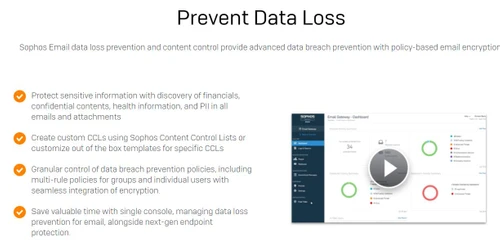
Small Business
Designed for startups and growing businesses
Medium Business
Built for business growth and flexibility
Enterprises
Designed for complex and large-scale business needs
4.5
Out of 5

Overall Rating
Based on
1 Verified Review
Rating Breakdown
80% Recommend this Product
Add Review
Sep 1, 2017
Techjockey Verified
“simple & starightforward to use”
Pros
they helped me locate the right software for my business
Cons
N/A

Sophos Email Security
Price On Request
Desktop
Mobile
Web based
On Premises
Windows
Mac OS

Sophos Phish Threat
Price On Request
Desktop
Mobile
Web based
On Premises
Windows
Mac OS

Galaxkey
Price On Request
Desktop
Mobile
Web based
On Premises
Windows
Mac OS
Zoho eProtect
Price On Request
Desktop
Mobile
Web based
On Premises
Windows
Mac OS

FourCore ATTACk
₹ 50000
Desktop
Mobile
Web based
On Premises
Windows
Mac OS

Checkpoint Harmony Email Security
Price On Request
Desktop
Mobile
Web based
On Premises
Windows
Mac OS

Tessian
Price On Request
Desktop
Mobile
Web based
On Premises
Windows
Mac OS

VIPRE SafeSend
Price On Request
Desktop
Mobile
Web based
On Premises
Windows
Mac OS

Trend Micro Email Security
Price On Request
Desktop
Mobile
Web based
On Premises
Windows
Mac OS

MDaemon Security Gateway For Email Servers
Price On Request
Desktop
Mobile
Web based
On Premises
Windows
Mac OS

GoDMARC
Price On Request
Desktop
Mobile
Web based
On Premises
Windows
Mac OS
(0) Product(s) selected
Available
Price on Request
Available
Price on Request
Available
Price on Request
Available
Price on Request

Starting Price:
$129 /Month
Starting Price:
$42 /Month
Starting Price:
$99 /Year

Starting Price:
$4

Available
Price on Request

Available
Price on Request

Available
Price on Request
Sophos Email Security Email Security Software is compatible with Windows operating systems.
Sophos Email Security Email Security Software app is not available.
Sophos Email Security Email Security Software supports Web-Based.
Sophos Email Security Email Security Software is typically used in All Industries.
Sophos Email Security Email Security Software demo is available for free with Techjockey.com
Sophos Email Security Email Security Software offers a free trial. However, the premium plan with advanced features available at Techjockey .
For Sophos Email Security Email Security Software installation, insert the given CD/USB flash storage in your system and open the Setup Wizard to get started.
Sophos Email Security Email Security Software helps with Phishing Protection,Advanced Threat Protection,Self Service Portal and Endpoint Protection. It's a complete solution for Security,Firewall and Integration.
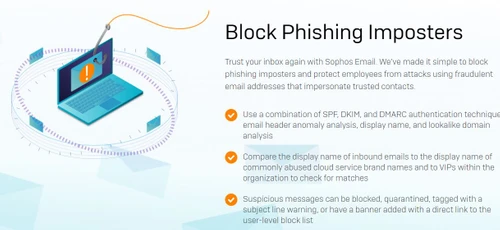
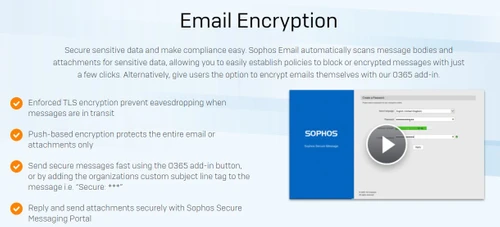
Sophos Email Security is a secure email gateway designed to protect businesses from threats like spam, phishing, malware, and data loss. It works by stopping malicious and unwanted emails before they can reach your employees' inboxes, using predictive security to defeat modern threats.
Sophos Email Security is presented as a highly-rated solution engineered to provide predictive protection against fast-moving and sophisticated email threats. It is designed to keep business users safe and productive by effectively stopping spam, phishing, and malware.
The provided information does not specify the differences between Sophos Email Standard and Advanced versions. To get a detailed comparison of the features included in each package, you should consult the official Sophos website or contact their sales team.
The specific steps for releasing an email are typically performed through the Sophos Central user portal or from a quarantine summary report email. For detailed instructions, please refer to your company's IT policy or the official product documentation.
Yes, you can consolidate protection by controlling email security from the Sophos Central single interface alongside endpoint, mobile, web, and wireless protection.
Sophos Email Security price is available on request at Techjockey.com.
Sophos Email Security is engineered to keep businesses safe from all major email threats, including spam, phishing attempts, malware, and data loss.
Yes, you can request a free demo to get a hands-on look at the solution and determine how it can best serve your organization's security needs.
20,000+ Software Listed
Best Price Guranteed
Free Expert Consultation
2M+ Happy Customers
Terms and Condtions

Users with registered businesses can purchase goods from merchants on the platform to satisfy their business needs. Users are not permitted to utilize any products acquired through the platform for resale, advertising, business, or further distribution.
For each purchase made, users will receive a Tax Invoice (or 'GST invoice') that includes specific details such as:
the GSTIN of the user associated with their registered business, and
the specified Entity Name for their business.
It should be noted that not all products are eligible for GST Invoice. Only the products displayed by participating sellers with the 'GST-based Invoice Available' callout on the product description page would qualify.
Certain goods and services are not eligible to get a GST Invoice, including items with VAS, i.e., Value Added Services (e.g., Total Mobile Protection/Assured Buyback) and those involving an exchange offer at the time of purchase.
Users must ensure the accuracy of the GSTIN, and business entity name provided for the GST Invoice. Requests for corrections into GST Invoice would not be accommodated by Techjockey.com or any Seller, and any issues arising from user-provided information are the sole responsibility of users.
Techjockey.com is not liable for the GST Invoice or any associated input tax credit. To efficiently claim an input tax credit, users should select the registered place of business address as per the GST authority's data and follow the provisions of the GST Act and rules.
To claim an input tax credit, the delivery and billing addresses must match. Furthermore, input tax credits will not be granted if the delivery address and GSTIN on the invoice are from different states. In case of incorrect GST details provided during the order placement, the order will be canceled automatically.



