linkedin
Speakap logo
play Speakap - The Only App Your Employees Need
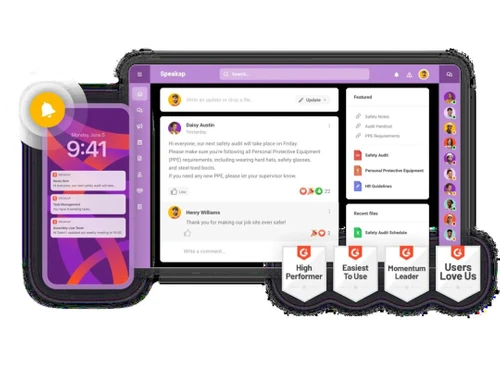
speakap Dashboard
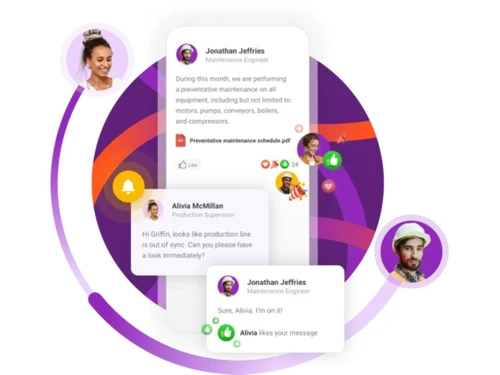
speakap Employee App

Speakap

Brand: SPEAKAP

  • 4.1

  • 6 Ratings

A secure and easy-to-use intranet software that improves communication, engagement, and collaboration among employees.

See More

Have you used Speakap before?

Share your insights for better experience

Add a Review

Price Available on Request

Questions about pricing or customization? We’re here to help, just a click away.

100% Genuine
Products
Best Price
Guaranteed
Safe & Secure
Payment
  • Description

  • Pricing

  • Features

  • Specification

  • Review

  • Compare

  • Alternatives

  • FAQ

Speakap Software Overview

What is Speakap?

Speakap is an intranet software designed to enhance internal communication and employee collaboration. It provides a platform where teams can easily share information, engage with each other, and manage tasks.

Speakap allows organizations to centralize communication, ensuring that employees receive updates, notifications, and important announcements instantly. The software is highly mobile-friendly, enabling employees to stay connected and engaged even when working remotely or on the go.

Besides being a business software, Speakap also acts as a utility software and an intranet software. It helps companies streamline knowledge management, workflow processes, and employee engagement activities.

With customizable interfaces and integration capabilities, Speakap fits into existing IT systems without disruption. Organizations can manage events, collaborate on projects, and monitor engagement metrics, improving overall productivity and fostering a connected work culture.

Why Choose Speakap?

  • Mobile Access: Let employees access information and communicate anytime, anywhere, ensuring work continues on the go.
  • Internal Communication: Ensures smooth sharing of updates, announcements, and messages across teams for better coordination.
  • Employee Engagement: Encourages interaction, feedback, and participation to keep employees motivated and involved.
  • Integration: Connects seamlessly with existing tools and IT systems for efficient workflows and minimal disruption.
  • Knowledge Management: Centralizes documents, policies, and resources for quick and easy access when needed.
  • Customizable Interface: Offers flexibility to adjust the look and feel to match branding and organizational needs.
  • Workflow and Event Management: Helps manage tasks, events, and processes efficiently, keeping teams on track.
  • Collaboration: Encourages teams to work together, share ideas, and complete projects faster.
  • Secure Platform: Protects company data while allowing safe communication and collaboration.
  • Trusted Solution: Recognized for improving internal communication and boosting employee satisfaction.

Benefits of Speakap

  • Enhanced Connectivity: Employees can easily communicate and share information in real-time.
  • Improved Engagement: Interactive features increase participation and team involvement.
  • Centralized Knowledge: All documents, resources, and updates are stored in one secure place.
  • Faster Decision-Making: Teams can collaborate effectively to make informed decisions.
  • Streamlined Workflows: Automates processes and events for better productivity.
  • Mobile-Friendly Access: Employees stay connected even when working remotely or traveling.
  • Customizable Platform: Flexible interface and features tailored to organization's needs.
  • Better Collaboration: Encourages teamwork and faster project completion.
  • Secure Communication: Protects sensitive company information from unauthorized access.
  • Increased Productivity: Reduces email overload and simplifies internal communication channels.

Speakap Pricing

Speakap pricing is available on request at Techjockey.com. The pricing model is based on different parameters, including extra features, deployment type, and the total number of users. For further queries related to the product, please contact our product team to learn more about pricing and available offers.

Read more

Speakap Pricing & Plans

Looking for The Right Pricing?

Share your requirements and get a plan built around your business.

  • Define your business needs
  • Get customised pricing
  • Choose features that fit your workflow

Price Available on Request

Get personalised Speakap pricing that fits your needs. Our team will connect with you.

Speakap Features

  • icon_check Mobile Access
    Access platform, updates, and communication on mobile devices anytime.
  • icon_check Internal Communication
    Share announcements, messages, and updates across all employees.
  • icon_check Employee Engagement
    Boost participation with interactive posts, polls, and feedback options.
  • icon_check Integration
    Works seamlessly with existing software and IT systems.
  • icon_check Knowledge Management
    Centralized repository for files, documents, and policies.
  • icon_check Customizable Interface
    Adjust layouts, colors, and settings to match your organization.
  • icon_check Workflow and Event Management
    Manage tasks, deadlines, and events efficiently.
  • icon_check Collaboration
    Teams can work together on projects, share ideas, and track progress.
Speakap Demo Video play icon

Get Speakap Demo

Watch the demo video to explore key features, real workflows, and how the software fits your business needs.

Understand
Key Features
Personal
Demo Insights
Interactive
Demo Support

Speakap Specifications

Supported Platforms
Ubuntu Ubuntu Windows Windows iOS iOS Android Android MacOS MacOS Linux Linux
Devices
Desktop Desktop Mobile Mobile
Deployment
Cloud-Based Cloud-Based
Suitable For
All Industries
Business Specific
All Businesses
Business Size
Small Business Medium Business Enterprises SMBs SMEs
Customer Support
Phone Email Forums
Language
Nederlands English
Integration
API Integration
Compliance Regulation
HIPAA

Explore the Best Alternative Solutions Similar to Your Business Size and Needs

Speakap Review

4.1

Out of 5

img

Overall Rating

Based on
6 Verified Ratings

Rating Breakdown

  • Features 3.7
  • Value for Money 4.3
  • Ease of Use 4.5
  • Customer Support 4

88% Recommend this Product

Add Review

Be the First to Review

This product has no reviews yet. Be the first to leave your feedback.

Add Review

Compare Speakap With other Intranet Software

Products
Ratings
Pricing
Device Supported
Deployment
Supported Platforms
  • img

    Speakap

  • 4.1

  • Price On Request

  • Desktop

    Mobile

  • Web based

    On Premises

  • Windows

    Mac OS

  • img

    AgilityPortal

  • 4.3

  • ₹ 12400

  • Desktop

    Mobile

  • Web based

    On Premises

  • Windows

    Mac OS

  • img

    Simpplr

  • 4.2

  • Price On Request

  • Desktop

    Mobile

  • Web based

    On Premises

  • Windows

    Mac OS

  • img

    Zoho Connect

  • 4.4

  • ₹ 240

  • Desktop

    Mobile

  • Web based

    On Premises

  • Windows

    Mac OS

  • img

    Claromentis

  • 4.5

  • ₹ 665

  • Desktop

    Mobile

  • Web based

    On Premises

  • Windows

    Mac OS

  • img

    Myhub

  • 4.1

  • Price On Request

  • Desktop

    Mobile

  • Web based

    On Premises

  • Windows

    Mac OS

  • img

    GreenOrbit

  • Price On Request

  • Desktop

    Mobile

  • Web based

    On Premises

  • Windows

    Mac OS

  • img

    Axero

  • 4.1

  • Price On Request

  • Desktop

    Mobile

  • Web based

    On Premises

  • Windows

    Mac OS

  • img

    Igloo

  • 4.2

  • Price On Request

  • Desktop

    Mobile

  • Web based

    On Premises

  • Windows

    Mac OS

  • img

    Onsemble

  • 4.2

  • Price On Request

  • Desktop

    Mobile

  • Web based

    On Premises

  • Windows

    Mac OS

(2) Product(s) selected

Speakap Alternatives

See All Speakap Alternatives

How much does Speakap cost?

Speakap price is available on request at Techjockey.com.

How does Speakap work?

It centralizes communication, allows mobile access, manages workflows, and improves collaboration.

Who uses Speakap?

Organizations of all sizes, especially those with remote teams or multiple locations, use it to connect employees.

Can Speakap be accessed on mobile devices?

Yes, it is fully mobile-friendly for employees to stay connected anytime and anywhere.

Does Speakap improve employee engagement?

Yes, interactive tools like posts, polls, and feedback options increase participation and engagement.

Can it integrate with other software?

Yes, it integrates seamlessly with IT systems, collaboration tools, and existing applications.

Does Speakap manage workflows and events?

Yes, it helps organize tasks, projects, and events for better productivity.

Is it secure?

Yes, Speakap provides a secure environment to protect company data and communication.

Can it centralize knowledge management?

Yes, all documents, policies, and resources are stored in one easily accessible platform.

Is it suitable for large organizations?

Yes, Speakap scales efficiently and can support companies with multiple departments and locations.

20,000+ Software Listed

Best Price Guranteed

Free Expert Consultation

2M+ Happy Customers

Terms and Condtions

close

Users with registered businesses can purchase goods from merchants on the platform to satisfy their business needs. Users are not permitted to utilize any products acquired through the platform for resale, advertising, business, or further distribution.

For each purchase made, users will receive a Tax Invoice (or 'GST invoice') that includes specific details such as:

  • the GSTIN of the user associated with their registered business, and

  • the specified Entity Name for their business.

It should be noted that not all products are eligible for GST Invoice. Only the products displayed by participating sellers with the 'GST-based Invoice Available' callout on the product description page would qualify.

Certain goods and services are not eligible to get a GST Invoice, including items with VAS, i.e., Value Added Services (e.g., Total Mobile Protection/Assured Buyback) and those involving an exchange offer at the time of purchase.

Users must ensure the accuracy of the GSTIN, and business entity name provided for the GST Invoice. Requests for corrections into GST Invoice would not be accommodated by Techjockey.com or any Seller, and any issues arising from user-provided information are the sole responsibility of users.

Techjockey.com is not liable for the GST Invoice or any associated input tax credit. To efficiently claim an input tax credit, users should select the registered place of business address as per the GST authority's data and follow the provisions of the GST Act and rules.

To claim an input tax credit, the delivery and billing addresses must match. Furthermore, input tax credits will not be granted if the delivery address and GSTIN on the invoice are from different states. In case of incorrect GST details provided during the order placement, the order will be canceled automatically.