linkedin
SurveyMonkey logo
play Creating a survey with SurveyMonkey
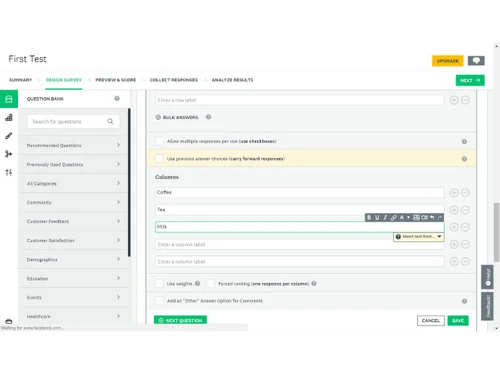
surveymonkey software-test1
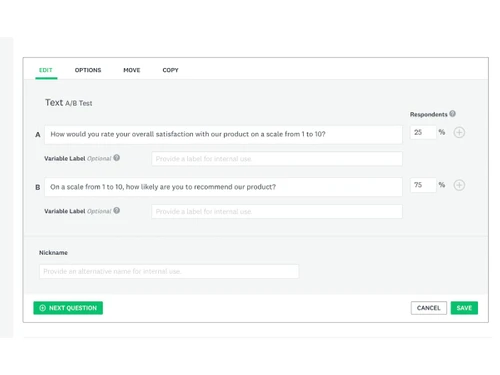
surveymonkey software-copy

SurveyMonkey

Brand: SURVEYMONKEY

  • 4.4

  • 4 Ratings & 1 Review

SurveyMonkey is an efficient survey management tool for enterprises and individual users. Brands can leverage the solution to generate polls, surveys, and quizzes for their valuable audiences, which will help them get a detailed understanding and drive more sales. Coordinators can either progress with the expert-curated sample questions made available to incorporate their own, which turns out to ...

See More

Have you used SurveyMonkey before?

Share your insights for better experience

Add a Review
Starting Price
₹899 excl.GST
₹ 1,061 incl. GST

View plans

offer Save upto 18%, Get GST Invoice on your business purchase T&C
offer Buy Now & Pay Later, Check offer on payment page.
Buy Now
100% Genuine
Products
Best Price
Guaranteed
Safe & Secure
Payment
  • Description

  • Pricing

  • Features

  • Specification

  • Review

  • Compare

  • Alternatives

  • FAQ

Starting at ₹899
Buy Now

SurveyMonkey Software Overview

What is SurveyMonkey?

SurveyMonkey is an efficient survey management tool for enterprises and individual users. Brands can leverage the solution to generate polls, surveys, and quizzes for their valuable audiences, which will help them get a detailed understanding and drive more sales. Coordinators can either progress with the expert-curated sample questions made available to incorporate their own, which turns out to be more relevant. The generated survey layouts can be shared with the internal team or external responders in popular formats like XLS, PDF, PPT, CSV, and SPSS via email, chat, or social media platforms. Moreover, crosstab reports and combined filters featured by SurveyMonkey helps with accurate data analysis metrics. Security being an important aspect, the software is compliant with international data protection guidelines like GDPR, CCPA etc. 

How does SurveyMonkey help admins drive their team towards success?

There are five simple steps that an admin can follow to drive their in-house team towards success.

  1. Assign the Right People: Admins can specify work to individual members. They can limit access rights enabling others to stay focused, and offer multiple filters to run a detailed analysis. User-wise alarm system is another important aspect of SurveyMonkey.
  2. Turn Teams into Experts: As an admin, one can guide their team towards success by offering relevant suggestions on collaboration, library usage, response rate enhancer, to bias reduction facilities. Admins can also help teams to generate skills, justify their job role and perform market-oriented research as well.
  3. Branded Library: Admins can use the inbuilt library option available with SurveyMonkey to store a variety of logos, templates, themes, and colors which define the authenticity of their brand.  
  4. Transfer Surveys: The survey transfer option is of great help, that enables multiple members in a team to get access to an integrated survey. Admins can transfer surveys from their account into the account of their team, including users list and collected responses.
  5. Share Filters and Reports: Survey analysts can add in personalized charts, schedule rules and apply filters. Admins can also generate a customizable dashboard of their own.   

SurveyMonkey Pricing

SurveyMonkey pricing starts from INR 899 at techjockey.com. It comes with multiple pricing plans and caters to a diverse customer base. For subscription-related details and offers on premium packages, please request a call back from our product experts.

How does SurveyMonkey work?

  1. The survey management software can be used to generate unique quizzes, surveys and polls, targeting different audience sections in the market.
  2. Brands can collect feedback via email, weblink, social media pages, mobile chat etc.
  3. Personals with specified duties can run detailed analyses and get powerful insights that can help them in decision-making. They can add in separate filters and incorporate chart-wise views.
  4. Coordinators can share the results with external clients or showcase them on their website to drive sales.
  5. Admins can make business-relevant decisions that will be fruitful in the long run. 
Read more

SURVEYMONKEY Company Details

Founded Year:  1998

SurveyMonkey is a survey software. It enabling curious individuals and companies.

Director/Founders Chris Finley, Ryan Finley
Company Size 1000+ Employees

SurveyMonkey Pricing & Plans

Standard Monthly

Calculated Price

899 Exclusive of all taxes
    • Licenses

      Licenses
      Licenses
    • Monthly

      Monthly
      Monthly

Key Features

  • Skip logic only

  • Unlimited number of surveys

  • Unlimited questions per survey

  • 1,000 responses per month

  • Quizzes with custom feedback

  • Data exports (CSV, PDF, PPT, XLS)

Advantage Annual

Calculated Price

23988 Exclusive of all taxes
    • Licenses

      Licenses
      Licenses
    • Yearly

      Yearly
      Yearly

Key Features

  • Unlimited number of surveys

  • Unlimited questions per survey

  • 15,000 responses per year

  • Quizzes with custom feedback

  • Data exports (CSV, PDF, PPT, XLS)

  • Skip logic, question & answer piping

Premier Annual

Calculated Price

59988 Exclusive of all taxes
    • Licenses

      Licenses
      Licenses
    • Yearly

      Yearly
      Yearly

Key Features

  • Unlimited number of surveys

  • Unlimited questions per survey

  • 40,000 responses per year

  • Quizzes with custom feedback

  • Data exports (CSV, PDF, PPT, XLS)

  • Skip logic, question & answer piping

SurveyMonkey Features

  • icon_check Templates
    Pre-made survey designs for quick start; easily customizable for any topic or industry.
  • icon_check Multi Survey Analysis
    Combine and analyze results from several surveys in a single interactive dashboard.
  • icon_check Custom Branding
    Add logo, colors, and fonts to surveys for a professional, on-brand look.
  • icon_check Sentiment Analysis
    Automatically label text responses as positive, neutral, or negative to gauge emotion.
  • icon_check Click Map Visualization
    Track and visualize where respondents click on images for detailed feedback.
  • icon_check Reports & Analytics
    Automated summaries and charts help users get a real-time view of the collected data. They can also dig deep with crosstab
  • icon_check Response Management
    Restrict response time, block IPs, customize thank-you pages, and add password protection to secure your surveys.
  • icon_check Payment Integration
    Accept credit card payments within surveys using Stripe for seamless transactions.
SurveyMonkey Demo Video play icon

Get SurveyMonkey Demo

Watch the demo video to explore key features, real workflows, and how the software fits your business needs.

Understand
Key Features
Personal
Demo Insights
Interactive
Demo Support

SurveyMonkey Specifications

Supported Platforms
Ubuntu Ubuntu Windows Windows iOS iOS Android Android MacOS MacOS Linux Linux
Devices
Desktop Desktop Mobile Mobile Tablet Tablet iPad iPad
Deployment
Cloud-Based Cloud-Based
Suitable For
All Industries
Business Specific
All Businesses
Business Size
Small Business Startups Medium Business Enterprises SMBs SMEs MSMBs MSMEs
Customer Support
Email Communities
Language
English
Integration
API Integration
Training Resources
Webinars Videos
AI Features
AI Integrated

Explore the Best Alternative Solutions Similar to Your Business Size and Needs

SurveyMonkey Review

4.4

Out of 5

img

Overall Rating

Based on
1 Verified Review

Rating Breakdown

  • Features 4.2
  • Value for Money 4.5
  • Ease of Use 4.6
  • Customer Support 4.5

87% Recommend this Product

Add Review

SurveyMonkey Video Review

youtubeVideoId

4.8

“SurveyMonkey Review”

Review by: SoftwarePundit

Compare SurveyMonkey With other Survey Software

Products
Ratings
Pricing
Device Supported
Deployment
Supported Platforms
  • img

    SurveyMonkey

  • 4.4

  • ₹ 899.00 excl. GST

  • Desktop

    Mobile

  • Web based

    On Premises

  • Windows

    Mac OS

  • img

    Zoho Survey

  • 4.5

  • ₹ 4992

  • Desktop

    Mobile

  • Web based

    On Premises

  • Windows

    Mac OS

  • img

    Zoho Forms

  • 4.4

  • Price On Request

  • Desktop

    Mobile

  • Web based

    On Premises

  • Windows

    Mac OS

  • img

    SogoCore

  • 4.3

  • Price On Request

  • Desktop

    Mobile

  • Web based

    On Premises

  • Windows

    Mac OS

  • img

    Formsite

  • 4.4

  • Price On Request

  • Desktop

    Mobile

  • Web based

    On Premises

  • Windows

    Mac OS

  • img

    Alchemer

  • 4.2

  • Price On Request

  • Desktop

    Mobile

  • Web based

    On Premises

  • Windows

    Mac OS

  • img

    User Interviews

  • 4.2

  • Price On Request

  • Desktop

    Mobile

  • Web based

    On Premises

  • Windows

    Mac OS

  • img

    Formly

  • 4.3

  • Price On Request

  • Desktop

    Mobile

  • Web based

    On Premises

  • Windows

    Mac OS

  • img

    Microsoft Forms

  • 4.1

  • Price On Request

  • Desktop

    Mobile

  • Web based

    On Premises

  • Windows

    Mac OS

  • img

    SurveySparrow

  • 4.3

  • ₹ 2397

  • Desktop

    Mobile

  • Web based

    On Premises

  • Windows

    Mac OS

(2) Product(s) selected

SurveyMonkey Alternatives

See All SurveyMonkey Alternatives

Starting Price:

$25 /Month

Starting Price:

$19 /User/Month

Starting Price:

$19 /Month

Starting Price:

$10 /Month

Available

Price on Request

Starting Price:

$83 /User/Month

Available

Price on Request

Starting Price:

$25 /Month

Articles for SurveyMonkey

See All Related Articles

Is it possible to track respondents with SurveyMonkey?

Yes, users need to enable the tracking option before forwarding the surveys generated by them. They can also choose to keep the responses anonymous if needed.

Is SurveyMonkey compliant with multiple data privacy options?

Yes, SurveyMonkey is compliant with a variety of data privacy options like CCPA, GDPR, DPA and more.

Is SurveyMonkey available for an online demo?

Yes, you can request an online demo of SurveyMonkey, Our technical experts will get back to you in real-time.

Is it possible to protect a survey with passwords in SurveyMonkey?

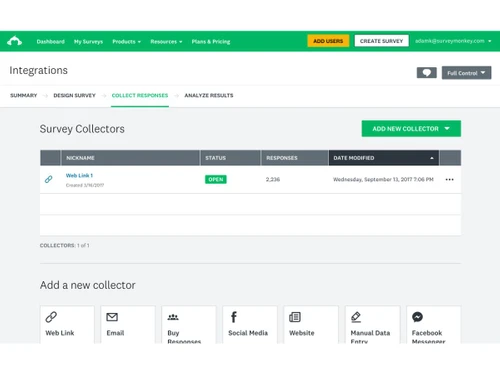
Visit the collect responses section of a survey> Select the name of the collector to access collector-related options> Click on show advanced options and turn on Password Protect.

Does SurveyMonkey feature a mobile app of its own?

SurveyMonkey mobile app is available for both Android and iOS users.

20,000+ Software Listed

Best Price Guranteed

Free Expert Consultation

2M+ Happy Customers

Terms and Condtions

close

Users with registered businesses can purchase goods from merchants on the platform to satisfy their business needs. Users are not permitted to utilize any products acquired through the platform for resale, advertising, business, or further distribution.

For each purchase made, users will receive a Tax Invoice (or 'GST invoice') that includes specific details such as:

  • the GSTIN of the user associated with their registered business, and

  • the specified Entity Name for their business.

It should be noted that not all products are eligible for GST Invoice. Only the products displayed by participating sellers with the 'GST-based Invoice Available' callout on the product description page would qualify.

Certain goods and services are not eligible to get a GST Invoice, including items with VAS, i.e., Value Added Services (e.g., Total Mobile Protection/Assured Buyback) and those involving an exchange offer at the time of purchase.

Users must ensure the accuracy of the GSTIN, and business entity name provided for the GST Invoice. Requests for corrections into GST Invoice would not be accommodated by Techjockey.com or any Seller, and any issues arising from user-provided information are the sole responsibility of users.

Techjockey.com is not liable for the GST Invoice or any associated input tax credit. To efficiently claim an input tax credit, users should select the registered place of business address as per the GST authority's data and follow the provisions of the GST Act and rules.

To claim an input tax credit, the delivery and billing addresses must match. Furthermore, input tax credits will not be granted if the delivery address and GSTIN on the invoice are from different states. In case of incorrect GST details provided during the order placement, the order will be canceled automatically.