linkedin
Synthesia logo
play Welcome to Synthesia
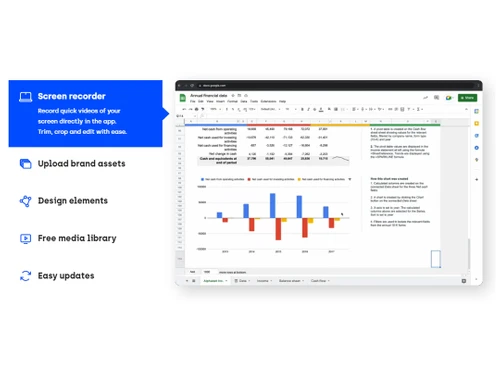
synthesia screen recorder
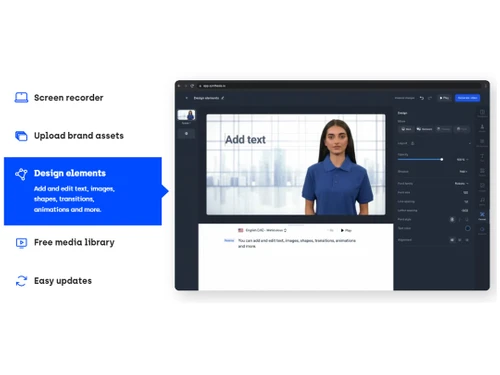
synthesia screen recorder design elements

Synthesia

Brand: Synthesia

  • 4.6

  • 7 Ratings & 3 Reviews

Synthesia is an AI-powered video creation platform designed to help users create professional-quality videos easily. It offers voiceovers, screen recordings, and various other video production tools. The platform is ideal for anyone who needs high-quality video content without requiring specialized ...

See More

Have you used Synthesia before?

Share your insights for better experience

Add a Review
Starting Price 50% OFF
₹999 excl.GST  ₹1,999
₹ 1,179 incl. GST

View plans

offer Save upto 18%, Get GST Invoice on your business purchase T&C
offer Buy Now & Pay Later, Check offer on payment page.
Buy Now
100% Genuine
Products
Best Price
Guaranteed
Safe & Secure
Payment
  • Description

  • Pricing

  • Features

  • Specification

  • Review

  • Compare

  • Alternatives

  • FAQ

Starting at ₹999
Buy Now

Synthesia Software Overview

What is Synthesia?

Synthesia is an innovative business software and one of the leading AI video generators that leverage generative AI tools to make video production faster and more accessible. Users can create videos without the need for expensive equipment or actors. With features like AI-generated voiceovers and customizable avatars, Synthesia has simplified the video-making process, making it easy for anyone to produce professional content in a matter of minutes.

The platform is suitable for a wide range of users, from small businesses to large corporations, and even individuals looking to create high-quality videos. Whether you are recording a corporate training session, creating a marketing video, or making an explainer video, Synthesia offers the tools you need to deliver high-quality content. It removes the complexities of traditional video production, allowing you to focus on delivering your message.

Why Choose Synthesia?

  • Easy to Use: Synthesia is designed to be user-friendly, so even beginners can create professional videos quickly and efficiently.
  • Cost-Effective: You don’t need expensive equipment or studios to create high-quality videos, making it a budget-friendly solution for all.
  • Fast Video Creation: You can generate videos in just minutes, saving you time and effort compared to traditional methods.
  • AI-Powered Features: With AI-generated voiceovers and actors, you can create realistic, professional videos without a large production team.
  • Multi-Language Support: Synthesia allows you to create videos in multiple languages, making it ideal for global audiences.

Benefits of Synthesia AI Video Editor

  • Affordable Production: Save on costs by avoiding the need for studio time, equipment, or hiring voice actors.
  • Time-Saving: Create professional-quality videos in minutes without the hassle of traditional video production.
  • Consistent Quality: With Synthesia, every video produced is of consistent quality, ensuring your content looks polished and professional.
  • Customizable: You can personalize videos with various design elements, such as templates, text, and animations.
  • Accessible: With its intuitive interface, Synthesia makes video production accessible to everyone, regardless of technical expertise.

Pricing Of Synthesia

The pricing of Synthesia is available at INR 1,999 per month at techjockey.com.

The pricing model is based on different parameters, including extra features, deployment type, and the total number of users. For further queries related to the product, you can contact our product team and learn more about the pricing and offers.

Read more

Synthesia Company Details

Founded Year:  2017

Synthesia is an AI video avatar platform that creates professional videos from a text in different languages.

Director/Founders Lourdes Agapito, Matthias Niessner, Steffen Tjerrild, Victor Riperbelli
Company Size 1-100 Employees

Synthesia Pricing & Plans

Starter

Calculated Price

₹ 999 ₹1999
SAVE UPTO 50%
Exclusive of all taxes
    • Licenses

      Licenses
      Licenses
    • Monthly

      Monthly
      Monthly

Key Features

  • 1 editor & 3 guests

  • 10 minutes of video/month

  • 125+ Synthesia AI avatars

  • Chat/email support

Creator

Calculated Price

₹ 2999 ₹6199
SAVE UPTO 52%
Exclusive of all taxes
    • Licenses

      Licenses
      Licenses
    • Monthly

      Monthly
      Monthly

Key Features

  • 1 editor & 5 guests

  • 30 minutes of video/month

  • 180+ Synthesia AI avatars

  • Priority chat/email support

Synthesia Features

Core Features

  • icon_check Text-to-Video Generation
    Convert text input into video output using NLP automatically.
  • icon_check Voiceover Generation
    AI voice generation with customizable tone, pitch, and speed.
  • icon_check Subtitle Generation
    Automatic generation of subtitles with customizable fonts, colours, and styles.
  • icon_check Template-Based Editing
    Ready-made templates for intro, outro, and transitions, easily customizable.
  • icon_check AI Scene Detection
    Automatically detects scenes and cuts based on changes in content or context.
  • icon_check Auto Color Correction
    AI-driven colour grading and correction for consistent visuals across scenes.
  • icon_check Background Removal
    Detects and removes background without for easy replacements.
  • icon_check Object Detection
    Tracks and isolates objects or people for targeted effects and overlays.
  • icon_check AI Audio Enhancement
    Noise reduction, audio levelling, and clarity improvements in dialogue and music.

Advanced Features

  • icon_check AI Avatar Generation
    Create digital avatars for narrations and presentations.
  • icon_check AI Voice Cloning
    Clone real voices for voiceovers.
  • icon_check Dynamic Background Replacement
    Auto-detects and changes backgrounds for scenes without needing a green screen.
  • icon_check AI Motion Tracking
    Precise motion tracking for applying effects to moving objects or text.
  • icon_check Emotion Recognition
    Detects emotions in faces or voices to adjust visuals and audio accordingly.
  • icon_check Scene Reframing
    Auto reframes shots for different aspect ratios, optimized for social media.
  • icon_check Video Summarization
    Auto-generate highlight reels from longer footage.
  • icon_check Deepfake Detection
    Ensure responsible AI video creation with detection tools.

Editing Tools & Effects

  • icon_check Transition Effects
    Basic transitions like fades, slides, and cuts with customizable speed and direction.
  • icon_check Basic Editing Tools
    Timeline-based editing with Cut, Trim, Split, Merge operations for timeline control.
  • icon_check Visual and Sound Effects
    Add overlays, animations, and sound effects.
  • icon_check Overlays and Animations
    Add and animate text with a variety of font, colour, and animation choices.
  • icon_check Split-Screen Effect
    Combines multiple video sources in split-screen or picture-in-picture format.
  • icon_check Real-Time Previews
    Previews of effects and transitions in real-time for faster adjustments.
  • icon_check Keyframe Animations
    Fine-tune animations and motion effects.
  • icon_check Speed Adjustments
    Speed Control and Slow Motion to adjust video playback speed.
  • icon_check Video Stabilization
    Smooth out shaky footage automatically.
  • icon_check Multi-Layered Editing
    The fundamental editor architecture allowing complex, professional editing
  • icon_check Chroma Key Support
    Replace green screen backgrounds in editing.

Collaboration & Workflow

  • icon_check Cloud Storage
    Projects and assets stored securely in the cloud.
  • icon_check Project Sharing
    Share projects with teams or clients with permissions.
  • icon_check Real-Time Collaboration
    Multiple users edit and comment simultaneously.
  • icon_check Export Options
    Support for various formats and resolutions (e.g., 1080p, 4K).
  • icon_check Performance Insights
    Analyze video performance, including engagement and viewer retention.
  • icon_check Version Control
    Track edits and changes across teams.
  • icon_check Direct Social Media Sharing
    Directly to social media accounts.
  • icon_check Batch Processing
    Process multiple videos at once.
  • icon_check Role-Based Access Control (RBAC)
    Define user roles and access permissions.

Integration & Automation

  • icon_check Third Party Integrations
    Connect with marketing, analytics, and CRM tools.
  • icon_check API Publishing
    Automate bulk publishing via API.
  • icon_check Social Media Integration
    Integration with social platforms
  • icon_check Automated Video Creation & Scheduling
    Auto-generate and schedule publishing to platforms.

Others

  • icon_check Multi-Language Support
    Tools for subtitles, voiceovers, and UI in multiple languages.
  • icon_check Custom Branding
    Add logos, watermarks, and brand colors for consistency.
  • icon_check Multilingual Video Generation
    Generate videos in multiple languages seamlessly.
  • icon_check Aspect Ratio Customization
    Adjust for social platforms (9:16 TikTok, 16:9 YouTube).
Synthesia Demo Video play icon

Get Synthesia Demo

Watch the demo video to explore key features, real workflows, and how the software fits your business needs.

Understand
Key Features
Personal
Demo Insights
Interactive
Demo Support

Synthesia Specifications

Supported Platforms
Ubuntu Ubuntu Windows Windows MacOS MacOS Linux Linux
Devices
Desktop Desktop Mobile Mobile Tablet Tablet iPad iPad
Deployment
Cloud-Based Cloud-Based
Suitable For
All Industries
Business Specific
All Businesses
Business Size
Small Business Startups SMBs SMEs
Customer Support
Email Communities
Language
English
Training Resources
Videos
AI Features
AI Integrated

Explore the Best Alternative Solutions Similar to Your Business Size and Needs

Small Business

Designed for startups and growing businesses

HeyGen

4.5

Kapwing

4.4

Elai

4.5

See More

Synthesia Reviews

4.6

Out of 5

img

Overall Rating

Based on
3 Verified Reviews

Rating Breakdown

  • Features 4.2
  • Value for Money 4.5
  • Ease of Use 4.6
  • Customer Support 5

95% Recommend this Product

Add Review

Synthesia Video Reviews

youtubeVideoId

5

“Synthesia Review The 1 rated AI video creation platform”

Review by: Tim Verdouw

youtubeVideoId

4.6

“Synthesia AI Review New Features Just Added Not Sponsored”

Review by: Jenn Jager

youtubeVideoId

4.5

“Synthesia Review ARE HUMAN BEINGS OBSOLETE”

Review by: Jenn Jager

Compare Synthesia With other AI Video Generators

Products
Ratings
Pricing
Device Supported
Deployment
Supported Platforms
  • img

    Synthesia

  • 4.6

  • ₹ 999.00 excl. GST

  • Desktop

    Mobile

  • Web based

    On Premises

  • Windows

    Mac OS

  • img

    Pictory AI

  • 4.8

  • Price On Request

  • Desktop

    Mobile

  • Web based

    On Premises

  • Windows

    Mac OS

  • img

    HeyGen

  • 4.5

  • Price On Request

  • Desktop

    Mobile

  • Web based

    On Premises

  • Windows

    Mac OS

  • img

    Runway ML

  • 4.4

  • Price On Request

  • Desktop

    Mobile

  • Web based

    On Premises

  • Windows

    Mac OS

  • img

    AI Studios

  • 4.3

  • Price On Request

  • Desktop

    Mobile

  • Web based

    On Premises

  • Windows

    Mac OS

  • img

    PixVerse AI

  • 4.3

  • Price On Request

  • Desktop

    Mobile

  • Web based

    On Premises

  • Windows

    Mac OS

  • img

    Vidu AI

  • 4.3

  • Price On Request

  • Desktop

    Mobile

  • Web based

    On Premises

  • Windows

    Mac OS

  • img

    Elai

  • 4.5

  • Price On Request

  • Desktop

    Mobile

  • Web based

    On Premises

  • Windows

    Mac OS

  • img

    InVideo AI

  • 4.2

  • Price On Request

  • Desktop

    Mobile

  • Web based

    On Premises

  • Windows

    Mac OS

  • img

    Visla

  • 4.6

  • Price On Request

  • Desktop

    Mobile

  • Web based

    On Premises

  • Windows

    Mac OS

  • img

    Vidnoz AI

  • 4.5

  • Price On Request

  • Desktop

    Mobile

  • Web based

    On Premises

  • Windows

    Mac OS

(0) Product(s) selected

Synthesia Alternatives

See All Synthesia Alternatives

Starting Price:

$10 /Month

Starting Price:

$18 /Month

Starting Price:

$27 /Month

Starting Price:

$39 /Month

Starting Price:

$29 /Month

Starting Price:

$30 /Month

Starting Price:

$39 /Month

Starting Price:

$19 /Month

Starting Price:

$10 /Month

Articles for Synthesia

See All Related Articles

What is Synthesia used for?

Synthesia is used to create AI-powered videos with voiceovers, avatars, and screen recordings. It’s ideal for businesses, educators, and content creators who need professional videos without requiring extensive production resources.

Can I use my own voice in Synthesia videos?

Yes, Synthesia allows users to upload their own voice recordings or use AI-generated voiceovers. This feature offers flexibility and customization for your videos.

How does Synthesia create voiceovers?

Synthesia uses AI to generate realistic voiceovers without requiring professional microphones or voice actors. This helps users create high-quality voiceovers on a budget.

Is Synthesia suitable for beginners?

Yes, Synthesia is designed to be user-friendly, making it suitable for beginners who want to create professional videos without prior experience.

Can I create videos in multiple languages with Synthesia?

Yes, Synthesia supports multiple languages, allowing users to create videos tailored to global audiences.

What kind of videos can I create with Synthesia?

You can create a variety of videos including marketing videos, explainer videos, training videos, and more, all with professional quality.

Does Synthesia have video templates?

Yes, Synthesia offers a variety of video templates to help users get started quickly and create professional content effortlessly.

Do I need a professional studio to use Synthesia?

No, you do not need a professional studio. Synthesia provides AI-generated actors and voiceovers, eliminating the need for expensive studio equipment or personnel.

Is there a free trial of Synthesia available?

Yes, Synthesia offers a free trial, so you can try the platform before committing to a paid plan.

How much does Synthesia cost?

The pricing of Synthesia is available at INR 1,999 per month at techjockey.com. The pricing model is based on factors such as the number of users, additional features, and deployment requirements. For detailed pricing, please contact our product team.

20,000+ Software Listed

Best Price Guranteed

Free Expert Consultation

2M+ Happy Customers

Terms and Condtions

close

Users with registered businesses can purchase goods from merchants on the platform to satisfy their business needs. Users are not permitted to utilize any products acquired through the platform for resale, advertising, business, or further distribution.

For each purchase made, users will receive a Tax Invoice (or 'GST invoice') that includes specific details such as:

  • the GSTIN of the user associated with their registered business, and

  • the specified Entity Name for their business.

It should be noted that not all products are eligible for GST Invoice. Only the products displayed by participating sellers with the 'GST-based Invoice Available' callout on the product description page would qualify.

Certain goods and services are not eligible to get a GST Invoice, including items with VAS, i.e., Value Added Services (e.g., Total Mobile Protection/Assured Buyback) and those involving an exchange offer at the time of purchase.

Users must ensure the accuracy of the GSTIN, and business entity name provided for the GST Invoice. Requests for corrections into GST Invoice would not be accommodated by Techjockey.com or any Seller, and any issues arising from user-provided information are the sole responsibility of users.

Techjockey.com is not liable for the GST Invoice or any associated input tax credit. To efficiently claim an input tax credit, users should select the registered place of business address as per the GST authority's data and follow the provisions of the GST Act and rules.

To claim an input tax credit, the delivery and billing addresses must match. Furthermore, input tax credits will not be granted if the delivery address and GSTIN on the invoice are from different states. In case of incorrect GST details provided during the order placement, the order will be canceled automatically.