USA
USA UAE
UAESmall Business
Designed for startups and growing businesses

See More





Brand: INVIDEO
InVideo software is reinventing the way amateurs and professionals attempt video creation. It’s a online video maker that helps create stunning, professional videos in minutes. You can use this software across devices and access 5k plus design templates and 9M plus media in the premium category. There are many customizable features along with a vast audio library that caters to every mood. InV...
See MoreHave you used InVideo AI before?
Share your insights for better experience
Brand: INVIDEO
Founded Year: 2017
InVideo is re-inventing video creation using AI and making it accessible to the world.


Not sure which plan is best for you? We'll help you
Core Features
 Background Removal Text-to-Video Generation AI Scene Detection AI Audio Enhancement Voiceover Generation Subtitle Generation Template-Based Editing Auto Color Correction Object Detection
 Advanced Features
Emotion Recognition AI Avatar Generation AI Voice Cloning AI Motion Tracking Dynamic Background Replacement Scene Reframing Video Summarization Deepfake Detection Editing Tools & Effects
Transition Effects Basic Editing Tools Visual and Sound Effects Overlays and Animations Speed Adjustments Real-Time Previews Keyframe Animations Split-Screen Effect Video Stabilization Multi-Layered Editing Chroma Key Support Collaboration & Workflow
Cloud Storage Project Sharing Real-Time Collaboration Export Options Direct Social Media Sharing Batch Processing Performance Insights Role-Based Access Control (RBAC) Version Control Integration & Automation
Social Media Integration Third Party Integrations Automated Video Creation & Scheduling API Publishing Others
Multi-Language Support Text-to-Animation Custom Branding Multilingual Video Generation Aspect Ratio Customization 

Watch the demo video to explore key features, real workflows, and how the software fits your business needs.
 Ubuntu
  Windows
  iOS
iOS  Android MacOS
  Linux
Linux  Desktop
  Mobile
  Cloud-Based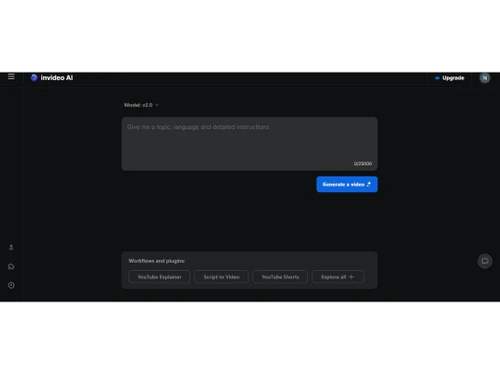
Small Business
Designed for startups and growing businesses
Medium Business
Built for business growth and flexibility
Enterprises
Designed for complex and large-scale business needs
4.2
Out of 5

Overall Rating
Based on
13 Verified Reviews
Rating Breakdown
87% Recommend this Product
Add ReviewOverall, users appreciate InVideo for its user-friendly interface and extensive library of templates, making video creation quick and efficient, especially for social media content. Many find it ideal for producing professional-looking videos with ease. However, common complaints include limitations in template flexibility, issues with customer support, and frustrations regarding branding in shared videos. Additionally, some users express a desire for more versatile subscription options and better organization features for saved projects.
Pros
"InVideo is efficient and easy to use with endless options. I finished tasks faster than ever. Highly recommend it."
"InVideo has a wide range of features that cover most general needs."
"InVideo is an amazing platform with fantastic features for creating videos."
Cons
"They only offer monthly or yearly subscriptions. It would be better if you could pay for videos separately."
"I haven’t found anything I dislike about it so far. It’s exceeded my expectations."
"Even with the highest tier plan, you can only use one brand asset. They should allow multi-brand management in the future."


Jul 3, 2024
Techjockey Verified
“Simple and Versatile Video Creation Tool”
InVideo is versatile and packed with features, ideal for social media content creation.
Pros
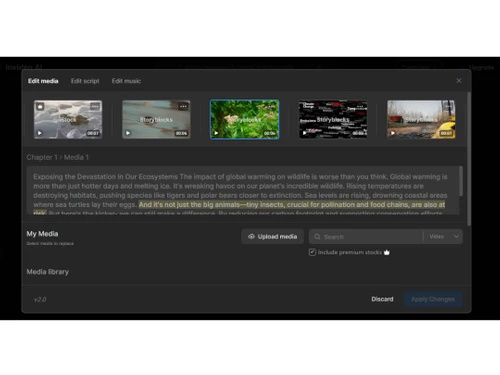
InVideo has a massive collection of templates and assets, including premium images and footage from Shutterstock and iStock. The full editor is great for creating social media content. The built-in text-to-video generator is also handy for converting blog posts into videos. The videos are fully customizable with emojis, filters, transitions, effects, and animated objects.
Cons
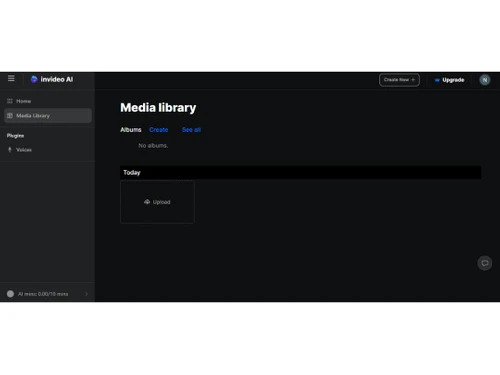
You can't save things in folders for future use, which is frustrating. Also, the huge number of templates can be overwhelming. It's easy to spend too much time choosing one, so it’s better to plan your script first and then customize the chosen template without second-guessing.
Reason to switch
InVideo offers more assets and better customization options.
Jul 3, 2024
Techjockey Verified
“Quite a Comprehensive Video Production Suite”
InVideo is comprehensive, though some templates are less flexible.
Pros
InVideo has a wide range of features that cover most general needs.
Cons
Some templates are hard to tailor to specific needs.
Reason to switch
InVideo’s features are more comprehensive and suited to a wider range of projects.
Jul 5, 2024
Techjockey Verified
“Amazing Experience”
InVideo is incredibly efficient, making video creation quick and easy.
Pros
InVideo is efficient and easy to use with endless options. I finished tasks faster than ever. Highly recommend it.
Cons
They only offer monthly or yearly subscriptions. It would be better if you could pay for videos separately.
Reason to switch
InVideo offers more versatility and a broader range of templates.

InVideo AI
Price On Request
Desktop
Mobile
Web based
On Premises
Windows
Mac OS

Pictory AI
Price On Request
Desktop
Mobile
Web based
On Premises
Windows
Mac OS

HeyGen
Price On Request
Desktop
Mobile
Web based
On Premises
Windows
Mac OS

Runway ML
Price On Request
Desktop
Mobile
Web based
On Premises
Windows
Mac OS

PixVerse AI
Price On Request
Desktop
Mobile
Web based
On Premises
Windows
Mac OS

Synthesia
₹ 999
Desktop
Mobile
Web based
On Premises
Windows
Mac OS

Vidu AI
Price On Request
Desktop
Mobile
Web based
On Premises
Windows
Mac OS

AI Studios
Price On Request
Desktop
Mobile
Web based
On Premises
Windows
Mac OS

Syllaby
Price On Request
Desktop
Mobile
Web based
On Premises
Windows
Mac OS

Zebracat
Price On Request
Desktop
Mobile
Web based
On Premises
Windows
Mac OS

Google Vids
Price On Request
Desktop
Mobile
Web based
On Premises
Windows
Mac OS
(0) Product(s) selected
Starting Price:
$10 /Month
Starting Price:
$29 /Month
Starting Price:
$39 /Month

Starting Price:
$39 /Month

Starting Price:
$19 /Month

Starting Price:
$27 /Month

Starting Price:
₹1,999 /Month

Starting Price:
$10 /Month

Starting Price:
$10 /Month

Starting Price:
$18 /Month

Starting Price:
$30 /Month
Yes, the software provides its users with an automated text to speech feature, enabling them to turn texts into speech and use them within the created videos in an efficient manner.
No, InVideo video editing software allows its users to add an unlimited number of team members as per their business needs.
Yes, you can request an online demo of InVideo. Techjockey experts will get back to you as per your mentioned time and date.
Yes, InVideo allows its users to add automated voice-overs within the videos created by them.
No, a mobile app is not available for the current version of InVideo video editing software.
WeVideo provides advanced collaboration features for detailed projects that have larger teams, whereas VEED.IO is a better option for real-time collaboration and simple projects.
0 0
Both VEED.io and InVideo are popular video marketing tools and provide AI-powered editing features to their users. VEED.io has a more comprehensive set of editing tools, whereas InVideo focuses on AI-driven features to streamline content creation.
0 1
Depending on the needs of each individual user, InVideo AI may be helpful as it provides tools and features for video marketing.
0 0
20,000+ Software Listed
Best Price Guranteed
Free Expert Consultation
2M+ Happy Customers
Terms and Condtions

Users with registered businesses can purchase goods from merchants on the platform to satisfy their business needs. Users are not permitted to utilize any products acquired through the platform for resale, advertising, business, or further distribution.
For each purchase made, users will receive a Tax Invoice (or 'GST invoice') that includes specific details such as:
the GSTIN of the user associated with their registered business, and
the specified Entity Name for their business.
It should be noted that not all products are eligible for GST Invoice. Only the products displayed by participating sellers with the 'GST-based Invoice Available' callout on the product description page would qualify.
Certain goods and services are not eligible to get a GST Invoice, including items with VAS, i.e., Value Added Services (e.g., Total Mobile Protection/Assured Buyback) and those involving an exchange offer at the time of purchase.
Users must ensure the accuracy of the GSTIN, and business entity name provided for the GST Invoice. Requests for corrections into GST Invoice would not be accommodated by Techjockey.com or any Seller, and any issues arising from user-provided information are the sole responsibility of users.
Techjockey.com is not liable for the GST Invoice or any associated input tax credit. To efficiently claim an input tax credit, users should select the registered place of business address as per the GST authority's data and follow the provisions of the GST Act and rules.
To claim an input tax credit, the delivery and billing addresses must match. Furthermore, input tax credits will not be granted if the delivery address and GSTIN on the invoice are from different states. In case of incorrect GST details provided during the order placement, the order will be canceled automatically.