linkedin
Unreal Engine logo
play Animating in Unreal Engine 5.1 | Unreal Fest 2022
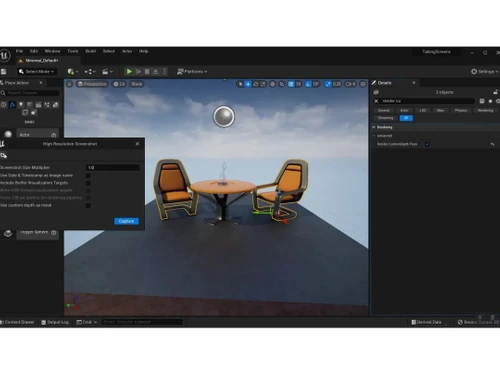
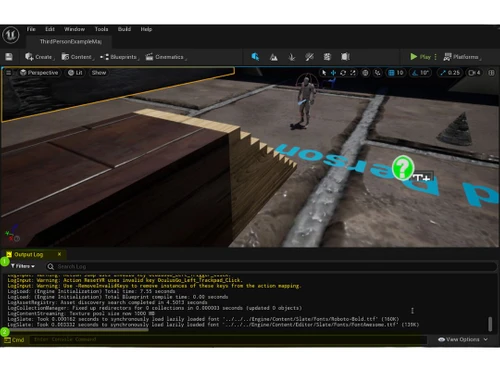
Unreal Engine window
Unreal Engine resolution

Unreal Engine

Brand: Epic Games

  • 4.0

  • 5 Ratings

Unreal Engine is a robust game development platform designed to create stunning 3D environments, animations, and interactive experiences. Known for its powerful tools and ease of use, it is widely used by developers, designers, and artists to craft games, virtual simulations, and immersive worlds.

See More

Have you used Unreal Engine before?

Share your insights for better experience

Add a Review

Free Forever

Get started immediately at no cost. Upgrade anytime if your business demand more.

100% Genuine
Products
Best Price
Guaranteed
Safe & Secure
Payment
  • Description

  • Pricing

  • Features

  • Specification

  • Review

  • Compare

  • Alternatives

  • FAQ

  • Questions

Unreal Engine Software Overview

What is Unreal Engine?

Unreal Engine is a cutting-edge game development platform developed by Epic Games. It is widely recognized as a powerful game development software and one of the most versatile website development tools available. Unreal Engine provides an extensive suite of tools for creating high-quality 3D and 2D content, virtual reality (VR) experiences, and interactive designs. As a part of advanced business software, it is popular among game developers, architects, animators, and filmmakers for its ability to deliver photorealistic visuals and seamless workflows.

One of the most notable features of Unreal Engine is its focus on rendering realistic visuals, making it a top choice for projects requiring exceptional detail and immersive graphics. Its user-friendly interface and support for multiple industries make it a go-to tool for professionals and beginners alike. Unreal Engine ensures an efficient development process, offering robust IT asset management, integrated services, and support for animation, design, and rendering.

Why Choose Unreal Engine Game Development Software?

  • High-Quality Graphics: Unreal Engine offers tools for realistic rendering, ensuring breathtaking visuals in every project.
  • Versatile Applications: From gaming to architecture, Unreal Engine caters to various industries with its extensive toolset.
  • Ease of Use: The platform is beginner-friendly, with tutorials and a large community to help users at all levels.
  • Cross-Platform Development: Unreal Engine supports multiple platforms, making it suitable for both desktop and mobile projects.
  • Regular Updates: Epic Games continuously updates Unreal Engine, adding new features to enhance user experience.

Benefits of Unreal Engine

  • Customizable Workflows: Users can tailor workflows to fit project needs, ensuring maximum efficiency.
  • Free Access: Unreal Engine is free for creators until they generate significant revenue, making it cost-effective for startups.
  • Support for VR and AR: The platform is equipped for creating immersive VR and AR experiences.
  • Extensive Asset Library: Access a vast library of pre-built assets and templates for faster development.
  • Collaborative Features: Teams can work seamlessly on the same project, boosting productivity.
  • Performance Optimization: Optimize games and applications for performance across various devices.
  • Community Support: A large and active community provides extensive learning resources and troubleshooting support.
  • Seamless Integration: Integrates with other design and development tools for smooth workflows.
  • Interactive Tutorials: Built-in tutorials and guides help users learn features quickly.
  • Scalability: Suitable for both small projects and large-scale developments.

Pricing of Unreal Engine

Unreal Engine is available free at techjockey.com.

The pricing model is based on different parameters, including extra features, deployment type, and the total number of users. For further queries related to the product, you can contact our product team and learn more about the pricing and offers.

Read more

Epic Games Company Details

Founded Year:  1991

Epic Games is a leading interactive entertainment company and provider of 3D engine technology. Epic operates Fortnite, one of the world’s largest games with over 350 million accounts and 2.5 billion friend connections.

Director/Founders Tim Sweeney
Company Size 1000+ Employees

Unreal Engine Pricing & Plans

This Product is Available Free Forever.

Start instantly with no fees, no subscriptions, and no commitments.

  • Full access to basic version available
  • No credit card or sign-up required

Free Forever Plan

Get started immediately at no cost. Upgrade anytime if your business demand more.

Free Forever

Unreal Engine Features

  • icon_check Realistic Rendering
    Delivers photorealistic visuals with powerful rendering tools.
  • icon_check Animation
    Supports complex animations, bringing characters and scenes to life.
  • icon_check 3D Design Mode
    Enables detailed 3D modeling and customization for designs.
  • icon_check Virtual Reality
    Provides tools to create immersive VR experiences.
  • icon_check 2D Drawing
    Offers support for 2D game and design creation with advanced tools.
  • icon_check IT Asset Management
    Helps track and manage digital assets efficiently.
  • icon_check Integrated Services
    Seamlessly connects with other platforms for enhanced functionality.
Unreal Engine Demo Video play icon

Get Unreal Engine Demo

Watch the demo video to explore key features, real workflows, and how the software fits your business needs.

Understand
Key Features
Personal
Demo Insights
Interactive
Demo Support

Unreal Engine Specifications

Supported Platforms
Windows Windows MacOS MacOS Linux Linux
Devices
Desktop Desktop
Deployment
Cloud-Based Cloud-Based Perpetual Perpetual
Suitable For
All Industries
Business Specific
All Businesses
Business Size
Small Business Medium Business Enterprises
Customer Support
Live Chat
Language
English 日本人 한국어
Training Resources
Webinars Documentation

Explore the Best Alternative Solutions Similar to Your Business Size and Needs

Unreal Engine Review

4.0

Out of 5

img

Overall Rating

Based on
5 Verified Ratings

Rating Breakdown

  • Features 3.8
  • Value for Money 4
  • Ease of Use 4.1
  • Customer Support 4.2

90% Recommend this Product

Add Review

Be the First to Review

This product has no reviews yet. Be the first to leave your feedback.

Add Review

Compare Unreal Engine With other Game Development Software

Products
Ratings
Pricing
Device Supported
Deployment
Supported Platforms
  • img

    Unreal Engine

  • 4.0

  • FREE

  • Desktop

    Mobile

  • Web based

    On Premises

  • Windows

    Mac OS

  • img

    CONSTRUCT 3

  • 4.7

  • ₹ 526

  • Desktop

    Mobile

  • Web based

    On Premises

  • Windows

    Mac OS

  • img

    GDevelop

  • 4.7

  • Price On Request

  • Desktop

    Mobile

  • Web based

    On Premises

  • Windows

    Mac OS

  • img

    Unity

  • 4.6

  • Price On Request

  • Desktop

    Mobile

  • Web based

    On Premises

  • Windows

    Mac OS

  • img

    Buildbox

  • 4.3

  • Price On Request

  • Desktop

    Mobile

  • Web based

    On Premises

  • Windows

    Mac OS

  • img

    Rosebud AI

  • Price On Request

  • Desktop

    Mobile

  • Web based

    On Premises

  • Windows

    Mac OS

  • img

    Scenario - AI

  • 4.4

  • Price On Request

  • Desktop

    Mobile

  • Web based

    On Premises

  • Windows

    Mac OS

  • img

    Wwise

  • 4.4

  • Price On Request

  • Desktop

    Mobile

  • Web based

    On Premises

  • Windows

    Mac OS

  • img

    GameSalad

  • 4.5

  • Price On Request

  • Desktop

    Mobile

  • Web based

    On Premises

  • Windows

    Mac OS

  • img

    Godot Engine

  • Price On Request

  • Desktop

    Mobile

  • Web based

    On Premises

  • Windows

    Mac OS

  • img

    Flowlab

  • Price On Request

  • Desktop

    Mobile

  • Web based

    On Premises

  • Windows

    Mac OS

(0) Product(s) selected

Unreal Engine Alternatives

See All Unreal Engine Alternatives

Starting Price:

$9 /Month

Starting Price:

$99 /year

Available

Price on Request

Available

Price on Request

Articles for Unreal Engine

See All Related Articles

What is Unreal Engine used for?

Unreal Engine is used for creating video games, virtual reality experiences, architectural designs, and animated movies.

Is Unreal Engine free to use?

Yes, Unreal Engine is free to use until your project earns over a specific revenue threshold.

What industries use Unreal Engine?

Industries like gaming, architecture, film production, and virtual reality use Unreal Engine for its versatile tools and capabilities.

Can Unreal Engine be used for 2D games?

Yes, Unreal Engine supports 2D game development with dedicated tools and resources.

Does Unreal Engine support virtual reality?

Yes, Unreal Engine provides robust tools for creating immersive VR experiences.

What platforms can you develop for with Unreal Engine?

Unreal Engine supports development for PC, consoles, mobile devices, and VR platforms.

Is Unreal Engine suitable for beginners?

Yes, it offers tutorials, guides, and a user-friendly interface, making it beginner-friendly.

Can I use Unreal Engine for free for commercial projects?

Yes, but Epic Games charges royalties on revenue exceeding the specified limit.

What makes Unreal Engine stand out?

Its realistic rendering, cross-platform support, and scalability make it a top choice for creators.

How do I get started with Unreal Engine?

You can download it from the official website and access tutorials to learn the basics.

Unreal Engine Questions

Q:

How to fix rendering issues in Unreal Engine 5?

Subham Patel Oct 11, 2025
A:

To fix rendering issues in Unreal Engine 5 you should:

  • Ensure your graphic drivers are updated to Unreal Engine 5.
  • Modify rendering settings such as anti-aliasing, shadow quality and resolution.
  • Optimize models, textures and lighting to reduce scene complexity.
  • Check that materials are correctly set up.
Brian Dooley Oct 13, 2025
Q:

How to fix collision issues in Unreal Engine 5?

Rahul Arya Sep 22, 2025
A:

If you're facing collision issues in Unreal Engine 5, here are some common fixes:

  • Check Collision Settings
  • Adjust Physics Asset (PhAT)
  • Fix Overlap Events
  • Normalize Scale
  • Configure Layers & Channels
  • Rebuild Physics Data
Ayushi Kapoor Sep 28, 2025
Q:

How to fix texture issues in Unreal Engine 5?

Anupam kumar Singh Sep 22, 2025
A:

If you're experiencing texture issues in Unreal Engine 5, here are some common fixes:

  • Convert to Virtual Textures
  • Check Texture Compression Settings
  • Fix UV Mapping Issues
  • Adjust Material Settings
  • Rebuild Shaders & Clear Cache
Abdullah Deshmukh Sep 28, 2025

20,000+ Software Listed

Best Price Guranteed

Free Expert Consultation

2M+ Happy Customers

Terms and Condtions

close

Users with registered businesses can purchase goods from merchants on the platform to satisfy their business needs. Users are not permitted to utilize any products acquired through the platform for resale, advertising, business, or further distribution.

For each purchase made, users will receive a Tax Invoice (or 'GST invoice') that includes specific details such as:

  • the GSTIN of the user associated with their registered business, and

  • the specified Entity Name for their business.

It should be noted that not all products are eligible for GST Invoice. Only the products displayed by participating sellers with the 'GST-based Invoice Available' callout on the product description page would qualify.

Certain goods and services are not eligible to get a GST Invoice, including items with VAS, i.e., Value Added Services (e.g., Total Mobile Protection/Assured Buyback) and those involving an exchange offer at the time of purchase.

Users must ensure the accuracy of the GSTIN, and business entity name provided for the GST Invoice. Requests for corrections into GST Invoice would not be accommodated by Techjockey.com or any Seller, and any issues arising from user-provided information are the sole responsibility of users.

Techjockey.com is not liable for the GST Invoice or any associated input tax credit. To efficiently claim an input tax credit, users should select the registered place of business address as per the GST authority's data and follow the provisions of the GST Act and rules.

To claim an input tax credit, the delivery and billing addresses must match. Furthermore, input tax credits will not be granted if the delivery address and GSTIN on the invoice are from different states. In case of incorrect GST details provided during the order placement, the order will be canceled automatically.