linkedin
XNXubd VPN Browser logo
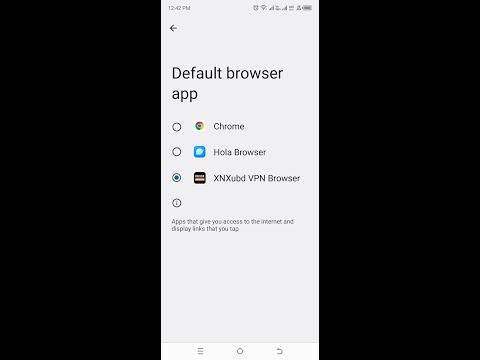
play Set XNXubd VPN Browser APK as Your Default Browser - Easy Tutorial
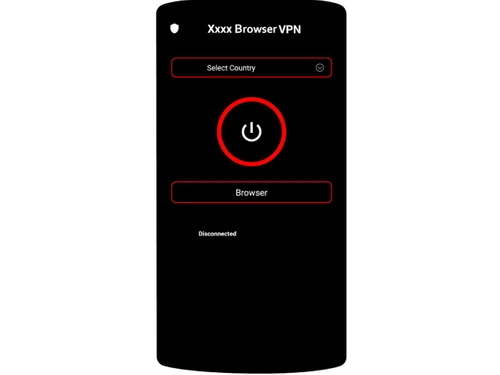
xnxubd vpn browser-browse
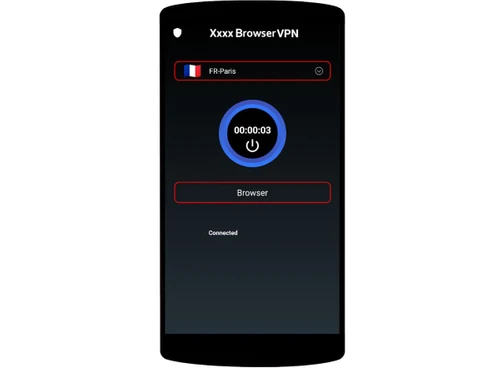
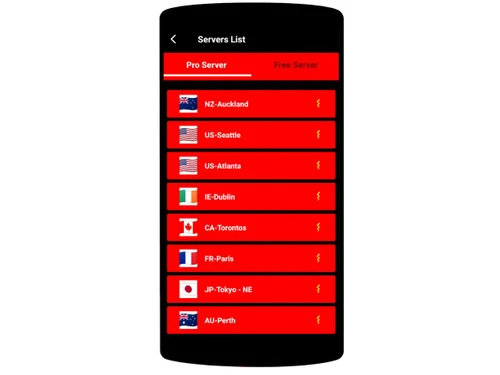
xnxubd vpn browser-paris

XNXubd VPN Browser

Brand: XNXubd VPN Browser APK

  • 4.3

  • 3 Ratings

XNXubd VPN Browser offers a built-in VPN to let you browse securely, anonymously, and access blocked websites.

See More

Have you used XNXubd VPN Browser before?

Share your insights for better experience

Add a Review

Free Forever

Get started immediately at no cost. Upgrade anytime if your business demand more.

100% Genuine
Products
Best Price
Guaranteed
Safe & Secure
Payment
  • Description

  • Pricing

  • Features

  • Specification

  • Review

  • FAQ

XNXubd VPN BrowserSoftware Overview

What is XNXubd VPN Browser?

XNXubd VPN Browser is a free browser software that combines a web browser with a built-in VPN to let users browse securely and anonymously.

It helps access geo-restricted websites and protects your data on public Wi-Fi. The app hides your IP address, encrypts online activity, and enhances privacy while browsing.

It is lightweight and easy to use, though internet speed may slow down when the VPN is active.

Why Choose XNXubd VPN Browser Software?

  • Built-in VPN Integration: XNXubd VPN Browser combines a web browser and VPN in a single app, eliminating the need for separate tools. This makes browsing secure and convenient without extra setup.
  • Enhanced Online Privacy: The software hides your real IP address to protect your online identity. This helps prevent websites, trackers, and hackers from monitoring your activities.
  • Access to Geo-Restricted Content: It enables users to open websites and content blocked in their region. This is especially useful for streaming platforms, restricted news sites, or censored web pages.
  • Secure Public Wi-Fi Use: The app encrypts your connection on public networks like cafes or airports. This prevents hackers from intercepting your data while browsing.
  • Lightweight Application: Its small file size ensures quick installation and minimal device storage use. It runs smoothly even on low-end or older Android devices.
  • Free to Use: The browser offers all its key features without charging users. This makes it accessible to everyone without subscription or hidden fees.
  • Simple User Interface: Its clean design makes navigation easy for beginners. Users can access VPN and browsing options without technical knowledge.
  • Fast Connection Setup: You can connect to the VPN instantly with a single tap. This saves time and makes it ideal for quick browsing needs.
  • Protects Sensitive Information: The app encrypts and safeguards your personal data, such as passwords and banking details. This reduces the risk of identity theft and cyberattacks.
  • No Need for Additional VPN Apps: Since VPN functionality is built-in, you don't need to download extra apps. This saves storage and simplifies device management.

Benefits of XNXubd VPN Browser Software

  • Safe Browsing Mode: It blocks trackers and unwanted scripts that monitor your activities. This improves privacy and helps maintain anonymous browsing.
  • Clean App Status: The app is scanned and verified safe by malware detection tools. Users can download it with confidence, knowing it is secure.
  • Multi-Purpose Use: Whether you want to stream, browse, or download files, it supports all basic internet tasks. This makes it versatile for different online activities.
  • Reduces Advertiser Tracking: The browser limits the ability of advertisers to track your online movement. This helps reduce targeted ads and improves privacy.
  • Supports Anonymous Searches: It enables you to search the web without leaving digital traces. Your history and identity remain hidden from search engines.
  • Quick Page Loading: Its optimized engine helps load websites faster even under VPN mode. This enhances your overall browsing experience.
  • Protects Against Hackers: The VPN's encryption shields your data from cybercriminals. It reduces vulnerabilities while browsing, especially on unsecured networks.

XNXubd VPN Browser Pricing

XNXubd VPN Browser is available for FREE on techjockey.com.The pricing model is based on different parameters, including extra features, deployment type, and the total number of users. For further queries related to the product, you can contact our product team and learn more about the pricing and offers.

Read more

XNXubd VPN Browser Pricing & Plans

This Product is Available Free Forever.

Start instantly with no fees, no subscriptions, and no commitments.

  • Full access to basic version available
  • No credit card or sign-up required

Free Forever Plan

Get started immediately at no cost. Upgrade anytime if your business demand more.

Free Forever

XNXubd VPN Browser Features

  • icon_check Built-In VPN
    Provides an integrated VPN to hide your IP address and enable private browsing without needing a separate app.
  • icon_check Encrypted Traffic Protection
    Secures your internet traffic using basic encryption to reduce exposure to trackers and unsafe networks.
  • icon_check Geo-Restriction Bypass
    Allows users to access region-locked websites and content by routing traffic through remote VPN servers.
  • icon_check Fast Browsing
    Offers lightweight browsing features designed to load pages faster by minimizing heavy scripts and trackers.
  • icon_check Multi-Platform Support
    Provides APK downloads for Android and unofficial installers for Windows and iOS-based devices.
  • icon_check Data Loss Prevention
    Reduces exposure to websites that track cookies and analytics by masking traffic patterns during browsing.
  • icon_check Ad-Free Browsing
    Claims to offer an ad-free experience within the browser to reduce distractions and improve page load speed.
  • icon_check Private Tab Browsing
    Supports incognito or private tabs that erase browsing history, cookies, and temporary data after closing.
  • icon_check Download Management
    Includes a built-in download manager allowing users to track, pause, and resume file downloads easily.
  • icon_check Customizable Settings
    Provides options for toggling VPN, clearing cache, managing privacy settings, and adjusting browsing preferences.
  • icon_check Multi-Tab Browsing
    Allows opening multiple tabs simultaneously with smooth switching for efficient multitasking on the browser.
  • icon_check Bandwidth Optimization
    Optimizes data usage by compressing images and scripts to improve loading on slow or limited connections.
  • icon_check Multi-Language Support
    Supports several language options to make the browser easily usable for a diverse global audience.
  • icon_check Bookmarks
    Lets users create, organize, and edit bookmarks for quick access to frequently visited websites.
  • icon_check Wi-Fi Protection
    Activates enhanced protection when connected to public or unknown Wi-Fi networks to prevent data leaks.
XNXubd VPN Browser Demo Video play icon

Get XNXubd VPN Browser Demo

Watch the demo video to explore key features, real workflows, and how the software fits your business needs.

Understand
Key Features
Personal
Demo Insights
Interactive
Demo Support

XNXubd VPN Browser Specification

Supported Platforms
Windows Windows iOS iOS Android Android
Devices
Desktop Desktop Mobile Mobile
Deployment
Perpetual Perpetual
Suitable For
All Industries
Business Specific
All Businesses
Customer Support
Email Communities
Language
English
Training Resources
Videos

XNXubd VPN Browser Review

4.3

Out of 5

img

Overall Rating

Based on
3 Verified Ratings

Rating Breakdown

  • Features 4.1
  • Value for Money 4.5
  • Ease of Use 3.8
  • Customer Support 4.6

80% Recommend this Product

Add Review

Techjockey Trusted Reviews from Verified Users

No reviews are currently available for XNXubd VPN Browser. Discover similar Browser Software reviews

  • Safari

    4.4

    Whats great - Helps my MacBook battery last noticeably longer. read more
  • Brave Browser

    4.4

    Whats great - Sync bookmarks and settings across devices read more

  • DICloak Antidetect Browser

    5.0

    Whats great - I am very satisfied with DICloak's seamless proxy integration and IP isolation features. It can bind a dedicated proxy IP for... read more

How much does XNXubd VPN Browser Software cost?

XNXubd VPN Browser is available for FREE on techjockey.com.

Is there a mobile app available for XNXubd VPN Browser Software?

Yes, XNXubd VPN is available as an iOS and Android mobile app.

Which operating systems are compatible with XNXubd VPN Browser Software?

XNXubd VPN Browser is compatible with Windows, iOS and Android devices.

Does XNXubd VPN Browser Software offer a free trial?

No trial is needed since the app is completely free.

How does XNXubd VPN Browser Software function?

XNXubd VPN works as a browser with a built-in VPN to provide secure, anonymous browsing.

Who uses XNXubd VPN Browser Software?

Users who want private browsing and access to restricted content prefer XNXubd VPN Browser.

Is a free demo available for XNXubd VPN Browser Software?

XNXubd VPN Browser demo isn't required as the full version is free to use.

Is XNXubd VPN Browser Software available for free?

Yes, XNXubd VPN Browser is fully free.

20,000+ Software Listed

Best Price Guranteed

Free Expert Consultation

2M+ Happy Customers

Terms and Condtions

close

Users with registered businesses can purchase goods from merchants on the platform to satisfy their business needs. Users are not permitted to utilize any products acquired through the platform for resale, advertising, business, or further distribution.

For each purchase made, users will receive a Tax Invoice (or 'GST invoice') that includes specific details such as:

  • the GSTIN of the user associated with their registered business, and

  • the specified Entity Name for their business.

It should be noted that not all products are eligible for GST Invoice. Only the products displayed by participating sellers with the 'GST-based Invoice Available' callout on the product description page would qualify.

Certain goods and services are not eligible to get a GST Invoice, including items with VAS, i.e., Value Added Services (e.g., Total Mobile Protection/Assured Buyback) and those involving an exchange offer at the time of purchase.

Users must ensure the accuracy of the GSTIN, and business entity name provided for the GST Invoice. Requests for corrections into GST Invoice would not be accommodated by Techjockey.com or any Seller, and any issues arising from user-provided information are the sole responsibility of users.

Techjockey.com is not liable for the GST Invoice or any associated input tax credit. To efficiently claim an input tax credit, users should select the registered place of business address as per the GST authority's data and follow the provisions of the GST Act and rules.

To claim an input tax credit, the delivery and billing addresses must match. Furthermore, input tax credits will not be granted if the delivery address and GSTIN on the invoice are from different states. In case of incorrect GST details provided during the order placement, the order will be canceled automatically.