USA
USA UAE
UAESmall Business
Designed for startups and growing businesses

See More





Brand: Zluri
Zluri helps businesses discover, manage, and optimize their software applications and subscriptions for better visibility and cost control.
See MoreHave you used Zluri before?
Share your insights for better experience
Brand: Zluri
Founded Year: 2020
Zluri is a SaaS management platform that enables modern enterprises with SaaS management and identity governance.
Looking for The Right Pricing?
Share your requirements and get a plan built around your business.
Price Available on Request
Get personalised Zluri pricing that fits your needs. Our team will connect with you.
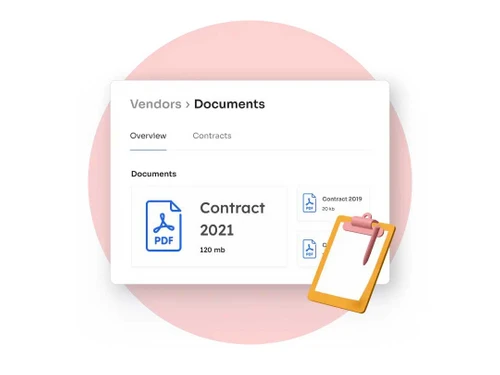
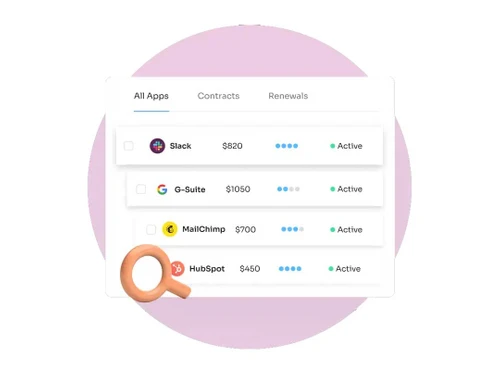
 Employee App Store Automate Onboarding & Offboarding Workflow Automation Security & Compliance Audit Logs Vendor & Renewal Management Advanced Reports License Management

Watch the demo video to explore key features, real workflows, and how the software fits your business needs.
 Ubuntu
  Windows
  MacOS
MacOS  Linux
Linux  Desktop
  Cloud-Based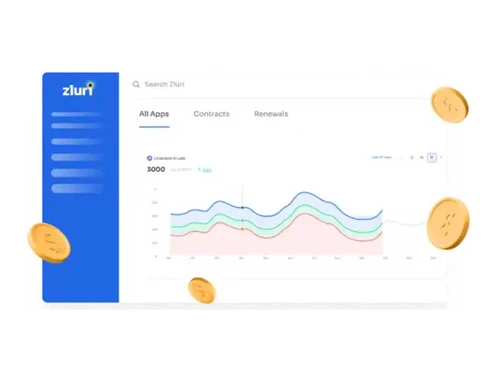

Small Business
Designed for startups and growing businesses
Medium Business
Built for business growth and flexibility
Enterprises
Designed for complex and large-scale business needs
4.4
Out of 5

Overall Rating
Based on
11 Verified Reviews
Rating Breakdown
88% Recommend this Product
Add ReviewCustomers generally appreciate Zluri for its strong SaaS governance, cost optimization, and effective automation features, which significantly reduce manual workload and improve budgeting. Users highlight the intuitive dashboards and valuable insights for managing renewals and compliance. However, there are recurring concerns about the learning curve associated with initial setup, the need for manual configurations in some areas, and limitations in reporting flexibility and niche app integrations. Overall, the sentiment is positive, especially among mid-sized companies seeking to enhance their SaaS management.
Pros
"The renewal monitoring, alerts, forecast tools have prevented auto-renewals and surprise charges. Good spend forecasting."
"UI is clean; continuous improvements from Zluri show; review and response from team is good."
"Many users note that value for money is good, especially as the tool scales; you uncover cost savings."
Cons
"The browser agent needs a separate Chrome profile, and the desktop agent only captures desktop applications not both. That limits visibility in mixed use environments."
"As you add more apps, workflows, and compliance rules, overhead (initial setup, maintenance) increases. The complexity can overwhelm smaller teams."
"When stakeholders want very custom reports or unusual data slices, existing report templates are sometimes insufficient; custom fields or report fields can be rigid."


Oct 13, 2025
Techjockey Verified
“Saved Me During Renewal Surprises, but Learning Curve Exists”
I used to get surprised by renewals in SaaS I’d forgotten. Zluri’s alerts and dashboards now flag upcoming renewals well before expiry. I can plan budgets better.
Pros
The renewal monitoring, alerts, forecast tools have prevented auto-renewals and surprise charges. Good spend forecasting.
Cons
Because of all features, there's a learning curve; initial configuration (scanning/integration/discovery) took more time than expected. Also, some features (for niche apps) are still in development.
Reason to switch
I switched from manual tracking via spreadsheets because of mistakes and forgotten renewals. Zluri’s automation reduced that risk significantly.
Sep 27, 2025
Techjockey Verified
“Helpful UI & Continuous Improvement, but Browser Agent Limitations Hurt”
We wanted full visibility across browser usage and desktop apps. The restrictions (e.g. separate profile) meant some blind spots. That said, what is captured is useful.
Pros
UI is clean; continuous improvements from Zluri show; review and response from team is good.
Cons
The browser agent needs a separate Chrome profile, and the desktop agent only captures desktop applications not both. That limits visibility in mixed use environments.
Reason to switch
I switched because my prior tool had fewer such agent limitations but lacked cost optimization. With Zluri I trade some visibility edge for stronger cost control and support.
Aug 30, 2025
Techjockey Verified
“High ROI, Especially for Mid-Market, But Growing Pains in Complexity”
For a mid-sized company, Zluri improved our SaaS governance and cost control quickly. But as we scaled up, we needed more dedicated configuration time and internal ownership.
Pros
Many users note that value for money is good, especially as the tool scales; you uncover cost savings.
Cons
As you add more apps, workflows, and compliance rules, overhead (initial setup, maintenance) increases. The complexity can overwhelm smaller teams.
Reason to switch
I switched from simpler tools because they hit limits in visibility and automation. Zluri gave increased control and features, though required more initial work.

Zluri
Price On Request
Desktop
Mobile
Web based
On Premises
Windows
Mac OS

Vendr
Price On Request
Desktop
Mobile
Web based
On Premises
Windows
Mac OS

Tropic
Price On Request
Desktop
Mobile
Web based
On Premises
Windows
Mac OS

BeenVerified
Price On Request
Desktop
Mobile
Web based
On Premises
Windows
Mac OS

CoreView
Price On Request
Desktop
Mobile
Web based
On Premises
Windows
Mac OS

Torii
Price On Request
Desktop
Mobile
Web based
On Premises
Windows
Mac OS
Josys
Price On Request
Desktop
Mobile
Web based
On Premises
Windows
Mac OS

The Orbit
Price On Request
Desktop
Mobile
Web based
On Premises
Windows
Mac OS

NachoNacho
Price On Request
Desktop
Mobile
Web based
On Premises
Windows
Mac OS

Apptio Cloudability SaaS
Price On Request
Desktop
Mobile
Web based
On Premises
Windows
Mac OS

Makerkit
Price On Request
Desktop
Mobile
Web based
On Premises
Windows
Mac OS
(2) Product(s) selected
Starting Price:
$37 /Month
Available
Price on Request
Available
Price on Request
Starting Price:
$299 /Lifetime $349

Available
Price on Request

Available
Price on Request

Starting Price:
$5 /Month

Available
Price on Request
Available
Price on Request

Available
Price on Request

Available
Price on Request
Zluri pricing details can be obtained upon request at techjockey.com.
No, Zluri does not offer a mobile app for managing SaaS applications on the go.
Zluri is a cloud-based platform, compatible with Ubuntu, Windows, MacOS and Linux operating systems.
Yes, Zluri provides a free trial for users to explore its features.
Zluri automates SaaS management tasks like onboarding, license tracking, and renewals, optimizing software usage.
IT teams, HR departments, and businesses of all sizes that use multiple SaaS tools can benefit from Zluri.
Yes, Zluri offers personalized demos upon request to showcase its capabilities.
Zluri is a paid software with a free trial.
Zluri tracks and analyzes SaaS subscriptions to identify unused or redundant tools, helping reduce unnecessary costs.
20,000+ Software Listed
Best Price Guranteed
Free Expert Consultation
2M+ Happy Customers
Terms and Condtions

Users with registered businesses can purchase goods from merchants on the platform to satisfy their business needs. Users are not permitted to utilize any products acquired through the platform for resale, advertising, business, or further distribution.
For each purchase made, users will receive a Tax Invoice (or 'GST invoice') that includes specific details such as:
the GSTIN of the user associated with their registered business, and
the specified Entity Name for their business.
It should be noted that not all products are eligible for GST Invoice. Only the products displayed by participating sellers with the 'GST-based Invoice Available' callout on the product description page would qualify.
Certain goods and services are not eligible to get a GST Invoice, including items with VAS, i.e., Value Added Services (e.g., Total Mobile Protection/Assured Buyback) and those involving an exchange offer at the time of purchase.
Users must ensure the accuracy of the GSTIN, and business entity name provided for the GST Invoice. Requests for corrections into GST Invoice would not be accommodated by Techjockey.com or any Seller, and any issues arising from user-provided information are the sole responsibility of users.
Techjockey.com is not liable for the GST Invoice or any associated input tax credit. To efficiently claim an input tax credit, users should select the registered place of business address as per the GST authority's data and follow the provisions of the GST Act and rules.
To claim an input tax credit, the delivery and billing addresses must match. Furthermore, input tax credits will not be granted if the delivery address and GSTIN on the invoice are from different states. In case of incorrect GST details provided during the order placement, the order will be canceled automatically.