linkedin
Appetize logo
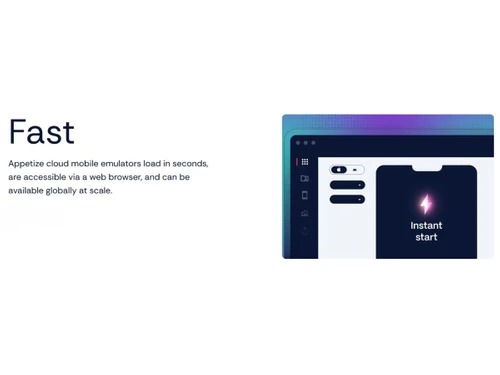
Appetize-fast
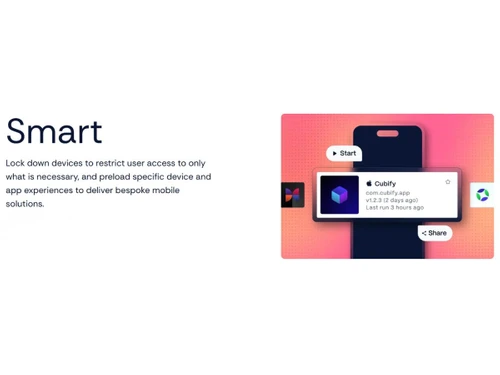
Appetize-smart
Appetize-flexible

Appetize

Brand: Appetize.io

  • No Ratings & Reviews

Appetize provides cloud-based Android and iOS app emulators that help teams test, demonstrate, and streamline mobile app development across devices.

See More

Have you used Appetize before?

Share your insights for better experience

Add a Review
Starting Price
$89

View plans

100% Genuine
Products
Best Price
Guaranteed
Safe & Secure
Payment
  • Description

  • Pricing

  • Features

  • Specification

  • Review

  • Compare

  • Alternatives

Starting at $89

Appetize Software Overview

What is Appetize?

Appetize is a sophisticated, cloud-based platform that provides high-speed mobile emulators for both iOS and Android operating systems. It enables users to run native mobile applications directly within any standard web browser, eliminating the need for physical devices or complex local development environments. The core purpose of Appetize is to significantly reduce friction across the entire mobile application lifecycle.

By offering fast, flexible, and easily embeddable emulators, Appetize streamlines critical workflows such as development, testing, customer support, and sales demonstrations. It provides teams with instant access to mobile apps, transforming processes that traditionally took days into tasks that can be completed in minutes. This browser-based approach ensures that developers, QA engineers, support agents, and designers can collaborate seamlessly, regardless of their physical location or hardware.

Why Choose Appetize?

  • Accelerated Development Cycles: Appetize provides instant access to app previews and builds, helping teams reduce delays in deploying and reviewing mobile app changes.
  • Enhanced Cross-Team Collaboration: The platform provides a single, accessible environment for development, design, and customer experience teams. This shared view of the live mobile experience ensures everyone is aligned, streamlining feedback and decision-making.
  • Simplified Testing and QA: By emulating various iOS and Android environments in the cloud, Appetize makes it easier to identify and resolve platform-specific bugs early in the development process, improving overall app quality.
  • Efficient Customer Support: Support teams can use Appetize to access and interact with mobile apps directly in the browser, helping them troubleshoot issues more effectively. Appetize highlights customer support use cases involving instant access to Android and iOS apps.
  • Seamless Demos and Training: The ability to embed a fully interactive app demo into any webpage allows sales and training teams to provide powerful, hands-on demonstrations without managing a physical device lab.
  • Reduced Operational Overhead: It replaces the need for clunky, slow, and difficult-to-maintain physical "phone walls" with a fast, scalable, and easy-to-use cloud solution.

Advanced Features of Appetize

  • High-Fidelity Browser Emulation: Delivers a true-to-life, interactive experience by running native iOS and Android applications directly in the browser, not just streaming a video feed.
  • Embeddable Anywhere: Provides simple embed codes that allow the mobile emulator to be integrated directly into websites, content management systems (like at Ulta Beauty), documentation, or internal collaboration tools.
  • Automation & API Access: Designed for modern workflows, Appetize is easy to automate and can be integrated into CI/CD pipelines for automated testing, build verification, and seamless deployment previews.
  • Enterprise-Grade Scalability: The platform is built to handle the complex needs of large organizations, offering robust performance and scalability to support numerous teams and extensive usage.
  • Full Inspectability: Offers deep debugging capabilities, allowing developers to inspect traffic, view logs, and troubleshoot issues as if they were using a physical device connected to a debugger.
  • Secure and Compliant: Appetize supports enterprise security requirements with features such as isolated sessions, secure network access, regional data controls, and recognized standards including ISO/IEC 27001, SOC 2 Type II, CSA CAIQ, GDPR, and CCPA.

Key Capabilities of Appetize

  • Development & Debugging: Provides developers with instant, shareable environments to preview code changes, collaborate on features, and debug platform-specific issues without the overhead of managing physical devices or local simulators.
  • Quality Assurance & Testing: Enables QA teams to perform comprehensive manual and automated testing across a wide range of simulated devices and OS versions, all from the convenience of their web browser.
  • Sales & Marketing Demos: Empowers sales and marketing teams to deliver live, fully interactive demonstrations of mobile applications to prospects and customers, enhancing engagement and shortening sales cycles.
  • Customer Support & Troubleshooting: Allows support agents to instantly access and interact with a live version of the app to replicate customer-reported issues, leading to faster diagnosis and more effective resolutions.
  • Interactive Training & Onboarding: Facilitates the creation of dynamic training materials by embedding the live application directly into onboarding portals, allowing new users and employees to learn by doing.

How to Use Appetize?

  1. Upload Your Application: Begin by uploading your compiled application file, such as an .apk for Android or an iOS Simulator build for iOS, directly to the Appetize web platform.
  2. Generate the Emulation: The platform automatically processes your application and prepares it to run within a secure, cloud-based mobile emulator.
  3. Run and Interact: Once processed, you can instantly launch and run your application in a web browser. Interact with it just as you would on a physical device, using your mouse for taps and swipes.
  4. Share or Embed: Share a direct link to the running application with team members for review and feedback, or use the provided embed code to integrate the interactive emulator into other web-based platforms.
  5. Automate and Integrate: For advanced use cases, leverage the Appetize API to integrate the emulation process into your existing automated workflows, such as continuous integration and delivery (CI/CD) pipelines.

Appetize Pricing

Appetize price starts at USD 89 at techjockey.com.

The pricing model is based on different parameters, including extra features, deployment type, and the total number of users. For further queries related to the product, you can contact our product team and learn more about the pricing and offers.

Read more

Appetize.io Company Details

Founded Year:  2015

Runs mobile apps in the browser.

Director/Founders John Snyder, Weiyin He
Company Size 1-100 Employees

Appetize Pricing & Plans

Starter
Starting at $89
    • Licenses

      Licenses
      Licenses
    • Monthly

      Monthly
      Monthly

Key Features

  • For growing teams or products

  • 3 active devices maximum

  • 500 minutes refilled monthly

  • iOS & Android streaming

  • Network Proxy & Debug Logs

Premium
Starting at $449
    • Licenses

      Licenses
      Licenses
    • Monthly

      Monthly
      Monthly

Key Features

  • For large teams or products

  • 16 active devices maximum

  • 500 minutes refilled monthly

  • iOS & Android streaming

  • Network Proxy & Debug Logs

Appetize Features

  • icon_check Cloud-Based Device Emulation
    Run Android and iOS applications instantly in cloud-hosted virtual devices without installing local emulators.
  • icon_check Browser-Based App Testing
    Test mobile applications directly from any modern web browser with secure access and zero software setup.
  • icon_check Android Device Simulation
    Simulate Android smartphones and tablets across multiple OS versions for reliable application testing.
  • icon_check iOS App Simulation
    Launch iOS applications in cloud simulators to validate functionality without requiring Apple hardware.
  • icon_check Real-Time App Streaming
    Stream interactive mobile applications with low latency for testing, demonstrations, and remote collaboration.
  • icon_check Device Configuration
    Customize virtual devices by selecting operating system, model, language, orientation, and screen settings.
  • icon_check API Integration
    Automate emulator sessions using REST APIs to simplify testing workflows and external integrations.
  • icon_check CI/CD Integration
    Connect with continuous integration pipelines to automate mobile application validation after every build.
  • icon_check Automated Testing Support
    Execute automated UI and functional tests on cloud-hosted devices for faster quality assurance processes.
  • icon_check Session Recording
    Record emulator sessions to review user interactions, reproduce issues, and support debugging activities.
  • icon_check Screenshot Capture
    Capture high-resolution screenshots from virtual devices for documentation, testing, and issue reporting.
  • icon_check Debug Logging
    Access detailed application and device logs to identify runtime errors and accelerate troubleshooting.
  • icon_check Multi-User Collaboration
    Allow developers, testers, and stakeholders to access shared emulator sessions from different locations.
  • icon_check Embedded App Preview
    Embed live mobile app experiences into websites, documentation, or support portals for interactive demonstrations.

Appetize Specifications

Supported Platforms
Windows Windows MacOS MacOS Linux Linux
Devices
Desktop Desktop
Deployment
Cloud-Based Cloud-Based
Suitable For
All Industries
Business Specific
All Businesses
Business Size
Small Business Startups Medium Business Enterprises SMBs SMEs MSMEs
Customer Support
Email Live Chat Communities
Language
English
Integration
API Integration
Training Resources
Live Online Webinars Documentation Videos
Compliance Regulation
COPPA HIPAA CCPA CPRA

Explore the Best Alternative Solutions Similar to Your Business Size and Needs

Appetize Review

Techjockey Trusted Reviews from Verified Users

No reviews are currently available for Appetize. Discover similar App Development Software reviews

  • ForBinary App Development

    5.0

    Whats great - Graeon Ventures provided me a mini ERP solution, which is not only easy to use but it also creates ethics in my employees. Gi... read more

  • Clappia

    5.0

    Whats great - The platform was easy and understandable. Anyone without coding knowledge can also create application with no difficulty. Mul... read more

  • Alchemy

    4.4

    Whats great - High uptime and low-latency performance. read more

Compare Appetize With other App Development Software

Products
Ratings
Pricing
Device Supported
Deployment
Supported Platforms
  • img

    Appetize

  • Price On Request

  • Desktop

    Mobile

  • Web based

    On Premises

  • Windows

    Mac OS

  • img

    Airtable

  • 4.5

  • Price On Request

  • Desktop

    Mobile

  • Web based

    On Premises

  • Windows

    Mac OS

  • img

    Clappia

  • 4.7

  • Price On Request

  • Desktop

    Mobile

  • Web based

    On Premises

  • Windows

    Mac OS

  • img

    Microsoft Foundry

  • 4.2

  • Price On Request

  • Desktop

    Mobile

  • Web based

    On Premises

  • Windows

    Mac OS

  • img

    Android Studio

  • 4.2

  • Price On Request

  • Desktop

    Mobile

  • Web based

    On Premises

  • Windows

    Mac OS

  • img

    Vibe Studio

  • 4.2

  • Price On Request

  • Desktop

    Mobile

  • Web based

    On Premises

  • Windows

    Mac OS

  • img

    DhiWise

  • 4.1

  • Price On Request

  • Desktop

    Mobile

  • Web based

    On Premises

  • Windows

    Mac OS

  • img

    CatDoes

  • 4.0

  • Price On Request

  • Desktop

    Mobile

  • Web based

    On Premises

  • Windows

    Mac OS

  • img

    nandbox

  • 4.5

  • Price On Request

  • Desktop

    Mobile

  • Web based

    On Premises

  • Windows

    Mac OS

  • img

    VMware Tanzu

  • 4.1

  • Price On Request

  • Desktop

    Mobile

  • Web based

    On Premises

  • Windows

    Mac OS

  • img

    Draftbit

  • 4.3

  • Price On Request

  • Desktop

    Mobile

  • Web based

    On Premises

  • Windows

    Mac OS

(0) Product(s) selected

Appetize Alternatives

See All Appetize Alternatives

Starting Price:

$299 /Year

Starting Price:

$25 /Month

Starting Price:

$59 /Month

Starting Price:

$3,000 /Month

Starting Price:

$349 /Month

Available

Price on Request

Available

Price on Request

Articles for Appetize

See All Related Articles

20,000+ Software Listed

Best Price Guranteed

Free Expert Consultation

2M+ Happy Customers

Terms and Condtions

close

Users with registered businesses can purchase goods from merchants on the platform to satisfy their business needs. Users are not permitted to utilize any products acquired through the platform for resale, advertising, business, or further distribution.

For each purchase made, users will receive a Tax Invoice (or 'GST invoice') that includes specific details such as:

  • the GSTIN of the user associated with their registered business, and

  • the specified Entity Name for their business.

It should be noted that not all products are eligible for GST Invoice. Only the products displayed by participating sellers with the 'GST-based Invoice Available' callout on the product description page would qualify.

Certain goods and services are not eligible to get a GST Invoice, including items with VAS, i.e., Value Added Services (e.g., Total Mobile Protection/Assured Buyback) and those involving an exchange offer at the time of purchase.

Users must ensure the accuracy of the GSTIN, and business entity name provided for the GST Invoice. Requests for corrections into GST Invoice would not be accommodated by Techjockey.com or any Seller, and any issues arising from user-provided information are the sole responsibility of users.

Techjockey.com is not liable for the GST Invoice or any associated input tax credit. To efficiently claim an input tax credit, users should select the registered place of business address as per the GST authority's data and follow the provisions of the GST Act and rules.

To claim an input tax credit, the delivery and billing addresses must match. Furthermore, input tax credits will not be granted if the delivery address and GSTIN on the invoice are from different states. In case of incorrect GST details provided during the order placement, the order will be canceled automatically.