linkedin
Barcode Producer logo
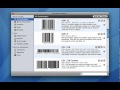
play Barcode Producer Quick Start
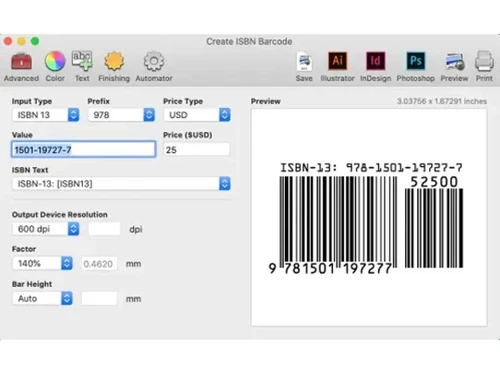
barcode producer isbn
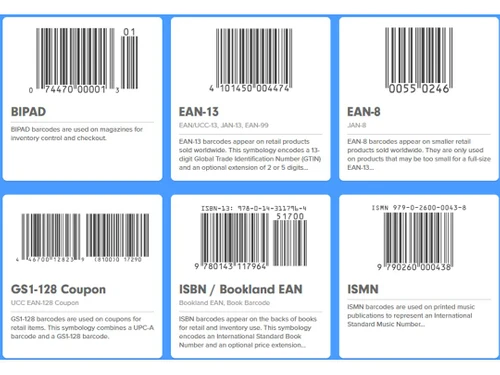
barcode producer bipad

Barcode Producer

Brand: Superiorware LLC

  • 4.4

  • 4 Ratings

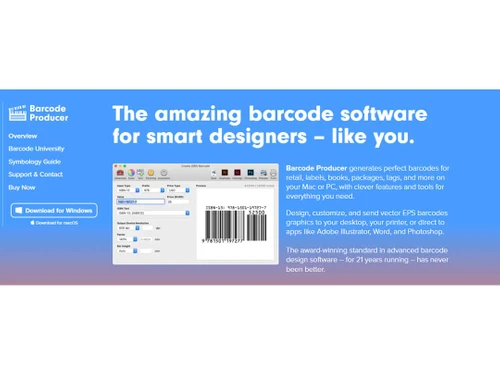
Barcode Producer’s customizable templates, advanced editing options, and seamless integration with label printers empower you to generate professional-looking barcodes for your products and packaging, enhancing your brand image and efficiency.

See More

Have you used Barcode Producer before?

Share your insights for better experience

Add a Review
Starting Price
$399

View plans

100% Genuine
Products
Best Price
Guaranteed
Safe & Secure
Payment
  • Description

  • Pricing

  • Features

  • Specification

  • Review

  • Compare

  • Alternatives

  • FAQ

Starting at $399

Barcode Producer Software Overview

What is Barcode Producer?

Barcode Producer is a user-friendly software application designed to streamline barcode creation and management for businesses of all sizes. It empowers users to effortlessly design custom barcodes, print them on labels, and track inventory, simplifying these tasks and enhancing efficiency and accuracy in various business operations.

Barcode Producer facilitates efficient inventory tracking by assigning unique barcodes to each item. This enables businesses to quickly and accurately track inventory levels, manage stock, and optimise their supply chain. Barcode Producer facilitates efficient inventory tracking by assigning unique barcodes to each item. This enables businesses to quickly and accurately track inventory levels, manage stock, and optimise their supply chain.

Why Choose Barcode Producer?

  • User-friendly interface: The software is designed with a straightforward and intuitive interface, making it accessible to users of all skill levels, from beginners to experienced professionals.
  • Time-saving automation: Dynamsoft Barcode Reader automates barcode scanning tasks, freeing up valuable time that can be dedicated to other important business activities, increasing efficiency and productivity.
  • Image enhancement algorithms: Leverage advanced image processing techniques to enhance barcode images, improving readability and accuracy, even for damaged or low-quality barcodes.
  • Enhanced data accuracy: By eliminating manual errors associated with traditional barcode scanning methods, the software ensures the accuracy and reliability of captured data, leading to better decision-making.
  • Versatile applications: Utilise the software for various purposes, including inventory management, document processing, data collection, and more, enhancing the overall efficiency of business operations.
  • Cost-effective solution: Dynamsoft Barcode Reader offers a cost-effective solution for businesses looking to improve their barcode scanning processes, providing a high return on investment through increased productivity and reduced errors.
  • Versatile barcode support: Reliably decode a vast array of barcode types, including popular formats like QR codes, UPC, and EAN, ensuring compatibility with a wide range of applications.
  • Flexible deployment options: Choose from flexible deployment options to suit specific needs, including on-premises installation, cloud-based services, or mobile device integration.
  • Scalable architecture: Handle high-volume barcode processing with ease, thanks to the software's scalable architecture, ensuring efficient and uninterrupted performance.
  • Cross-platform compatibility: Seamlessly operate the software across multiple platforms, including Windows, macOS, iOS, and Android, providing flexibility and convenience in diverse computing environments.

Benefits of Barcode Producer Barcode Printing Software

  • Easy integration: Dynamsoft Barcode Reader seamlessly integrates with existing systems and workflows, enhancing productivity and minimising disruption to ongoing operations.
  • Reliable performance: The software is designed to deliver consistent and reliable performance, even in challenging environments or with complex barcodes, ensuring accurate and efficient data capture.
  • Customizable settings: Tailor the software to meet specific requirements by adjusting settings and configurations, ensuring optimal performance for a wide range of use cases.
  • Technical support: Access comprehensive technical support resources, including documentation, tutorials, and a dedicated support team, to ensure a smooth implementation and ongoing assistance as needed.
  • Regular updates: Benefit from regular software updates that incorporate the latest advancements and enhancements, ensuring access to the most up-to-date features and functionalities.

Pricing Of Barcode Producer

Barcode Producer pricing starts at $399 at techjockey.com.

The pricing model is based on different parameters, including extra features, deployment type, and the total number of users. For further queries related to the product, you can contact our product team and learn more about the pricing and offers.

Read more

Barcode Producer Pricing & Plans

Barcode Producer
Key Features
  • UPC, EAN, ISBN, DataBar, ISBN, QR Code, and many m
  • Customize text, borders, colors, and other options
  • Fully outlined OCR characters
  • Save vector EPS, lossless TIFF, and PDF
  • Optional Automation plug-in
Starting at $399
    • Licenses

      Licenses
      Licenses

Key Features

  • UPC, EAN, ISBN, DataBar, ISBN, QR Code, and many m

  • Customize text, borders, colors, and other options

  • Fully outlined OCR characters

  • Save vector EPS, lossless TIFF, and PDF

  • Optional Automation plug-in

Barcode Producer Features

  • icon_check Barcode Generator
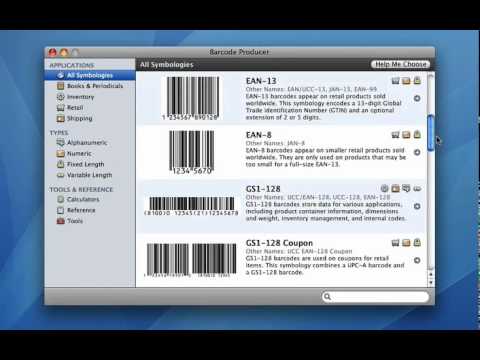
    Create custom barcodes in various formats, including Code 128, QR Code, and UPC-A.
  • icon_check Inventory
    Manage inventory levels, track stock movements, and generate reports for better decision-making.
  • icon_check Label Templates
    Utilise pre-designed label templates or create your own to meet specific labelling needs.
  • icon_check Barcode Scanning
    Integrate with barcode scanners to capture data from barcodes, ensuring accurate data entry.
  • icon_check Analytics & Reporting
    Generate reports on barcode usage and inventory levels to analyse performance and identify areas for improvement.
Barcode Producer Demo Video play icon

Get Barcode Producer Demo

Watch the demo video to explore key features, real workflows, and how the software fits your business needs.

Understand
Key Features
Personal
Demo Insights
Interactive
Demo Support

Barcode Producer Specifications

Supported Platforms
Windows Windows MacOS MacOS
Devices
Desktop Desktop
Deployment
Cloud-Based Cloud-Based
Suitable For
All Industries
Business Specific
All Businesses
Business Size
Small Business Medium Business SMBs SMEs
Customer Support
Live Chat
Language
English
Training Resources
Documentation

Barcode Producer Review

4.4

Out of 5

img

Overall Rating

Based on
4 Verified Ratings

Rating Breakdown

  • Features 4.5
  • Value for Money 4.3
  • Ease of Use 4.3
  • Customer Support 4.5

87% Recommend this Product

Add Review

Techjockey Trusted Reviews from Verified Users

No reviews are currently available for Barcode Producer. Discover similar Barcode Printing Software reviews

  • NiceLabel Designer

    4.5

    Whats great - NiceLabel Designer makes automated digit calculation checks to make sure that the most accurate barcode has been generated. A... read more

  • Seagull BarTender

    5.0

    Whats great - What a fantastic service 10/10 I've since signed up with them. read more

  • Zoho Inventory

    4.4

    Whats great - Zoho Inventory is an incredible asset that permits us a sufficient and institutionalized order of our substance tests, changi... read more

Compare Barcode Producer With other Barcode Printing Software

Products
Ratings
Pricing
Device Supported
Deployment
Supported Platforms
  • img

    Barcode Producer

  • 4.4

  • Price On Request

  • Desktop

    Mobile

  • Web based

    On Premises

  • Windows

    Mac OS

  • img

    NiceLabel Designer

  • 4.4

  • Price On Request

  • Desktop

    Mobile

  • Web based

    On Premises

  • Windows

    Mac OS

  • img

    Panatracker

  • 4.4

  • Price On Request

  • Desktop

    Mobile

  • Web based

    On Premises

  • Windows

    Mac OS

  • img

    Codesoft

  • 4.7

  • Price On Request

  • Desktop

    Mobile

  • Web based

    On Premises

  • Windows

    Mac OS

  • img

    EasyLabel

  • 4.0

  • Price On Request

  • Desktop

    Mobile

  • Web based

    On Premises

  • Windows

    Mac OS

  • img

    iBarcoder

  • 4.2

  • Price On Request

  • Desktop

    Mobile

  • Web based

    On Premises

  • Windows

    Mac OS

  • img

    Label Flow

  • 4.0

  • Price On Request

  • Desktop

    Mobile

  • Web based

    On Premises

  • Windows

    Mac OS

  • img

    BarCloud

  • 4.2

  • Price On Request

  • Desktop

    Mobile

  • Web based

    On Premises

  • Windows

    Mac OS

  • img

    TFORMer Designer

  • 3.9

  • Price On Request

  • Desktop

    Mobile

  • Web based

    On Premises

  • Windows

    Mac OS

  • img

    Labelterm

  • 4.2

  • Price On Request

  • Desktop

    Mobile

  • Web based

    On Premises

  • Windows

    Mac OS

(0) Product(s) selected

Barcode Producer Alternatives

See All Barcode Producer Alternatives

Available

Price on Request

Starting Price:

$245 /License

Starting Price:

$50 /Quantity

Available

Price on Request

Available

Price on Request

Available

Price on Request

Starting Price:

$299 /License

Articles for Barcode Producer

See All Related Articles

Which operating system does Barcode Producer Barcode Printing Software Support?

Barcode Producer Software supports both Windows and macOS operating systems.

Is there any Barcode Producer Software App?

Barcode Producer Software does not have a mobile app.

What is the deployment type of Barcode Producer Software?

Barcode Producer Software supports on-premises deployment.

How much does Barcode Producer Software Platform Cost?

Barcode Producer Software pricing starts at $399 at techjockey.com.

Who are the potential users of Barcode Producer Software?

Barcode Producer Software is designed for Sales products, Inventory Shops, particularly those that need to create and manage barcodes for inventory tracking, product labelling, and other purposes.

Is there any free demo for Barcode Producer Barcode Printing Software?

Yes, a demo of Barcode Producer Software is available at techjockey.com.

Is Barcode Producer Free?

Barcode Producer Software is not available for free. You can contact our product experts to know more about the pricing plans.

Does Barcode Producer offer a free trial?

Barcode Producer Software does not offer a free trial.

How can you download Barcode Producer Barcode Printing Software?

For Barcode Producer software installation, you can go directly to Techjockey’s official website and buy this solution. Once purchased, you will receive a key to download the same via email.

How does Barcode Producer software Work?

Barcode Producer Software generates accurate and reliable barcodes that facilitate error-free data entry, reducing manual errors and improving data integrity. It simplifies barcode creation and management, enhancing efficiency and accuracy.

20,000+ Software Listed

Best Price Guranteed

Free Expert Consultation

2M+ Happy Customers

Terms and Condtions

close

Users with registered businesses can purchase goods from merchants on the platform to satisfy their business needs. Users are not permitted to utilize any products acquired through the platform for resale, advertising, business, or further distribution.

For each purchase made, users will receive a Tax Invoice (or 'GST invoice') that includes specific details such as:

  • the GSTIN of the user associated with their registered business, and

  • the specified Entity Name for their business.

It should be noted that not all products are eligible for GST Invoice. Only the products displayed by participating sellers with the 'GST-based Invoice Available' callout on the product description page would qualify.

Certain goods and services are not eligible to get a GST Invoice, including items with VAS, i.e., Value Added Services (e.g., Total Mobile Protection/Assured Buyback) and those involving an exchange offer at the time of purchase.

Users must ensure the accuracy of the GSTIN, and business entity name provided for the GST Invoice. Requests for corrections into GST Invoice would not be accommodated by Techjockey.com or any Seller, and any issues arising from user-provided information are the sole responsibility of users.

Techjockey.com is not liable for the GST Invoice or any associated input tax credit. To efficiently claim an input tax credit, users should select the registered place of business address as per the GST authority's data and follow the provisions of the GST Act and rules.

To claim an input tax credit, the delivery and billing addresses must match. Furthermore, input tax credits will not be granted if the delivery address and GSTIN on the invoice are from different states. In case of incorrect GST details provided during the order placement, the order will be canceled automatically.