linkedin
NiceLabel Designer logo
play Introducing the Loftware NiceLabel Cloud Designer
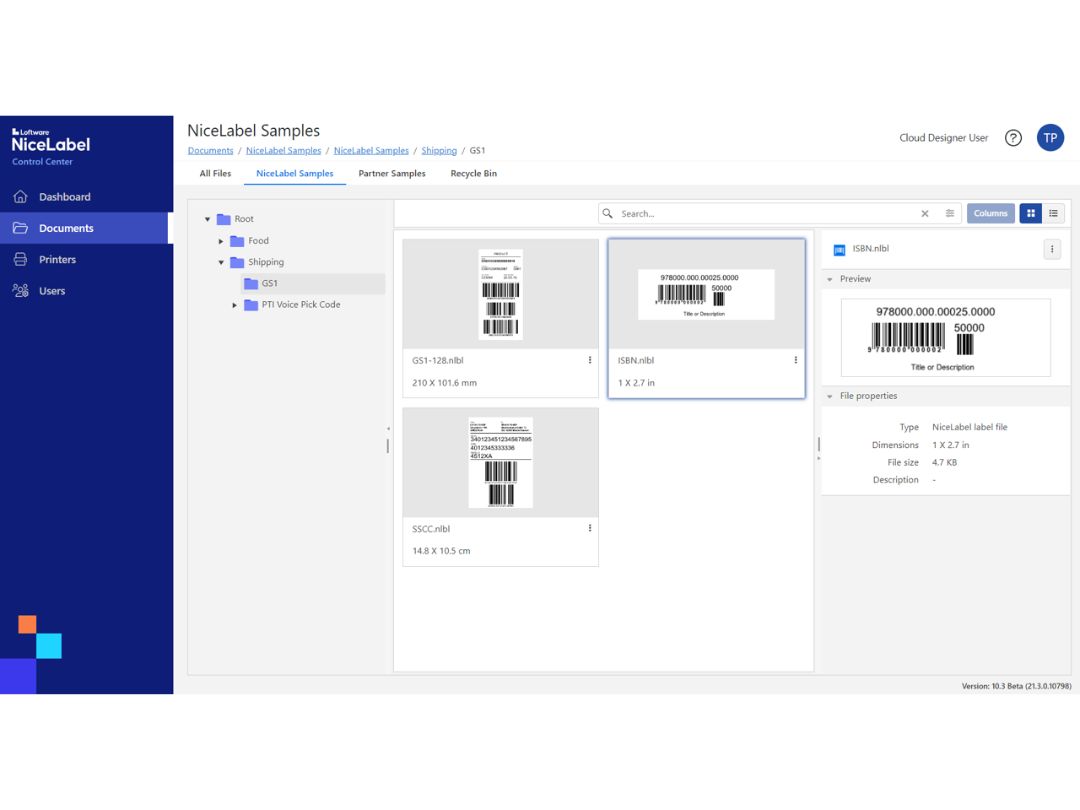
loftware cloud designer-sample
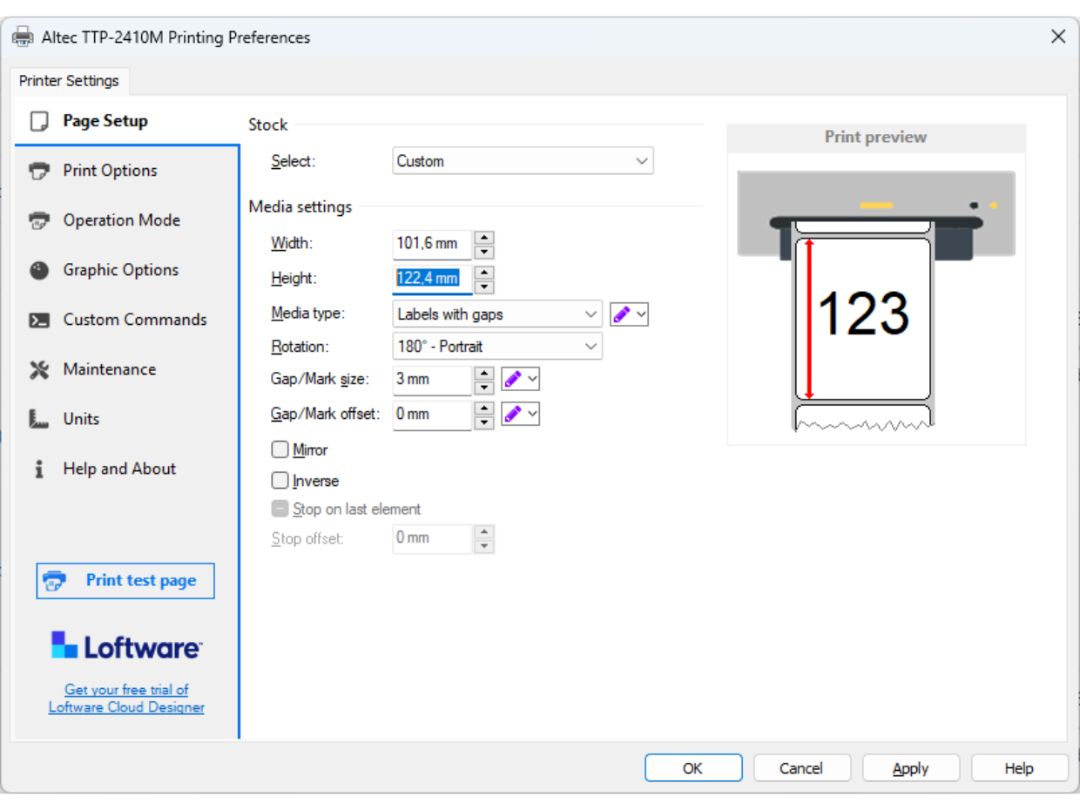
loftware cloud designer-setup

NiceLabel Designer

Brand: NiceLable

  • 4.4

  • 3 Ratings & 3 Reviews

NiceLabel Designer is a software to design barcodes and labels without any help from IT department. It enables users to quickly design the labels and start printing them without any prior knowledge of coding and training. This barcode designer software has an user interface that is very much similar to that of Microsoft Word. It helps users learn how to use the software quickly and get started on...

See More

Have you used NiceLabel Designer before?

Share your insights for better experience

Add a Review

Price Available on Request

Questions about pricing or customization? We’re here to help, just a click away.

100% Genuine
Products
Best Price
Guaranteed
Safe & Secure
Payment
  • Description

  • Pricing

  • Features

  • Specification

  • Review

  • Compare

  • Alternatives

  • FAQ

NiceLabel Designer Software Overview

What is NiceLabel Designer?

NiceLabel Designer is a software to design barcodes and labels without any help from IT department. It enables users to quickly design the labels and start printing them without any prior knowledge of coding and training. This barcode designer software has an user interface that is very much similar to that of Microsoft Word. It helps users learn how to use the software quickly and get started on creating professional labels without any pre-requisite knowledge of barcoding or designer training. NiceLabel Designer is compliant with all the major regulations to offer an industry standard barcode creating software. 

NiceLabel Designer is used by over one million companies worldwide. The barcode designer software supports more than 70 types of 2D and linear codes; which includes DataMatrix, QR Code, and GS1 – 128. The system is consistently updated for users to stay updated with the industry standards. NiceLabel Designer has an automated system in place to check for errors before printing. It allows users to print barcode labels without the risk of error. 

Features of NiceLabel Designer 

Here is an exhaustive list of features offered by NiceLabel Designer for a brief overview of the software: 

  1. Microsoft Office 2016-styled user interface 
  2. Contextual help with inline tips 
  3. Free support through calling and email
  4. Unicode data support 
  5. Label setup wizard 
  6. Reverse and negative printing 
  7. Windows system and in-built printer-friendly fonts
  8. Extensive RFID support
  9. Fit text to box 
  10. Text wrapping 
  11. Supports over 70 linear and 2D symbologies
  12. Automatic check digit calculator 
  13. Security: locking label design with password

Benefits of NiceLabel Designer

NiceLabel Designer brings a lot of benefits for users, here are a few listed below: 

  1.  Pre-formatted labels 
  2. Minimized template versions for smooth working 
  3. Connects to excel 
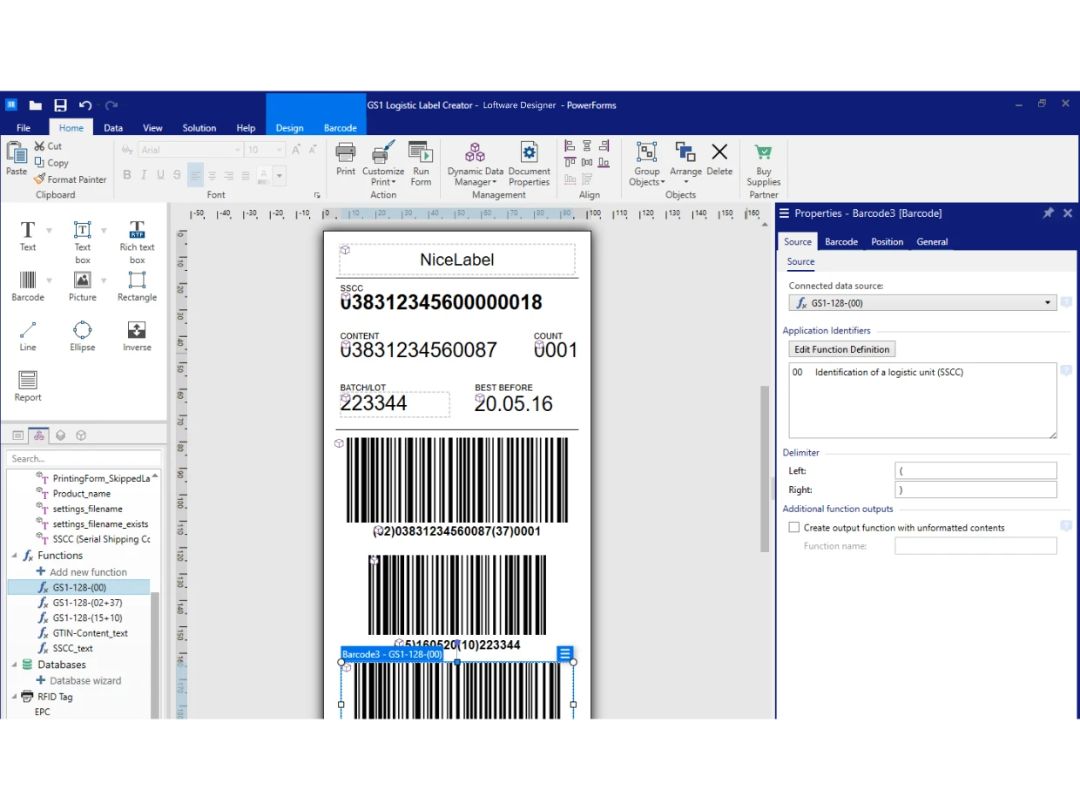
  4. GS1 – 128 barcode wizard is available for shipper box label

What is the price of NiceLabel Designer? 

NiceLabel Designer is available in two different plans, these are: 

  1. Designer Pro – Rs. 44,000/- 
  2. Designer Express – Rs. 22,000/- 
Read more

NiceLabel Designer Pricing & Plans

Looking for The Right Pricing?

Share your requirements and get a plan built around your business.

  • Define your business needs
  • Get customised pricing
  • Choose features that fit your workflow

Price Available on Request

Get personalised NiceLabel Designer pricing that fits your needs. Our team will connect with you.

NiceLabel Designer Features

  • icon_check Custom label Design
     NiceLabel Designer enables users to design labels according to their personal preference and include all the necessary
  • icon_check Label Printing
    The software offers label printing with fonts that are printer friendly. It also helps with cross checking for errors during the
  • icon_check User Interface
    NiceLabel Designer uses MS word 2016-esque user interface for quick and easy learning. 
  • icon_check Templates
    This barcode designing software offers several pre-built and customizable templates for quick working. 
  • icon_check Barcode/RFID
    The software supports over 70 different types of labels for designing and printing, e.g., QR codes, barcodes, etc. 
  • icon_check Automatic Calculation
    The NiceLabel designing system makes automated digit calculation checks to ensure accurate code generation. 
  • icon_check Security
    Users are enabled to protect all the designs with passwords for protection from data theft. 
  • icon_check Import & Export Data
     The software uses Microsoft Excel to receive and transfer the data to ease the workload of user.
  • icon_check Customizable Templates
    The software help us to customise templates as per our requirement.
NiceLabel Designer Demo Video play icon

Get NiceLabel Designer Demo

Watch the demo video to explore key features, real workflows, and how the software fits your business needs.

Understand
Key Features
Personal
Demo Insights
Interactive
Demo Support

NiceLabel Designer Specifications

Supported Platforms
Windows Windows
Devices
Desktop Desktop
Deployment
Cloud-Based Cloud-Based
Suitable For
All Industries
Business Specific
All Businesses
Language
English

NiceLabel Designer Reviews

4.4

Out of 5

img

Overall Rating

Based on
3 Verified Reviews

Rating Breakdown

  • Features 4.1
  • Value for Money 4.1
  • Ease of Use 4.5
  • Customer Support 5

83% Recommend this Product

Add Review

Sudama Unnikrishnan

User

4.3

Reviewed on: May 15, 2020

Techjockey Verified

“Great accuracy and perfect automation!”

Pros

NiceLabel Designer makes automated digit calculation checks to make sure that the most accurate barcode has been generated. Also, the multilingual interface has helped me to expand my business horizon.

Cons

NiceLabel Designer doesn’t remember my label printers and I have to connect them to the application every time.

Krishna Jaisinh

User

4.7

Reviewed on: May 8, 2020

Techjockey Verified

“Beautiful templates!”

Pros

I didn’t have any knowledge of barcoding or designer training but wanted to introduce barcodes for my retail stores for ease of identification. I was fortunate enough to come across this software that has a user-friendly interface with which I can easily generate barcodes for each of my products. Also, the templates present in NiceLabel Designer has enabled me to work fast.

Cons

I didn’t find any technical flaws with the software but it would be great if it provides a browser-based solution option so that I can do more work on my tablet on-the-go.

Devki Bhardwaj

User

4.2

Reviewed on: May 1, 2020

Techjockey Verified

“Great tool for printing barcodes!”

Pros

NiceLabel Designer helps print barcodes quickly and accurately to identify products in a unique way. I needed it for my warehouse to track inventory. All thanks to Techjockey for suggesting this software.

Cons

I found some database connection issues at times. Also, the software is compatible only with Android OS.

Compare NiceLabel Designer With other Barcode Printing Software

Products
Ratings
Pricing
Device Supported
Deployment
Supported Platforms
  • img

    NiceLabel Designer

  • 4.4

  • Price On Request

  • Desktop

    Mobile

  • Web based

    On Premises

  • Windows

    Mac OS

  • img

    Panatracker

  • 4.4

  • Price On Request

  • Desktop

    Mobile

  • Web based

    On Premises

  • Windows

    Mac OS

  • img

    Codesoft

  • 4.7

  • Price On Request

  • Desktop

    Mobile

  • Web based

    On Premises

  • Windows

    Mac OS

  • img

    EasyLabel

  • 4.0

  • Price On Request

  • Desktop

    Mobile

  • Web based

    On Premises

  • Windows

    Mac OS

  • img

    iBarcoder

  • 4.2

  • Price On Request

  • Desktop

    Mobile

  • Web based

    On Premises

  • Windows

    Mac OS

  • img

    Label Flow

  • 4.0

  • Price On Request

  • Desktop

    Mobile

  • Web based

    On Premises

  • Windows

    Mac OS

  • img

    TFORMer Designer

  • 3.9

  • Price On Request

  • Desktop

    Mobile

  • Web based

    On Premises

  • Windows

    Mac OS

  • img

    Barcode Producer

  • 4.4

  • Price On Request

  • Desktop

    Mobile

  • Web based

    On Premises

  • Windows

    Mac OS

  • img

    BarCloud

  • 4.2

  • Price On Request

  • Desktop

    Mobile

  • Web based

    On Premises

  • Windows

    Mac OS

  • img

    Labelterm

  • 4.2

  • Price On Request

  • Desktop

    Mobile

  • Web based

    On Premises

  • Windows

    Mac OS

(0) Product(s) selected

NiceLabel Designer Alternatives

See All NiceLabel Designer Alternatives

Available

Price on Request

Starting Price:

$245 /License

Starting Price:

$50 /Quantity

Available

Price on Request

Available

Price on Request

Available

Price on Request

Starting Price:

$299 /License

Articles for NiceLabel Designer

See All Related Articles

Can I use NiceLabel Design on mobile phone?

NiceLabel Designer is only available for Android mobile phones.

Where does NiceLabel Design save the designs?

All the designs made by the user is saved on their PC.

What are the system requirements for NiceLabel Design?

NiceLabel Designer is a web application that is accessed via web browsers.

Can I get a demo of NiceLabel Design?

Techjockey offers demo for NiceLabel Design, please request call to get schedule the demo.

Does NiceLabel Design offer multilingual interface?

Yes, NiceLabel Design support about 10 languages, it includes English, French, Dutch, Spanish, Italian, etc.

20,000+ Software Listed

Best Price Guranteed

Free Expert Consultation

2M+ Happy Customers

Terms and Condtions

close

Users with registered businesses can purchase goods from merchants on the platform to satisfy their business needs. Users are not permitted to utilize any products acquired through the platform for resale, advertising, business, or further distribution.

For each purchase made, users will receive a Tax Invoice (or 'GST invoice') that includes specific details such as:

  • the GSTIN of the user associated with their registered business, and

  • the specified Entity Name for their business.

It should be noted that not all products are eligible for GST Invoice. Only the products displayed by participating sellers with the 'GST-based Invoice Available' callout on the product description page would qualify.

Certain goods and services are not eligible to get a GST Invoice, including items with VAS, i.e., Value Added Services (e.g., Total Mobile Protection/Assured Buyback) and those involving an exchange offer at the time of purchase.

Users must ensure the accuracy of the GSTIN, and business entity name provided for the GST Invoice. Requests for corrections into GST Invoice would not be accommodated by Techjockey.com or any Seller, and any issues arising from user-provided information are the sole responsibility of users.

Techjockey.com is not liable for the GST Invoice or any associated input tax credit. To efficiently claim an input tax credit, users should select the registered place of business address as per the GST authority's data and follow the provisions of the GST Act and rules.

To claim an input tax credit, the delivery and billing addresses must match. Furthermore, input tax credits will not be granted if the delivery address and GSTIN on the invoice are from different states. In case of incorrect GST details provided during the order placement, the order will be canceled automatically.