USA
USA UAE
UAESmall Business
Designed for startups and growing businesses


See More


Brand: BigCommerce
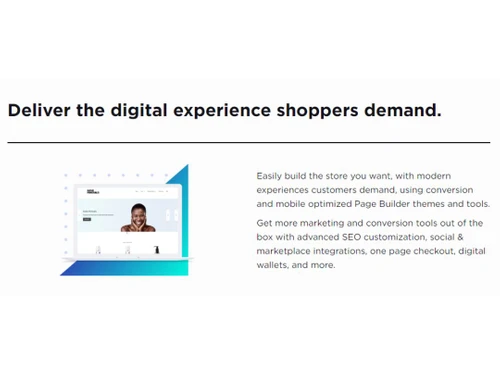
BigCommerce is the perfect eCommerce solution for SMEs to launch their products online. It allows businesses to personalize their website, manage to ship, and payments. It also allows businesses to list their products on renown e-commerce platforms such as Amazon, and eBay. It also promotes products...
See MoreHave you used Bigcommerce before?
Share your insights for better experience
Brand: BigCommerce
Founded Year: 2009
BigCommerce
 E-commerce CMS Multiple Payment Platform Inventory Management Marketing Features Conversion Fast Ecommerce Template Customize your website eCommerce One-on-one launch services
  Windows
  Desktop
  Mobile
  Tablet
  iPad
iPad  Cloud-Based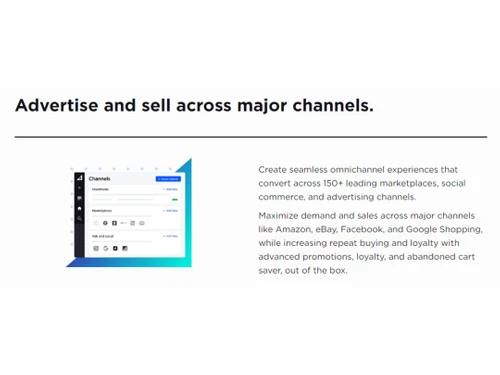
Small Business
Designed for startups and growing businesses
Medium Business
Built for business growth and flexibility
Enterprises
Designed for complex and large-scale business needs
4.4
Out of 5

Overall Rating
Based on
2 Verified Reviews
Rating Breakdown
85% Recommend this Product
Add Review

Bigcommerce
Price On Request
Desktop
Mobile
Web based
On Premises
Windows
Mac OS

Framer
₹ 4332
Desktop
Mobile
Web based
On Premises
Windows
Mac OS

Odoo Website Builder
₹ 760
Desktop
Mobile
Web based
On Premises
Windows
Mac OS

Creative AI
Price On Request
Desktop
Mobile
Web based
On Premises
Windows
Mac OS

GoDaddy Website Builder
₹ 249
Desktop
Mobile
Web based
On Premises
Windows
Mac OS

Zoho Sites
₹ 280
Desktop
Mobile
Web based
On Premises
Windows
Mac OS

Readdy AI
Price On Request
Desktop
Mobile
Web based
On Premises
Windows
Mac OS

Boost 360
Price On Request
Desktop
Mobile
Web based
On Premises
Windows
Mac OS

Durable
Price On Request
Desktop
Mobile
Web based
On Premises
Windows
Mac OS

Wegic AI
Price On Request
Desktop
Mobile
Web based
On Premises
Windows
Mac OS
Webneed
Price On Request
Desktop
Mobile
Web based
On Premises
Windows
Mac OS
(2) Product(s) selected
Starting Price:
₹249 /Month
Starting Price:
$25 /Month
Starting Price:
$15
Starting Price:
$24 /Month $40

Starting Price:
$49 /Month

Starting Price:
$10

Starting Price:
$5 /Month

Starting Price:
$14

Starting Price:
$10


![11 Best eCommerce Website Builders for Small Businesses [Free & Paid]](https://cdn.techjockey.com/blog/wp-content/uploads/2020/06/telemed_banner.jpg?d=265x163 "Blog - 11 Best eCommerce Website Builders for Small Businesses [Free & Paid]")


It's easy to import customers, products, images and variations into your BigCommerce store from a standard CSV file.
The security and uptime of your store is our #1 priority. They protect your site and data with the same military-grade security and encryption that the big banks use, and they have a 99.99% average uptime.
Yes. You can purchase an SSL certificate by going to Settings > Server Settings > SSL Certificates in your store's control panel.
Absolutely. If you haven’t purchased a domain name, you can buy one through them. If you already have a domain name, they’ll help you set it up to use with your BigCommerce site.
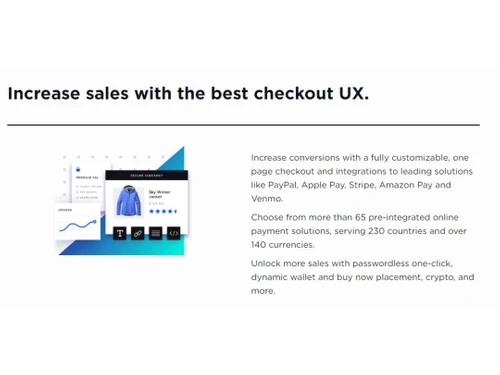
BigCommerce seamlessly integrates with the best payment solutions on the market, including PayPal Powered by Braintree, Square Payments, Stripe, Quickbooks Payments, First Data, Heartland, Global Payments, Cybersource, Authorize.net, Adyen, Klarna, Chase Paymentech, and Amazon Payments. Coming soon we will also support Afterpay.
KPIs that prove the BigCommerce B2B update improved team productivity without increasing risk, include track faster order processing time, increased quote-to-order conversions, reduced manual entry, stable error rates, unchanged access controls, and no rise in support tickets or security incidents.
0 0
Here’s how you can create a checkout page in BigCommerce:
0 0
Here’s how you can create a category page in BigCommerce:
0 0
20,000+ Software Listed
Best Price Guranteed
Free Expert Consultation
2M+ Happy Customers
Terms and Condtions

Users with registered businesses can purchase goods from merchants on the platform to satisfy their business needs. Users are not permitted to utilize any products acquired through the platform for resale, advertising, business, or further distribution.
For each purchase made, users will receive a Tax Invoice (or 'GST invoice') that includes specific details such as:
the GSTIN of the user associated with their registered business, and
the specified Entity Name for their business.
It should be noted that not all products are eligible for GST Invoice. Only the products displayed by participating sellers with the 'GST-based Invoice Available' callout on the product description page would qualify.
Certain goods and services are not eligible to get a GST Invoice, including items with VAS, i.e., Value Added Services (e.g., Total Mobile Protection/Assured Buyback) and those involving an exchange offer at the time of purchase.
Users must ensure the accuracy of the GSTIN, and business entity name provided for the GST Invoice. Requests for corrections into GST Invoice would not be accommodated by Techjockey.com or any Seller, and any issues arising from user-provided information are the sole responsibility of users.
Techjockey.com is not liable for the GST Invoice or any associated input tax credit. To efficiently claim an input tax credit, users should select the registered place of business address as per the GST authority's data and follow the provisions of the GST Act and rules.
To claim an input tax credit, the delivery and billing addresses must match. Furthermore, input tax credits will not be granted if the delivery address and GSTIN on the invoice are from different states. In case of incorrect GST details provided during the order placement, the order will be canceled automatically.