 USA
USA UAE
UAESmall Business
Designed for startups and growing businesses
See More


Brand: Commvault
Metallic by Commvault is a data management as a service (DMaaS) that delivers scalable data recovery and data backup solutions. It has been built with tried-and-tested technology and industry best practices to offer complete coverage, easy management, and improved data protection. This data backup software safeguards your data against corruption, deletion, and any attack. In simple terms, Metalli...
See MoreHave you used Metallic before?
Share your insights for better experience
Brand: Commvault
Founded Year: 1996
Commvault is a publicly traded data protection and data management software company headquartered in Tinton Falls, New Jersey. Commvault enterprise software can be used for data backup and recovery, cloud and infrastructure management, retention and compliance.
Looking for The Right Pricing?
Share your requirements and get a plan built around your business.
Price Available on Request
Get personalised Metallic pricing that fits your needs. Our team will connect with you.
 VM & Kubernetes Backup Backup for Microsoft Office 365 File & Object Backup Endpoint Backup Database Backup Backup For Microsoft Dynamics 365 Salesforce Backup Active Directory Backup
  Windows
  Desktop
  Cloud-Based
Small Business
Designed for startups and growing businesses
Medium Business
Built for business growth and flexibility
Enterprises
Designed for complex and large-scale business needs
4.6
Out of 5

Overall Rating
Based on
5 Verified Reviews
Rating Breakdown
92% Recommend this Product
Add ReviewOverall, users express strong satisfaction with Metallic, highlighting its quick data recovery capabilities and robust security features against malware and ransomware. Many appreciate its ease of use and effective protection for SaaS workloads. However, some users note limitations, such as slower recovery times after ransomware attacks and the need for additional integrations or tutorials to enhance functionality. Despite these concerns, the majority recommend the software for its reliability and comprehensive data management solutions.
Pros
"The setup and ease of use make Metallic the best SaaS data protection solution for SaaS workloads. Also, Office 365 Backup and Recovery feature is really good.?"
Cons
"The software could add additional features like integration of the metallic cloud with multiple apps or platforms.?"
" It would be nice if it offered guides or tutorials to easily understand all its functions.?? "
"It recovers the data very slowly after any ransomware attack is detected in your application."

Jan 1, 2023
Techjockey Verified
“Highly reliable data backup and restore facility”
Pros
I've used a data management solution before, but now after using metallic for more than a year, I am not afraid to say that it is the best data protection software in the market. Its multi-layered protection feature safeguards our data from corruption, malware attack, or deletion. The cloud-backup facility makes it simple to use and it hardly took me 30 minutes to complete the whole process. I’ll highly recommend this wonderful solution to other customers.
Cons
The detailed backups require help from the support team.
Reason to switch
I was not satisfied with the features and the levels of protection it provided.?
Jan 1, 2023
Techjockey Verified
“Great software for data backup and meeting compliance needs”
Pros
Metallic offers great features to keep all your software data secure. With multi-layered protection and zero trust security, it protects your cloud and application data. You can use it to protect your SAAS applications.?
Cons
It recovers the data very slowly after any ransomware attack is detected in your application.
Reason to switch
Metallic offers more options for data security as compared to other products
Jan 1, 2023
Techjockey Verified
“Reliable software to reduce data attacks and threats”
Pros
Metallic works great to protect your data against any type of malware or ransomware attacks through advanced security protocols. Moreover, you get multiple data recovery options to automatically recover data.?
Cons
It would be nice if it offered guides or tutorials to easily understand all its functions.??
Reason to switch
The automated malware scanning does function properly and sometimes misses data threats.?

Metallic
Price On Request
Desktop
Mobile
Web based
On Premises
Windows
Mac OS

Commvault Cloud
Price On Request
Desktop
Mobile
Web based
On Premises
Windows
Mac OS

Rubrik Microsoft 365
Price On Request
Desktop
Mobile
Web based
On Premises
Windows
Mac OS

Veritas Net Backup
Price On Request
Desktop
Mobile
Web based
On Premises
Windows
Mac OS

Rubrik Polaris Radar
Price On Request
Desktop
Mobile
Web based
On Premises
Windows
Mac OS

EasiShare
Price On Request
Desktop
Mobile
Web based
On Premises
Windows
Mac OS

Rubrik Polaris Sonar
Price On Request
Desktop
Mobile
Web based
On Premises
Windows
Mac OS

Keepit
Price On Request
Desktop
Mobile
Web based
On Premises
Windows
Mac OS

Backupify
Price On Request
Desktop
Mobile
Web based
On Premises
Windows
Mac OS

CloudAlly
Price On Request
Desktop
Mobile
Web based
On Premises
Windows
Mac OS
(0) Product(s) selected



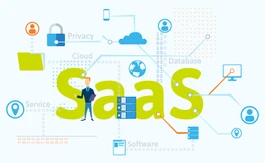

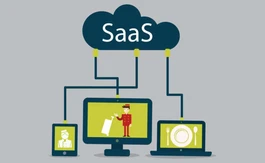
The metallic SaaS Backup solution is compatible with Windows, Linux, and macOS operating systems.
No, the Metallic app is currently not available.
Metallic Solution supports web-based and on-premises deployment.
Metallic data management as a service pricing starts at Rs. 4309 per user/annum.
Metallic DMaaS solution is typically used by industries including banks, defense, research laboratory, etc. to safeguard their database, backup their data on regular basis, and provides data recovery.
Metallic data management as a service demo is available for free with techjockey.com.
Metallic offers a free trial. However, the premium plan with advanced features starts at Rs. 4309/user/annum.
Metallic delivers data management as a service and assists in providing SaaS app protection, data backup, security, and compliance. It safeguards you from any data loss and manual inefficiencies to assist you with simplified data management.
20,000+ Software Listed
Best Price Guranteed
Free Expert Consultation
2M+ Happy Customers
Terms and Condtions

Users with registered businesses can purchase goods from merchants on the platform to satisfy their business needs. Users are not permitted to utilize any products acquired through the platform for resale, advertising, business, or further distribution.
For each purchase made, users will receive a Tax Invoice (or 'GST invoice') that includes specific details such as:
the GSTIN of the user associated with their registered business, and
the specified Entity Name for their business.
It should be noted that not all products are eligible for GST Invoice. Only the products displayed by participating sellers with the 'GST-based Invoice Available' callout on the product description page would qualify.
Certain goods and services are not eligible to get a GST Invoice, including items with VAS, i.e., Value Added Services (e.g., Total Mobile Protection/Assured Buyback) and those involving an exchange offer at the time of purchase.
Users must ensure the accuracy of the GSTIN, and business entity name provided for the GST Invoice. Requests for corrections into GST Invoice would not be accommodated by Techjockey.com or any Seller, and any issues arising from user-provided information are the sole responsibility of users.
Techjockey.com is not liable for the GST Invoice or any associated input tax credit. To efficiently claim an input tax credit, users should select the registered place of business address as per the GST authority's data and follow the provisions of the GST Act and rules.
To claim an input tax credit, the delivery and billing addresses must match. Furthermore, input tax credits will not be granted if the delivery address and GSTIN on the invoice are from different states. In case of incorrect GST details provided during the order placement, the order will be canceled automatically.

