linkedin
Activity Monitoring Software logo
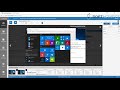
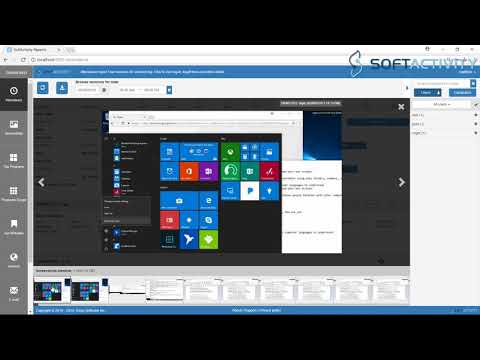
play Activity Monitor - how to monitor employee computers
Activity Monitoring Software coding
Activity Monitoring Software dashboard

Activity Monitoring Software

Brand: Deep Software

  • 4

  • 2 Ratings & 2 Reviews

Monitor every PC on your Local Area Network. Whether you’re monitoring company workstations or university campus network users, catch them in the act. Show them the proof. Take action. Activity Monitor lets you Nobody would ever need PC monitoring software if everyone was hard-working and trustwor...

See More

Have you used Activity Monitoring Software before?

Share your insights for better experience

Add a Review
Starting Price
₹30708

View plans

100% Genuine
Products
Best Price
Guaranteed
Safe & Secure
Payment
  • Description

  • Pricing

  • Features

  • Specification

  • Review

  • Compare

  • Alternatives

  • FAQ

Starting at ₹30,708

Activity Monitoring Software Overview

Monitor every PC on your Local Area Network. Whether you’re monitoring company workstations or university campus network users, catch them in the act. Show them the proof. Take action. Activity Monitor lets you Nobody would ever need PC monitoring software if everyone was hard-working and trustworthy
Sadly, your people are out of control. They’re on Facebook. Looking for designer shoes on eBay. Watching funny cat videos. Conquering a Massive Multiplayer kingdom. Even worse, confidential information is leaking outside your network.

Features

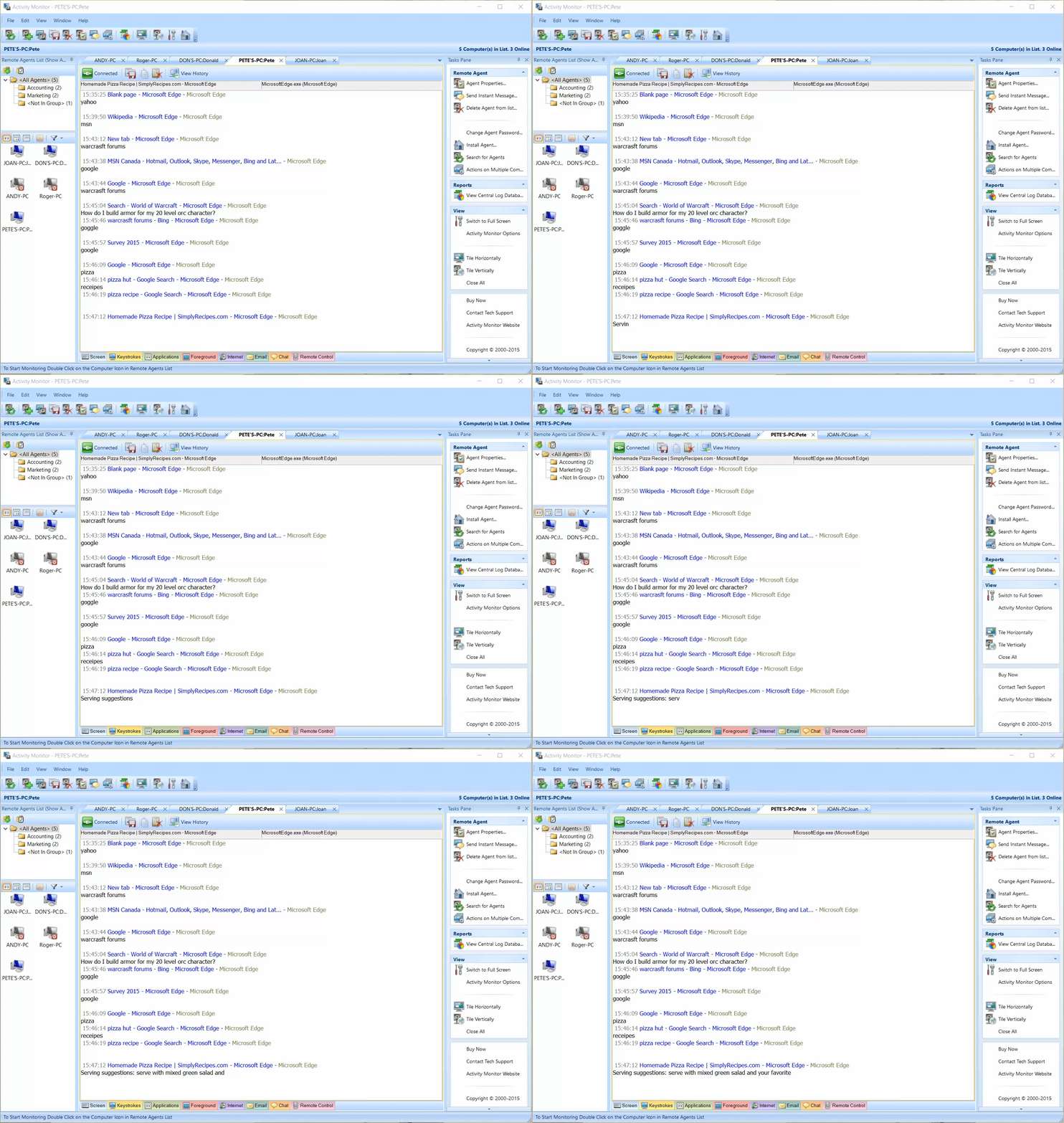
  • Monitor Without Them Knowing: View their computers in real time – from your own PC. Activity Monitor works invisibly, without slowing down their PCs.
  • Track websites visited: Tom from accounting was on Facebook for 3 hours a day, every day this week? Let him explain that to HR.
  • Record their e-mails: End workplace harassment, IP theft and more.
  • Record keystrokes in work apps: emails, websites and IM chats in real time. See what’s happening as it’s happening.
  • View multiple computers at the same time in your network: See disasters coming and prevent them from happening.
  • Generate reports and schedule screen captures: Then show the bad guys the evidence. Even better, show everyone.

Pricing of Transport ERP

Activity Monitoring Software is priced in India at INR 30708 at techjockey.com.
 

About Us
SoftActivity’s mission is to deliver the best security applications to protect businesses from insider threats and employee cyber-slacking, and to help parents protect their kids online.
Founded in the tech hub of Vancouver, Canada in 2003, we have become leaders in computer monitoring software. Our customer includes companies and home users in more than 150 countries. When our team isn’t busy working on the next unbeatable security solution for your home or office, we can be found hiking, cycling, skiing and keeping busy on the majestic trails and slopes of North Vancouver.

Read more

Activity Monitoring Software Pricing & Plans

Activity Monitoring Software
Key Features
  • Live View
  • Programs Usage
  • Web Console
  • Attendance Management
  • History Tracking
  • Screenshots
  • Database Server
  • Access Control
  • Secure
  • Efficient Deployment
Starting at ₹30708
    • Quantity

      Quantity
      Quantity
    • Yearly (Year(s))

      Yearly (Year(s))
      Yearly (Year(s))

Key Features

  • Live View

  • Programs Usage

  • Web Console

  • Attendance Management

  • History Tracking

  • Screenshots

  • Database Server

  • Access Control

  • Secure

  • Efficient Deployment

Activity Monitoring Software Features

  • icon_check Live View
  • icon_check Programs Usage
  • icon_check Web Console
  • icon_check Attendance Management
  • icon_check History Tracking
  • icon_check Screenshots
  • icon_check Database Server
  • icon_check Access Control
  • icon_check Secure
  • icon_check Efficient Deployment
Activity Monitoring Software Demo Video play icon

Get Activity Monitoring Software Demo

Watch the demo video to explore key features, real workflows, and how the software fits your business needs.

Understand
Key Features
Personal
Demo Insights
Interactive
Demo Support

Activity Monitoring Software Specifications

Supported Platforms
Windows Windows
Devices
Desktop Desktop
Deployment
Cloud-Based Cloud-Based Perpetual Perpetual
Suitable For
All Industries
Business Specific
All Businesses
Language
English

Activity Monitoring Software Reviews

4

Out of 5

img

Overall Rating

Based on
2 Verified Reviews

Rating Breakdown

  • Features 4
  • Value for Money 4.9
  • Ease of Use 4.2
  • Customer Support 4.5

90% Recommend this Product

Add Review

Ayush Pandya

User

4

Reviewed on: Sep 21, 2017

Techjockey Verified

“useful service providing”

Pros

I was very pleased with the help, advice and information that Techjockey pro Sorabh gave me for my new small business. He was extremely helpful and sent me information on three different software programs that were applicable to my business. I did end up choosing one of the companies and am very pleased!! Thank you!!

Cons

N/A

Tanya

User

4

Reviewed on: May 29, 2018

Techjockey Verified

“Easy software to use”

Pros

The view history as a video is a great tool. Being able to see what is going on live and to be able to customize how often a screenshot is saved.

Cons

It does not allow for running reports. Also looking at a web address I cannot always tell if it is personal or business and have to revert to looking at each individual screenshot. I have demoed other software and although this one is easier to navigate others gave report options.

Compare Activity Monitoring Software With other Employee Desktop Monitoring Software

Products
Ratings
Pricing
Device Supported
Deployment
Supported Platforms
  • img

    Activity Monitoring Software

  • 4

  • Price On Request

  • Desktop

    Mobile

  • Web based

    On Premises

  • Windows

    Mac OS

  • img

    StaffCop

  • 4.8

  • ₹ 3010

  • Desktop

    Mobile

  • Web based

    On Premises

  • Windows

    Mac OS

  • img

    Spytech SpyAgent

  • 4.4

  • Price On Request

  • Desktop

    Mobile

  • Web based

    On Premises

  • Windows

    Mac OS

  • img

    Ekran System

  • 4.3

  • Price On Request

  • Desktop

    Mobile

  • Web based

    On Premises

  • Windows

    Mac OS

  • img

    Spytech SentryPC

  • 4.3

  • Price On Request

  • Desktop

    Mobile

  • Web based

    On Premises

  • Windows

    Mac OS

  • img

    SpyAnywhere

  • 4.2

  • Price On Request

  • Desktop

    Mobile

  • Web based

    On Premises

  • Windows

    Mac OS

  • img

    SentryPC Software

  • 4.2

  • Price On Request

  • Desktop

    Mobile

  • Web based

    On Premises

  • Windows

    Mac OS

(0) Product(s) selected

Activity Monitoring Software Alternatives

See All Activity Monitoring Software Alternatives
SAVE UPTO 30%

Which computer monitoring software is right for me?

Use Activity Monitor for monitoring users on their workstations (computers/laptops/Windows tablets) in your organization. Monitored workstations can be connected on a Local Area Network (LAN) or in a remote office with VPN connection. If you’re running terminal servers with either Windows Remote Desktop Services or Citrix XenApp, then you need SoftActivity TS Monitor. For monitoring users on a Windows Server OS you need TS Monitor product.

How much can computer monitoring really save my company?

We’ve seen customers achieve hundreds of thousands of dollars in payroll savings and other efficiencies over several years. If Activity Monitor or TS Monitor helps you identify and retrain or replace even one non-performing employee, your firm can easily see value of tens of thousands of dollars.

Is computer monitoring software easy to use?

Our products give you a simple dashboard that lets you view computers on your network with just a few clicks. If you’ve ever used any kind of business software before, you’ll get the hang of Activity Monitor very quickly.

How do SoftActivity products monitor website usage?

Check recorded logs not just of the website address, but also see time visited, search terms entered, total time spent on each website and more. To view these reports open Central Log Database and click Top Websites or Internet tabs.

How are emails recorded?

You can see a copy of their every send and received email including full message text, subject, to, from, and a list of attachments. Also with our keylogger and Intellisnap™ screenshots technology, you see what your employees are putting into online webmail, like Gmail, outlook.com etc

20,000+ Software Listed

Best Price Guranteed

Free Expert Consultation

2M+ Happy Customers

Terms and Condtions

close

Users with registered businesses can purchase goods from merchants on the platform to satisfy their business needs. Users are not permitted to utilize any products acquired through the platform for resale, advertising, business, or further distribution.

For each purchase made, users will receive a Tax Invoice (or 'GST invoice') that includes specific details such as:

  • the GSTIN of the user associated with their registered business, and

  • the specified Entity Name for their business.

It should be noted that not all products are eligible for GST Invoice. Only the products displayed by participating sellers with the 'GST-based Invoice Available' callout on the product description page would qualify.

Certain goods and services are not eligible to get a GST Invoice, including items with VAS, i.e., Value Added Services (e.g., Total Mobile Protection/Assured Buyback) and those involving an exchange offer at the time of purchase.

Users must ensure the accuracy of the GSTIN, and business entity name provided for the GST Invoice. Requests for corrections into GST Invoice would not be accommodated by Techjockey.com or any Seller, and any issues arising from user-provided information are the sole responsibility of users.

Techjockey.com is not liable for the GST Invoice or any associated input tax credit. To efficiently claim an input tax credit, users should select the registered place of business address as per the GST authority's data and follow the provisions of the GST Act and rules.

To claim an input tax credit, the delivery and billing addresses must match. Furthermore, input tax credits will not be granted if the delivery address and GSTIN on the invoice are from different states. In case of incorrect GST details provided during the order placement, the order will be canceled automatically.