linkedin

Get Free Advice

Get Quote

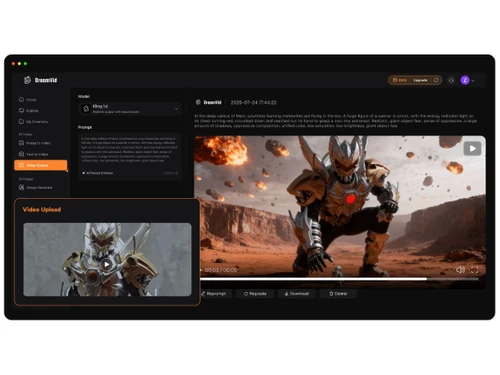
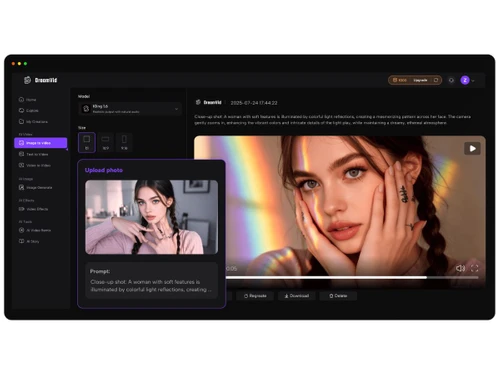
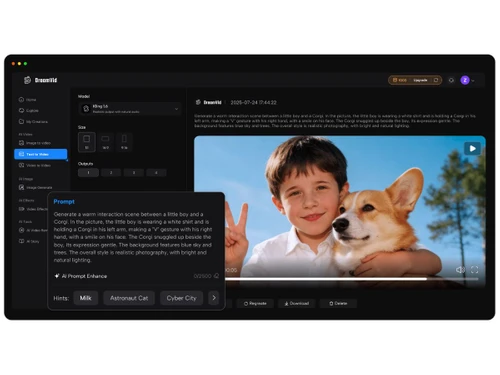
DreamVid logo dreamvid-avatars dreamvid-dashboard dreamvid-interface
dreamvid-avatars
dreamvid-dashboard
dreamvid-interface

DreamVid

Brand : DreamVid

Starting at

$ 15

Save Extra with 2 Offers

  • offer_icon Save upto 18%, Get GST Invoice on your business purchase |
  • offer_icon Buy Now & Pay Later, Check offer on payment page.

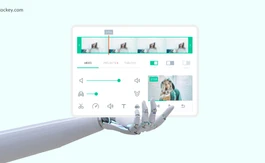
DreamVid is an AI video tool that creates engaging videos from text or images with automatic effects, templates, and editing features. ...Read more

  • AdviceGet Instant Expert
    Advice
  • PaymentSafe & Secure
    Payment
  • GuaranteedAssured Best Price
    Guaranteed

DreamVid Software Pricing, Features & Reviews

What is DreamVid?

DreamVid is an AI video generator that helps users quickly make videos using simple inputs like text, images, or templates. It allows users to turn ideas into complete videos with scenes, motion, and effects without needing advanced editing skills.

The platform supports features like text-to-video and image-to-video, making content creation fast and easy. It uses AI to generate smooth and visually appealing videos, along with options to add voiceovers, styles, and creative effects.

DreamVid also provides ready-made templates to speed up the process and works directly in a web browser, so no installation is required. It is mainly used for creating social media content such as reels, ads, and short videos.

Why Choose DreamVid Software?

  • AI-Powered Video Creation: DreamVid uses advanced AI to create videos quickly and efficiently.
  • Text-to-Video Conversion: It easily transforms written text into engaging video content.
  • Image-to-Video Support: Users can turn images into dynamic videos with minimal effort.
  • No Editing Skills Needed: The platform is designed for users without any technical expertise.
  • User-Friendly Interface: It offers a simple and easy-to-navigate interface for smooth usage.
  • Time-Saving Solution: Automates video creation, reducing the time required significantly.
  • Ready-Made Templates: Provides pre-designed templates to speed up the video creation process.
  • High-Quality Output: Ensures professional and visually appealing video results.
  • Ideal for Social Media: Perfect for creating content for platforms like Instagram and YouTube.
  • Great for Marketing: Helps businesses create effective promotional and advertising videos.
  • Cloud-Based Platform: Accessible online without the need to download or install software.
  • Boosts Productivity: Allows users to create more content in less time.

Benefits of DreamVid Software

  • Suitable for All Users: Works well for both beginners and experienced creators.
  • Visual Storytelling Made Easy: Helps users convey ideas effectively through video content.
  • Cost-Effective Tool: Reduces the need for expensive video editing software or professionals.
  • Regular Feature Updates: Continuously improves with new AI-powered functionalities.
  • Customization Options: Offers flexibility to edit and personalize videos as needed.
  • Multi-Device Accessibility: Can be used on any device with an internet connection.
  • Faster Workflow: Speeds up the entire video production process.
  • Efficient Content Creation: Helps users quickly turn ideas into engaging video content.

DreamVid Pricing

DreamVid price starts at USD 15 at techjockey.com.

The pricing model is based on different parameters, including extra features, deployment type, and the total number of users. For further queries related to the product, you can contact our product team and learn more about the pricing and offers.

DreamVid Pricing & Plans

Basic
  • 500 coins/month
  • 25 videos
  • Text to Video
  • Image to Video
  • AI Video effects
  • Video extend
    • Licenses
    • Monthly
Starting at $ 15
Pro
  • 1000 coins/month
  • 50 videos
  • Text to Video
  • Image to Video
  • AI Video effects
  • Video extend
    • Licenses
    • Monthly
Starting at $ 30

DreamVid Features

Core Features

  • icon_check Text-to-Video Generation Convert text input into video output using NLP automatically.
  • icon_check Voiceover Generation AI voice generation with customizable tone, pitch, and speed.
  • icon_check Template-Based Editing Ready-made templates for intro, outro, and transitions, easily customizable.
  • icon_check AI Scene Detection Automatically detects scenes and cuts based on changes in content or context.
  • icon_check Auto Color Correction AI-driven colour grading and correction for consistent visuals across scenes.
  • icon_check Background Removal Detects and removes background without for easy replacements.
  • icon_check Object Detection Tracks and isolates objects or people for targeted effects and overlays.
  • icon_check AI Audio Enhancement Noise reduction, audio levelling, and clarity improvements in dialogue and music.
  • icon_check Subtitle Generation Automatic generation of subtitles with customizable fonts, colours, and styles.

Advanced Features

  • icon_check AI Motion Tracking Precise motion tracking for applying effects to moving objects or text.
  • icon_check Dynamic Background Replacement Auto-detects and changes backgrounds for scenes without needing a green screen.
  • icon_check Emotion Recognition Detects emotions in faces or voices to adjust visuals and audio accordingly.
  • icon_check Scene Reframing Auto reframes shots for different aspect ratios, optimized for social media.
  • icon_check Video Summarization Auto-generate highlight reels from longer footage.
  • icon_check AI Avatar Generation Create digital avatars for narrations and presentations.
  • icon_check AI Voice Cloning Clone real voices for voiceovers.
  • icon_check Deepfake Detection Ensure responsible AI video creation with detection tools.

Editing Tools & Effects

  • icon_check Visual and Sound Effects Add overlays, animations, and sound effects.
  • icon_check Overlays and Animations Add and animate text with a variety of font, colour, and animation choices.
  • icon_check Basic Editing Tools Timeline-based editing with Cut, Trim, Split, Merge operations for timeline control.
  • icon_check Transition Effects Basic transitions like fades, slides, and cuts with customizable speed and direction.
  • icon_check Keyframe Animations Fine-tune animations and motion effects.
  • icon_check Split-Screen Effect Combines multiple video sources in split-screen or picture-in-picture format.
  • icon_check Speed Adjustments Speed Control and Slow Motion to adjust video playback speed.
  • icon_check Video Stabilization Smooth out shaky footage automatically.
  • icon_check Multi-Layered Editing The fundamental editor architecture allowing complex, professional editing
  • icon_check Chroma Key Support Replace green screen backgrounds in editing.
  • icon_check Real-Time Previews Previews of effects and transitions in real-time for faster adjustments.

Collaboration & Workflow

  • icon_check Cloud Storage Projects and assets stored securely in the cloud.
  • icon_check Export Options Support for various formats and resolutions (e.g., 1080p, 4K).
  • icon_check Batch Processing Process multiple videos at once.
  • icon_check Real-Time Collaboration Multiple users edit and comment simultaneously.
  • icon_check Direct Social Media Sharing Directly to social media accounts.
  • icon_check Project Sharing Share projects with teams or clients with permissions.
  • icon_check Performance Insights Analyze video performance, including engagement and viewer retention.
  • icon_check Role-Based Access Control (RBAC) Define user roles and access permissions.
  • icon_check Version Control Track edits and changes across teams.

Integration & Automation

  • icon_check Third Party Integrations Connect with marketing, analytics, and CRM tools.
  • icon_check Automated Video Creation & Scheduling Auto-generate and schedule publishing to platforms.
  • icon_check Social Media Integration Integration with social platforms
  • icon_check API Publishing Automate bulk publishing via API.

Others

  • icon_check Image to Video Converts static images into dynamic videos using advanced AI models like Kling and Sora, supporting up to 1080p.
  • icon_check Video Extend Extends existing video clips seamlessly with AI to create longer content effortlessly
  • icon_check Credit Based System Uses coins/credits for generations based on model, duration, and resolution; resets monthly.
  • icon_check No Watermark Exports All plans allow watermark-free video downloads for professional use.

DreamVid Specifications

  • Supported Platforms :
  • Device:
  • Deployment :
  • Suitable For :
  • Business Specific:
  • Business Size:
  • Customer Support:
  • Training:
  • Language:
  • AI Features:
  • Ubuntu Windows MacOS Linux
  • Desktop
  • Web-Based
  • All Industries
  • All Businesses
  • Individual, Startups, SMBs, SMEs, Freelancers
  • Email, Communities
  • Videos
  • English
  • AI Integrated

DreamVid Reviews and Ratings

banner

Would you like to review this product?

Submit Reviews

DreamVid FAQ

A DreamVid pricing starts at USD 15, as listed on techjockey.com.
A There is no official mobile app, but it can be used on mobile devices through a web browser.
A Being web-based, DreamVid works on Ubuntu, Windows, macOS, Linux, and other systems with a browser.
A Yes, DreamVid provides a free trial or limited access for new users.
A DreamVid uses AI technology to turn text and images into fully generated videos automatically.
A DreamVid is used by marketers, content creators, businesses, and social media users.
A Yes, users can access a demo or trial to understand its features.
A No, DreamVid is not available for free.

DreamVid Alternatives

See All
Why Choose Techjockey?

Software icon representing 20,000+ Software Listed 20,000+ Software Listed

Price tag icon for best price guarantee Best Price Guaranteed

Expert consultation icon Free Expert Consultation

Happy customer icon representing 2 million+ customers 2M+ Happy Customers