linkedin
Dyad logo
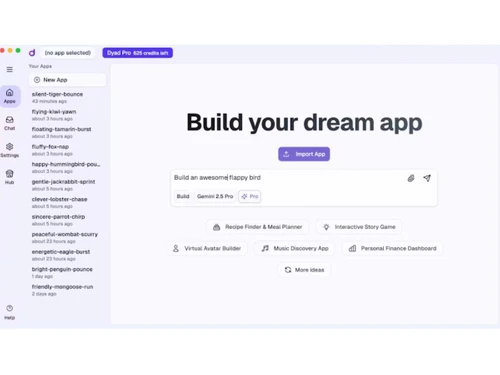
Dyad-dashboard
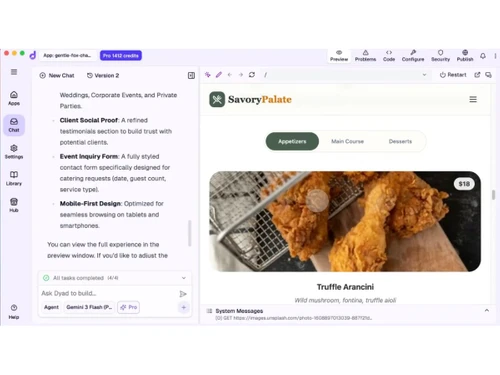
Dyad-build app
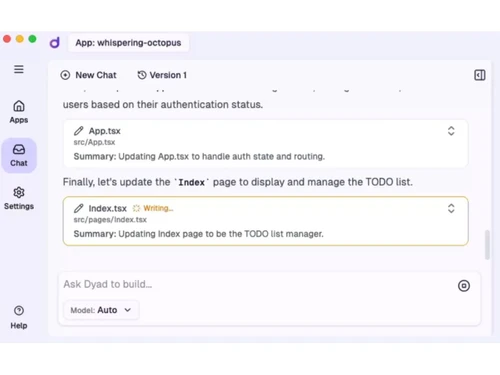
Dyad-chats

Dyad

Brand: Dyad Tech

  • No Ratings & Reviews

Dyad is an AI-powered app builder that helps users create full-stack applications using simple text prompts, without needing to write all the code manually.

See More

Have you used Dyad before?

Share your insights for better experience

Add a Review
Starting Price
$20

View plans

100% Genuine
Products
Best Price
Guaranteed
Safe & Secure
Payment
  • Description

  • Pricing

  • Features

  • Specification

  • Review

  • FAQ

Starting at $20

Dyad Software Overview

What is Dyad?

Dyad is an AI-powered app development software that helps users create full-stack applications using simple text prompts. It is a free, local, and open-source platform that runs directly on your computer. Users can build websites, web apps, and software without writing all the code manually. Dyad supports popular AI models from OpenAI, Google, Anthropic, and local AI providers.

It allows developers to generate, edit, and debug code with AI assistance. The platform keeps code private because projects can run locally on the user's machine. Users can import existing projects or export their code anytime without vendor lock-in. Dyad integrates with tools like GitHub, Vercel, and custom MCP servers. It is designed for developers, makers, startups, and anyone building software with AI. Its goal is to make app development faster, more flexible, and more accessible using AI.

Why Choose Dyad Software?

  • AI-Powered App Building: Create apps using simple text prompts.
  • No Complex Coding Required: Build applications faster with AI assistance.
  • Open Source Platform: Use and customize the software freely.
  • Runs Locally: Works directly on your computer.
  • Privacy-Focused: Keeps your code and data under your control.
  • Full-Stack Development: Build both frontend and backend applications.
  • AI Code Generation: Generate code automatically.
  • AI Code Editing: Modify code with AI help.
  • AI Debugging Support: Fix coding issues faster.
  • Supports Multiple AI Models: Works with different AI providers.
  • OpenAI Integration: Compatible with OpenAI models.
  • Anthropic Integration: Supports Anthropic AI models.
  • Google AI Support: Works with Google's AI models.
  • Local AI Model Support: Use local AI models on your device.
  • Fast Prototyping: Quickly create working applications.

Benefits of Dyad Software

  • Developer-Friendly: Built for developers and makers.
  • Project Importing: Import existing projects easily.
  • Code Export Freedom: Export your code anytime.
  • No Vendor Lock-In: Maintain full ownership of your projects.
  • GitHub Integration: Connect projects with GitHub.
  • Vercel Integration: Simplify deployment workflows.
  • Custom MCP Support: Connect custom MCP servers.
  • Flexible Development Environment: Adapt to different workflows.
  • Local Execution: Run apps without relying on cloud infrastructure.
  • Rapid Iteration: Test and improve ideas quickly.
  • Startup-Friendly: Ideal for building MVPs and prototypes.
  • Workflow Automation: Reduce manual development effort.
  • Modern Development Tools: Built for AI-assisted software creation.
  • Accessible App Development: Makes app building easier for more people.
  • Faster Software Creation: Helps users build applications in less time.

Dyad Pricing

Dyad price starts at USD 20 at techjockey.com.

The pricing model is based on different parameters, including extra features, deployment type, and the total number of users. For further queries related to the product, you can contact our product team and learn more about the pricing and offers.

Read more

Dyad Pricing & Plans

Dyad Pro
Starting at $20
    • Licenses

      Licenses
      Licenses
    • Monthly

      Monthly
      Monthly

Key Features

  • Exclusive Pro modes to work on large codebases

  • 200 AI credits/month

  • Full Dyad Academy access

  • Local, open-source AI App Builder

Dyad Max
Starting at $79
    • Licenses

      Licenses
      Licenses
    • Monthly

      Monthly
      Monthly

Key Features

  • Everything in Dyad Pro plus

  • 900 AI credits/month

  • Prioritized access to office hours

  • Reload credits at any time (same price)

Dyad Features

  • icon_check AI Code Generation
    Generates frontend and backend application code from natural language prompts automatically.
  • icon_check API Integration
    Connects external APIs, AI models, and third-party services within development workflows.
  • icon_check Version Control
    Supports Git-based version tracking for managing application code and collaboration safely.
  • icon_check Real-Time Previews
    Instantly previews application changes during development without manual page refreshes.
  • icon_check Debugging Tools
    Provides AI-assisted debugging to identify, analyze, and fix coding issues quickly.
  • icon_check Project Management
    Organizes application files, development tasks, and coding workflows in one workspace.
  • icon_check Multi-Model Support
    Supports multiple AI models including GPT, Claude, Gemini, and local LLM providers.
  • icon_check Collaboration Tools
    Allows teams to share projects, repositories, and development environments efficiently.
  • icon_check Code Editing
    Includes an integrated editor for modifying generated application source code directly.
  • icon_check Workflow Automation
    Automates repetitive development tasks such as setup, testing, and deployment processes.
  • icon_check Data Privacy
    Supports local-first development to keep source code and project data on-device securely.
  • icon_check Template Library
    Provides reusable templates for quickly building web applications and project layouts.
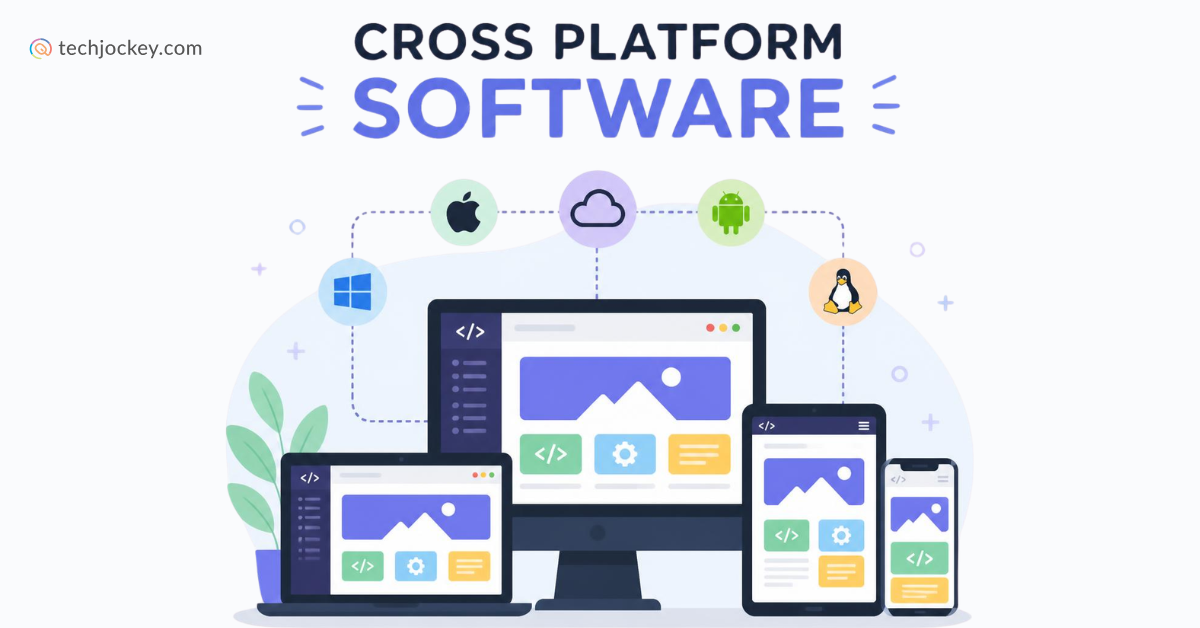
  • icon_check Cross-Platform Support
    Runs across Windows, macOS, and Linux operating systems for flexible development access.
  • icon_check Third Party Integrations
    Connects with GitHub, Supabase, Vercel, and additional external developer services.

Dyad Specifications

Supported Platforms
Windows Windows MacOS MacOS Linux Linux
Devices
Desktop Desktop
Deployment
Cloud-Based Cloud-Based Perpetual Perpetual
Suitable For
All Industries
Business Specific
All Businesses
Business Size
Individual Small Business Startups Medium Business Enterprises SMBs SMEs MSMEs
Customer Support
Email Communities
Language
English
Integration
API Integration
Training Resources
Documentation Videos
AI Features
AI Integrated
Technology
Next Generation

Dyad Review

Techjockey Trusted Reviews from Verified Users

No reviews are currently available for Dyad. Discover similar App Development Software reviews

  • ForBinary App Development

    5.0

    Whats great - Graeon Ventures provided me a mini ERP solution, which is not only easy to use but it also creates ethics in my employees. Gi... read more

  • Clappia

    5.0

    Whats great - The platform was easy and understandable. Anyone without coding knowledge can also create application with no difficulty. Mul... read more

  • Alchemy

    4.4

    Whats great - High uptime and low-latency performance. read more

Articles for Dyad

See All Related Articles

How much does Dyad Software cost?

Dyad price starts at USD 20 on techjockey.com.

Is there a mobile app available for Dyad Software?

No, Dyad is currently designed for desktop use only.

Which operating systems are compatible with Dyad Software?

Dyad is compatible with Windows, macOS, and Linux.

Does Dyad Software offer a free trial?

No, as Dyad is already free and open-source, no trial is needed.

How does Dyad Software function?

Dyad uses AI to generate, edit, and debug code, helping users build full-stack applications from text prompts.

Who uses Dyad Software?

Dyad is used by developers, startups, makers, and anyone building software with AI assistance.

Is a free demo available for Dyad Software?

No demo is required since the full software is freely available.

Is Dyad Software available for free?

Yes, Dyad is completely free and open-source.

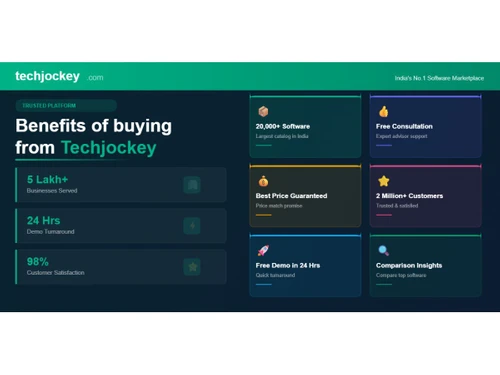
20,000+ Software Listed

Best Price Guranteed

Free Expert Consultation

2M+ Happy Customers

Terms and Condtions

close

Users with registered businesses can purchase goods from merchants on the platform to satisfy their business needs. Users are not permitted to utilize any products acquired through the platform for resale, advertising, business, or further distribution.

For each purchase made, users will receive a Tax Invoice (or 'GST invoice') that includes specific details such as:

  • the GSTIN of the user associated with their registered business, and

  • the specified Entity Name for their business.

It should be noted that not all products are eligible for GST Invoice. Only the products displayed by participating sellers with the 'GST-based Invoice Available' callout on the product description page would qualify.

Certain goods and services are not eligible to get a GST Invoice, including items with VAS, i.e., Value Added Services (e.g., Total Mobile Protection/Assured Buyback) and those involving an exchange offer at the time of purchase.

Users must ensure the accuracy of the GSTIN, and business entity name provided for the GST Invoice. Requests for corrections into GST Invoice would not be accommodated by Techjockey.com or any Seller, and any issues arising from user-provided information are the sole responsibility of users.

Techjockey.com is not liable for the GST Invoice or any associated input tax credit. To efficiently claim an input tax credit, users should select the registered place of business address as per the GST authority's data and follow the provisions of the GST Act and rules.

To claim an input tax credit, the delivery and billing addresses must match. Furthermore, input tax credits will not be granted if the delivery address and GSTIN on the invoice are from different states. In case of incorrect GST details provided during the order placement, the order will be canceled automatically.