 USA
USA UAE
UAESmall Business
Designed for startups and growing businesses
See More


Brand: Esri India Technologies Ltd
ArcGIS Enterprise, also known as ESRI Developers Network, is a complete mapping and geo-data analytics platform for developers involved in the geo-data activity. It helps you develop a personalized application to provide the services that you want. The application can be developed in any format, i.e., web-based, desktop, mobile, or server developer. ArcGIS Enterprise can be availed as a subscript...
See MoreHave you used ArcGIS Enterprise before?
Share your insights for better experience
Looking for The Right Pricing?
Share your requirements and get a plan built around your business.
Price Available on Request
Get personalised ArcGIS Enterprise pricing that fits your needs. Our team will connect with you.
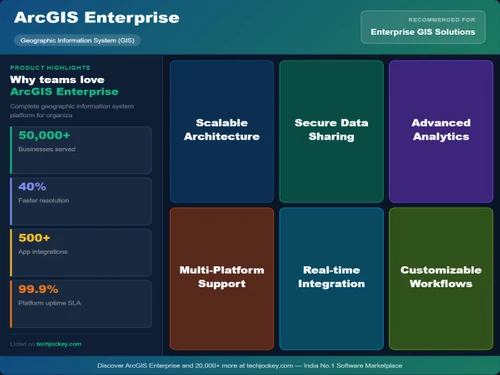
 Web GIS Portal Self-Hosted Deployment Advanced Spatial Analysis Enterprise Geodatabase Real-Time Data Processing High Security & Compliance Scalable Architecture Integration capabilities Multi-User Collaboration Routing Network Management Multiple vehicle Tracking Location
  Windows
  iOS
iOS  Android
  Linux
Linux  Desktop
  Mobile
  Perpetual
Small Business
Designed for startups and growing businesses
Medium Business
Built for business growth and flexibility
Enterprises
Designed for complex and large-scale business needs
5
Out of 5

Overall Rating
Based on
1 Verified Review
Rating Breakdown
100% Recommend this Product
Add Review
ArcGIS Enterprise
Price On Request
Desktop
Mobile
Web based
On Premises
Windows
Mac OS

ArcGIS Desktop Basic
Price On Request
Desktop
Mobile
Web based
On Premises
Windows
Mac OS

ArcGIS Online
Price On Request
Desktop
Mobile
Web based
On Premises
Windows
Mac OS

ArcGIS Pro
Price On Request
Desktop
Mobile
Web based
On Premises
Windows
Mac OS

GeoFlow Suit of Geo-Enabled Applications
Price On Request
Desktop
Mobile
Web based
On Premises
Windows
Mac OS

Surfer GIS Software
Price On Request
Desktop
Mobile
Web based
On Premises
Windows
Mac OS

Geosoft Target
Price On Request
Desktop
Mobile
Web based
On Premises
Windows
Mac OS

ENVI GIS Software
Price On Request
Desktop
Mobile
Web based
On Premises
Windows
Mac OS

Nearmap
Price On Request
Desktop
Mobile
Web based
On Premises
Windows
Mac OS

Mango GIS Software
Price On Request
Desktop
Mobile
Web based
On Premises
Windows
Mac OS

Mapinfo Pro
Price On Request
Desktop
Mobile
Web based
On Premises
Windows
Mac OS
(0) Product(s) selected
Starting Price:
$100 /Month
Available
Price on Request
Starting Price:
$49

Starting Price:
$99

Available
Price on Request

Available
Price on Request

Available
Price on Request
Yes, there are specific plans available for users to monetize their apps.
Here are the Hardware requirements for ESRI developer network 1. CPU Speed: 2.2 GHz or higher, Hyper-threading (HTT) or Multi-core recommended 2. Processor: Intel Pentium 4, Intel Core Duo, or Xeon Processors; SSE2 minimum 3. Disk Space: 1.5 GB available disk space 4. RAM: 2GB or higher 5. Display: 24-bit color depth 6. Screen Resolution: 1024 x 768 recommended or higher at normal size (96 dpi) 7. Swap Space: Determined by the operating system; 500 MB minimum, ArcGIS Runtime will create cache files when used; additional disk space may be required 8. Video/Graphics Adapter: 64 MB RAM minimum, 256 MB RAM recommended; NVIDIA, AMD, and Intel chipsets supported, Accelerated graphics card driver, Shader Model 2.0 minimum
ArcGIS Enterprise is predominantly used by the meteorological department, surveying agencies, and organizations that involve heavily in demography studies.
ArcGIS Enterprise is available for both Android and iPhone users.
Yes, ESRI Developers Network is available for demo. Please request a call and our sales team will get in touch with you as soon as possible.
ESRI Developers Network is an cloud-based programming tool that works completely online. However, it does have an offline mode where you can work with your recently saved data and work accordingly.
20,000+ Software Listed
Best Price Guranteed
Free Expert Consultation
2M+ Happy Customers
Terms and Condtions

Users with registered businesses can purchase goods from merchants on the platform to satisfy their business needs. Users are not permitted to utilize any products acquired through the platform for resale, advertising, business, or further distribution.
For each purchase made, users will receive a Tax Invoice (or 'GST invoice') that includes specific details such as:
the GSTIN of the user associated with their registered business, and
the specified Entity Name for their business.
It should be noted that not all products are eligible for GST Invoice. Only the products displayed by participating sellers with the 'GST-based Invoice Available' callout on the product description page would qualify.
Certain goods and services are not eligible to get a GST Invoice, including items with VAS, i.e., Value Added Services (e.g., Total Mobile Protection/Assured Buyback) and those involving an exchange offer at the time of purchase.
Users must ensure the accuracy of the GSTIN, and business entity name provided for the GST Invoice. Requests for corrections into GST Invoice would not be accommodated by Techjockey.com or any Seller, and any issues arising from user-provided information are the sole responsibility of users.
Techjockey.com is not liable for the GST Invoice or any associated input tax credit. To efficiently claim an input tax credit, users should select the registered place of business address as per the GST authority's data and follow the provisions of the GST Act and rules.
To claim an input tax credit, the delivery and billing addresses must match. Furthermore, input tax credits will not be granted if the delivery address and GSTIN on the invoice are from different states. In case of incorrect GST details provided during the order placement, the order will be canceled automatically.



