linkedin
Excalidraw logo
play Introducing Our New Logo | Excalidraw
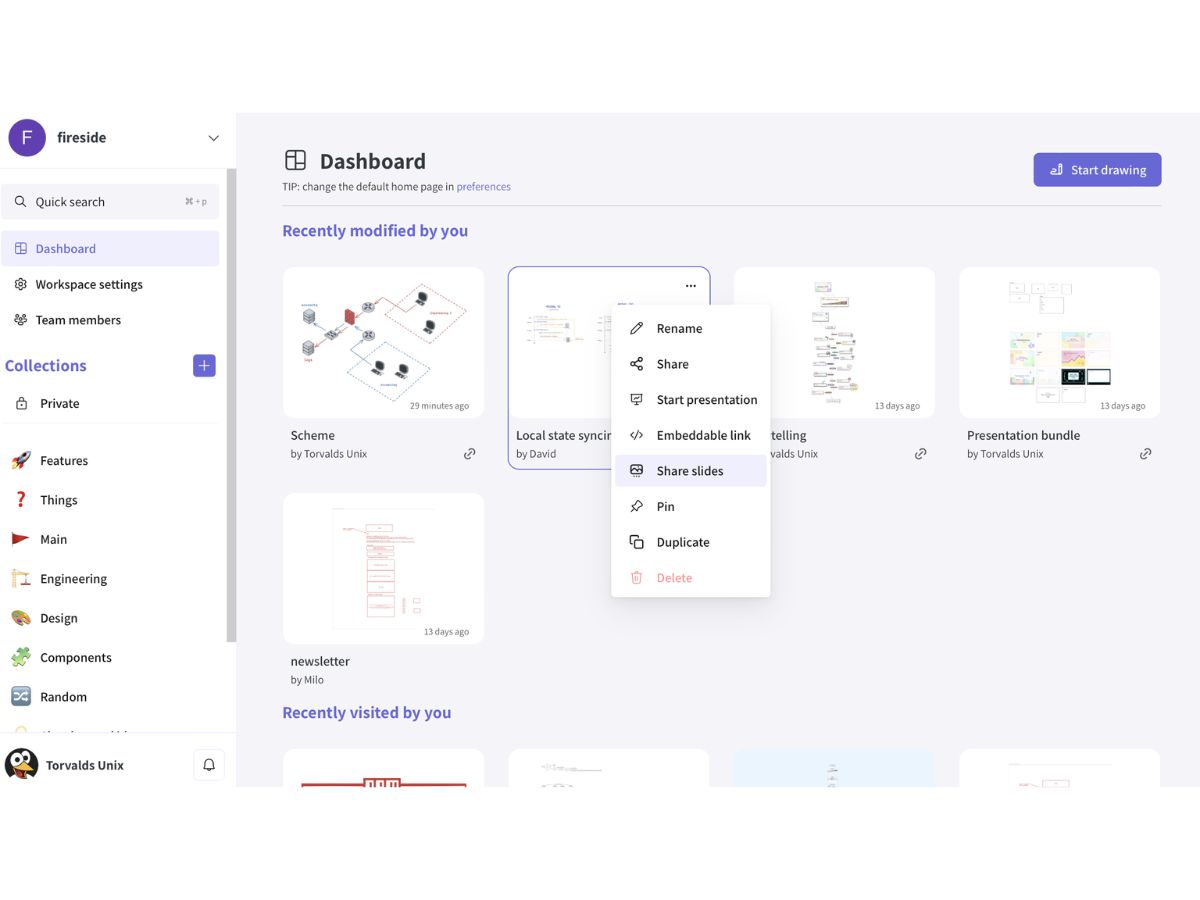
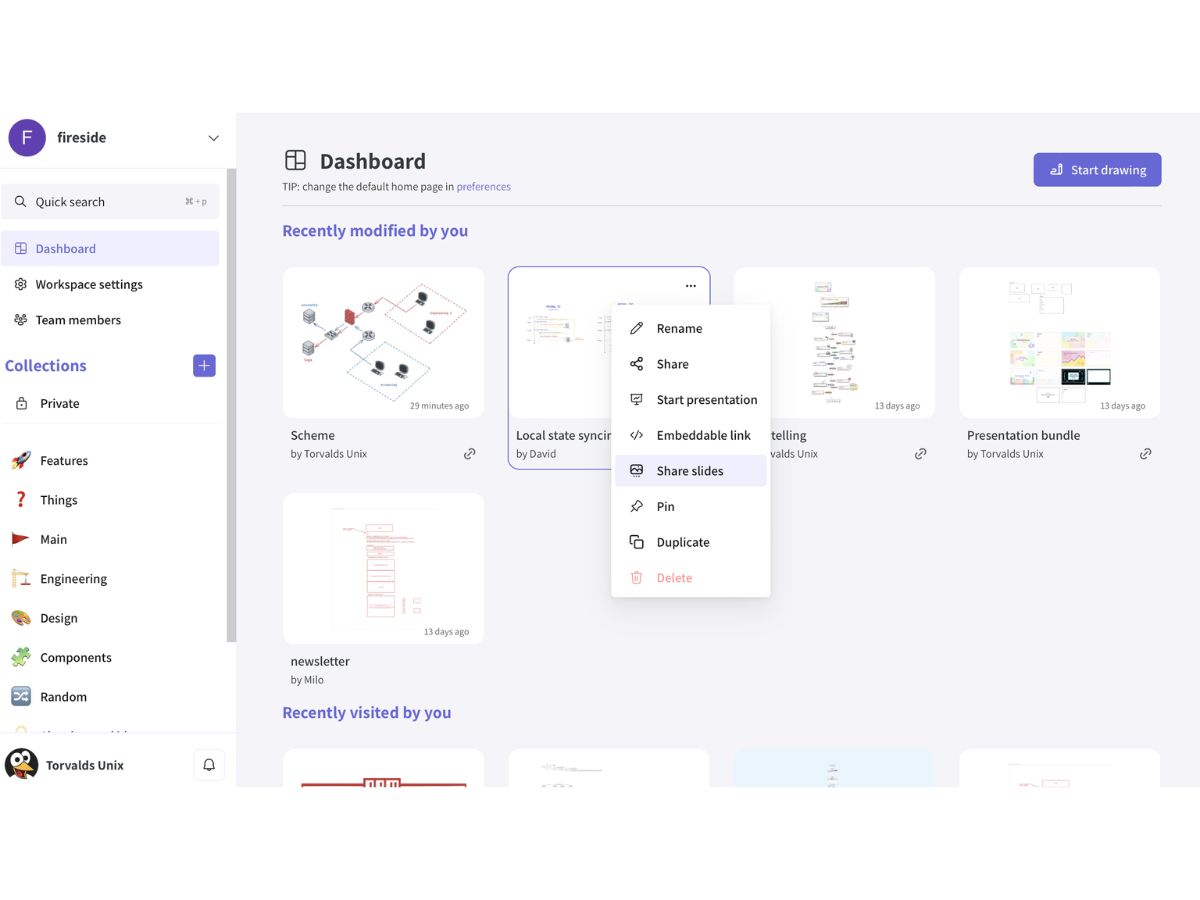
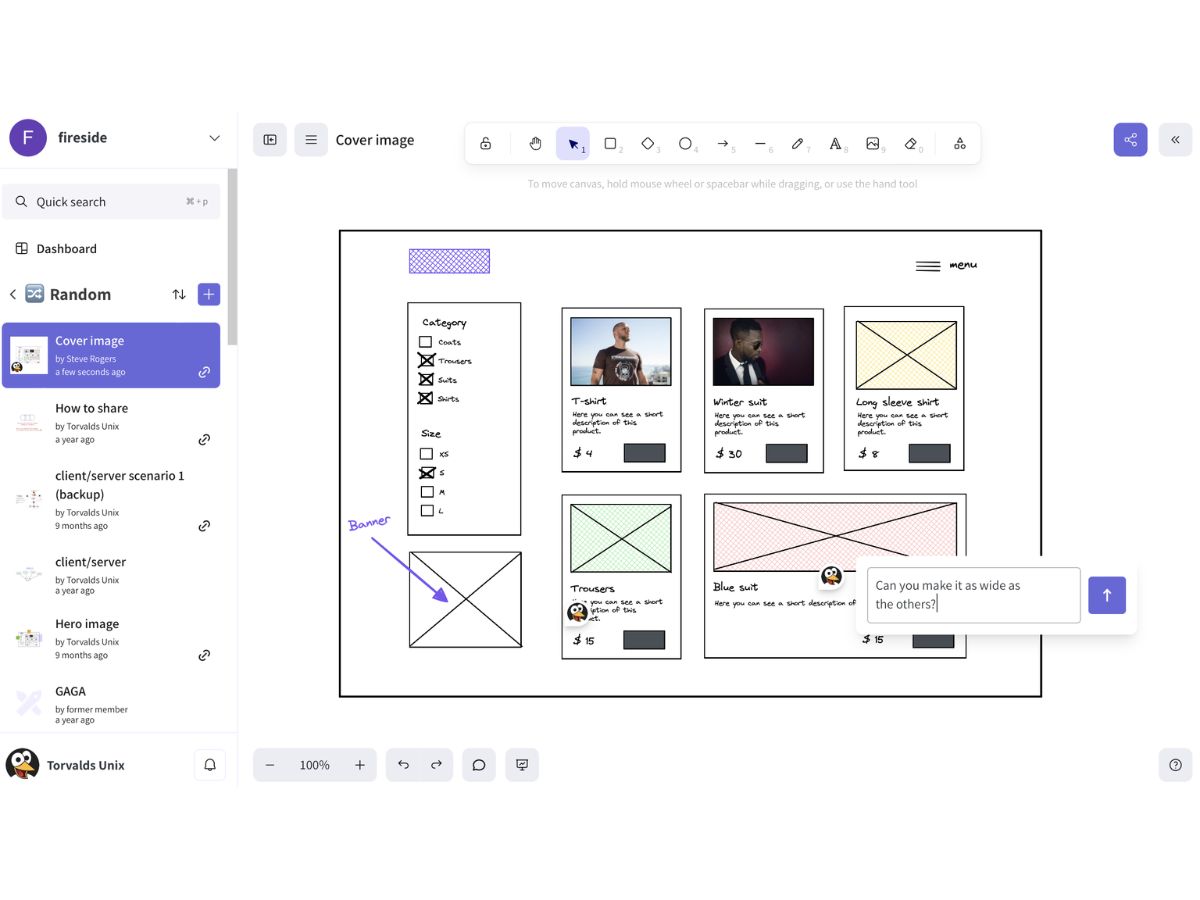
Excalidraw-dashboard
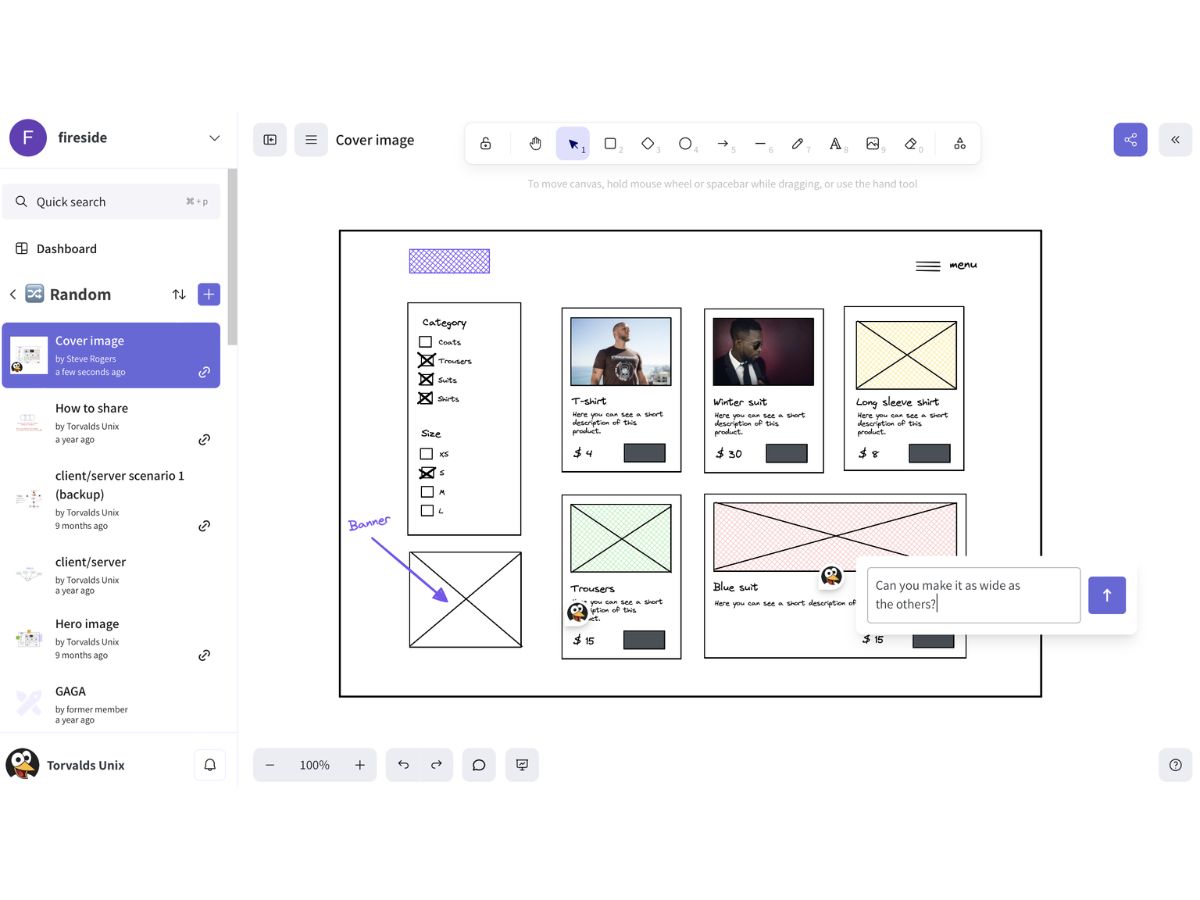
Excalidraw-collaborate

Excalidraw

Brand: Excalidraw

  • No Ratings & Reviews

Excalidraw is the intuitive collaborative whiteboard that simplifies sketching, powers real-time presentations, and leverages AI for effortless diagramming.

See More

Have you used Excalidraw before?

Share your insights for better experience

Add a Review
Starting Price
$7

View plans

100% Genuine
Products
Best Price
Guaranteed
Safe & Secure
Payment
  • Description

  • Pricing

  • Features

  • Specification

  • Review

  • Compare

  • Alternatives

  • FAQ

Starting at $7

Excalidraw Software Overview

What is Excalidraw?

Excalidraw is a virtual whiteboard application designed for creating diagrams, sketches, and wireframes with a distinct, hand-drawn aesthetic. It offers an intuitive and minimalist interface that allows users to quickly visualize ideas, whether working alone or collaboratively. As an open-source tool, it provides a free, accessible platform for instant drawing, while its premium version, Excalidraw+, enhances the experience with advanced features for teams and professionals, including cloud storage, enhanced collaboration tools, and powerful AI capabilities. It is trusted by a wide range of users, from individual developers to large corporations, for its simplicity and powerful functionality.

Why Choose Excalidraw?

  • Effortless Collaboration: The platform is built for teamwork, offering real-time collaboration where multiple users can edit a canvas simultaneously. Features like voice chat, screen sharing, and comments are integrated directly into the workspace, streamlining communication and feedback.
  • Hand-Drawn Charm: Unlike rigid vector tools, Excalidraw's output has a friendly, organic feel that encourages creativity and makes diagrams more approachable and engaging.
  • Open-Source Foundation: The core software is open-source, ensuring transparency and a community-driven development process. This also allows developers to self-host or integrate it into their own solutions, and even the free version includes integrations with tools like Notion and Obsidian.
  • Privacy and Security: The free version utilizes end-to-end encryption for drawings stored locally in the browser, while Excalidraw+ provides secure cloud storage for team workspaces. Excalidraw+ is SOC 2 certified, giving teams added confidence when handling sensitive diagrams and data.
  • Versatile Toolset: From quick brainstorming sessions to detailed architectural diagrams and interactive prototypes, Excalidraw adapts to various use cases without overwhelming the user with unnecessary features.

Advanced Features of Excalidraw

  • Generative AI: Leverage artificial intelligence to accelerate creation. The "Text to diagram" feature generates and edits complex diagrams from simple chat prompts, while "Wireframe to code" can create interactive web page prototypes from your visual layouts.
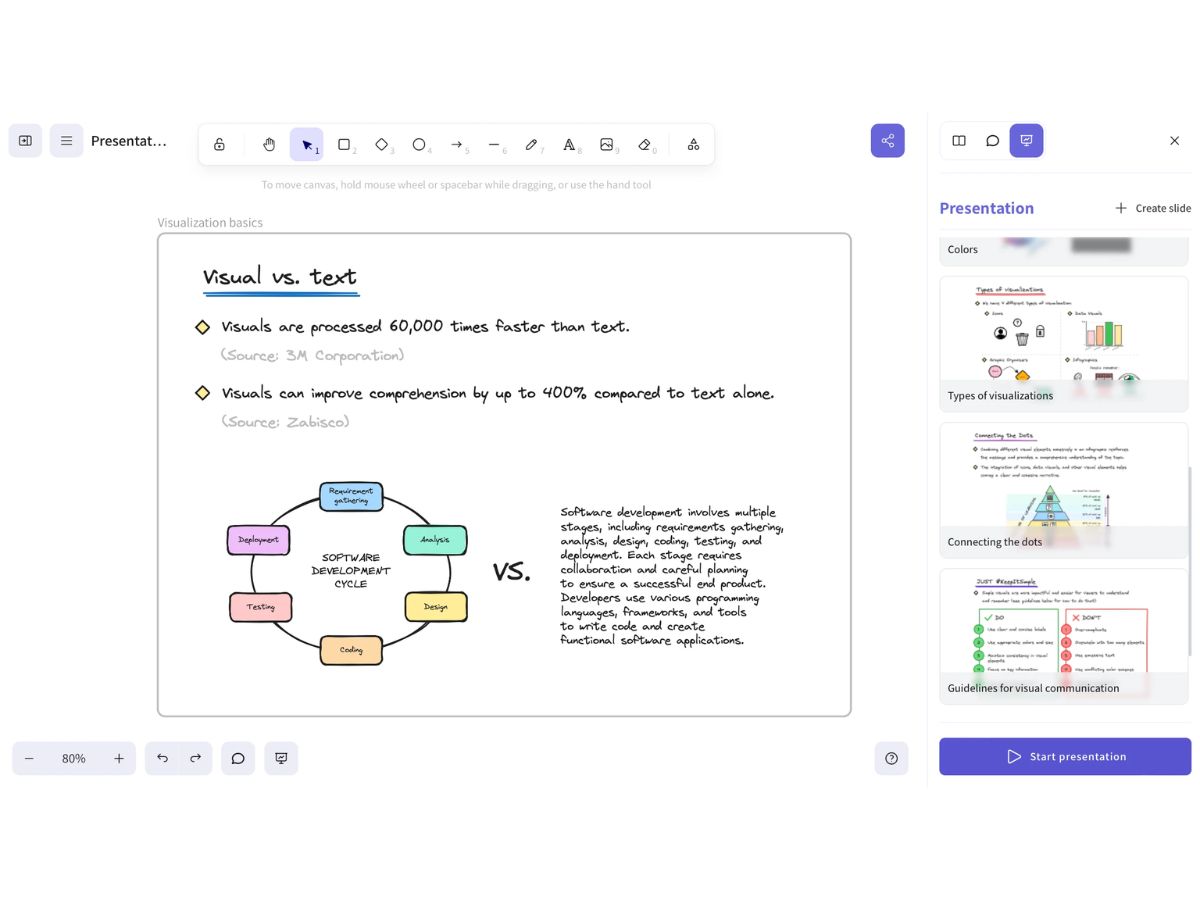
  • Presentation Mode: Transform your canvas into a dynamic presentation. You can present your work as online slides, conduct real-time presentations with guests, and export the final slides to PDF or PPTX formats for offline sharing.
  • Advanced Workspace Management: Organize your work efficiently with dedicated team workspaces. This includes robust user management, the ability to group drawings into collections, and secure cloud storage for all your assets.
  • Enhanced Sharing and Permissions: Gain granular control over your shared content. Invite guests to collaborate, assign view-only or edit permissions, and generate embeddable links to display your diagrams on websites or in documents.
  • Cloud-Saved Libraries: Create and manage personal and workspace libraries of reusable components. These libraries are saved to the server, ensuring your custom shapes and assets are accessible across all your devices and to your entire team.

Key Capabilities of Excalidraw

  • Infinite Canvas & Full Editor: Enjoy an unlimited drawing space equipped with a complete set of tools, including shapes, arrows, free-form drawing, and text. The editor is designed for speed and ease of use.
  • Real-Time Collaboration Suite: Work with your team on the same canvas simultaneously. The suite includes live cursors, integrated voice hangouts, screen sharing, and a commenting system for streamlined feedback.
  • AI-Powered Creation: Utilize built-in AI to automate and simplify complex tasks. Generate diagrams from text descriptions or convert wireframe designs into functional code prototypes.
  • Versatile Export Options: Share your work in multiple formats. The free version supports PNG, SVG, and JSON exports, while Excalidraw+ adds the ability to export presentations as PDF and PPTX files.
  • Team Organization: The Excalidraw+ dashboard allows for effective team management. You can create dedicated workspaces, manage user accounts, and organize projects into logical collections for easy access and oversight.

How to Use Excalidraw?

  1. Start Drawing Instantly: Navigate to the Excalidraw website and begin sketching on the infinite canvas right away. No sign-up is required for the basic free version.
  2. Invite Collaborators: To work with others, simply share a unique collaboration link. Team members can join your session and begin co-editing in real-time.
  3. Leverage the Toolset: Use the toolbar to select shapes, draw lines, add text, and build your diagram. For recurring elements, create or use public libraries to drag and drop components onto your canvas.
  4. Communicate and Refine: Use the integrated comments feature to leave specific feedback or start a voice chat for a quick discussion directly within the application.
  5. Share Your Work: Once complete, export your drawing as an image (PNG, SVG) or save the file. With Excalidraw+, you can also present your canvas as slides or export it to PDF for formal documentation.

Excalidraw Pricing

Excalidraw price starts at USD 7 at techjockey.com.

The pricing model is based on different parameters, including extra features, deployment type, and the total number of users. For further queries related to the product, you can contact our product team and learn more about the pricing and offers.

Read more

Excalidraw Company Details

Founded Year:  2020

Excalidraw is a virtual whiteboard for hand-drawn style diagrams and secure collaboration.

Director/Founders David Luzar, Milos Vetesnik
Company Size 1-100 Employees

Excalidraw Pricing & Plans

Plus
Key Features
  • Unlimited scenes and folders
  • Securely saved on cloud
  • Access management
  • Sharing with edit/view rights
  • Voice hangouts & screensharing
Starting at $7
    • Users

      Users
      Users
    • Monthly

      Monthly
      Monthly

Key Features

  • Unlimited scenes and folders

  • Securely saved on cloud

  • Access management

  • Sharing with edit/view rights

  • Voice hangouts & screensharing

Excalidraw Features

  • icon_check Real-Time Collaboration
    Enables multiple users to draw, edit, and brainstorm together on the same canvas simultaneously.
  • icon_check Diagram Creation
    Helps users build flowcharts, process maps, system diagrams, and visual representations easily.
  • icon_check Whiteboard Tools
    Offers drawing, sketching, annotation, and visual ideation tools for collaborative teamwork.
  • icon_check Shape Library
    Includes ready-to-use shapes, arrows, connectors, and elements for faster diagram creation.
  • icon_check Cloud Storage
    Securely stores drawings online and enables access from multiple devices and locations.
  • icon_check Version History
    Tracks changes made to drawings and allows users to review or restore previous versions.
  • icon_check Team Workspaces
    Organizes projects, diagrams, and whiteboards into shared workspaces for team management.
  • icon_check File Export
    Supports exporting whiteboards in formats such as PNG, SVG, and PDF for easy sharing.
  • icon_check Access Control
    Manages user permissions to control viewing, editing, and collaboration on shared boards.
  • icon_check Commenting Tools
    Enables users to provide feedback, suggestions, and discussion directly on whiteboards.
  • icon_check Template Library
    Provides pre-built templates for workflows, brainstorming sessions, diagrams, and planning.
  • icon_check Cross-Platform Access
    Access and edit whiteboards seamlessly through web browsers across different devices.
  • icon_check Workspace Management
    Helps organize boards, projects, and resources efficiently within dedicated workspaces.
  • icon_check Drawing Tools
    Offers freehand pen, pencil, and sketching capabilities for creating custom visual content.
Excalidraw Demo Video play icon

Get Excalidraw Demo

Watch the demo video to explore key features, real workflows, and how the software fits your business needs.

Understand
Key Features
Personal
Demo Insights
Interactive
Demo Support

Excalidraw Specifications

Supported Platforms
Ubuntu Ubuntu Windows Windows MacOS MacOS Linux Linux
Devices
Desktop Desktop
Deployment
Cloud-Based Cloud-Based
Suitable For
All Industries
Business Specific
All Businesses
Business Size
Individual Small Business Startups Medium Business Enterprises SMBs SMEs MSMEs Freelancers
Customer Support
Email Communities
Language
English
Integration
API Integration
Training Resources
Documentation Videos
AI Features
AI Integrated
Technology
Next Generation

Explore the Best Alternative Solutions Similar to Your Business Size and Needs

Medium Business

Built for business growth and flexibility

Doodly

4.4

Mural

4.9

Milanote

4.9

See More

Excalidraw Review

Techjockey Trusted Reviews from Verified Users

No reviews are currently available for Excalidraw. Discover similar Whiteboard Software reviews
  • Mural

    4.9

    Whats great - The best thing about Mural is the team and how they are always trying to improve the product. They take feedback very serious... read more

  • Microsoft Whiteboard

    4.9

    Whats great - Microsoft Whiteboard allows you to share ideas with other people. The app allows you and your team to draw or write as if you... read more

  • Milanote

    4.8

    Whats great - Flexible tools for mind mapping, organizing, and sketching read more

Compare Excalidraw With other Whiteboard Software

Products
Ratings
Pricing
Device Supported
Deployment
Supported Platforms
  • img

    Excalidraw

  • Price On Request

  • Desktop

    Mobile

  • Web based

    On Premises

  • Windows

    Mac OS

  • img

    Epic Pen

  • 4.3

  • ₹ 1200

  • Desktop

    Mobile

  • Web based

    On Premises

  • Windows

    Mac OS

  • img

    Whimsical

  • 4.6

  • Price On Request

  • Desktop

    Mobile

  • Web based

    On Premises

  • Windows

    Mac OS

  • img

    Doodly

  • 4.4

  • Price On Request

  • Desktop

    Mobile

  • Web based

    On Premises

  • Windows

    Mac OS

  • img

    Milanote

  • 4.9

  • Price On Request

  • Desktop

    Mobile

  • Web based

    On Premises

  • Windows

    Mac OS

  • img

    FigJam

  • 4.2

  • Price On Request

  • Desktop

    Mobile

  • Web based

    On Premises

  • Windows

    Mac OS

  • img

    Miro

  • 4.4

  • Price On Request

  • Desktop

    Mobile

  • Web based

    On Premises

  • Windows

    Mac OS

  • img

    Mural

  • 4.9

  • Price On Request

  • Desktop

    Mobile

  • Web based

    On Premises

  • Windows

    Mac OS

  • img

    Ziteboard

  • 4.2

  • Price On Request

  • Desktop

    Mobile

  • Web based

    On Premises

  • Windows

    Mac OS

  • img

    Collaboard

  • 4.3

  • Price On Request

  • Desktop

    Mobile

  • Web based

    On Premises

  • Windows

    Mac OS

(0) Product(s) selected

Excalidraw Alternatives

See All Excalidraw Alternatives

Starting Price:

$12 /Editor/Month

Starting Price:

$5 /Month

Available

Price on Request

Available

Price on Request

Articles for Excalidraw

See All Related Articles

Is Excalidraw free?

Yes, Excalidraw offers a free version that includes full editor functions, an infinite scene, unlimited collaborators, and export options to PNG, SVG, or file. There is also a paid Excalidraw+ plan available for additional features.

How do I save Excalidraw?

You can save your Excalidraw drawings by exporting them to .png, .svg, or by using the 'save to file' option. For Excalidraw+ users, drawings are automatically synced to the server and securely saved on the cloud.

What is Excalidraw used for?

Excalidraw is used as a collaborative workspace for creating and editing diagrams, wireframes, and presentations, enabling users to sketch ideas, collaborate seamlessly in real-time, and manage drawings individually or with a team.

Is Excalidraw open source?

Yes, Excalidraw is open-source software, supporting developers and contributors who can check out GitHub to create their own solutions.

Can I use Excalidraw offline?

While Excalidraw+ features like cloud saving and real-time collaboration require an internet connection, the free version stores data locally in your browser, which may allow for basic drawing functionality offline.

Who can use Excalidraw?

Excalidraw is suitable for a wide range of users, including individuals, teams, developers, designers, and even large companies, for any need requiring a collaborative workspace for sketching, diagramming, and prototyping.

What advanced AI features does Excalidraw+ offer?

Excalidraw+ provides extended AI features such as Text to Diagram generation and Wireframe to Code creation, with an upgrade to 100 requests/day, custom AI workspace settings, and Bring Your Own Key (BYOK) for custom APIs.

Does Excalidraw+ support real-time collaboration and communication?

Yes, Excalidraw+ is designed for real-time collaboration, offering features like advanced sharing with guests, voice chat for quick discussions, comments for detailed feedback, and live real-time presentations.

How much does Excalidraw cost?

Excalidraw price starts at USD 7 at techjockey.com.

Can Excalidraw be used for presentations?

Yes, Excalidraw+ includes presentation capabilities, allowing users to present their work as online slides, conduct real-time presentations with guests, and export presentations to PDF or PPTX formats.

20,000+ Software Listed

Best Price Guranteed

Free Expert Consultation

2M+ Happy Customers

Terms and Condtions

close

Users with registered businesses can purchase goods from merchants on the platform to satisfy their business needs. Users are not permitted to utilize any products acquired through the platform for resale, advertising, business, or further distribution.

For each purchase made, users will receive a Tax Invoice (or 'GST invoice') that includes specific details such as:

  • the GSTIN of the user associated with their registered business, and

  • the specified Entity Name for their business.

It should be noted that not all products are eligible for GST Invoice. Only the products displayed by participating sellers with the 'GST-based Invoice Available' callout on the product description page would qualify.

Certain goods and services are not eligible to get a GST Invoice, including items with VAS, i.e., Value Added Services (e.g., Total Mobile Protection/Assured Buyback) and those involving an exchange offer at the time of purchase.

Users must ensure the accuracy of the GSTIN, and business entity name provided for the GST Invoice. Requests for corrections into GST Invoice would not be accommodated by Techjockey.com or any Seller, and any issues arising from user-provided information are the sole responsibility of users.

Techjockey.com is not liable for the GST Invoice or any associated input tax credit. To efficiently claim an input tax credit, users should select the registered place of business address as per the GST authority's data and follow the provisions of the GST Act and rules.

To claim an input tax credit, the delivery and billing addresses must match. Furthermore, input tax credits will not be granted if the delivery address and GSTIN on the invoice are from different states. In case of incorrect GST details provided during the order placement, the order will be canceled automatically.