linkedin
FARVISION ERP logo
play Farvision ERP demo
FARVISION ERP1
FARVISION ERP2

FARVISION ERP

Brand: FARVISION ERP

  • 4.1

  • 4 Ratings

Manage the complete real estate lifecycle from plot to possession with FARVISION ERP, the purpose-built platform for India's developers and contractors.

See More

Have you used FARVISION ERP before?

Share your insights for better experience

Add a Review

Price Available on Request

Questions about pricing or customization? We’re here to help, just a click away.

100% Genuine
Products
Best Price
Guaranteed
Safe & Secure
Payment
  • Description

  • Pricing

  • Features

  • Specification

  • Review

  • Compare

  • Alternatives

  • FAQ

FARVISION ERP Software Overview

What is FARVISION ERP?

FARVISION ERP is a specialized, construction-grade Enterprise Resource Planning (ERP) software designed exclusively for the real estate and construction value chain in India. Unlike generic, horizontal ERPs that are retrofitted for the industry, FARVISION is built from the ground up to manage the entire project lifecyclefrom initial plot acquisition and legal liaison to final project handover and facility management. It provides a single, unified platform that connects critical business functions including finance, materials management, sales, engineering, and customer care. Trusted by over 900 firms across more than 30 Indian cities, FARVISION is engineered to handle the unique complexities, workflows, and regulatory requirements of the sector, ensuring a seamless flow of information and a robust audit trail for all operations.

Why Choose FARVISION ERP?

  • End-to-End Process Integration: The platform unifies every stage of a project, from land bank management and RERA sanctions to sales, collections, and possession. This creates a single source of truth, eliminating data silos and improving decision-making.
  • Regulatory Compliance: FARVISION is fully RERA-ready and equipped to handle GST and e-invoicing, ensuring that businesses remain compliant with India's complex regulatory landscape without manual workarounds.
  • Proven & Scalable: The software is trusted by a large base of over 900 developers, contractors, and property operators, annually managing a project value of 2.4 Lakh Crores. This demonstrates its reliability and scalability for businesses of all sizes.
  • Industry-Specific Workflows: It offers pre-mapped workflows for six distinct verticals within the construction ecosystem, ensuring the software runs as designed for your specific business needs, not as remembered by employees.

Advanced Features of FARVISION ERP

  • Tender & Contract Management: For contractors, it manages the entire process from RFQ and BOQ estimation to contract award, mobilization, running bills, and final settlement, including defect liability period (DLP) tracking.
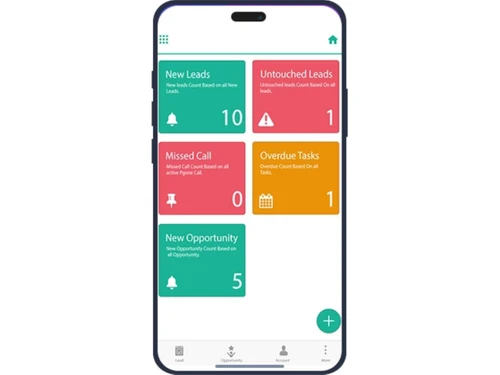
  • Sales & Customer Relationship Management (CRM): A robust CRM module handles lead management, channel partner tracking, booking processes, demand generation, and collections, providing a complete view of the customer journey.
  • Computer-Aided Facility Management (CAFM): For facility managers, it offers tools for managing work orders, planned preventive maintenance (PPM), asset registers, and HSE compliance, complete with a mobile app for technicians.
  • Leasing & Tenant Management: Property managers can efficiently handle leasing operations, from lead capture and lease abstraction to rent escalation, Common Area Maintenance (CAM) billing, and a dedicated tenant portal.
  • Community & Society Management: Features a dedicated resident app for society operations, managing billing, maintenance requests, visitor logs, polls, and society accounting.
  • Integrated Financials & Materials: A strong finance backbone connects all modules, supported by a comprehensive materials management system for procurement, inventory, and subcontractor billing.

Modules of FARVISION ERP

  1. Real Estate Developers (Build & Sell): An end-to-end module covering land bank, liaison, legal, RERA sanctions, BOQ, engineering, materials, sales, CRM, and customer handover.
  2. Contractors (Build for Others): Manages the complete contractor workflow, including tendering, client billing, subcontractor management, asset and equipment maintenance, and progressive payment certification.
  3. Property Managers (Operate): Focuses on leasing operations for commercial and residential portfolios with features for lease abstraction, rent escalation, CAM, and a tenant portal.
  4. Community Managers (Operate): Designed for society and community operations, this module includes billing, maintenance, complaint management, visitor logs, and a resident mobile app.
  5. Facility Managers - CAFM (Operate): A comprehensive CAFM system for managing work orders, PPM schedules, asset registers, and technician assignments, all integrated with core ERP financials.
  6. Manufacturing for Construction (Make): Caters to backward-integrated businesses like pre-fab, batching plants, and aggregate crushers, managing production, quality control, dispatch, and plant maintenance.

How to Use FARVISION ERP?

Getting started with FARVISION ERP involves a structured approach to ensure the platform is configured to your precise business needs. The typical journey begins with identifying which of the six core verticals your business operates in. From there, the implementation process focuses on mapping your existing workflows, such as Plot to Possession for a developer or Tender to Final Bill for a contractor, onto the software's pre-built templates. The most effective first step is to book a personalized 30-minute demo with the FARVISION team. This allows you to see the software in action, discuss your specific operational challenges, and understand how its features can be leveraged to drive efficiency and control in your organization.

FARVISION ERP Price

FARVISION ERP software price is available on request at Techjockey. The pricing model is based on different parameters, including extra features, deployment type, and the total number of users. For further queries related to the product, you can contact our product expert and learn more about the pricing and offers.

Read more

FARVISION ERP Pricing & Plans

Looking for The Right Pricing?

Share your requirements and get a plan built around your business.

  • Define your business needs
  • Get customised pricing
  • Choose features that fit your workflow

Price Available on Request

Get personalised FARVISION ERP pricing that fits your needs. Our team will connect with you.

FARVISION ERP Features

  • icon_check Real-Time Project Costing
    Track BOQs, actual costs, contractor bills, and KPIs like cost per square foot in real time.
  • icon_check Financial Module
    Real-time financial consolidation, cash flow analysis, and project fund planning across departments.
  • icon_check Sales Management
    Capture leads, automate follow-ups, manage inquiries to handovers, and improve sales conversion.
  • icon_check Material Planning
    MRP driven indents, purchase orders, supplier management, and stock visibility across sites.
  • icon_check Supply Chain Coordination
    Automate and control procurement, inventory, vendor follow-ups, and delivery across projects.
  • icon_check Billing & Payments
    Bill generation tied to contract milestones, scheduled receipts, and financial reconciliation.
  • icon_check Mobile App Support
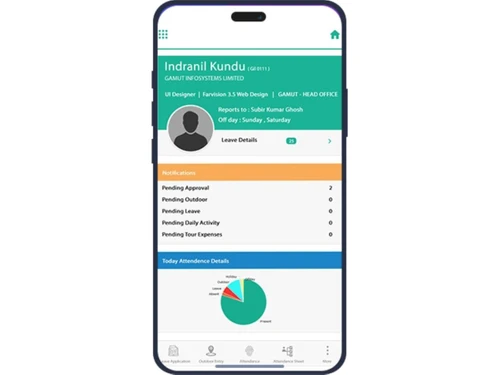
    Native iOS/Android apps with offline access, notifications, field updates, and GPS-enabled tracking.
  • icon_check Property Management
    Centralized tenant database, automated leases, renewals, rent collection, and ledger tracking.
  • icon_check Seamless Integration
    Provides real-time integration across financials, materials, construction, and marketing to streamline data and workflows across
  • icon_check Data Analysis
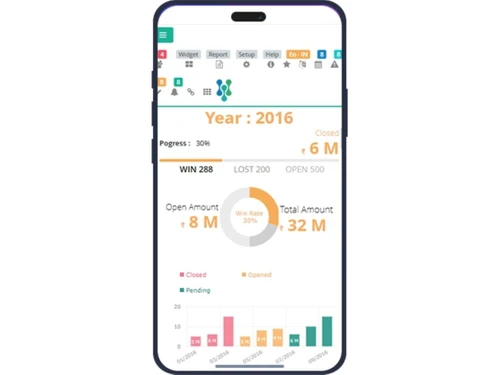
    Offers graphical visualization, dashboards, and analytics to turn real-time operational data into actionable business insights.
  • icon_check Inventory Management
    Automates procurement, material planning, stock tracking, and warehouse movements to optimize construction and site inventory.
  • icon_check Quality Management
    Ensures standardized processes and compliance with checks and controls throughout project cycles for consistent output quality.
  • icon_check Order Processing
    Coordinates purchase orders, vendor management, and material requisitions in real time to expedite project execution and delivery.
  • icon_check Project Management
    Plan, track, and monitor project activities including scheduling, milestones, resource allocation, and progress indicators.
  • icon_check Reporting & Analytics
    Centralized reporting engine generates custom, real-time reports and dashboards for performance, finances, and compliance.
FARVISION ERP Demo Video play icon

Get FARVISION ERP Demo

Watch the demo video to explore key features, real workflows, and how the software fits your business needs.

Understand
Key Features
Personal
Demo Insights
Interactive
Demo Support

FARVISION ERP Specifications

Supported Platforms
Ubuntu Ubuntu Windows Windows iOS iOS Android Android MacOS MacOS Linux Linux
Devices
Desktop Desktop Mobile Mobile Tablet Tablet iPad iPad
Deployment
Cloud-Based Cloud-Based
Suitable For
Real Estate
Business Specific
All Businesses
Business Size
Small Business Startups Medium Business Enterprises SMBs SMEs
Customer Support
Phone Email
Language
English
Integration
API Integration
Training Resources
Live Online Webinars Documentation Videos
AI Features
AI Integrated
Technology
Next Generation

Explore the Best Alternative Solutions Similar to Your Business Size and Needs

FARVISION ERP Review

4.1

Out of 5

img

Overall Rating

Based on
4 Verified Ratings

Rating Breakdown

  • Features 4.2
  • Value for Money 3.7
  • Ease of Use 4.1
  • Customer Support 4.5

97% Recommend this Product

Add Review

Techjockey Trusted Reviews from Verified Users

No reviews are currently available for FARVISION ERP. Discover similar Real Estate Software reviews

  • Realty Organiser

    4.9

    Whats great - Like team services, and management, read more

  • Cratio CRM

    4.3

    Whats great - It connects well with the tools I already use, like email and WhatsApp. There are no awkward tech hiccups. read more
  • HomeLead

    4.9

    Whats great - HomeLead provides a supportive learning environment with opportunities to work on real-world projects and gain practical indu... read more

Compare FARVISION ERP With other Real Estate Software

Products
Ratings
Pricing
Device Supported
Deployment
Supported Platforms
  • img

    FARVISION ERP

  • 4.1

  • Price On Request

  • Desktop

    Mobile

  • Web based

    On Premises

  • Windows

    Mac OS

  • img

    Realtosmart

  • 4.5

  • ₹ 34999

  • Desktop

    Mobile

  • Web based

    On Premises

  • Windows

    Mac OS

  • img

    BoomTown

  • 4.5

  • Price On Request

  • Desktop

    Mobile

  • Web based

    On Premises

  • Windows

    Mac OS

  • img

    Loop Estate

  • 4.4

  • Price On Request

  • Desktop

    Mobile

  • Web based

    On Premises

  • Windows

    Mac OS

  • img

    Acupoms

  • 4.5

  • Price On Request

  • Desktop

    Mobile

  • Web based

    On Premises

  • Windows

    Mac OS

  • img

    Realty Organiser

  • 4.7

  • ₹ 9999

  • Desktop

    Mobile

  • Web based

    On Premises

  • Windows

    Mac OS

  • img

    ePALS

  • 4.0

  • Price On Request

  • Desktop

    Mobile

  • Web based

    On Premises

  • Windows

    Mac OS

  • img

    Tenant Turner

  • 4.1

  • Price On Request

  • Desktop

    Mobile

  • Web based

    On Premises

  • Windows

    Mac OS

(0) Product(s) selected

FARVISION ERP Alternatives

See All FARVISION ERP Alternatives

Available

Price on Request

Available

Price on Request

Available

Price on Request

Available

Price on Request

Available

Price on Request

Starting Price:

₹10,000

Available

Price on Request

Starting Price:

₹7,999 /Month

Articles for FARVISION ERP

See All Related Articles

Which operating system does Farvision ERP For Manufacturing support?

Farvision ERP For Manufacturing ERP Software is compatible with Windows, IOS, Android and MacOS operating systems.

Is there any Farvision ERP For Manufacturing app?

Farvision ERP For Manufacturing ERP Software app is available for and Mobile.

What is deployment type of Farvision ERP For Manufacturing?

Farvision ERP For Manufacturing ERP Software supports Web-Based.

Who are the potential users of Farvision ERP For Manufacturing?

Farvision ERP For Manufacturing ERP Software is typically used in All Industries.

Is there any free trial or demo for Farvision ERP For Manufacturing?

Farvision ERP For Manufacturing ERP Software demo is available for free at Techjockey.

Is Farvision ERP For Manufacturing free?

Farvision ERP For Manufacturing ERP Software offers a free trial. However, the premium plan with advanced features available at Techjockey.

How can you download Farvision ERP For Manufacturing?

For Farvision ERP For Manufacturing ERP Software installation, insert the given CD/USB flash storage in your system and open the Setup Wizard to get started.

How does Farvision ERP For Manufacturing work?

Farvision ERP For Manufacturing ERP Software helps with Seamless Integration,Data Analysis,Inventory Management and Quality Management. It's a complete solution for Order Processing.

How much does FARVISION ERP cost?

The pricing of FARVISION ERP is available at INR 2000 per user/month at techjockey.com.

What is Farvision ERP?

Farvision ERP is a specialized software platform built for the Indian real estate and construction value chain, managing processes from land acquisition and construction to sales and property management.

What are the modules in Farvision ERP?

Farvision ERP includes a comprehensive set of modules tailored for different industry verticals, such as Financials, Sales & CRM, Materials, Engineering, Tendering, Client Billing, Leasing Management, and Computer-Aided Facility Management (CAFM).

How do I log into Farvision?

You can log into Farvision through the official web portal, which is typically accessed via a 'Login' link on the Farvision ERP website.

Does Farvision offer any mobile applications?

Yes, Farvision provides mobile apps for specific functions, such as the Technician App for facility management and the Resident App for community management operations.

How much does Farvision ERP cost?

Farvision ERP pricing is available on request at techjockey.com.

Is Farvision ERP compliant with RERA regulations?

Yes, Farvision ERP is designed to be RERA-ready, helping real estate developers in India maintain compliance with the Real Estate Regulatory Authority's guidelines.

What types of companies use Farvision ERP?

Farvision ERP is used by a wide range of companies in the construction sector, including real estate developers, contractors, property managers, community managers, and facility managers.

Is Farvision ERP designed for the Indian market?

Yes, Farvision ERP is specifically built for the Indian real estate and construction market, incorporating features like GST and e-invoicing to meet local business and regulatory requirements.

20,000+ Software Listed

Best Price Guranteed

Free Expert Consultation

2M+ Happy Customers

Terms and Condtions

close

Users with registered businesses can purchase goods from merchants on the platform to satisfy their business needs. Users are not permitted to utilize any products acquired through the platform for resale, advertising, business, or further distribution.

For each purchase made, users will receive a Tax Invoice (or 'GST invoice') that includes specific details such as:

  • the GSTIN of the user associated with their registered business, and

  • the specified Entity Name for their business.

It should be noted that not all products are eligible for GST Invoice. Only the products displayed by participating sellers with the 'GST-based Invoice Available' callout on the product description page would qualify.

Certain goods and services are not eligible to get a GST Invoice, including items with VAS, i.e., Value Added Services (e.g., Total Mobile Protection/Assured Buyback) and those involving an exchange offer at the time of purchase.

Users must ensure the accuracy of the GSTIN, and business entity name provided for the GST Invoice. Requests for corrections into GST Invoice would not be accommodated by Techjockey.com or any Seller, and any issues arising from user-provided information are the sole responsibility of users.

Techjockey.com is not liable for the GST Invoice or any associated input tax credit. To efficiently claim an input tax credit, users should select the registered place of business address as per the GST authority's data and follow the provisions of the GST Act and rules.

To claim an input tax credit, the delivery and billing addresses must match. Furthermore, input tax credits will not be granted if the delivery address and GSTIN on the invoice are from different states. In case of incorrect GST details provided during the order placement, the order will be canceled automatically.