linkedin
Feedback Link logo
play Feedback Link Survey Features
feedback link-looks
feedback link-platforms

Feedback Link

Brand: Feedback Link

  • No Ratings & Reviews

Have you used Feedback Link before?

Share your insights for better experience

Add a Review
Starting Price
$19

View plans

100% Genuine
Products
Best Price
Guaranteed
Safe & Secure
Payment
  • Pricing

  • Features

  • Specification

  • Review

Starting at $19

Feedback Link Pricing & Plans

Learn
Starting at $19
    • Licenses

      Licenses
      Licenses
    • Monthly

      Monthly
      Monthly

Key Features

  • 200 feedback responses/month

  • 1 Business location

  • Send 500 email invites/month

  • 50 Starting text (SMS) credits

  • 2 Social Proof widgets

  • 1,000 widget pageviews

Engage
Starting at $69
    • Licenses

      Licenses
      Licenses
    • Monthly

      Monthly
      Monthly

Key Features

  • Unlimited Responses

  • Up to 5 different locations

  • Send 5,000 email invites/month

  • 1000 Starting text (SMS) credits

  • Import online reviews

  • Automatically send review/feedback invites

Soar
Starting at $329
    • Licenses

      Licenses
      Licenses
    • Monthly

      Monthly
      Monthly

Key Features

  • Unlimited Responses

  • Up to 30 different locations

  • Send 100,000 email invites/month

  • 10,000 Starting text (SMS) credits

  • Import online reviews

  • Automatically send review/feedback invites

Feedback Link Features

  • icon_check Workflow Automation
    Systematically distribute automated invitations via electronic mail or short message service to request customer testimonials.
  • icon_check Survey Customization
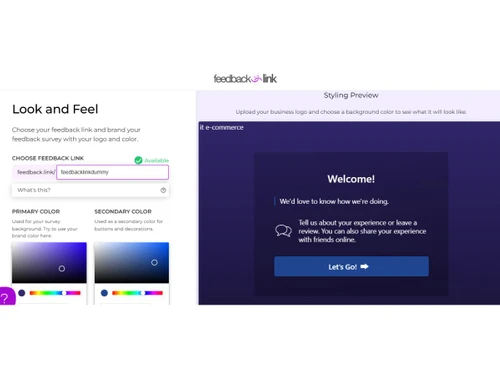
    Adjust survey visual elements and branding to maintain consistency across the user interface during the feedback collection.
  • icon_check Negative Routing
    Automatically direct unfavorable responses to a private channel to allow for internal resolution before public dissemination.
  • icon_check Social Proof Widget
    Display verified customer testimonials and star ratings on a website to establish credibility and increase conversion rates.
  • icon_check NPS Measurement
    Calculate the Net Promoter Score by categorizing respondents into promoters or detractors based on their likelihood to recommend.
  • icon_check Omnichannel Support & Engagement
    Gather customer insights across various digital touchpoints including mobile applications, web browsers, and physical locations.
  • icon_check QR Code Generator
    Create unique scannable codes for physical signage to bridge the gap between offline interactions and digital feedback forms.
  • icon_check Sentiment Analysis
    Utilize automated processing to evaluate the underlying tone of open-ended text responses for faster qualitative assessment.
  • icon_check Review Aggregation
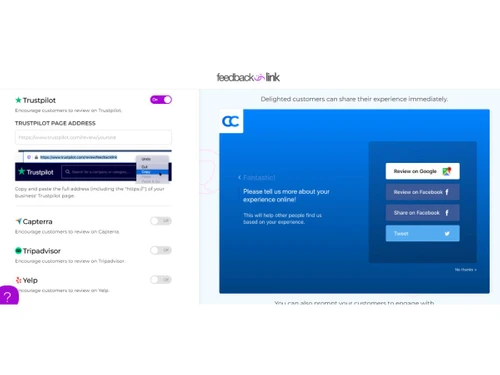
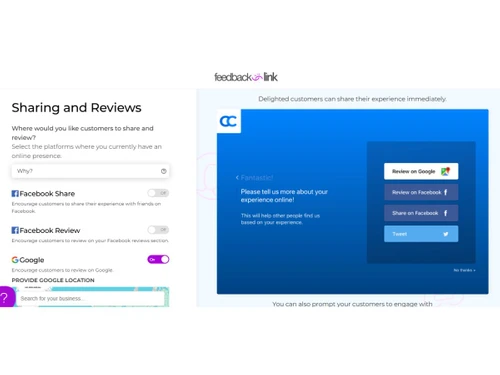
    Consolidate customer reviews from multiple external platforms into a single dashboard for streamlined monitoring and management.
  • icon_check Conditional Logic
    Define specific paths within a survey that change based on previous answers to ensure relevant questions for every respondent.
  • icon_check Response Analytics
    Access real-time data visualizations and reporting tools to track satisfaction trends and key performance indicators over time.
  • icon_check White Labeling
    Remove platform branding from feedback links and surveys to provide a completely integrated experience for the business client.
  • icon_check Team Collaboration
    Assign specific administrative roles and permissions to staff members for managing incoming feedback and resolving complaints.
  • icon_check Multi-Language Support
    Deploy feedback forms in various international languages to cater to a diverse global customer base and improve response rates.
  • icon_check Data Redaction
    Host survey pages on a custom subdomain to ensure that all feedback URLs align with the organization's primary web properties.
Feedback Link Demo Video play icon

Get Feedback Link Demo

Watch the demo video to explore key features, real workflows, and how the software fits your business needs.

Understand
Key Features
Personal
Demo Insights
Interactive
Demo Support

Feedback Link Specifications

Supported Platforms
Ubuntu Ubuntu Windows Windows MacOS MacOS Linux Linux
Devices
Desktop Desktop
Deployment
Cloud-Based Cloud-Based
Suitable For
All Industries
Business Specific
All Businesses
Business Size
Small Business Startups Medium Business Enterprises SMBs SMEs MSMBs
Customer Support
Email Communities
Language
English
Integration
API Integration
Training Resources
Videos

Feedback Link Review

Techjockey Trusted Reviews from Verified Users

No reviews are currently available for Feedback Link. Discover similar Customer Feedback Management Software reviews

  • Birdeye

    4.4

    Whats great - AI responses and sentiment analysis are standout features. read more

  • Easyrewardz CRM Suite

    4.7

    Whats great - Easyrewardz CRM helps retailers identify their customers and offer the most effective marketing strategies. read more

  • SurveySparrow

    4.3

    Whats great - Perfectly planned front and back end. Exceptionally simple to set up a study, send it by means of email by their administrati... read more

Articles for Feedback Link

See All Related Articles

20,000+ Software Listed

Best Price Guranteed

Free Expert Consultation

2M+ Happy Customers

Terms and Condtions

close

Users with registered businesses can purchase goods from merchants on the platform to satisfy their business needs. Users are not permitted to utilize any products acquired through the platform for resale, advertising, business, or further distribution.

For each purchase made, users will receive a Tax Invoice (or 'GST invoice') that includes specific details such as:

  • the GSTIN of the user associated with their registered business, and

  • the specified Entity Name for their business.

It should be noted that not all products are eligible for GST Invoice. Only the products displayed by participating sellers with the 'GST-based Invoice Available' callout on the product description page would qualify.

Certain goods and services are not eligible to get a GST Invoice, including items with VAS, i.e., Value Added Services (e.g., Total Mobile Protection/Assured Buyback) and those involving an exchange offer at the time of purchase.

Users must ensure the accuracy of the GSTIN, and business entity name provided for the GST Invoice. Requests for corrections into GST Invoice would not be accommodated by Techjockey.com or any Seller, and any issues arising from user-provided information are the sole responsibility of users.

Techjockey.com is not liable for the GST Invoice or any associated input tax credit. To efficiently claim an input tax credit, users should select the registered place of business address as per the GST authority's data and follow the provisions of the GST Act and rules.

To claim an input tax credit, the delivery and billing addresses must match. Furthermore, input tax credits will not be granted if the delivery address and GSTIN on the invoice are from different states. In case of incorrect GST details provided during the order placement, the order will be canceled automatically.