linkedin
GoodDay logo
play GoodDay - Productive Work and Inspiring Management
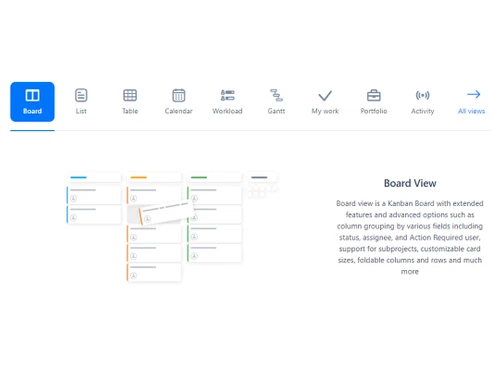
goodday board view
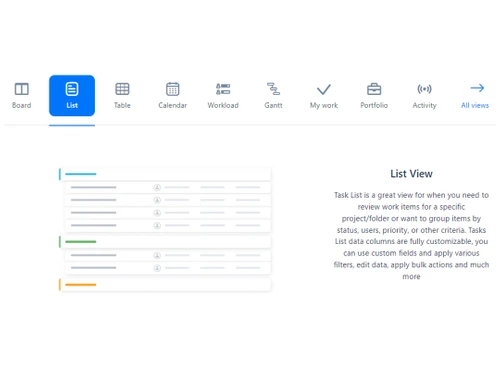
goodday list view

GoodDay

Brand: Createch Group

  • 4.4

  • 6 Ratings & 1 Review

Boost team productivity and streamline workflows with a powerful platform that organizes tasks, tracks progress, and simplifies collaboration.

See More

Have you used GoodDay before?

Share your insights for better experience

Add a Review
Starting Price
$6

View plans

100% Genuine
Products
Best Price
Guaranteed
Safe & Secure
Payment
  • Description

  • Pricing

  • Features

  • Specification

  • Review

  • Compare

  • Alternatives

  • FAQ

Starting at $6

GoodDay Software Overview

What is GoodDay Software?

GoodDay is a platform used at work to improve the well-being and organization of tasks and projects. It provides a comprehensive set of features for strategic planning, project and product portfolio management, and daily task coordination.

It can also serve as a strong base for the cooperation of effective teams and tracking of their progress as well as the result of the operational work done by the teams that design and carry out efficient and effective workflows. Most of its features are easy to understand, which means that tasks, assignments, and progress can be assigned and checked with real-time updates while communicating with coworkers. Fully loaded with analytics and reporting features, users can follow up on team performances and make the right decisions.

Additional features of GoodDay workforce management software include flexible and easily configurable business processes and automated actions, which minimize paperwork and increase efficiency. The reporting and analytics feature of the software is relatively rich and informative, and they help organizations to better understand their employees’ performance and project results, to make timely adjustments to their supply chain management. It is a dependable and fully loaded application that assists companies in attaining greater productivity benchmarks and efficiently overseeing their employees for increased opportunities.

Key Features of Goodday Workforce Management System

  • Process Management: Plan the flow of work clearly to avoid muddling work tasks from the beginning and end, unnecessarily.
  • Task Management: Manage work effectively so that your team easily knows what they are supposed to do, where they are, and when to do it without necessarily being prodded.
  • Events & Milestones: Coordinate a clock for such significant events as the project launch or a meeting to ensure everyone on the team remembers all the dates.
  • Time Management: Goodday workforce management software is designed to show time spent on different tasks to work hours planning and to control the time spent on different tasks against the planned time frame.
  • Customization: Make the software more suitable for your team by changing the process, forms, and interface according to your preferences.
  • Data Management: Allow for easy storage, organization, and retrieval of all data relevant to the specific projects, so that teams can easily retrieve vital data.
  • Work Views: Move between boards to switch between Kanban, calendar, or list view in order to manage projects depending on the user’s preference.
  • Integrations: Integrate GoodDay with other tools based on your company including Google Drive, Slack, Trell,o or any other your organization is using to make work more efficient and effective from start to finish.
  • Import/Export: Goodday workforce management system smoothly integrates the data in and out; it means for example the work progress report is easily onboarded.
  • Notifications: Ensure that you get regular updates on task due dates, changes of activity, or updates on the progress of the group’s task among others.
  • Apps & Devices: GoodDay is available as a workforce management system on desktops, mobiles, and tablets to cater to the needs of any time and anywhere in flexibility to handle tasks and projects.
  • User Interface: Users can have easy to navigate the platform due to the simplicity of the graphical user interface which does not require advanced training.

Why Choose GoodDay Workforce Management System?

  • Big Screens: The work management platform allows teams to showcase their project progress, task boards, and other important information in a visually engaging manner.
  • Unlimited Hierarchy: It provides flexibility in managing and organizing tasks, projects, and sub-projects.
  • Custom Statuses & Workflows: The software allows users to customize task statuses and workflows to match specific project stages and team processes.
  • Backlogs: This enables teams to capture and prioritize ideas, requests, and tasks that are not yet scheduled for execution.
  • Task Checklist: Gooday workforce management system allows users to create subtasks or checklist items within a task to ensure comprehensive task management and progress tracking.
  • Guesstimates: The tool allows users to estimate task duration and resource requirements roughly.

Benefits of GoodDay Software

  • The work management platform allows users to track and report the time spent on tasks and projects.
  • It enables bulk editing of tasks and other project elements to save time and effort when simultaneously making changes to multiple items.
  • Goodday workforce management software provides a project portfolio view for teams and stakeholders to gain an overview of all projects and their status within a single dashboard.
  • It visually represents project timelines, dependencies, and progress, helping teams plan and manage projects effectively.

Pricing of GoodDay Workforce Management Software

GoodDay pricing offers flexible plans to cater to teams of all sizes. 

  • The Free Plan supports up to 15 users with unlimited projects, basic analytics, and 1GB of storage. 
  • The Professional Plan costs $6 per user/month, offering advanced customization, time tracking, and up to 250 users. 
  • The Business Plan at $10 per user/month adds features like resource management, CRM, and expense tracking. 
  • For large enterprises, a custom-priced Enterprise Plan provides tailored features and advanced security.
Read more

GoodDay Pricing & Plans

Professional
Starting at $6
    • Users

      Users
      Users
    • Monthly

      Monthly
      Monthly

Key Features

  • Up to 250 members

  • Unlimited storage

  • GoodDay Productivity Suite

  • Advanced customization

  • Time tracking

  • Unlimited Automations

Business
Starting at $10
    • Users

      Users
      Users
    • Monthly

      Monthly
      Monthly

Key Features

  • All Professional edition features

  • Up to 350 members

  • Workload & Resource management

  • Finance Module

  • CRM

  • Customer Portal

GoodDay Features

  • icon_check Process Management
    Allows users to define and optimize workflows to ensure smooth and efficient task execution.
  • icon_check Task Management
    Enables users to create, assign, prioritize, and track tasks to ensure clarity and accountability.
  • icon_check Events & Milestones
    Users can create and manage events and milestones to track important dates and achievements.
  • icon_check Time Management
    Enables users to manage and allocate time efficiently to improve productivity and meet deadlines.
  • icon_check Customization
    Allows users to customize workflows, task fields, labels, and more, to match specific team and project requirements.
  • icon_check Data Management
    Provides a secure, centralized repository for storing and organizing project-related data.
  • icon_check Integration
    Allows smooth data transfer and collaboration across different applications.
  • icon_check Import/Export Management
    Users can migrate existing project data or collaborate with external stakeholders.
  • icon_check Notification
    Keeps users informed about task updates, deadlines, and important events.
  • icon_check Reports & Analytics
    Provides valuable insights into team performance, task progress, and project health.
  • icon_check User Interface
    Boasts a user-friendly and intuitive interface to ensure an efficient user experience for all team members.
GoodDay Demo Video play icon

Get GoodDay Demo

Watch the demo video to explore key features, real workflows, and how the software fits your business needs.

Understand
Key Features
Personal
Demo Insights
Interactive
Demo Support

GoodDay Specification

Supported Platforms
Windows Windows
Devices
Desktop Desktop
Deployment
Web-Based Web-Based
Suitable For
All Industries
Business Specific
All Businesses
Business Size
Small Business Startups Medium Business Enterprises SMBs SMEs MSMBs MSMEs
Customer Support
Email
Language
English
Training Resources
Videos

Explore the Best Alternative Solutions Similar to Your Business Size and Needs

GoodDay Review

4.4

Out of 5

img

Overall Rating

Based on
1 Verified Review

Rating Breakdown

  • Features 4.3
  • Value for Money 4.5
  • Ease of Use 4.2
  • Customer Support 4.5

90% Recommend this Product

Add Review

GoodDay Video Review

youtubeVideoId

4.3

“GoodDay REVIEW - New Best Project Management Tool.”

Review by: InstantHowTo

Compare GoodDay With other Workforce Management Software

Products
Ratings
Pricing
Device Supported
Deployment
Supported Platforms
  • img

    GoodDay

  • 4.4

  • Price On Request

  • Desktop

    Mobile

  • Web based

    On Premises

  • Windows

    Mac OS

  • img

    Workstatus

  • 4.5

  • ₹ 399

  • Desktop

    Mobile

  • Web based

    On Premises

  • Windows

    Mac OS

  • img

    Payoneer WFM

  • 4.1

  • Price On Request

  • Desktop

    Mobile

  • Web based

    On Premises

  • Windows

    Mac OS

  • img

    ProHance

  • 4.3

  • Price On Request

  • Desktop

    Mobile

  • Web based

    On Premises

  • Windows

    Mac OS

  • img

    Trackforce

  • 4.3

  • Price On Request

  • Desktop

    Mobile

  • Web based

    On Premises

  • Windows

    Mac OS

  • img

    Jolt

  • 4.6

  • Price On Request

  • Desktop

    Mobile

  • Web based

    On Premises

  • Windows

    Mac OS

  • img

    T3Workforce

  • 3.8

  • ₹ 80

  • Desktop

    Mobile

  • Web based

    On Premises

  • Windows

    Mac OS

  • img

    TeamWise

  • 4.5

  • Price On Request

  • Desktop

    Mobile

  • Web based

    On Premises

  • Windows

    Mac OS

  • img

    WorkMax

  • 4.4

  • Price On Request

  • Desktop

    Mobile

  • Web based

    On Premises

  • Windows

    Mac OS

  • img

    Fieldmobi

  • 4.2

  • Price On Request

  • Desktop

    Mobile

  • Web based

    On Premises

  • Windows

    Mac OS

(0) Product(s) selected

GoodDay Alternatives

See All GoodDay Alternatives

Available

Price on Request

Available

Price on Request

Jolt

4.6

Available

Price on Request

Starting Price:

₹30 /Month
Available

Price on Request

Available

Price on Request

Available

Price on Request
Available

Price on Request

Starting Price:

$8 /Month

Available

Price on Request

Is there any GoodDay App?

GoodDay app is available on Android and iOS devices.

How Much Does GoodDay Software Cost?

GoodDay pricing starts free for small teams, scaling to $10/user/month for advanced features, with custom options for enterprises.

Is there any free trial or demo for GoodDay?

GoodDay demo is available for free with Techjockey.com.

How can you download the GoodDay System?

GoodDay system is a web-based program, so you need not download it on your PC. However, if you use mobile devices, you can download it from the Play Store or App Store.

How Does the GoodDay Work?

GoodDay is a comprehensive work management platform that integrates top-notch tools for efficient planning, project and product management, task organization, and productivity enhancement.

20,000+ Software Listed

Best Price Guranteed

Free Expert Consultation

2M+ Happy Customers

Terms and Condtions

close

Users with registered businesses can purchase goods from merchants on the platform to satisfy their business needs. Users are not permitted to utilize any products acquired through the platform for resale, advertising, business, or further distribution.

For each purchase made, users will receive a Tax Invoice (or 'GST invoice') that includes specific details such as:

  • the GSTIN of the user associated with their registered business, and

  • the specified Entity Name for their business.

It should be noted that not all products are eligible for GST Invoice. Only the products displayed by participating sellers with the 'GST-based Invoice Available' callout on the product description page would qualify.

Certain goods and services are not eligible to get a GST Invoice, including items with VAS, i.e., Value Added Services (e.g., Total Mobile Protection/Assured Buyback) and those involving an exchange offer at the time of purchase.

Users must ensure the accuracy of the GSTIN, and business entity name provided for the GST Invoice. Requests for corrections into GST Invoice would not be accommodated by Techjockey.com or any Seller, and any issues arising from user-provided information are the sole responsibility of users.

Techjockey.com is not liable for the GST Invoice or any associated input tax credit. To efficiently claim an input tax credit, users should select the registered place of business address as per the GST authority's data and follow the provisions of the GST Act and rules.

To claim an input tax credit, the delivery and billing addresses must match. Furthermore, input tax credits will not be granted if the delivery address and GSTIN on the invoice are from different states. In case of incorrect GST details provided during the order placement, the order will be canceled automatically.