USA
USA UAE
UAESmall Business
Designed for startups and growing businesses

See More





Brand: Tilda Technologies
Humata Conversational AI Software will elevate customer engagement with AI-powered conversations that drive results.
See MoreHave you used Humata before?
Share your insights for better experience
Brand: Tilda Technologies
Founded Year: 2005
Tilda Technologies has focused on using Service Oriented Architecture (SOA) as the framework for all major back-end developments with varied front-ends using HTML 5 and Windows Presentation Foundation (WPF) to create on-premise and cloud solutions for PC’s, mobiles and tablets.
 Conversational AI Chatbot Artificial Intelligence Natural Language Processing Sentiment Analysis Web Content Management Multi-language Multi-File Chat Team Management Phone & Chat Support

Watch the demo video to explore key features, real workflows, and how the software fits your business needs.
 Ubuntu
  Windows
  MacOS
MacOS  Linux
Linux  Desktop
  Mobile
  Tablet
  iPad
iPad  Cloud-Based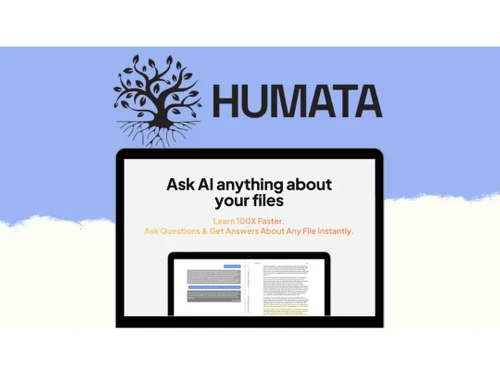
4.8
Out of 5

Overall Rating
Based on
5 Verified Reviews
Rating Breakdown
90% Recommend this Product
Add ReviewUsers generally appreciate Humata for its intuitive interface and ability to generate high-quality content quickly, making it a valuable tool for content creators. The collaborative features enhance its utility for team projects, while the diverse writing styles cater to various needs. However, some users note that certain content may require fine-tuning to match specific brand tones, and there are occasional concerns about the accuracy of information for technical subjects. Overall, Humata is well-regarded for sparking creativity and saving time in the writing process.


Mar 4, 2024
Techjockey Verified
“Humata AI is a Seamless Writing Companion”
Pros
After exploring various AI writing tools, Humata AI emerged as the standout choice. Its intuitive interface, diverse writing styles, and quick content generation set it apart. The adaptive learning capabilities make it feel like a true writing companion. The collaborative features also make it suitable for team projects.
Cons
Not any
Reason to switch
However, Humata AI's adaptive learning and personalized approach, along with its seamless integration into the user's workflow, made it the preferred choice.
Mar 3, 2024
Techjockey Verified
“A Time-Saving Marvel for Content Creators”
Pros
Humata AI has been a time-saving marvel in my content creation journey. Its quick generation of high-quality content snippets and outlines has significantly reduced the time I spend on initial drafts. The tool's versatility in adapting to different writing styles ensures that it caters to a wide range of content requirements. The collaborative features also make it easy to integrate Humata AI into team workflows.
Cons
Some content may need fine-tuning to align better with specific brand tones or messaging strategies. Additionally, more industry-specific templates could enhance the tool's utility for niche content creators.
Mar 4, 2024
Techjockey Verified
“Unleashing Creativity with Humata AI”
Pros
Humata AI has become my go-to platform for unlocking creativity in content creation. The tool's diverse range of writing styles and tones cater to various content needs. The ability to generate ideas and suggestions on-demand has significantly reduced writer's block, making the creative process more enjoyable. Humata AI's constantly evolving algorithms ensure that it stays at the forefront of AI-assisted writing.
Cons
Humata AI may not consistently produce accurate or detailed information in a few cases. It's advisable to cross-verify data for more technical subjects.

Humata
Price On Request
Desktop
Mobile
Web based
On Premises
Windows
Mac OS

ChatGPT
Price On Request
Desktop
Mobile
Web based
On Premises
Windows
Mac OS

Google Gemini
₹ 399
Desktop
Mobile
Web based
On Premises
Windows
Mac OS

NovaX AI
₹ 499
Desktop
Mobile
Web based
On Premises
Windows
Mac OS

AI Fiesta
₹ 999
Desktop
Mobile
Web based
On Premises
Windows
Mac OS

Arena AI
Price On Request
Desktop
Mobile
Web based
On Premises
Windows
Mac OS
Mihup
Price On Request
Desktop
Mobile
Web based
On Premises
Windows
Mac OS

ChatGOT
Price On Request
Desktop
Mobile
Web based
On Premises
Windows
Mac OS

Smallest ai
Price On Request
Desktop
Mobile
Web based
On Premises
Windows
Mac OS

Macaly
Price On Request
Desktop
Mobile
Web based
On Premises
Windows
Mac OS

Harpa AI
Price On Request
Desktop
Mobile
Web based
On Premises
Windows
Mac OS
(0) Product(s) selected
Starting Price:
₹499 /Month
Available
Price on Request
Starting Price:
$10 /Month
Starting Price:
$49
Starting Price:
$25 /Month

Available
Price on Request

Starting Price:
€49 /Month

Available
Price on Request
Available
Price on Request

Available
Price on Request

Available
Price on Request
Humata AI is not absolutely free, but it does come with a free trial. You can try Humata AI for 14 days.
The Humata AI app is not available on Android and iOS devices.
To create a Humata AI account, visit Humata’s official website, and register your account by filling in the essential credentials like first name, last name, and email ID. Enter a strong password. A verification mail would be sent to the email address, just verify it. And you are good to go.
Humata AI Conversational Software price in India starts at $2. This software comes with multiple pricing plans and caters to a diverse customer base.
Humata AI can be used by students, content creators, content marketers, researchers, professionals, and anyone who needs a conversational platform.
Humata AI Conversational system demo is available for free with techjockey.com.
Humata AI Conversational Software is compatible with Windows and macOS device systems.
For Humata, AI Software’s installation is not required, as it is web-based. Just open the Setup Wizard to get started.
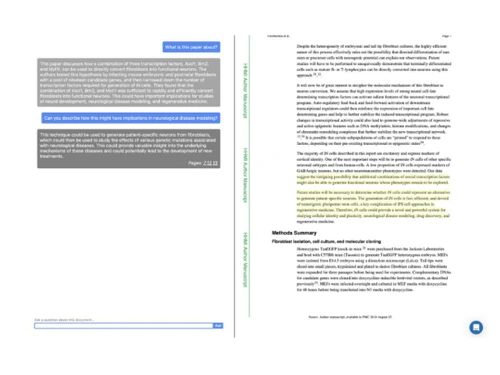
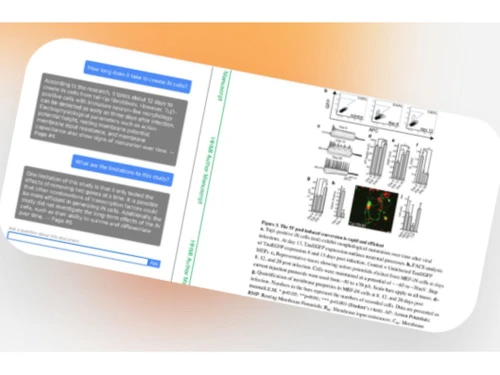
Humata is an innovative AI conversational tool that functions as a virtual assistant for your files. It enables users to interact with their data by asking questions, and it swiftly delivers AI-generated responses, making data exploration and retrieval a seamless and efficient process.
No, Humata does not use ChatGPT, rather it uses a natural language processing system that gives the user a ChatGPT-like experience.
Yes, Humata AI is safe to use as every information that you enter in Humata is kept strictly confidential and only given to the user when requested.
If you are using a free plan of Humata you can add a maximum of 60 pages, allowing users to explore its capabilities without asking them to upgrade to a premium pack of $9.99/month.
Humata AI’s free plan is accessible in India using which you can access up to 60 pages and get up to 10 rephrases per question. The other paid version includes a student plan of $1.99 for students and an expert plan of $9.99/month.
Re-upload your source documents to the new tool; chat histories rarely transfer, so export important answers as text before switching.
0 0
ChatPDF and NotebookLM are easiest for non-technical users, with simple upload-and-ask interfaces requiring no setup.
0 0
Humata, ChatDOC, and NotebookLM are known for accurate source citations, highlighting the exact passages behind each answer.
0 0
20,000+ Software Listed
Best Price Guranteed
Free Expert Consultation
2M+ Happy Customers
Terms and Condtions

Users with registered businesses can purchase goods from merchants on the platform to satisfy their business needs. Users are not permitted to utilize any products acquired through the platform for resale, advertising, business, or further distribution.
For each purchase made, users will receive a Tax Invoice (or 'GST invoice') that includes specific details such as:
the GSTIN of the user associated with their registered business, and
the specified Entity Name for their business.
It should be noted that not all products are eligible for GST Invoice. Only the products displayed by participating sellers with the 'GST-based Invoice Available' callout on the product description page would qualify.
Certain goods and services are not eligible to get a GST Invoice, including items with VAS, i.e., Value Added Services (e.g., Total Mobile Protection/Assured Buyback) and those involving an exchange offer at the time of purchase.
Users must ensure the accuracy of the GSTIN, and business entity name provided for the GST Invoice. Requests for corrections into GST Invoice would not be accommodated by Techjockey.com or any Seller, and any issues arising from user-provided information are the sole responsibility of users.
Techjockey.com is not liable for the GST Invoice or any associated input tax credit. To efficiently claim an input tax credit, users should select the registered place of business address as per the GST authority's data and follow the provisions of the GST Act and rules.
To claim an input tax credit, the delivery and billing addresses must match. Furthermore, input tax credits will not be granted if the delivery address and GSTIN on the invoice are from different states. In case of incorrect GST details provided during the order placement, the order will be canceled automatically.