Description
Pricing
Features
Specification
Review
Compare
FAQs
Alternatives
 Get Free Advice
Get Quote


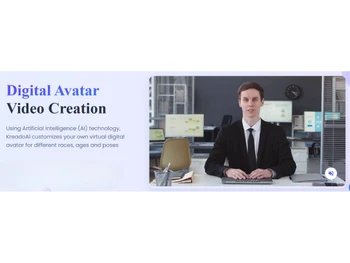
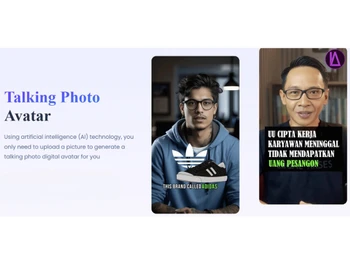




Brand : KreadoAI


4.0 
6 Ratings
Have Questions?
Starting at
$ 10
Save Extra with 2 Offers
 Save upto 18%, Get GST Invoice on your business purchase |
Users with registered businesses can purchase goods from merchants on the platform to satisfy their business needs. Users are not permitted to utilize any products acquired through the platform for resale, advertising, business, or further distribution.
For each purchase made, users will receive a Tax Invoice (or 'GST invoice') that includes specific details such as:
the GSTIN of the user associated with their registered business, and
the specified Entity Name for their business.
It should be noted that not all products are eligible for GST Invoice. Only the products displayed by participating sellers with the 'GST-based Invoice Available' callout on the product description page would qualify.
Certain goods and services are not eligible to get a GST Invoice, including items with VAS, i.e., Value Added Services (e.g., Total Mobile Protection/Assured Buyback) and those involving an exchange offer at the time of purchase.
Users must ensure the accuracy of the GSTIN, and business entity name provided for the GST Invoice. Requests for corrections into GST Invoice would not be accommodated by Techjockey.com or any Seller, and any issues arising from user-provided information are the sole responsibility of users.
Techjockey.com is not liable for the GST Invoice or any associated input tax credit. To efficiently claim an input tax credit, users should select the registered place of business address as per the GST authority's data and follow the provisions of the GST Act and rules.
To claim an input tax credit, the delivery and billing addresses must match. Furthermore, input tax credits will not be granted if the delivery address and GSTIN on the invoice are from different states. In case of incorrect GST details provided during the order placement, the order will be canceled automatically.
Buy Now & Pay Later, Check offer on payment page. Kreado AI is an AI platform that quickly turns text, images, or audio into professional videos with avatars and voiceovers. ...Read more
 Get Instant Expert
  Safe & Secure
  Assured Best Price
 We make it happen! Get your hands on the best solution based on your needs.
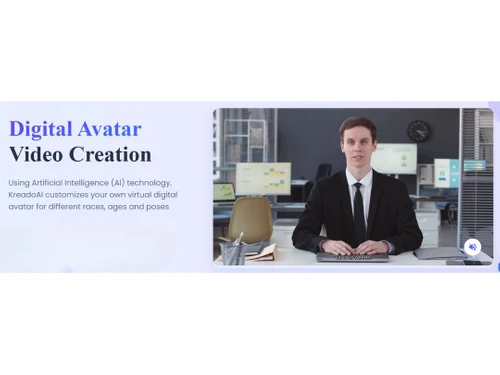
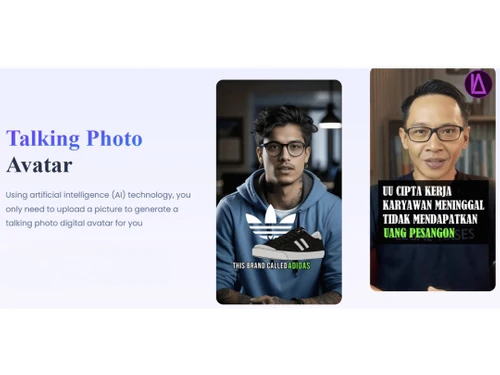
Core Features
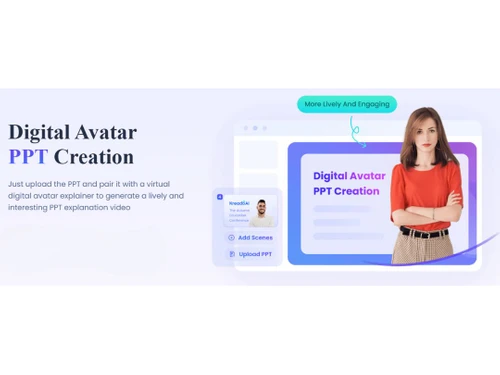
 Background Removal Instantly remove image backgrounds for clean visuals Text-to-Video Generation Convert text, slides, or URLs into professional videos with AI avatars. AI Audio Enhancement Automatically improve audio quality in videos Voiceover Generation Generate realistic voiceovers in multiple languages Subtitle Generation Automatically generate accurate subtitles for videos. Template-Based Editing Ready-made templates for intro, outro, and transitions, easily customizable. AI Scene Detection Automatically detects scenes and cuts based on changes in content or context. Auto Color Correction AI-driven colour grading and correction for consistent visuals across scenes. Object Detection Tracks and isolates objects or people for targeted effects and overlays.
 Advanced Features
Dynamic Background Replacement Auto-detects and changes backgrounds for scenes without needing a green screen. AI Avatar Generation Create digital avatars for narrations and presentations. AI Voice Cloning Clone real voices for voiceovers. Deepfake Detection Ensure responsible AI video creation with detection tools. AI Motion Tracking Precise motion tracking for applying effects to moving objects or text. Emotion Recognition Detects emotions in faces or voices to adjust visuals and audio accordingly. Scene Reframing Auto reframes shots for different aspect ratios, optimized for social media. Video Summarization Auto-generate highlight reels from longer footage. Editing Tools & Effects
Transition Effects Add smooth transitions between video scenes Basic Editing Tools Trim, cut, and adjust video clips effortlessly Visual and Sound Effects Enhance videos with dynamic visual and audio effects Overlays and Animations Add text, graphics, and animations to videos. Speed Adjustments Modify video playback speed for desired effects. Real-Time Previews Previews of effects and transitions in real-time for faster adjustments. Keyframe Animations Fine-tune animations and motion effects. Split-Screen Effect Combines multiple video sources in split-screen or picture-in-picture format. Video Stabilization Smooth out shaky footage automatically. Multi-Layered Editing The fundamental editor architecture allowing complex, professional editing Chroma Key Support Replace green screen backgrounds in editing. Collaboration & Workflow
Export Options Download videos in various formats and resolutions. Direct Social Media Sharing Share videos directly to platforms like TikTok, Instagram, and YouTube. Real-Time Collaboration Multiple users edit and comment simultaneously. Cloud Storage Projects and assets stored securely in the cloud. Batch Processing Process multiple videos at once. Project Sharing Share projects with teams or clients with permissions. Performance Insights Analyze video performance, including engagement and viewer retention. Role-Based Access Control (RBAC) Define user roles and access permissions. Version Control Track edits and changes across teams. Integration & Automation
Social Media Integration Integration with social platforms API Publishing Automate bulk publishing via API. Third Party Integrations Connect with marketing, analytics, and CRM tools. Automated Video Creation & Scheduling Auto-generate and schedule publishing to platforms. Others
Multi-Language Support Create content in over 140 languages to reach a global audience. Face Swapping & Face Blur Swap or blur faces in videos for privacy or creative effects. Text-to-Animation Convert text prompts into animated video segments Custom Branding Add logos, watermarks, and brand colors to videos for brand consistency. Multilingual Video Generation Generate videos in multiple languages seamlessly. Aspect Ratio Customization Adjust for social platforms (9:16 TikTok, 16:9 YouTube). 

 20,000+ Software Listed
 Best Price Guaranteed
 Free Expert Consultation
 2M+ Happy Customers
 USA
USA UAE
UAE