linkedin
LinkedIn Learning logo
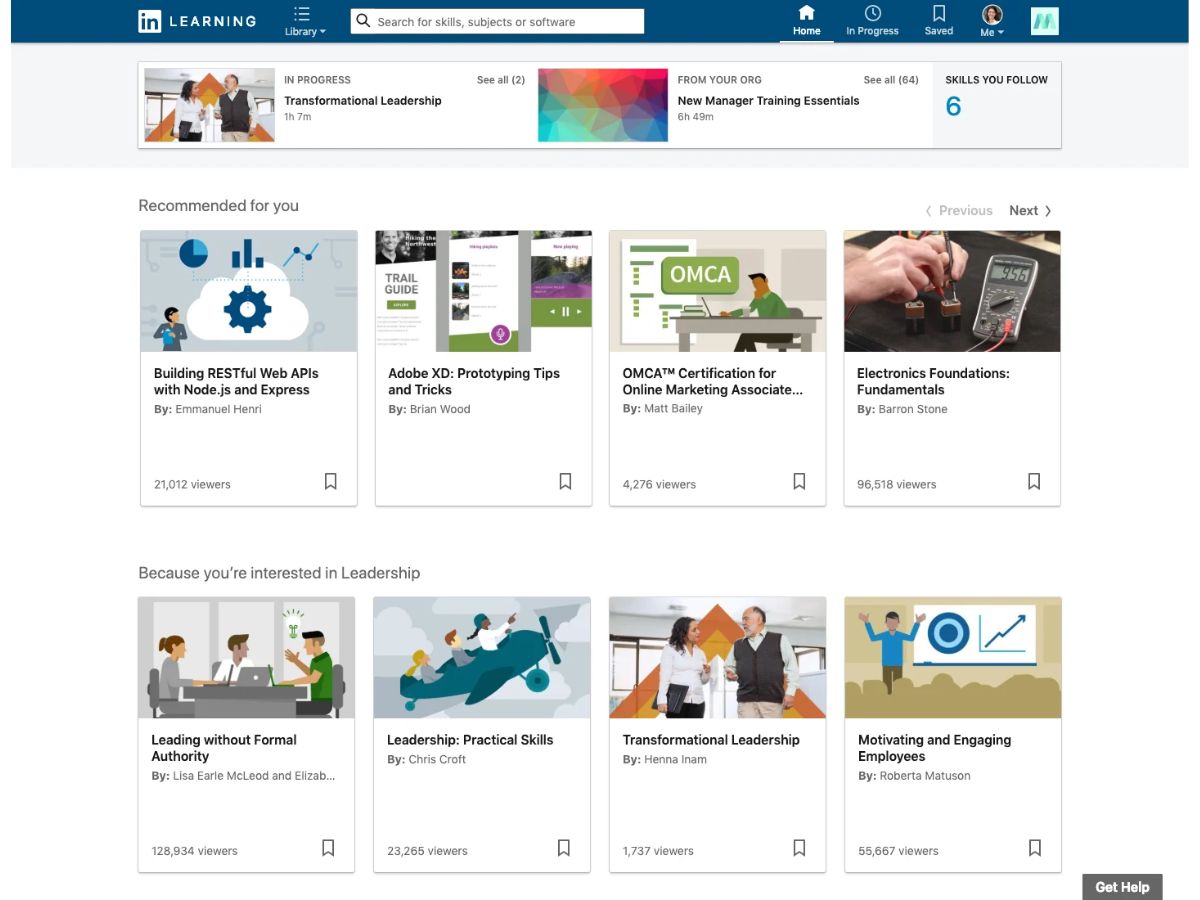
LinkedIn Learning-dashboard
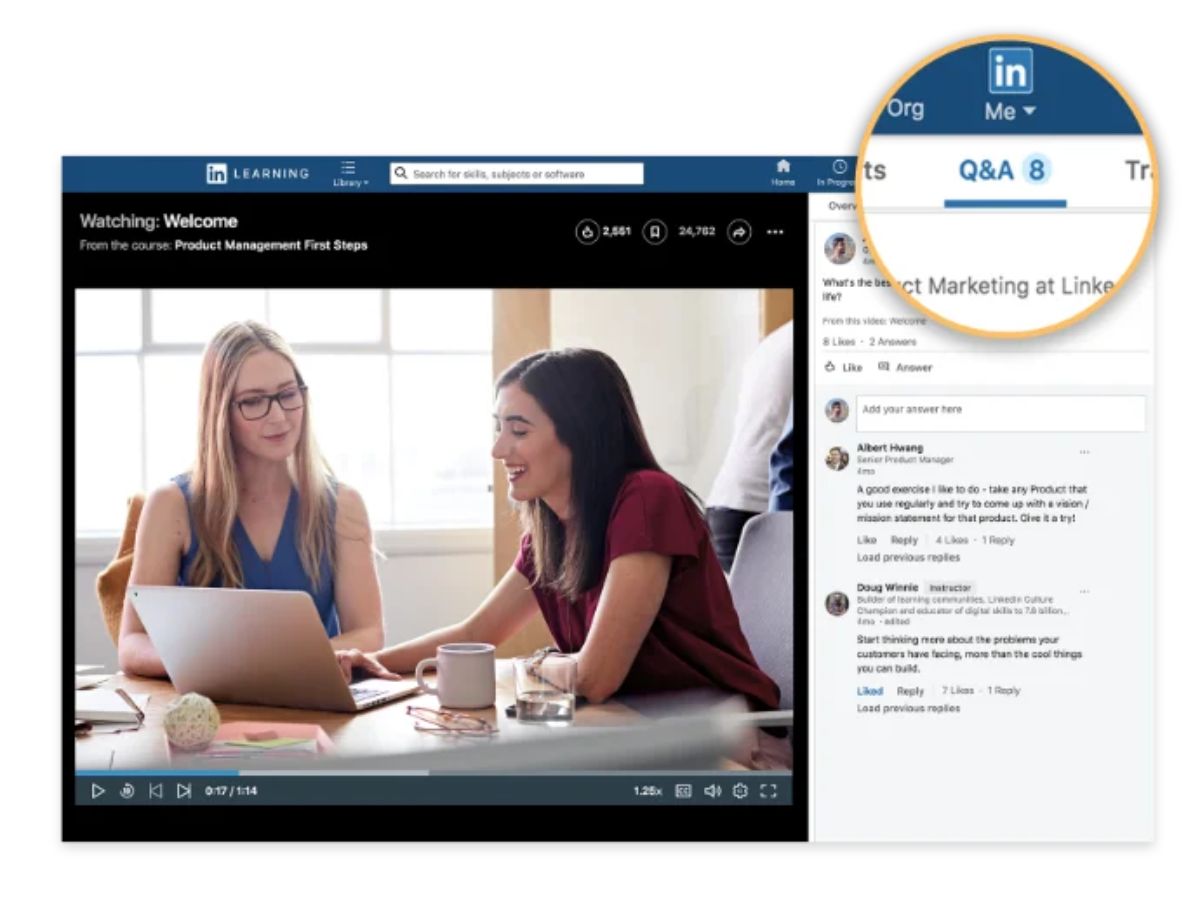
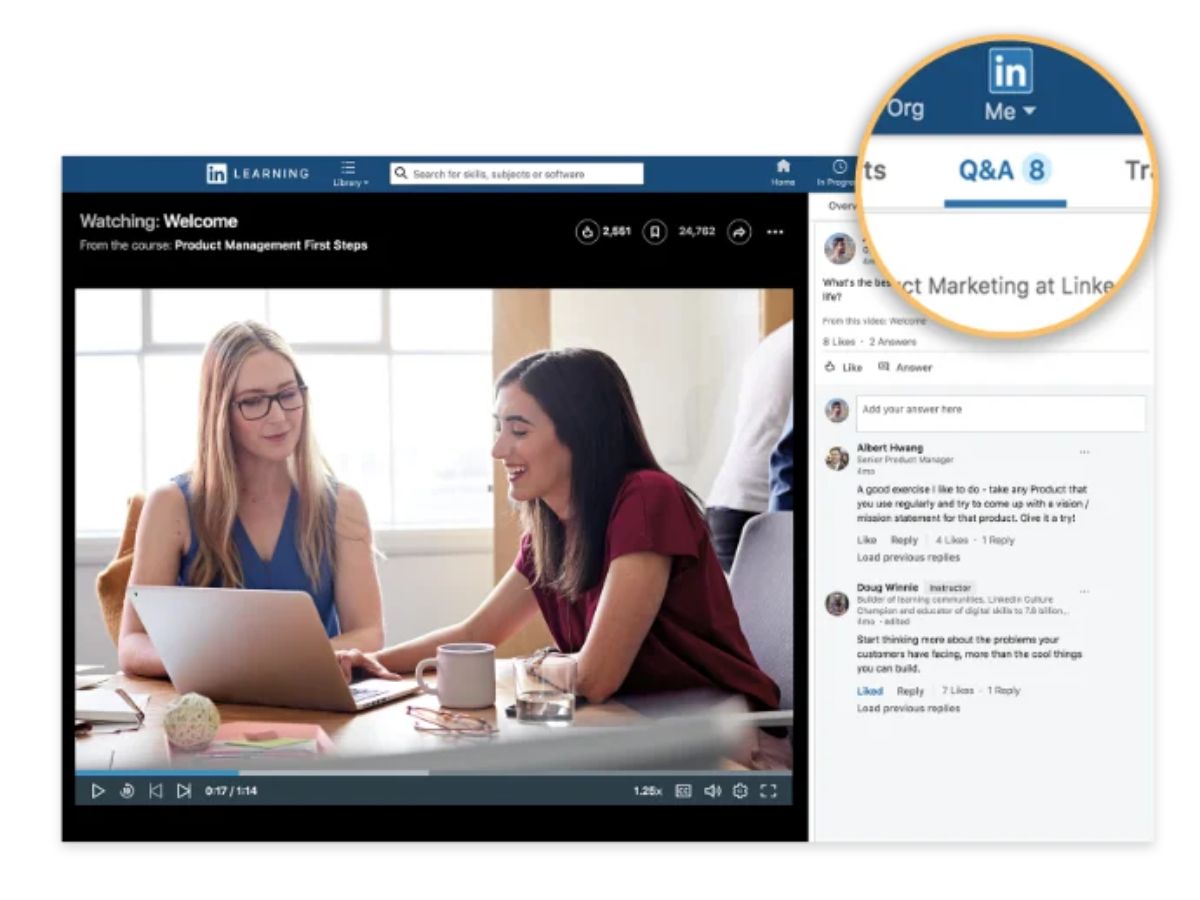
LinkedIn Learning-q&a
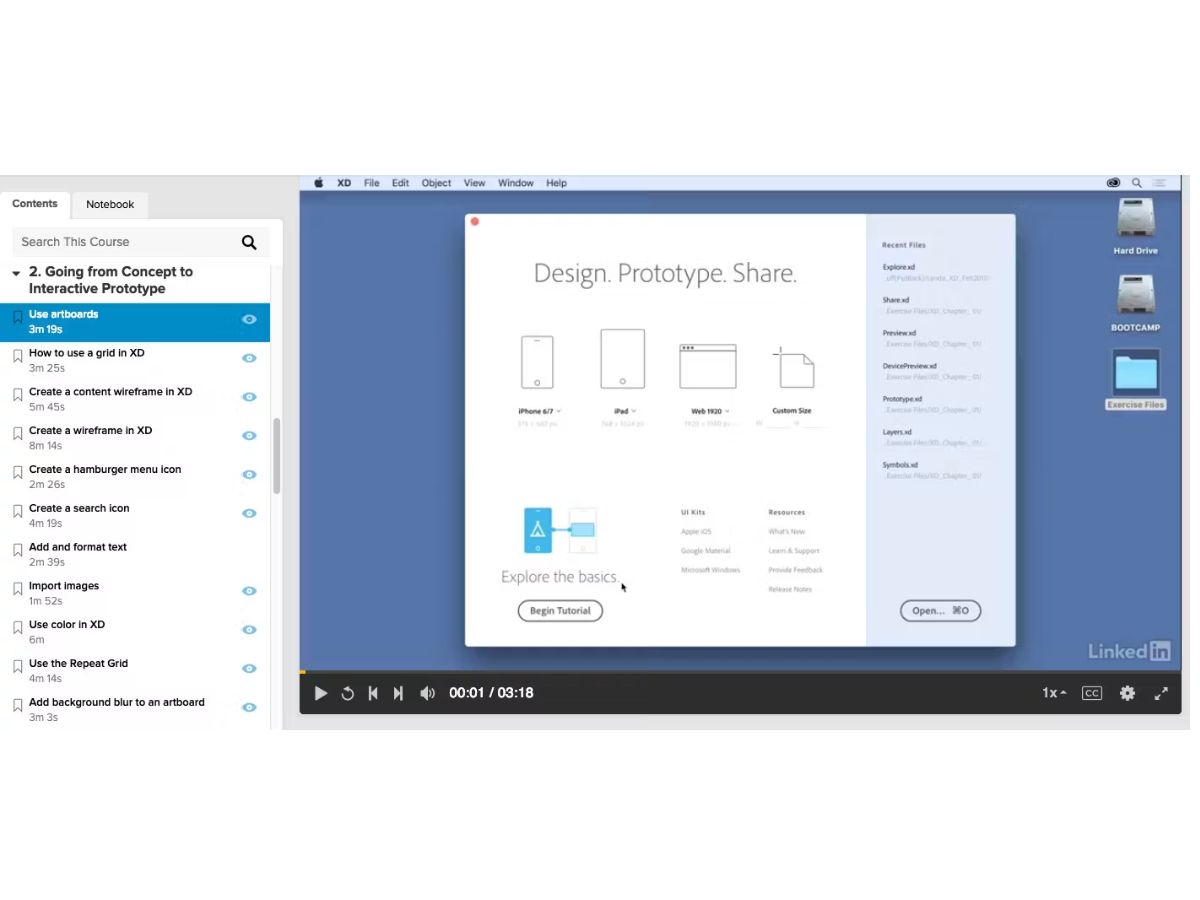
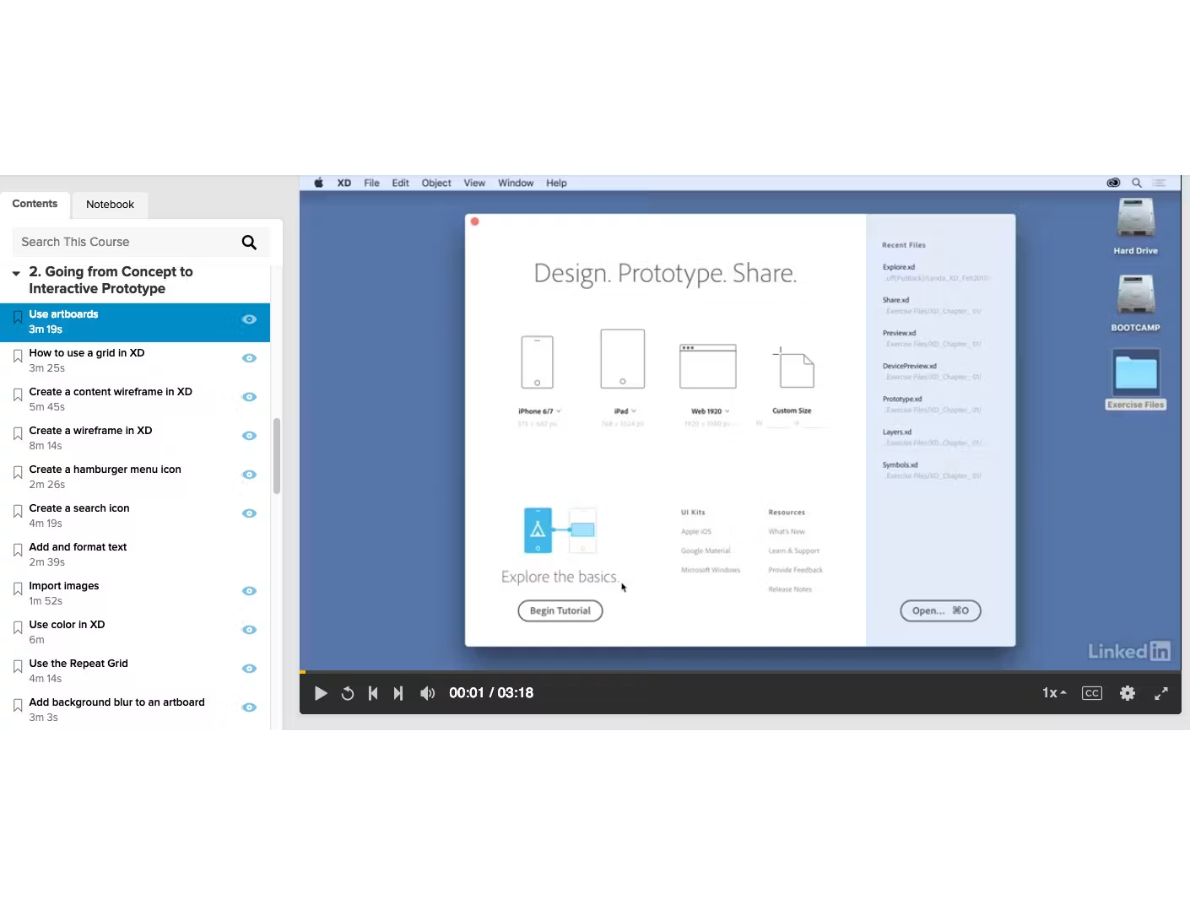
LinkedIn Learning-contents

LinkedIn Learning

Brand: LinkedIn Corporation

  • No Ratings & Reviews

LinkedIn Learning helps you advance your career with 26,000+ expert-led courses and personalized learning pathways designed to develop in-demand skills and support your professional goals.

See More

Have you used LinkedIn Learning before?

Share your insights for better experience

Add a Review

Price Available on Request

Questions about pricing or customization? We’re here to help, just a click away.

100% Genuine
Products
Best Price
Guaranteed
Safe & Secure
Payment
  • Description

  • Pricing

  • Features

  • Specification

  • Review

  • Compare

  • Alternatives

  • FAQ

LinkedIn Learning Software Overview

What is LinkedIn Learning?

LinkedIn Learning is a premier online learning and professional development platform designed to help individuals and organizations acquire critical business, technology, and creative skills. As an integral part of the LinkedIn ecosystem, it leverages insights from the world's largest professional network to deliver relevant, up-to-date, and engaging course content. The platform offers a vast and continuously expanding library of video courses taught by a global network of credible industry experts and thought leaders.

The core mission of LinkedIn Learning is to facilitate skill development that directly supports career advancement. It provides personalized learning experiences, guiding users toward the most impactful courses based on their current role, skill set, and long-term career aspirations. By connecting learning directly to career outcomes, it serves as a powerful tool for both individual upskilling and corporate training initiatives, helping to close skill gaps and foster a culture of continuous improvement within the workforce.

Why Choose LinkedIn Learning?

  • Data-Driven Insights: The platform is the only learning solution informed by the real-time data and trends from LinkedIn's global talent marketplace, ensuring that the skills being taught are the ones most in-demand by employers.
  • Expert-Led Content: Learners gain access to a catalog of over 26,100 courses, all taught by a curated selection of more than 3,900 industry experts, practitioners, and thought leaders, guaranteeing high-quality and practical instruction.
  • Personalized and Guided Learning: It moves beyond a simple course library by offering personalized recommendations, Skill Evaluations, and over 1,300 hand-curated Learning Paths to provide a structured and guided educational journey.
  • Global Accessibility: With content available in 7 native languages and subtitles in over 20 languages, LinkedIn Learning effectively supports diverse, multinational teams and promotes inclusive learning environments.
  • Seamless Integration: Its connection to the LinkedIn professional profile allows users to showcase completed courses and certifications, making skills and achievements visible to their professional network and potential employers.

Advanced Features of LinkedIn Learning

  • Role Guides: To support clear career advancement, the platform offers specialized Role Guides for over 35 different professional roles. These guides curate the most relevant courses and learning paths needed to succeed and grow in a specific career track.
  • Skill Evaluations: Users can take guided self-evaluations to gauge their confidence in various skills. The results provide personalized course recommendations based on their responses and help guide their learning journey.
  • Curated Learning Paths: For deeper skill acquisition, the platform features over 1,300 Learning Paths. These are structured, multi-course collections designed to provide comprehensive knowledge in a specific domain, such as Agile Project Management or Data Analysis.
  • Continuous Content Refresh: The course library is not static. Dozens of new courses are added each week, ensuring the content remains current and covers emerging topics like Generative AI, Responsible AI, and Prompt Engineering.
  • Offline Viewing: For learners on the go, the platform's mobile application allows users to download courses for offline viewing, providing flexibility and uninterrupted access to learning materials anytime, anywhere.

Key Capabilities of LinkedIn Learning

Core Content Areas:

  • Business: A vast collection of courses covering essential business skills like Project Management, Critical Thinking, Decision-Making, Time Management, and Inclusive Leadership.
  • Technology: In-depth training on a wide range of technical subjects, including Data Analytics, Programming Foundations, Python, AI and Machine Learning, and Database Administration.
  • Creative: Courses designed for creative professionals, focusing on topics such as AI-Assisted Design, Data Visualization, and other skills relevant to modern creative industries.

Learning and Development Tools:

  • Individual Course Modules: Bite-sized video lessons allow for microlearning, making it easy for busy professionals to fit learning into their schedules.
  • Certificates of Completion: Upon finishing a course, learners receive a certificate that can be added directly to their LinkedIn profile, validating their new skills.
  • Team Learning Management: For corporate clients, the platform provides administrative tools to assign courses, track team progress, and measure the impact of learning initiatives on organizational goals.

How to Use LinkedIn Learning?

  1. Define Your Career Goals: Begin by identifying the skills you need to develop for your current role or the position you aspire to. This could be mastering a new software, improving leadership abilities, or understanding a new technology.
  2. Assess Your Current Skills: Use Skill Evaluations to gauge your confidence in selected skills. Based on your results, LinkedIn Learning provides personalized course recommendations to support your development.
  3. Explore Guided Paths: For comprehensive skill-building, browse the available Role Guides and Learning Paths. These structured programs provide a clear roadmap from foundational concepts to advanced application.
  4. Select Individual Courses: Search the extensive library of over 26,100 courses to find specific topics of interest. You can filter by subject, skill level, and duration to find the perfect fit.
  5. Engage with the Content: Watch expert-led video courses at your own pace. Take advantage of features like downloadable exercise files, transcripts, and offline viewing to enhance your learning.
  6. Showcase Your Achievements: Once you complete a course, add the Certificate of Completion to your LinkedIn profile to showcase your commitment to continuous learning and professional development.

LinkedIn Learning Pricing

LinkedIn Learning pricing details are available on request on techjockey.com.

The pricing model is based on different parameters, including extra features, deployment type, and the total number of users. For further queries related to the product, you can contact our product team and learn more about the pricing and offers.

Read more

LinkedIn Corporation Company Details

Founded Year:  2003

LinkedIn is a professional networking site that allows its members to create business connections, search jobs, and find potential clients.

Director/Founders Allen Blue, Eric Ly, Jean-Luc Vaillant, Konstantin Guericke, Reid Hoffman
Company Size 1000+ Employees

LinkedIn Learning Pricing & Plans

Looking for The Right Pricing?

Share your requirements and get a plan built around your business.

  • Define your business needs
  • Get customised pricing
  • Choose features that fit your workflow

Price Available on Request

Get personalised LinkedIn Learning pricing that fits your needs. Our team will connect with you.

LinkedIn Learning Features

  • icon_check Personalized Recommendations
    Receive course suggestions based on interests, roles, and learning history.
  • icon_check Mobile Learning
    Learn on smartphones and tablets through dedicated mobile applications.
  • icon_check Offline Access
    Download courses and continue learning without an internet connection.
  • icon_check Content Search
    Quickly find relevant courses, topics, instructors, and learning resources.
  • icon_check Reporting & Analytics
    Analyze learner engagement, completion rates, and training effectiveness.
  • icon_check User Management
    Manage learners, groups, permissions, and organizational access controls.
  • icon_check Multi-Device Access
    Seamlessly continue learning across desktop, tablet, and mobile devices.
  • icon_check Integrations
    Connect with HR, LMS, and enterprise systems for streamlined learning.
  • icon_check Course Library
    Access thousands of courses across business, technology, and creative skills.
  • icon_check Learning Paths
    Structured learning journeys designed to help users achieve specific career goals.
  • icon_check Video-Based Learning
    Engage with expert-led video lessons available on demand anytime.
  • icon_check Skill Assessments
    Evaluate current skill levels and identify areas for improvement.
  • icon_check Progress Tracking
    Monitor course completion, learning activity, and achievement progress.

LinkedIn Learning Specifications

Supported Platforms
Windows Windows iOS iOS Android Android MacOS MacOS Linux Linux
Devices
Desktop Desktop Mobile Mobile Tablet Tablet iPad iPad
Deployment
Cloud-Based Cloud-Based
Suitable For
All Industries
Business Specific
All Businesses
Business Size
Individual Small Business Startups Medium Business Enterprises SMBs SMEs Freelancers
Customer Support
Phone Email Live Chat Communities
Language
English
Integration
API Integration
Training Resources
Live Online Webinars Documentation Videos
AI Features
AI Integrated
Technology
Next Generation
Compliance Regulation
COPPA CCPA CPRA

Explore the Best Alternative Solutions Similar to Your Business Size and Needs

LinkedIn Learning Review

Techjockey Trusted Reviews from Verified Users

No reviews are currently available for LinkedIn Learning. Discover similar Corporate Learning Management Systems reviews

  • TalentLMS

    4.5

    Whats great - I adore how simple it is to create material in. You can incorporate a variety of components to make learning engaging for use... read more

  • Skills Caravan LXP

    4.7

    Whats great - Skills Caravan is the best way to keep track of all learning experiences in one place. Whether it be bookmarking a video from... read more

  • Paradiso LMS

    5.0

    Whats great - It integrates with the popular HR systems, making employee onboarding a breeze. and that we can create micro-learning modules... read more

Compare LinkedIn Learning With other Corporate Learning Management Systems

Products
Ratings
Pricing
Device Supported
Deployment
Supported Platforms
  • img

    LinkedIn Learning

  • Price On Request

  • Desktop

    Mobile

  • Web based

    On Premises

  • Windows

    Mac OS

  • img

    Zoho Learn

  • 4.3

  • ₹ 60

  • Desktop

    Mobile

  • Web based

    On Premises

  • Windows

    Mac OS

  • img

    KREDO

  • 4.2

  • Price On Request

  • Desktop

    Mobile

  • Web based

    On Premises

  • Windows

    Mac OS

  • img

    AlphaLearn LMS

  • 4.3

  • Price On Request

  • Desktop

    Mobile

  • Web based

    On Premises

  • Windows

    Mac OS

  • img

    TalentLMS

  • 4.4

  • Price On Request

  • Desktop

    Mobile

  • Web based

    On Premises

  • Windows

    Mac OS

  • img

    Innowork

  • 4.4

  • Price On Request

  • Desktop

    Mobile

  • Web based

    On Premises

  • Windows

    Mac OS

  • img

    Edurigo

  • 4.2

  • Price On Request

  • Desktop

    Mobile

  • Web based

    On Premises

  • Windows

    Mac OS

  • img

    Abara LMS

  • 3.8

  • Price On Request

  • Desktop

    Mobile

  • Web based

    On Premises

  • Windows

    Mac OS

  • img

    Paradiso LMS

  • 5

  • Price On Request

  • Desktop

    Mobile

  • Web based

    On Premises

  • Windows

    Mac OS

  • img

    iSpring Learn

  • 4.5

  • Price On Request

  • Desktop

    Mobile

  • Web based

    On Premises

  • Windows

    Mac OS

(0) Product(s) selected

LinkedIn Learning Alternatives

See All LinkedIn Learning Alternatives

Available

Price on Request

Starting Price:

$149 /month

Starting Price:

$599 /Month

Starting Price:

₹200,000 100 User/Month

Available

Price on Request

Available

Price on Request

What does LinkedIn Learning do?

LinkedIn Learning is an online training platform designed to help individuals develop critical skills to advance their careers, offering guidance informed by the insights from the world's largest talent marketplace.

How much does LinkedIn Learning cost?

LinkedIn Learning pricing details are available on request on techjockey.com.

What are the main features of LinkedIn Learning?

Key features include personalized learning paths based on career goals and skill evaluations, guided learning through Role Guides and over 1,300 hand-curated pathways, and access to over 26,000 courses taught by industry experts in multiple languages.

Is there a free trial for LinkedIn Learning?

Yes, LinkedIn Learning offers a free month trial, allowing users to explore its extensive library of courses and learning paths before committing to a subscription.

Who can use LinkedIn Learning?

LinkedIn Learning is suitable for individuals aiming to develop skills for career advancement and for organizations or teams looking to provide global skill development opportunities for their employees.

How many courses are available on LinkedIn Learning?

LinkedIn Learning provides an extensive library of over 26,000 courses and learning paths, with dozens of new courses added each week to ensure content remains current and relevant.

What types of courses does LinkedIn Learning offer?

The platform offers courses across a wide range of categories including Business, Technology, and Creative fields, covering diverse topics from AI and data analytics to project management and critical thinking.

How does LinkedIn Learning personalize the learning experience?

LinkedIn Learning personalizes the learning experience by allowing users to set career goals and utilize Skill Evaluations, which then connect them with the most relevant learning content tailored to their current career stage.

In what languages are LinkedIn Learning courses available?

LinkedIn Learning offers courses with subtitles in over 20 languages and provides content in 7 native language libraries to support a global audience.

20,000+ Software Listed

Best Price Guranteed

Free Expert Consultation

2M+ Happy Customers

Terms and Condtions

close

Users with registered businesses can purchase goods from merchants on the platform to satisfy their business needs. Users are not permitted to utilize any products acquired through the platform for resale, advertising, business, or further distribution.

For each purchase made, users will receive a Tax Invoice (or 'GST invoice') that includes specific details such as:

  • the GSTIN of the user associated with their registered business, and

  • the specified Entity Name for their business.

It should be noted that not all products are eligible for GST Invoice. Only the products displayed by participating sellers with the 'GST-based Invoice Available' callout on the product description page would qualify.

Certain goods and services are not eligible to get a GST Invoice, including items with VAS, i.e., Value Added Services (e.g., Total Mobile Protection/Assured Buyback) and those involving an exchange offer at the time of purchase.

Users must ensure the accuracy of the GSTIN, and business entity name provided for the GST Invoice. Requests for corrections into GST Invoice would not be accommodated by Techjockey.com or any Seller, and any issues arising from user-provided information are the sole responsibility of users.

Techjockey.com is not liable for the GST Invoice or any associated input tax credit. To efficiently claim an input tax credit, users should select the registered place of business address as per the GST authority's data and follow the provisions of the GST Act and rules.

To claim an input tax credit, the delivery and billing addresses must match. Furthermore, input tax credits will not be granted if the delivery address and GSTIN on the invoice are from different states. In case of incorrect GST details provided during the order placement, the order will be canceled automatically.