Description
Pricing
Features
Specification
Review
Compare
FAQs
Alternatives
 Get Free Advice
Get Quote



Brand : Microsoft Corporation


4.2 
5 Ratings
Have Questions?
Starting at
$ 240
Save Extra with 2 Offers
 Save upto 18%, Get GST Invoice on your business purchase |
Users with registered businesses can purchase goods from merchants on the platform to satisfy their business needs. Users are not permitted to utilize any products acquired through the platform for resale, advertising, business, or further distribution.
For each purchase made, users will receive a Tax Invoice (or 'GST invoice') that includes specific details such as:
the GSTIN of the user associated with their registered business, and
the specified Entity Name for their business.
It should be noted that not all products are eligible for GST Invoice. Only the products displayed by participating sellers with the 'GST-based Invoice Available' callout on the product description page would qualify.
Certain goods and services are not eligible to get a GST Invoice, including items with VAS, i.e., Value Added Services (e.g., Total Mobile Protection/Assured Buyback) and those involving an exchange offer at the time of purchase.
Users must ensure the accuracy of the GSTIN, and business entity name provided for the GST Invoice. Requests for corrections into GST Invoice would not be accommodated by Techjockey.com or any Seller, and any issues arising from user-provided information are the sole responsibility of users.
Techjockey.com is not liable for the GST Invoice or any associated input tax credit. To efficiently claim an input tax credit, users should select the registered place of business address as per the GST authority's data and follow the provisions of the GST Act and rules.
To claim an input tax credit, the delivery and billing addresses must match. Furthermore, input tax credits will not be granted if the delivery address and GSTIN on the invoice are from different states. In case of incorrect GST details provided during the order placement, the order will be canceled automatically.
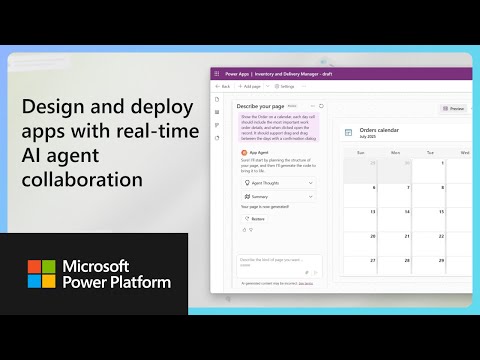
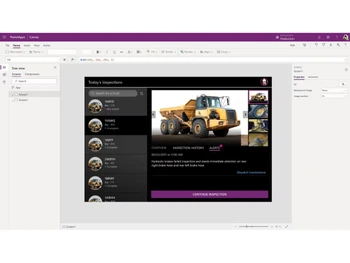
Buy Now & Pay Later, Check offer on payment page. A low-code no-code software that enables users to rapidly create custom business apps for web and mobile with easy design tools and AI support. ...Read more
 Get Instant Expert
  Safe & Secure
  Assured Best Price
 We make it happen! Get your hands on the best solution based on your needs.
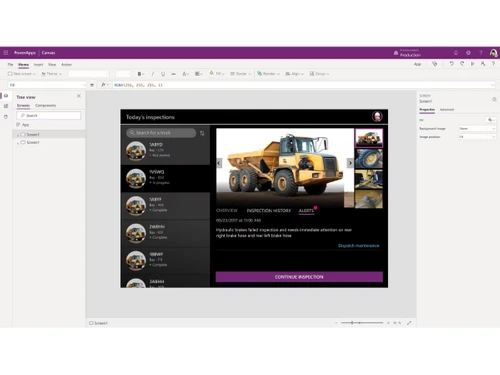
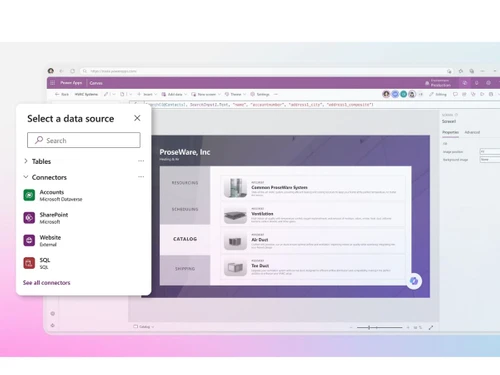
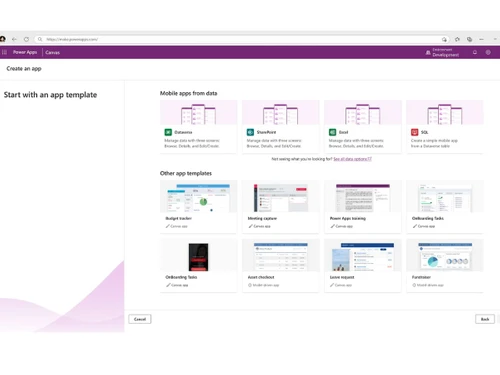
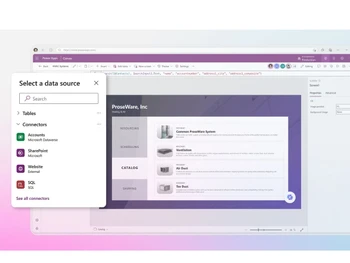
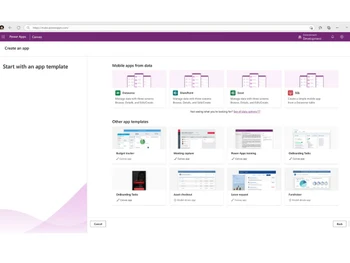
 Visual App Builder Build apps using a drag-and-drop interface with minimal coding, making development faster. Reusable Components Create and reuse UI components across multiple apps to reduce repetitive development. Templates Start projects with ready-made templates designed for common business workflows. Workflow Automation Automate processes with Power Automate integration, minimizing manual intervention. Data Integration Connect seamlessly with Microsoft 365, SQL, SharePoint, and over 700 external connectors. Custom Connectors Extend integration by building connectors for external APIs without complex coding. Cross Platform Access Build once and run apps on web, desktop, mobile, or Microsoft Teams without changes. No-Code Portals Design external websites with drag-and-drop and secure Dataverse integration. Collaboration Tools Multiple makers can co-author apps in real time to speed up delivery. Data Modeling Define tables, columns, and relationships visually with simple clicks. Offline Access Enable apps to run offline and auto-sync data when internet becomes available. Application Lifecycle Manage app versions, testing, and deployments using automated pipelines. Prototyping Quickly design, test, and refine app ideas with minimal effort before production.
 | Brand Name | Microsoft Corporation |
| Information | Microsoft Corporation is an American multinational technology company with headquarters in Redmond, Washington. |
| Founded Year | 1975 |
| Director/Founders | Paul Allen , Bill Gates |
| Company Size | 1000+ Employees |
| Other Products | Microsoft Office 365 for Business (MOLP), Microsoft Office 365 Business Basic, Microsoft Intune Open (MOLP), Microsoft Open Licensing Program MOLP, Microsoft Office Home & Business |


 20,000+ Software Listed
 Best Price Guaranteed
 Free Expert Consultation
 2M+ Happy Customers
 USA
USA UAE
UAE