
Description
Pricing
Features
Specification
Review
Compare
FAQs
Alternatives




Brand : Microsoft Corporation


4.4 
5 Ratings
Have Questions?
₹ 19,980 excl. GST
₹ 23,576 incl. GST
View plans
Save Extra with 2 Offers
 Save upto 18%, Get GST Invoice on your business purchase |
Users with registered businesses can purchase goods from merchants on the platform to satisfy their business needs. Users are not permitted to utilize any products acquired through the platform for resale, advertising, business, or further distribution.
For each purchase made, users will receive a Tax Invoice (or 'GST invoice') that includes specific details such as:
the GSTIN of the user associated with their registered business, and
the specified Entity Name for their business.
It should be noted that not all products are eligible for GST Invoice. Only the products displayed by participating sellers with the 'GST-based Invoice Available' callout on the product description page would qualify.
Certain goods and services are not eligible to get a GST Invoice, including items with VAS, i.e., Value Added Services (e.g., Total Mobile Protection/Assured Buyback) and those involving an exchange offer at the time of purchase.
Users must ensure the accuracy of the GSTIN, and business entity name provided for the GST Invoice. Requests for corrections into GST Invoice would not be accommodated by Techjockey.com or any Seller, and any issues arising from user-provided information are the sole responsibility of users.
Techjockey.com is not liable for the GST Invoice or any associated input tax credit. To efficiently claim an input tax credit, users should select the registered place of business address as per the GST authority's data and follow the provisions of the GST Act and rules.
To claim an input tax credit, the delivery and billing addresses must match. Furthermore, input tax credits will not be granted if the delivery address and GSTIN on the invoice are from different states. In case of incorrect GST details provided during the order placement, the order will be canceled automatically.
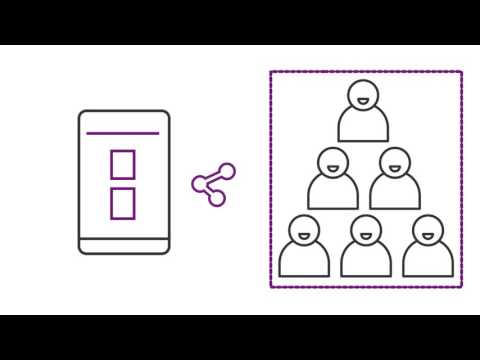
Buy Now & Pay Later, Check offer on payment page. A low-code no-code software that enables users to rapidly create custom business apps for web and mobile with easy design tools and AI support. ...Read more
 Get Instant Expert
  Safe & Secure
  Assured Best Price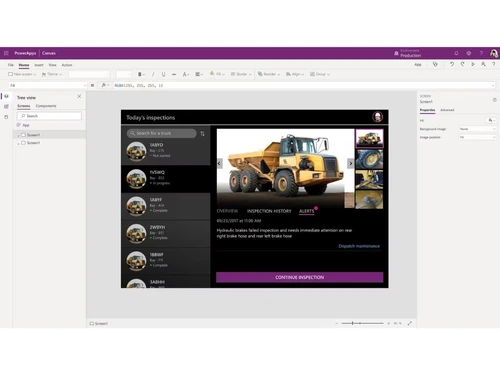
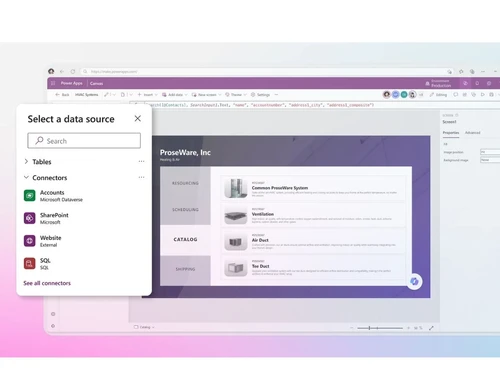
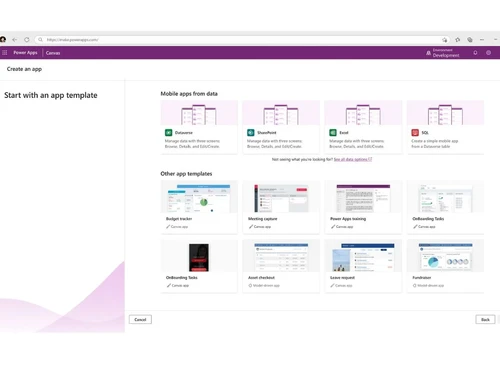
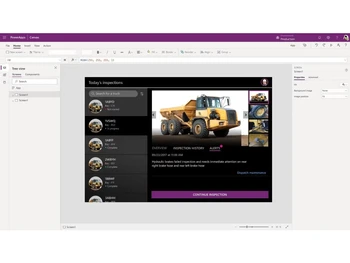
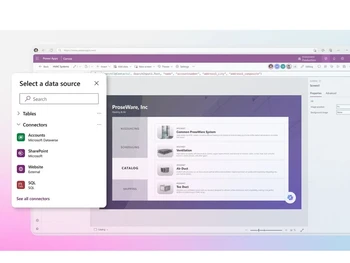
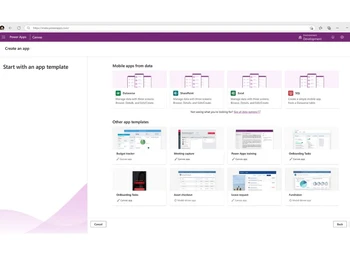
 Natural Language AI Describe your goals, roles, and workflows using natural language to create structured solution blueprints instantly. AI-Powered Copilot Quickly build professional-grade applications without writing code using the built-in Copilot assistant. AI Form Autofill Instantly speed up data entry and reduce human error by autofilling application forms from your documents. Adaptive Grids & Charts Explore and visualize live data dynamically by utilizing natural language queries to spin up charts. Pro-Dev Custom Code Expand functionality by using custom code and connecting seamlessly to Azure, Visual Studio, and GitHub. Drag-and-Drop Designer Easily create, design, and customize the layout of your apps with a simple visual interface. Centralized Governance Manage permissions, onboard app makers, and monitor environments from a single unified IT admin hub. Data Loss Prevention Secure and protect your organizational workflows by centralizing access control and auditing policies. Cross-Device Scaling Build responsive applications that run cleanly across any mobile device, tablet, or web browser. Templates Accelerate your time-to-market by starting right with fully customizable, ready-to-use layouts. Collaborative Workspace Empower business users and pro developers to co-create and refine applications in a single space. Process Mapping Map business rules, automate decision points, and optimize execution paths visually before building.
 | Brand Name | Microsoft Corporation |
| Information | Microsoft Corporation is an American multinational technology company with headquarters in Redmond, Washington. |
| Founded Year | 1975 |
| Director/Founders | Paul Allen , Bill Gates |
| Company Size | 1000+ Employees |
| Other Products | Microsoft Office 365 for Business (MOLP), Microsoft Office 365 Business Basic, Microsoft Intune Open (MOLP), Microsoft Open Licensing Program MOLP, Microsoft Office Home & Business |


 20,000+ Software Listed
 Best Price Guaranteed
 Free Expert Consultation
 2M+ Happy Customers
 USA
USA UAE
UAE


