USA
USA UAE
UAESmall Business
Designed for startups and growing businesses

See More




Brand: Acoustica
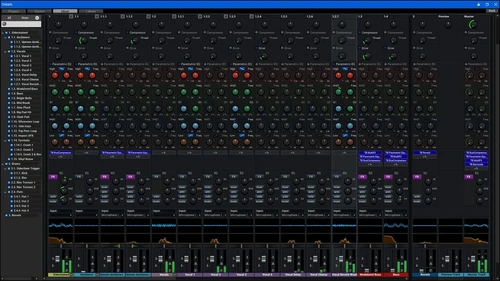
Mixcraft 10.6 is a DAW software that is created by musicians for musicians. The software features an easy-to-use interface along with powerful audio editing and recording tools. The software has a lightning-fast sound engine, accompanied by reality-defying and time-stretching pitch-shifting technology. It also supports audio interfaces, third-party plug-ins, and other hardware controllers. The so...
See MoreHave you used Mixcraft 10.6 before?
Share your insights for better experience
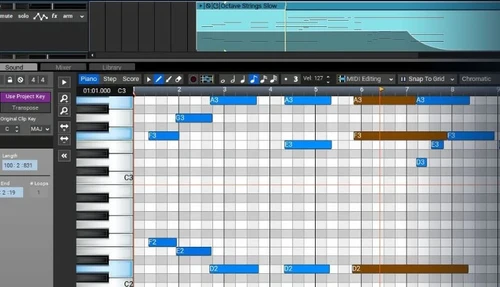
 Audio Effects Processing Automation Envelopes Live Performance Panel Track Level EQ and Monitoring Flexible Routing System Key Management Master Track Processing Controller Integration Audio Warping Audio Recording MIDI Sequencing Virtual Instrument Hosting Effects Instruments Video Editing Mixing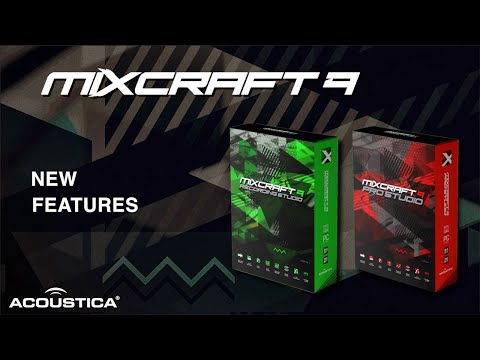

Watch the demo video to explore key features, real workflows, and how the software fits your business needs.
 Windows
  Desktop
  Perpetual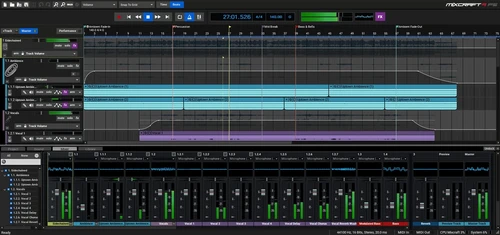
Small Business
Designed for startups and growing businesses
Medium Business
Built for business growth and flexibility
Enterprises
Designed for complex and large-scale business needs
4.5
Out of 5

Overall Rating
Based on
1 Verified Review
Rating Breakdown
80% Recommend this Product
Add Review
Oct 4, 2023
Techjockey Verified
“Can I get professional sound quality with Mixcraft 9?”
Pros
Mixcraft 9 offers both audio and video editing feature. That's changed my decision to choose it as my DAW. The software is made for ease to use for every user as well as the beginners like me.
Cons
No cons yet.
Reason to switch
I made my decision to shift to Mixcraft 9 as it provides both of my requirements that are audio and video editing n the same Daw..
Mixcraft 10.6
$ 39.00 excl. GST
Desktop
Mobile
Web based
On Premises
Windows
Mac OS

FL Studio
₹ 2599
Desktop
Mobile
Web based
On Premises
Windows
Mac OS
SynthMaster
Price On Request
Desktop
Mobile
Web based
On Premises
Windows
Mac OS
Nuendo
₹ 64477
Desktop
Mobile
Web based
On Premises
Windows
Mac OS

Resolume
Price On Request
Desktop
Mobile
Web based
On Premises
Windows
Mac OS
n-Track Studio
Price On Request
Desktop
Mobile
Web based
On Premises
Windows
Mac OS
Addictive Drums 2
Price On Request
Desktop
Mobile
Web based
On Premises
Windows
Mac OS
Groove Agent
₹ 19109
Desktop
Mobile
Web based
On Premises
Windows
Mac OS
RipX DAW
₹ 9400
Desktop
Mobile
Web based
On Premises
Windows
Mac OS
Pro Tools
Price On Request
Desktop
Mobile
Web based
On Premises
Windows
Mac OS
Maschine
Price On Request
Desktop
Mobile
Web based
On Premises
Windows
Mac OS
(0) Product(s) selected
Starting Price:
$49 /Quantity
Starting Price:
€299 /Quantity
Starting Price:
$15 /Month
Starting Price:
$179 /Quantity
Starting Price:
₹19,109 /Quantity
Starting Price:
$10 /Month
Starting Price:
$49 /Quantity

Available
Price on Request

Available
Price on Request
Users can convert any monophonic audio clips into MIDI with a single click. This is possible because of the Melodyne Engine integrated within the software.
The software provides a variety of automated plugins and controls like MIDI controller, tempo-synced LFOs and an all-new streamlined interface.
Yes, techjockey provides the demo of Mixcraft 9. If you are interested, send us a demo request and schedule your preferred date and time.
Users need to have the following setup in order to use Mixcraft 9 - ? Operating System: Windows 7 SP1, 8 or 10 ? RAM: 8GB ? Processor: ? A minimum of 1.8 GHz Dual Core CPU. We would recommend a Quad Core or higher processors. ? 32-bit or 64-bit. ? Hard Disk: 2GB of free space is required for installing the software. ? You will also need good quality USB, Sound cards, or Firewire sound devices.
The software has a mobile application known as Mixcraft Remote that allows users to control their audio files on-the-go. With this mobile app, you can perform all the significant functions of the software.
The pricing for Mixcraft 10.6 starts at USD 39 at techjockey.com.
20,000+ Software Listed
Best Price Guranteed
Free Expert Consultation
2M+ Happy Customers
Terms and Condtions

Users with registered businesses can purchase goods from merchants on the platform to satisfy their business needs. Users are not permitted to utilize any products acquired through the platform for resale, advertising, business, or further distribution.
For each purchase made, users will receive a Tax Invoice (or 'GST invoice') that includes specific details such as:
the GSTIN of the user associated with their registered business, and
the specified Entity Name for their business.
It should be noted that not all products are eligible for GST Invoice. Only the products displayed by participating sellers with the 'GST-based Invoice Available' callout on the product description page would qualify.
Certain goods and services are not eligible to get a GST Invoice, including items with VAS, i.e., Value Added Services (e.g., Total Mobile Protection/Assured Buyback) and those involving an exchange offer at the time of purchase.
Users must ensure the accuracy of the GSTIN, and business entity name provided for the GST Invoice. Requests for corrections into GST Invoice would not be accommodated by Techjockey.com or any Seller, and any issues arising from user-provided information are the sole responsibility of users.
Techjockey.com is not liable for the GST Invoice or any associated input tax credit. To efficiently claim an input tax credit, users should select the registered place of business address as per the GST authority's data and follow the provisions of the GST Act and rules.
To claim an input tax credit, the delivery and billing addresses must match. Furthermore, input tax credits will not be granted if the delivery address and GSTIN on the invoice are from different states. In case of incorrect GST details provided during the order placement, the order will be canceled automatically.