linkedin
LALAL AI logo
play LALAL.AI vs Acapella Extractor&Vocals Remover vocal & instrumental track AI separation
Lalal AI About
Lalal AI Audio Editing

LALAL AI

Brand: Interpromo

  • 4.3

  • 6 Ratings & 3 Reviews

Splitting of vocals and instrumentals from an audio track is made easy with the world's top AI technology.

See More

Have you used LALAL AI before?

Share your insights for better experience

Add a Review
Starting Price
$15

View plans

100% Genuine
Products
Best Price
Guaranteed
Safe & Secure
Payment
  • Description

  • Pricing

  • Features

  • Specification

  • Review

  • Compare

  • Alternatives

  • FAQ

  • Questions

Starting at $15

LALAL AI Software Overview

What is LALAL AI?

LALAL AI is a vocal remover and music source separation service that brings the power of next-generation technology to the world of audio processing. The audio editing software allows users to extract stems from their music tracks with speed, simplicity, and exceptional precision. It provides a seamless and efficient solution for artists, producers, and audio enthusiasts seeking to isolate vocals or separate specific instruments from their audio recordings.

Its intuitive interface and user-friendly design allow users to easily upload their audio files to the platform and select the desired separation option. LALAL AI then processes the input using advanced algorithms, delivering high-quality stems in moments.

By harnessing the power of AI, it excels at isolating vocals, separating instruments, and extracting individual elements from complex music compositions. It also provides options for customizing the output, allowing users to adjust the volume balance between stems or apply additional audio effects.

Key Functionalities of LALAL AI

  • Real-Time Preview: Users can preview the separated stems in real-time before finalizing the extraction.
  • High-Resolution Output: The service provides high-resolution stems to ensure exceptional audio quality, even for professional applications.
  • Multiple Stem Options: Users can extract different combinations of stems, such as vocals-only, instrumental-only, or specific instrument stems.
  • Advanced Editing Tools: The vocal remover offers a range of advanced editing tools, such as equalization, compression, and reverb, to further refine the extracted stems.
  • Intelligent Noise Reduction: It employs intelligent algorithms to reduce unwanted background noise and enhance the clarity of the extracted stems.
  • Seamless Loop Creation: Users can create seamless loops using the extracted stems to loop specific music sections for remixing or sampling purposes.

Benefits of LALAL AI

  • The vocal remover offers preset templates for different genres and styles to achieve desired results with a single click.
  • It can separate stems from audio recordings with multiple channels, such as surround sound or multi-track recordings.
  • The music source separation service allows users to adjust the volume levels of the extracted stems according to their preferences.
  • Users can monitor the progress of the stem extraction process and estimated completion time

Why Choose LALAL AI Audio Editing Software?

LALAL.AI is packed with innovative features that make it stand out from other audio editing tools. Here’s why it's a top choice for audio professionals and hobbyists alike:

  • AI-Powered Stem Separation: LALAL.AI's proprietary AI technology, Orion, ensures precise and high-quality separation of vocals and instruments. Unlike other tools, Orion recreates and enhances stems instead of simply cutting them out, delivering unparalleled audio clarity.
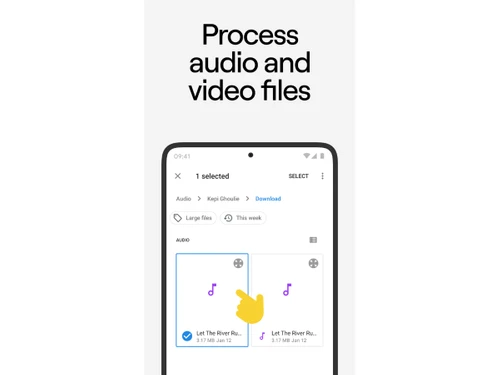
  • Wide Compatibility: LALAL.AI supports multiple file formats, including MP3, WAV, FLAC, OGG, and even video formats like MP4 and MKV. This makes it convenient for extracting audio from both music tracks and video files.
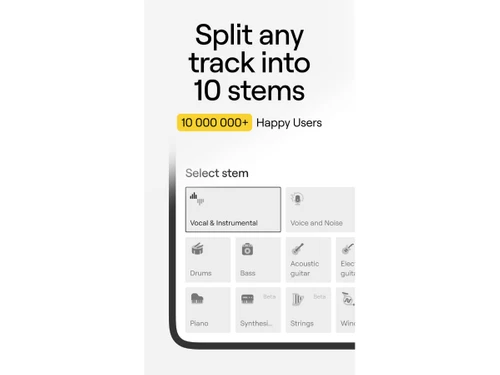
  • Multiple Stem Options: Separate up to 10 stems, including vocals, bass, drums, guitar, piano, and more, allowing you to fully customize the audio for remixes, covers, or enhanced production.
  • Enhanced Audio Cleaning: The Voice Cleaner tool removes unwanted noises like background music, vocal plosives, and mic rumble, making it ideal for cleaning up recordings for podcasts, voiceovers, and other spoken word projects.
  • Cross-Platform Accessibility: LALAL.AI works on both Windows and macOS, and with its web-based interface, you can access it on any device without needing to download software.
  • Easy-to-Use Interface: Simply upload your file, choose the stem separation type, and let LALAL.AI do the work. It's user-friendly, even for beginners, with fast and accurate results.

Additional Features of LALAL.AI

LALAL.AI offers more than just basic audio separation. Here are some of the standout features that elevate your editing experience:

  • Voice Changer (Beta): Change the tone and pitch of your voice in both audio and video files, perfect for adding creative flair to content or making fun modifications.
  • Echo & Reverb Removal: LALAL.AI allows you to remove unwanted echo and reverb from vocals and recordings, ensuring cleaner, more professional sound quality for both music and voice recordings.
  • Lead/Back Vocal Splitter: With pinpoint accuracy, separate lead vocals from backing vocals, allowing for advanced mixing, mastering, or karaoke track creation.
  • Batch Upload & Processing: Save time by uploading and processing up to 20 files at once, perfect for large projects or professional workflows.
  • Custom API Integration: For businesses or developers, LALAL.AI offers API tools to integrate its powerful AI technology into your own site or service.

Pricing of LALAL.AI

LALAL AI pricing plan starts at $18 with 90 minutes of audio. The pricing model is based on different parameters, including extra features, deployment type, and the total number of users. For further queries related to the product, you can contact our product team and learn more about the pricing and offers.

Read more

Interpromo Company Details

Founded Year:  2012

InterPromo GmbH is a team of design, marketing and customer support professionals whose goal is to help IT businesses grow worldwide.

Director/Founders Dmitry Orlov
Company Size 1-100 Employees

LALAL AI Pricing & Plans

Lite pack
Key Features
  • Number of Minutes-90 Minutes
  • Upload Size Limit per File-2GB
  • Input/Output Formats-Audio and Video: MP3, OGG, WA
  • Fast Processing Queue
  • Batch Upload
  • Stem Download
Starting at $15
    • Quantity (One Time)

      Quantity (One Time)
      Quantity (One Time)
    • Oracle Database Appliance X3-2 Family-1323FM000P (Product Support)

      Oracle Database Appliance X3-2 Family-1323FM000P (Product Support)
      Oracle Database Appliance X3-2 Family-1323FM000P (Product Support)

Key Features

  • Number of Minutes-90 Minutes

  • Upload Size Limit per File-2GB

  • Input/Output Formats-Audio and Video: MP3, OGG, WA

  • Fast Processing Queue

  • Batch Upload

  • Stem Download

LALAL AI Features

  • icon_check AI Audio editing
    Utilizes artificial intelligence to enhance and modify audio recordings for advanced editing capabilities.
  • icon_check Music source separation
    Isolates individual instruments or vocals from a music track to easily manipulate and remix audio elements.
  • icon_check Precise stem extraction
    Separates different audio stems, such as vocals, drums, and instruments, while preserving the integrity of each component.
  • icon_check No quality loss
    Ensures the extracted stems remain original without any noticeable degradation.
  • icon_check API Integration
    Offers seamless integration with other applications and services through its API.
  • icon_check Input/Output Formats
    Supports a wide range of input and output audio formats to ensure compatibility.
  • icon_check Fast Processing Queue
    Processes multiple audio files in a queue to minimize wait times.
  • icon_check Stem Download
    Allows users to download the extracted stems individually and easily access the separated audio elements.
  • icon_check Batch Upload
    Users can upload multiple audio files simultaneously when processing large collections of tracks.
  • icon_check Efficient
    Optimizes workflow and reduces the time required for audio processing tasks.
LALAL AI Demo Video play icon

Get LALAL AI Demo

Watch the demo video to explore key features, real workflows, and how the software fits your business needs.

Understand
Key Features
Personal
Demo Insights
Interactive
Demo Support

LALAL AI Specifications

Supported Platforms
Ubuntu Ubuntu Windows Windows iOS iOS Android Android MacOS MacOS
Devices
Desktop Desktop Mobile Mobile Tablet Tablet iPad iPad
Deployment
Cloud-Based Cloud-Based
Suitable For
All Industries
Business Specific
All Businesses
Business Size
Small Business Startups Medium Business Enterprises
Customer Support
Email Communities
Language
English
Integration
API Integration
Training Resources
Documentation Videos
AI Features
AI Integrated

Explore the Best Alternative Solutions Similar to Your Business Size and Needs

LALAL AI Reviews

4.3

Out of 5

img

Overall Rating

Based on
3 Verified Reviews

Rating Breakdown

  • Features 4.3
  • Value for Money 4.4
  • Ease of Use 4.3
  • Customer Support 4.3

98% Recommend this Product

Add Review

LALAL AI Video Reviews

youtubeVideoId

4.3

“AI Review LALAL AI Amazing STEM Generator for Music”

Review by: rossibytes

youtubeVideoId

4.1

“Lalal ai Review and Tutorial of the Best Music Separator”

Review by: Skills Factory

youtubeVideoId

4.1

“LALAL AI Review DJ Acapella Vocals Hot Cue Trick”

Review by: Beatmatch Guru

Compare LALAL AI With other Audio Editing Software

Products
Ratings
Pricing
Device Supported
Deployment
Supported Platforms
  • img

    LALAL AI

  • 4.3

  • Price On Request

  • Desktop

    Mobile

  • Web based

    On Premises

  • Windows

    Mac OS

  • img

    Cleanvoice AI

  • 4.3

  • Price On Request

  • Desktop

    Mobile

  • Web based

    On Premises

  • Windows

    Mac OS

  • img

    Cubase Elements

  • 4.7

  • ₹ 9281

  • Desktop

    Mobile

  • Web based

    On Premises

  • Windows

    Mac OS

  • img

    Moises

  • 4.7

  • Price On Request

  • Desktop

    Mobile

  • Web based

    On Premises

  • Windows

    Mac OS

  • img

    Audacity

  • 4.6

  • Price On Request

  • Desktop

    Mobile

  • Web based

    On Premises

  • Windows

    Mac OS

  • img

    Adobe Podcast

  • 4.2

  • Price On Request

  • Desktop

    Mobile

  • Web based

    On Premises

  • Windows

    Mac OS

  • img

    Qtractor

  • 4.1

  • Price On Request

  • Desktop

    Mobile

  • Web based

    On Premises

  • Windows

    Mac OS

  • img

    Supertone CLEAR

  • 4.5

  • Price On Request

  • Desktop

    Mobile

  • Web based

    On Premises

  • Windows

    Mac OS

  • img

    BandLab

  • 4.5

  • Price On Request

  • Desktop

    Mobile

  • Web based

    On Premises

  • Windows

    Mac OS

  • img

    FMOD

  • 4.4

  • Price On Request

  • Desktop

    Mobile

  • Web based

    On Premises

  • Windows

    Mac OS

(0) Product(s) selected

LALAL AI Alternatives

See All LALAL AI Alternatives

Starting Price:

$25 /month

Available

Price on Request

Starting Price:

$15 /month

Available

Price on Request

Available

Price on Request

Articles for LALAL AI

See All Related Articles

Which operating system does LALAL AI support?

LALAL AI is compatible with Windows and macOS operating systems.

Is there any LALAL AI app?

LALAL AI app is not available for mobile devices.

What is the deployment type of LALAL AI?

LALAL AI supports cloud based deployment type.

How much does LALAL AI cost?

LALAL AI pricing starts at $15.

Who are the potential users of LALAL AI?

LALAL AI, the audio editing software is typically used by musicians, video & audio editors, instrumentalists, etc.

Is there any free trial or demo for LALAL AI?

LALAL AI demo is available for free with techjockey.com.

Is LALAL AI free?

LALAL AI offers a free trial. However, the premium plan with advanced features starts at $15.

How can you download LALAL AI?

For LALAL AI audio editing software installation is not required, as it is web-based. Just open the Setup Wizard to get started.

How does LALAL AI work?

LALAL AI helps with precise stem extraction, music source separation, outputting in different formats, and more.

LALAL AI Questions

Q:

How do I make a karaoke track using LALAL.AI?

Heba Ali Nov 14, 2024
A:

To make a karaoke track using LALAL.AI, follow the steps given below:

  • Open the LALAL.AI platform
  • Upload the audio track from which you wish to create a karaoke version
  • Press on the ‘Remove Vocals’
  • Download the instrumental track
Sagar Nov 14, 2024
Q:

How to create a mashup using LALAL.AI?

Deepak Nov 14, 2024
A:

To create a mashup using LALAL.AI, follow the steps given below:

  • Open the LALAL.AI platform
  • Upload the individual tracks you wish to create a mashup from.
  • Utilize LALAL.AI’s separation features to isolate different parts from each track.
  • Download the isolated parts
  • Import them into a digital audio workstation
  • Arrange and remix the stems to create your mashup.
Md Afzal Hussain Nov 14, 2024
A:

To reduce background noise in video in LALAL.AI, follow the steps given below:

  • Open the LALAL.AI platform
  • Upload the video's audio.
  • Utilize LALAL.AI to isolate the vocals from the rest of the song.
  • Download the cleaned-up audio and re-sync it with the original video.
Devika Deshmukh Nov 14, 2024
Q:

How do I remove echo and reverb in LALAL.AI?

BIKROM RAW Nov 14, 2024
A:

To remove echo and reverb in LALAL.AI, follow the steps given below:

  • Open the LALAL.AI platform
  • Upload the audio file to LALAL.AI
  • Utilize the ‘Instrumental’ or ‘Vocal’ separation to isolate the track
  • If there is still reverb or echo in the isolated tracks, try removing the reverb with a different audio editing program.
  • Download the final clean version of your track.
Charanjeet Nov 14, 2024
Q:

How do I use the LALAL.AI desktop application?

Harsh Tomar Nov 14, 2024
A:

To use the LALAL.AI desktop application, follow the steps given below:

  • Navigate to the official website of LALAL.AI
  • Install the application on your computer
  • Drag & drop your audio file into the application or utilize the file upload feature.
  • Process the track after selecting your separation type
  • Save the audio
Pratham Nov 14, 2024
See All LALAL AI Questions

20,000+ Software Listed

Best Price Guranteed

Free Expert Consultation

2M+ Happy Customers

Terms and Condtions

close

Users with registered businesses can purchase goods from merchants on the platform to satisfy their business needs. Users are not permitted to utilize any products acquired through the platform for resale, advertising, business, or further distribution.

For each purchase made, users will receive a Tax Invoice (or 'GST invoice') that includes specific details such as:

  • the GSTIN of the user associated with their registered business, and

  • the specified Entity Name for their business.

It should be noted that not all products are eligible for GST Invoice. Only the products displayed by participating sellers with the 'GST-based Invoice Available' callout on the product description page would qualify.

Certain goods and services are not eligible to get a GST Invoice, including items with VAS, i.e., Value Added Services (e.g., Total Mobile Protection/Assured Buyback) and those involving an exchange offer at the time of purchase.

Users must ensure the accuracy of the GSTIN, and business entity name provided for the GST Invoice. Requests for corrections into GST Invoice would not be accommodated by Techjockey.com or any Seller, and any issues arising from user-provided information are the sole responsibility of users.

Techjockey.com is not liable for the GST Invoice or any associated input tax credit. To efficiently claim an input tax credit, users should select the registered place of business address as per the GST authority's data and follow the provisions of the GST Act and rules.

To claim an input tax credit, the delivery and billing addresses must match. Furthermore, input tax credits will not be granted if the delivery address and GSTIN on the invoice are from different states. In case of incorrect GST details provided during the order placement, the order will be canceled automatically.