USA
USA UAE
UAESmall Business
Designed for startups and growing businesses


See More




Brand: Cleanvoice
Cleanvoice AI is an advanced audio editing tool designed to help podcasters save time by automating tasks like removing background noise, filler words, and mouth sounds. It's easy to use, supports 20+ languages, and is perfect for both beginners and professionals.
See MoreHave you used Cleanvoice AI before?
Share your insights for better experience
Brand: Cleanvoice
Founded Year: 2021
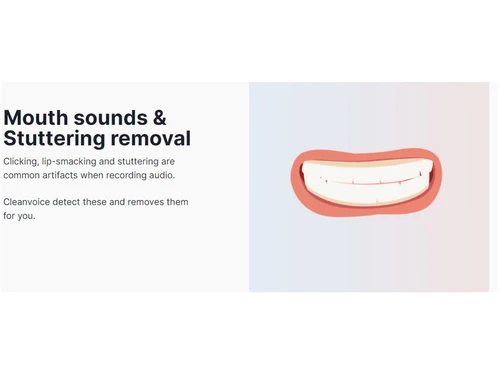
Cleanvoice is an artificial intelligence which removes filler sounds, stuttering and mouth sounds from your podcast or audio recording
 Noise Reduction Dead Air Elimination Stutter Correction Breath Sound Attenuation Podcast Transcription Chapter Marker Creation Multitrack Synchronization Audio Mixing API Integration Echo and Reverb Removal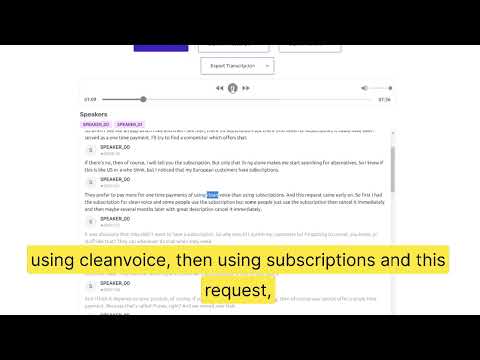

Watch the demo video to explore key features, real workflows, and how the software fits your business needs.
 Windows
  Desktop
  Cloud-Based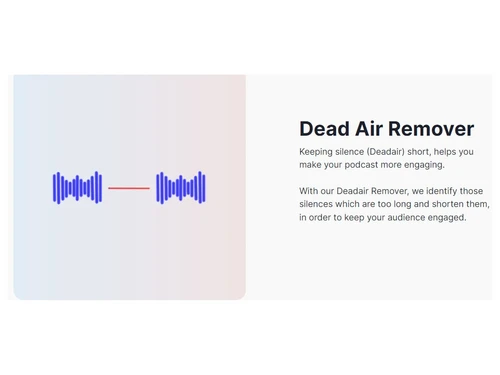
Small Business
Designed for startups and growing businesses
Medium Business
Built for business growth and flexibility
Enterprises
Designed for complex and large-scale business needs
4.3
Out of 5

Overall Rating
Based on
11 Verified Reviews
Rating Breakdown
88% Recommend this Product
Add ReviewOverall, users appreciate Cleanvoice AI for its ability to streamline audio editing, enhance quality, and integrate seamlessly into existing workflows. Many highlight its user-friendly interface, making it accessible for beginners and efficient for collaborative projects. However, some users express concerns about its reliance on a stable internet connection, which can hinder offline use, and note occasional over-editing of audio. Additionally, advanced features are often locked behind higher usage plans, which may not be ideal for casual users.
Pros
"like how the design is novice-friendly even to those who do not even have advanced technical skills, making it accessible to many with its user-friendly interface."
"AI has helped me in saving time since it automates many of the tedious parts of audio editing making it ideal for my content creation."
"my experience with Cleanvoice AI, I have found that I can modify the playback speed of podcasts without hampering the audio quality which saves a lot of time in rendering."
Cons
"The main function of Cleanvoice AI is audio cleaning, it does not have the features of a fully featured DAW (Digital Audio Workstations) like Pro Tools or Logic Pro."
"Living in a sub-urban environment sometimes internet access is not as strong and reliable which makes offline use very difficult and sometimes impossible."
"I have found that in some cases where the AI mistakenly identified my speech nuances or pauses as errors, by altering them or removing them entirely."


Nov 19, 2024
Techjockey Verified
“Great Addition to My Audio Workflow”
My audio editing has become more fluid thanks to Cleanvoice AI. I can simply incorporate it into my workflow for fast audio cleanups without switching platforms because it integrates well with my other products.
Pros
During the month I have been using Cleanvoice AI I have found that it has integrative potential, and it can be integrated into workflows and along with other audio editing tools making it more usable.
Cons
The main function of Cleanvoice AI is audio cleaning, it does not have the features of a fully featured DAW (Digital Audio Workstations) like Pro Tools or Logic Pro.
Reason to switch
My old program did not streamline my workflow the way I wanted it to and had more limited integration. I can effectively handle audio cleaning using Cleanvoice AI while utilizing other tools for intricate edits.
Nov 18, 2024
Techjockey Verified
“Trusty but Needs Internet”
Thanks to Cleanvoice AI my audio endeavours have immensely improved. Even though I occasionally have trouble with low internet, it gives my recordings a polished quality without the normal headaches of manual editing.
Pros
I have been using Cleanvoice AI for awhile and it has shown incredible consistency in quality across different recordings, reducing the inconsistencies that might come with manual editing
Cons
Living in a sub-urban environment sometimes internet access is not as strong and reliable which makes offline use very difficult and sometimes impossible.
Reason to switch
Thrive Themes did not produce consistent results and required too much manual editing, so I switched.
Nov 16, 2024
Techjockey Verified
“Perfect for Globe Users”
Cleanvoice AI has improved my audio projects. The language support is ideal since it facilitates editing. It changed the game for my content once I adapted to the modification possibilities.
Pros
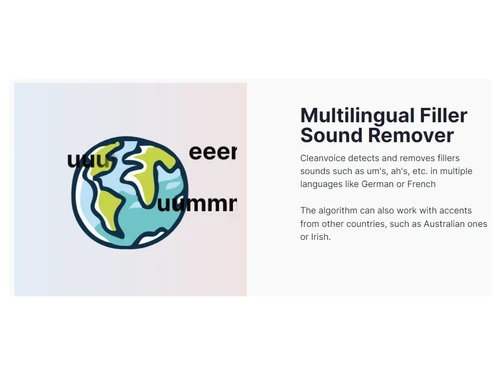
Being a native Spanish speaker, it has helped me a lot since it supports multiple languages which makes it more available to a global user.
Cons
Took me some time to fully understand customization features to really maximize my content even though it is simple to use.
Reason to switch
I made the transition since my previous software was restricting my ability to work in Spanish and did not support many languages. Editing material in many languages is now much simpler thanks to Cleanvoice AI.

Cleanvoice AI
Price On Request
Desktop
Mobile
Web based
On Premises
Windows
Mac OS
Audacity
Price On Request
Desktop
Mobile
Web based
On Premises
Windows
Mac OS

AudioDirector 365
₹ 1599
Desktop
Mobile
Web based
On Premises
Windows
Mac OS

Supertone CLEAR
Price On Request
Desktop
Mobile
Web based
On Premises
Windows
Mac OS
BandLab
Price On Request
Desktop
Mobile
Web based
On Premises
Windows
Mac OS

Adobe Audition
Price On Request
Desktop
Mobile
Web based
On Premises
Windows
Mac OS

Moises
Price On Request
Desktop
Mobile
Web based
On Premises
Windows
Mac OS

FMOD
Price On Request
Desktop
Mobile
Web based
On Premises
Windows
Mac OS

Podcastle AI
Price On Request
Desktop
Mobile
Web based
On Premises
Windows
Mac OS

Adobe Podcast
Price On Request
Desktop
Mobile
Web based
On Premises
Windows
Mac OS

Cubase Elements
₹ 9281
Desktop
Mobile
Web based
On Premises
Windows
Mac OS
(0) Product(s) selected
Starting Price:
$69 /License
Starting Price:
$15 /month
Starting Price:
$9 /Month
Available
Price on Request
Starting Price:
₹9,281
Starting Price:
$10 /Month
Available
Price on Request

Available
Price on Request

Available
Price on Request

Available
Price on Request

Available
Price on Request




Yes, Cleanvoice AI offers a free plan where users can clean up to 30 minutes of audio or video without signing up or providing a credit card, making it ideal for testing the software's capabilities.
Cleanvoice AI automates the audio editing process by removing background noise, filler words, mouth sounds, and long pauses, helping podcasters achieve a polished, professional sound in less time.
Cleanvoice AI supports various popular audio formats like MP3 and WAV, ensuring compatibility with most podcasting platforms and recording software used by content creators.
Yes, Cleanvoice AI allows users to upload multiple files for editing in one go, streamlining the workflow for podcasters managing several episodes or large audio projects.
Cleanvoice AI provides a timeline export feature that shows all removed sections, allowing you to manually review and customize edits to ensure they align with your preferences.
Yes, Cleanvoice AI allows you to mute unwanted audio segments instead of fully removing them, giving you control over how certain parts of your podcast are handled.
To remove background noise from audio in Cleanvoice, follow the steps given below:
0 0
Timestamps are automatically generated by Cleanvoice along with the transcript. During editing, timestamps can be used or modified.
0 0
In Cleanvoice, after a summary has been generated, you can edit it directly within the platform’s dashboard.
0 0
To summarize my non-English podcast show, follow the steps given below:
0 0
Cleanvoice stores your files for a week after processing, after which they are automatically deleted.
0 0
20,000+ Software Listed
Best Price Guranteed
Free Expert Consultation
2M+ Happy Customers
Terms and Condtions

Users with registered businesses can purchase goods from merchants on the platform to satisfy their business needs. Users are not permitted to utilize any products acquired through the platform for resale, advertising, business, or further distribution.
For each purchase made, users will receive a Tax Invoice (or 'GST invoice') that includes specific details such as:
the GSTIN of the user associated with their registered business, and
the specified Entity Name for their business.
It should be noted that not all products are eligible for GST Invoice. Only the products displayed by participating sellers with the 'GST-based Invoice Available' callout on the product description page would qualify.
Certain goods and services are not eligible to get a GST Invoice, including items with VAS, i.e., Value Added Services (e.g., Total Mobile Protection/Assured Buyback) and those involving an exchange offer at the time of purchase.
Users must ensure the accuracy of the GSTIN, and business entity name provided for the GST Invoice. Requests for corrections into GST Invoice would not be accommodated by Techjockey.com or any Seller, and any issues arising from user-provided information are the sole responsibility of users.
Techjockey.com is not liable for the GST Invoice or any associated input tax credit. To efficiently claim an input tax credit, users should select the registered place of business address as per the GST authority's data and follow the provisions of the GST Act and rules.
To claim an input tax credit, the delivery and billing addresses must match. Furthermore, input tax credits will not be granted if the delivery address and GSTIN on the invoice are from different states. In case of incorrect GST details provided during the order placement, the order will be canceled automatically.