linkedin
Moises logo
play Moises - The Musician's App
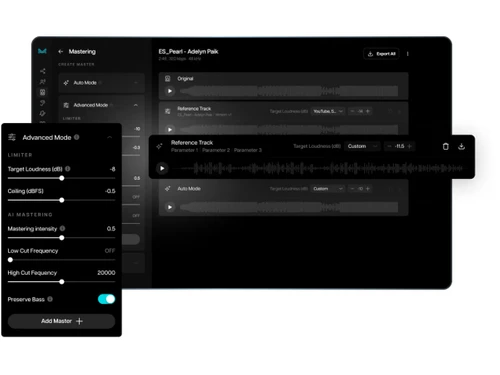
Moises-advanced mode
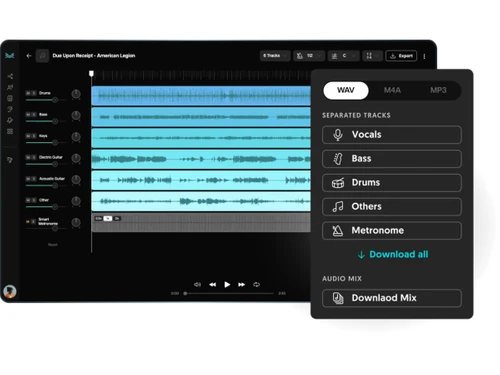
Moises-WAV

Moises

Brand: Moises Systems

  • 4.7

  • 3 Ratings & 3 Reviews

Moises Audio Editing Software empowers users to refine audio tracks precisely, offering advanced tools for noise reduction, pitch adjustment, and seamless integration of effects.

See More

Have you used Moises before?

Share your insights for better experience

Add a Review
Starting Price
$25

View plans

100% Genuine
Products
Best Price
Guaranteed
Safe & Secure
Payment
  • Description

  • Pricing

  • Features

  • Specification

  • Review

  • Compare

  • Alternatives

  • FAQ

Starting at $25

Moises Software Overview

What is Moises?

Experience the future of music production and Audio Editing Software with Moises, your ultimate companion in harnessing the power of Artificial Intelligence (AI) for musical innovation. Unleash your creativity and elevate your compositions with groundbreaking features that redefine the boundaries of music-making. Moises is not just software; it's an AI-driven music studio that empowers you to achieve unparalleled audio perfection.

You can seamlessly edit and manipulate audio elements with its advanced AI Audio Separation technology, allowing you to isolate and control individual components of your tracks like never before. With the precision of Natural Language Processing, transform your lyrics into captivating melodies through the Lyric Writer feature, giving voice to your artistic expressions in an entirely new way. Unlock harmony and rhythm with Moises' chord detection capabilities, revolutionizing how you create music by effortlessly identifying and suggesting chord progressions that resonate with your sound.

Tailor your tracks further with the pitch changer, offering infinite tonal possibilities that enable you to explore and experiment with your compositions. Whether you're a seasoned producer or a budding artist, Moises is your companion who will redefine music production and bring your creative visions to life. Elevate your musical journey today with Moises.

Why Choose Moises?

Moises is a game-changer for musicians, producers, and audio enthusiasts seeking to elevate their creative endeavors. Musicians can harness Moises' AI capabilities to effortlessly isolate individual audio components, enabling unparalleled control over their compositions. Producers benefit from AI-driven tools for quick and accurate key and chord detection, streamlining the process of creating harmonious tracks.

Whether you're a songwriter looking to breathe life into your lyrics or an audio editor aiming for precision, Moises offers an intuitive platform that empowers you to unleash your artistic vision and redefine the boundaries of music production. Aspiring artists can use AI-enhanced features to experiment with sound, while experienced producers can easily enhance their workflow and create polished tracks.

Benefits of Moises Audio Editing Software

  • Leverage AI audio separation and editing tools for unprecedented control over your music compositions.
  • Identify keys, chords, and progressions to craft melodies that resonate with your unique style.
  • Harness Natural Language Processing to turn your written words into captivating musical expressions.
  • Edit and enhance audio tracks with unparalleled accuracy using advanced AI-driven technology.
  • Experiment with pitch and tone using the pitch changer, pushing the boundaries of your sound.
  • Elevate your production game with AI-powered features that streamline the creation process.

Moises Pricing

Moises pricing starts from $25 at techjockey.com

The pricing model is based on different parameters, including extra features, deployment type, and total users. For further queries related to the product, you can contact our product team and learn more about the pricing and offers.

Read more

Moises Systems Company Details

Founded Year:  2016

Moises is an audio-tech company that leverages machine learning and data science in relation to music and audio processing.

Director/Founders Eddie Hsu, Geraldo Ramos, Jardson Almeida
Company Size 1-100 Employees

Moises Pricing & Plans

Growth
Key Features
  • 10 concurrent processing jobs
  • $25 credit included every month (limited offer)
  • 5% discount in all modules
  • 100GB permanent storage
Starting at $25
    • Licenses

      Licenses
      Licenses
    • Monthly

      Monthly
      Monthly

Key Features

  • 10 concurrent processing jobs

  • $25 credit included every month (limited offer)

  • 5% discount in all modules

  • 100GB permanent storage

Moises Features

  • icon_check Stem Separation
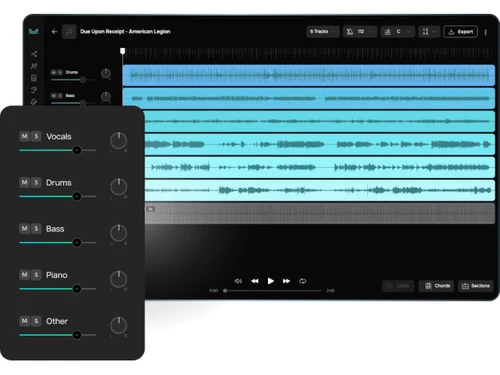
    Splits songs into individual stems for isolated editing, practice, remixing, and music production.
  • icon_check Vocal Removal
    Removes or isolates vocals from songs to create instrumental and karaoke-style backing tracks.
  • icon_check Artificial Intelligence
    Harness the power of cutting-edge AI technology to transform your music creation process.
  • icon_check Music Production
    Elevate your musical creations to new heights with intuitive and innovative music production tools.
  • icon_check Audio Editing
    Seamlessly edit and enhance your audio tracks precisely and efficiently.
  • icon_check AI Audio Separation
    Unleash the potential of your tracks by isolating individual audio components using advanced AI algorithms.
  • icon_check Natural Language Processing
    Transform your lyrical ideas into captivating melodies using NLP.
  • icon_check AI Key Detection
    Effortlessly identify the key of your music, enabling harmonious compositions with every note.
  • icon_check Pitch Changer
    Explore limitless sonic possibilities by adjusting pitch and tone to match your creative vision.
  • icon_check Chord Detection
    Instantly discover and experiment with harmonious chord progressions for your compositions.
  • icon_check Lyric Writer
    Give life to your words as Moises helps craft melodies that resonate with the emotions of your lyrics.
Moises Demo Video play icon

Get Moises Demo

Watch the demo video to explore key features, real workflows, and how the software fits your business needs.

Understand
Key Features
Personal
Demo Insights
Interactive
Demo Support

Moises Specifications

Supported Platforms
Ubuntu Ubuntu Windows Windows iOS iOS Android Android MacOS MacOS Linux Linux
Devices
Desktop Desktop Mobile Mobile Tablet Tablet iPad iPad
Deployment
Cloud-Based Cloud-Based
Suitable For
All Industries
Business Specific
All Businesses
Business Size
Small Business Startups Medium Business Enterprises SMBs SMEs MSMBs MSMEs
Customer Support
Email Communities
Language
English
Integration
API Integration
Training Resources
Documentation Videos
AI Features
AI Integrated

Explore the Best Alternative Solutions Similar to Your Business Size and Needs

Moises Reviews

4.7

Out of 5

img

Overall Rating

Based on
3 Verified Reviews

Rating Breakdown

  • Features 5
  • Value for Money 4.5
  • Ease of Use 4.5
  • Customer Support 5

90% Recommend this Product

Add Review

Moises Video Reviews

youtubeVideoId

4.8

“Moises App Review - Amazing New Tool For Musicians! This Is How You Do Covers From Now On”

Review by: The K Man

youtubeVideoId

4.8

“Moises App Review”

Review by: Wyatt Holmes

youtubeVideoId

4.8

“BEST App for Cajon Players - Moises App”

Review by: Cajon Master

Compare Moises With other Audio Editing Software

Products
Ratings
Pricing
Device Supported
Deployment
Supported Platforms
  • img

    Moises

  • 4.7

  • Price On Request

  • Desktop

    Mobile

  • Web based

    On Premises

  • Windows

    Mac OS

  • img

    Audacity

  • 4.6

  • Price On Request

  • Desktop

    Mobile

  • Web based

    On Premises

  • Windows

    Mac OS

  • img

    Cleanvoice AI

  • 4.3

  • Price On Request

  • Desktop

    Mobile

  • Web based

    On Premises

  • Windows

    Mac OS

  • img

    Supertone CLEAR

  • 4.5

  • Price On Request

  • Desktop

    Mobile

  • Web based

    On Premises

  • Windows

    Mac OS

  • img

    BandLab

  • 4.5

  • Price On Request

  • Desktop

    Mobile

  • Web based

    On Premises

  • Windows

    Mac OS

  • img

    Adobe Audition

  • 4.2

  • Price On Request

  • Desktop

    Mobile

  • Web based

    On Premises

  • Windows

    Mac OS

  • img

    Adobe Podcast

  • 4.2

  • Price On Request

  • Desktop

    Mobile

  • Web based

    On Premises

  • Windows

    Mac OS

  • img

    Podcastle AI

  • 4.5

  • Price On Request

  • Desktop

    Mobile

  • Web based

    On Premises

  • Windows

    Mac OS

  • img

    FMOD

  • 4.4

  • Price On Request

  • Desktop

    Mobile

  • Web based

    On Premises

  • Windows

    Mac OS

  • img

    LALAL AI

  • 4.3

  • Price On Request

  • Desktop

    Mobile

  • Web based

    On Premises

  • Windows

    Mac OS

(0) Product(s) selected

Moises Alternatives

See All Moises Alternatives

Starting Price:

$15 /month

Available

Price on Request

Available

Price on Request

Available

Price on Request
Available

Price on Request
Articles for Moises

See All Related Articles

Which operating system does Moises Software Support?

Moises Audio Editing Program is compatible with Windows and macOS operating systems.

Is there any Moises app?

Moises app is available on Android and iOS devices.

What is the deployment type of the Moises Software?

Moises Software supports on-premises deployment.

How Much Does the Moises Cost?

Moises pricing starts from $25 at techjockey.com

Who are the potential users of the Moises software?

Moises can be used by video editors, musicians, music directors, instrumentalists and individuals looking for robust audio editing software.

Is there any free trial or demo for Moises?

Moises demo is available for free with techjockey.com.

Is Moises Software Free?

Moises does not offer a free trial.

How can you download the Moises Software?

For Moises software installation, you can go directly to Techjockey’s official website and buy this solution. Once purchased, you will receive a key to download the same via email.

How does the Moises software Work?

Moises, a cutting-edge audio editing software, is a musician's ultimate companion. Unleash its potential to refine your music practice: eliminate vocals, extract individual instruments, perfect track mastering, and craft remixes, all thanks to its potent AI technology. Elevate your musical journey with Moises, the unrivalled choice for honing your craft.

20,000+ Software Listed

Best Price Guranteed

Free Expert Consultation

2M+ Happy Customers

Terms and Condtions

close

Users with registered businesses can purchase goods from merchants on the platform to satisfy their business needs. Users are not permitted to utilize any products acquired through the platform for resale, advertising, business, or further distribution.

For each purchase made, users will receive a Tax Invoice (or 'GST invoice') that includes specific details such as:

  • the GSTIN of the user associated with their registered business, and

  • the specified Entity Name for their business.

It should be noted that not all products are eligible for GST Invoice. Only the products displayed by participating sellers with the 'GST-based Invoice Available' callout on the product description page would qualify.

Certain goods and services are not eligible to get a GST Invoice, including items with VAS, i.e., Value Added Services (e.g., Total Mobile Protection/Assured Buyback) and those involving an exchange offer at the time of purchase.

Users must ensure the accuracy of the GSTIN, and business entity name provided for the GST Invoice. Requests for corrections into GST Invoice would not be accommodated by Techjockey.com or any Seller, and any issues arising from user-provided information are the sole responsibility of users.

Techjockey.com is not liable for the GST Invoice or any associated input tax credit. To efficiently claim an input tax credit, users should select the registered place of business address as per the GST authority's data and follow the provisions of the GST Act and rules.

To claim an input tax credit, the delivery and billing addresses must match. Furthermore, input tax credits will not be granted if the delivery address and GSTIN on the invoice are from different states. In case of incorrect GST details provided during the order placement, the order will be canceled automatically.