
linkedin
Plus AI logo
play Plus | Build the big picture, together.
Plus AI-slides
Plus AI-prompt

Plus AI

Brand: Plus AI

  • 4.3

  • 3 Ratings

Plus AI helps you quickly create and edit slides directly in Google Slides and PowerPoint.

See More

Have you used Plus AI before?

Share your insights for better experience

Add a Review
Starting Price
$15

View plans

100% Genuine
Products
Best Price
Guaranteed
Safe & Secure
Payment
  • Description

  • Pricing

  • Features

  • Specification

  • Review

  • FAQ

Starting at $15

Plus AI Software Overview

What is Plus AI?

Plus AI is a presentation software that helps users create slides quickly and easily. It generates slide outlines, content, and layouts automatically, saving time and effort.

The tool integrates seamlessly with Google Slides and PowerPoint for smooth editing. Plus AI allows users to refine, remix, and enhance presentations using smart AI suggestions.

Why Choose Plus AI Software?

  • AI-Powered Slide Creation: Plus AI uses advanced artificial intelligence to automatically generate complete presentations. You can turn simple ideas or prompts into well-structured slides within minutes.
  • Works Inside Google Slides & PowerPoint: The software integrates directly with Google Slides and Microsoft PowerPoint. This allows you to create and edit presentations without switching to a separate platform.
  • Smart Content Suggestions: The AI helps improve slide text by suggesting clearer wording and better structure. This ensures your message is concise and professional.
  • Easy Slide Editing: Users can rewrite, expand, or shorten slide content using AI commands. This makes updating presentations quick and effortless.
  • Professional Design Layouts: Plus AI automatically applies clean and modern slide layouts. Your presentations look polished without needing design expertise.
  • Perfect for Non-Designers: Even users with no design background can create high-quality presentations. The AI handles layout, formatting, and structure.
  • Customizable Content: Slides can be easily customized to match your brand style or presentation goals. You remain in full control of the final output.

Benefits of Plus AI Software

  • Supports Multiple Use Cases: Plus AI is suitable for business pitches, classroom lessons, marketing decks, and sales presentations. It adapts to different content needs easily.
  • Quick Outline Generation: The tool can instantly convert ideas into organized presentation outlines. This helps users plan and structure content effectively.
  • AI Image & Visual Assistance: Plus AI supports the addition of visuals to make slides more engaging. It helps enhance presentations with relevant design elements.
  • Consistent Slide Formatting: Plus AI maintains uniform formatting across all slides. This ensures a cohesive and professional look throughout the presentation.
  • Fast Content Refinement: Users can instantly refine slide text for clarity and impact. The AI helps improve readability and flow.
  • High-Quality Output: The software produces presentation-ready slides with minimal editing required. The final result looks professional and well-structured.

Plus AI Pricing

Plus AI price starts at USD 15 at techjockey.com.

The pricing model is based on different parameters, including extra features, deployment type, and the total number of users. For further queries related to the product, you can contact our product team and learn more about the pricing and offers.

Read more

Plus AI Company Details

Founded Year:  2021

Plus is a software company that captures, views, and shares current data from any source.

Director/Founders Chloe Qi, Daniel Li
Company Size 1-100 Employees

Plus AI Pricing & Plans

Basic
Starting at $15
    • Users

      Users
      Users
    • Monthly

      Monthly
      Monthly

Key Features

  • Unlimited AI generation

  • Create single slides

  • Rewrite and remix slides with AI

Pro
Starting at $25
    • Users

      Users
      Users
    • Monthly

      Monthly
      Monthly

Key Features

  • Everything in the Basic plan

  • 100K+ character prompts

  • Document uploads (PDF, docx, txt)

  • Generate AI images

  • Unlimited team members

Team
Starting at $40
    • Users

      Users
      Users
    • Monthly

      Monthly
      Monthly

Key Features

  • Everything in the Pro plan

  • Customize logo, colors, and fonts

  • Upload a custom template (beta)

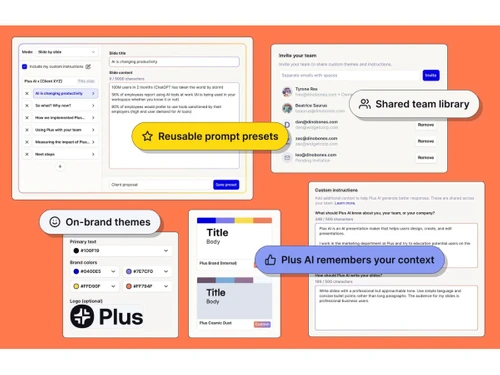
  • Save custom instructions

  • Prompt history and presets

  • Unlimited team members

Plus AI Features

  • icon_check AI Slide Generation
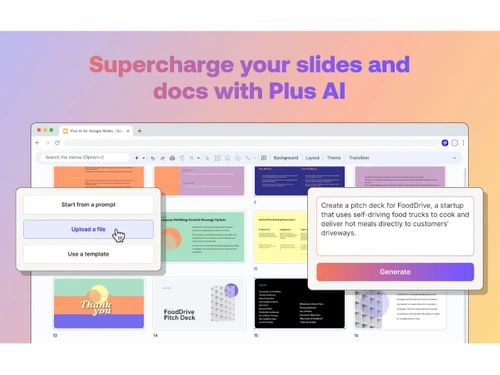
    Turn any text prompt, doc, or link into a polished, professional presentation in seconds with AI automation.
  • icon_check Native Integration
    Works directly in Google Slides and PowerPoint, letting you generate and edit slides without switching platforms.
  • icon_check Content Upload Support
    Upload PDFs, Word docs, or YouTube links, and instantly transform content into presentation-ready slides.
  • icon_check Smart Slide Editing
    Use AI to rewrite, expand, or shorten slide content for clarity, engagement, and better audience understanding.
  • icon_check Layout Optimization
    Automatically adjusts layouts, spacing, and visuals for maximum readability and design consistency across slides.
  • icon_check Multilingual Support
    Generate, translate, or edit presentations in over 50 languages, including Hindi, Spanish, Japanese, and more.
  • icon_check Remix Tool
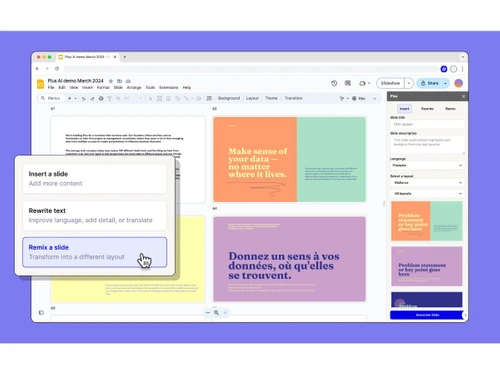
    Easily reformat slides into new structures, tones, or styles while keeping your original message intact.
  • icon_check Custom Branding
    Add brand colors, fonts, and logos to ensure every presentation is on-brand and consistent with your identity.
  • icon_check Templates
    Access hundreds of ready-made templates for education, sales, marketing, startups, and corporate use cases.
  • icon_check Compliance Management
    SOC 2 Type II certified, with enterprise-grade security and encryption to safeguard sensitive business data.
  • icon_check AI Writing Assistant
    Integrated writing tool in Google Docs for drafting, summarizing, translating, and bulletizing content quickly.
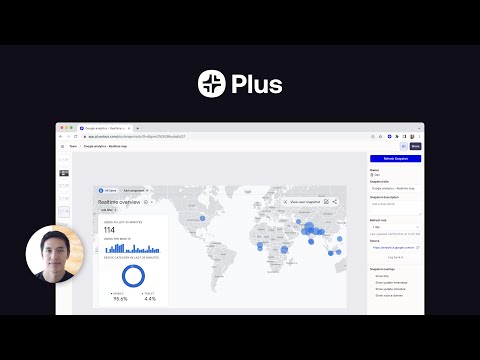
Plus AI Demo Video play icon

Get Plus AI Demo

Watch the demo video to explore key features, real workflows, and how the software fits your business needs.

Understand
Key Features
Personal
Demo Insights
Interactive
Demo Support

Plus AI Specifications

Supported Platforms
Ubuntu Ubuntu Windows Windows MacOS MacOS Linux Linux
Devices
Desktop Desktop
Deployment
Cloud-Based Cloud-Based
Suitable For
All Industries
Business Specific
All Businesses
Business Size
Small Business Startups Medium Business Enterprises
Customer Support
Email Communities
Language
English
Training Resources
Videos
AI Features
AI Integrated

Plus AI Review

4.3

Out of 5

img

Overall Rating

Based on
3 Verified Ratings

Rating Breakdown

  • Features 4
  • Value for Money 4.8
  • Ease of Use 4
  • Customer Support 4.5

80% Recommend this Product

Add Review

Be the First to Review

This product has no reviews yet. Be the first to leave your feedback.

Add Review

Articles for Plus AI

See All Related Articles

How much does Plus AI Software cost?

Plus AI pricing starts at USD 15 per month, as listed on techjockey.com.

Is there a mobile app available for Plus AI Software?

Currently, Plus AI is available as a web-based tool, with no dedicated mobile app.

Which operating systems are compatible with Plus AI Software?

Plus AI works on any OS with a modern web browser, including Ubuntu, Windows, macOS, and Linux.

Does Plus AI Software offer a free trial?

Yes, Plus AI offers a free trial for new users.

How does Plus AI Software function?

Plus AI uses artificial intelligence to generate, edit, and enhance slides directly in Google Slides and PowerPoint.

Who uses Plus AI Software?

Plus AI is used by professionals, educators, marketers, and teams needing fast and polished presentations.

Is a free demo available for Plus AI Software?

Yes, users can access a free demo to explore its features.

Is Plus AI Software available for free?

Plus AI offers limited free access, with full features available via paid plans.

20,000+ Software Listed

Best Price Guranteed

Free Expert Consultation

2M+ Happy Customers

Terms and Condtions

close

Users with registered businesses can purchase goods from merchants on the platform to satisfy their business needs. Users are not permitted to utilize any products acquired through the platform for resale, advertising, business, or further distribution.

For each purchase made, users will receive a Tax Invoice (or 'GST invoice') that includes specific details such as:

  • the GSTIN of the user associated with their registered business, and

  • the specified Entity Name for their business.

It should be noted that not all products are eligible for GST Invoice. Only the products displayed by participating sellers with the 'GST-based Invoice Available' callout on the product description page would qualify.

Certain goods and services are not eligible to get a GST Invoice, including items with VAS, i.e., Value Added Services (e.g., Total Mobile Protection/Assured Buyback) and those involving an exchange offer at the time of purchase.

Users must ensure the accuracy of the GSTIN, and business entity name provided for the GST Invoice. Requests for corrections into GST Invoice would not be accommodated by Techjockey.com or any Seller, and any issues arising from user-provided information are the sole responsibility of users.

Techjockey.com is not liable for the GST Invoice or any associated input tax credit. To efficiently claim an input tax credit, users should select the registered place of business address as per the GST authority's data and follow the provisions of the GST Act and rules.

To claim an input tax credit, the delivery and billing addresses must match. Furthermore, input tax credits will not be granted if the delivery address and GSTIN on the invoice are from different states. In case of incorrect GST details provided during the order placement, the order will be canceled automatically.