linkedin
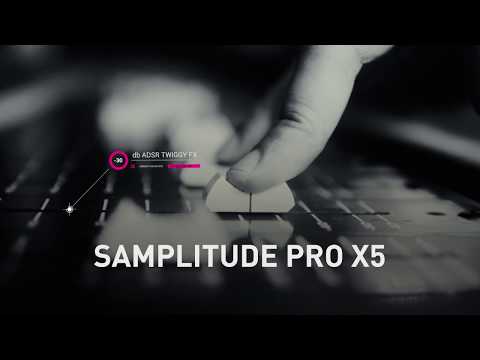
Samplitude Pro X5 logo
play Samplitude Pro X5 Tutorial – Introduction
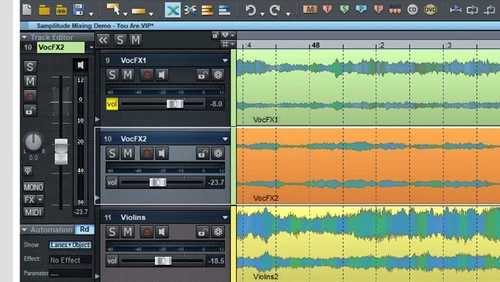
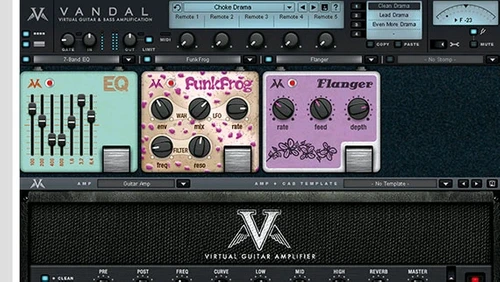
Samplitude Pro X5 track editor
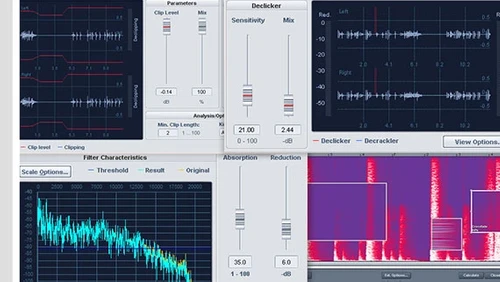
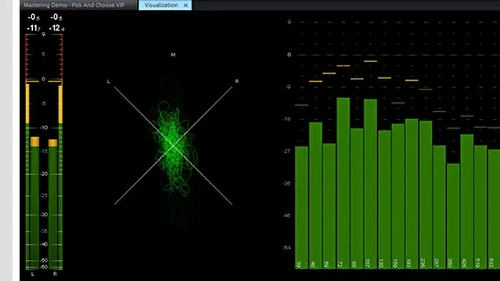
Samplitude Pro X5 declicker

Samplitude Pro X5

Brand: MAGIX

  • 4.7

  • 1 Rating & 1 Review

Samplitude Pro X5 is a complete Audio Mixing Software designed to serve Startups, SMBs, SMEs and Agencies. This Audio Mixing Software for Web-Based has a simple interface and is easy to use. Samplitude Pro X5 provides end-to-end solutions for Windows operating systems and is compatible with Desktop.

See More

Have you used Samplitude Pro X5 before?

Share your insights for better experience

Add a Review

Price Available on Request

Questions about pricing or customization? We’re here to help, just a click away.

100% Genuine
Products
Best Price
Guaranteed
Safe & Secure
Payment
  • Description

  • Pricing

  • Features

  • Specification

  • Review

  • Compare

  • Alternatives

  • FAQ

Samplitude Pro X5 Software Overview

What is Samplitude Pro X5?

Samplitude Pro X5 is a complete Audio Mixing Software designed to serve Startups, SMBs, SMEs and Agencies. This Audio Mixing Software for Web-Based has a simple interface and is easy to use. Samplitude Pro X5 provides end-to-end solutions for Windows operating systems and is compatible with Desktop.


Read more

MAGIX Company Details

Founded Year:  1993

MAGIX is a market-leading provider of high-quality multimedia software, online services and digital content in multimedia communication.

Director/Founders yk w0ng
Company Size 101-500 Employees

Samplitude Pro X5 Pricing & Plans

Looking for The Right Pricing?

Share your requirements and get a plan built around your business.

  • Define your business needs
  • Get customised pricing
  • Choose features that fit your workflow

Price Available on Request

Get personalised Samplitude Pro X5 pricing that fits your needs. Our team will connect with you.

Samplitude Pro X5 Features

  • icon_check Audio Editing
  • icon_check Audio Patterns
  • icon_check Access Control
  • icon_check ARA2 support
  • icon_check MIDI Editor
  • icon_check Wave Color
  • icon_check Mixing
  • icon_check Compose
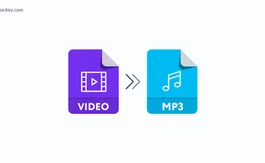
  • icon_check Convert MP4, DVD, MP3, AVI files
Samplitude Pro X5 Demo Video play icon

Get Samplitude Pro X5 Demo

Watch the demo video to explore key features, real workflows, and how the software fits your business needs.

Understand
Key Features
Personal
Demo Insights
Interactive
Demo Support

Samplitude Pro X5 Specifications

Supported Platforms
Windows Windows
Devices
Desktop Desktop
Deployment
Cloud-Based Cloud-Based
Suitable For
All Industries
Business Specific
All Businesses
Language
English

Samplitude Pro X5 Review

4.7

Out of 5

img

Overall Rating

Based on
1 Verified Review

Rating Breakdown

  • Features 5
  • Value for Money 5
  • Ease of Use 5
  • Customer Support 4

100% Recommend this Product

Add Review

Jayvoice

Freelancer

Industry: Entertainment

4.7

Reviewed on: Feb 5, 2024

Techjockey Verified

“it”

Well, I am Jayvoice a music producer from Nigeria. Using samplitude makes life easier. if you have any problem sounding with samplitude just reload it will work. Also for me it's the best audio recording and editing software you don't need anyone to teach you before you can figure out how easy you can use it. what you can do with samplitude when it comes to audio mixing and mastering is limitless.

Pros

I like the workflow. I like the fact it includes the master chain like fl studio, studio one to project panel it doesn't give a problem you will need someone from outside to fix it for you.

Cons

The fact I don't like about the app is that you can't change the color I mean the theme to the color of your choice only the few color and style options given to you. it crashes sometimes well all software crash

Compare Samplitude Pro X5 With other Audio Mixing Software

Products
Ratings
Pricing
Device Supported
Deployment
Supported Platforms
  • img

    Samplitude Pro X5

  • 4.7

  • Price On Request

  • Desktop

    Mobile

  • Web based

    On Premises

  • Windows

    Mac OS

  • img

    Cubase PRO

  • 4.6

  • ₹ 52320

  • Desktop

    Mobile

  • Web based

    On Premises

  • Windows

    Mac OS

  • img

    MixMeister Express

  • 4.5

  • Price On Request

  • Desktop

    Mobile

  • Web based

    On Premises

  • Windows

    Mac OS

  • img

    Acoustica

  • 4.0

  • Price On Request

  • Desktop

    Mobile

  • Web based

    On Premises

  • Windows

    Mac OS

  • img

    Soundation

  • 4.1

  • Price On Request

  • Desktop

    Mobile

  • Web based

    On Premises

  • Windows

    Mac OS

  • img

    AudioTool

  • 3.3

  • Price On Request

  • Desktop

    Mobile

  • Web based

    On Premises

  • Windows

    Mac OS

(0) Product(s) selected

Samplitude Pro X5 Alternatives

See All Samplitude Pro X5 Alternatives

Available

Price on Request

Available

Price on Request

Available

Price on Request

Articles for Samplitude Pro X5

See All Related Articles

Which operating system does Samplitude Pro X5 support?

Samplitude Pro X5 Audio Mixing Software is compatible with Windows operating systems.

20,000+ Software Listed

Best Price Guranteed

Free Expert Consultation

2M+ Happy Customers

Terms and Condtions

close

Users with registered businesses can purchase goods from merchants on the platform to satisfy their business needs. Users are not permitted to utilize any products acquired through the platform for resale, advertising, business, or further distribution.

For each purchase made, users will receive a Tax Invoice (or 'GST invoice') that includes specific details such as:

  • the GSTIN of the user associated with their registered business, and

  • the specified Entity Name for their business.

It should be noted that not all products are eligible for GST Invoice. Only the products displayed by participating sellers with the 'GST-based Invoice Available' callout on the product description page would qualify.

Certain goods and services are not eligible to get a GST Invoice, including items with VAS, i.e., Value Added Services (e.g., Total Mobile Protection/Assured Buyback) and those involving an exchange offer at the time of purchase.

Users must ensure the accuracy of the GSTIN, and business entity name provided for the GST Invoice. Requests for corrections into GST Invoice would not be accommodated by Techjockey.com or any Seller, and any issues arising from user-provided information are the sole responsibility of users.

Techjockey.com is not liable for the GST Invoice or any associated input tax credit. To efficiently claim an input tax credit, users should select the registered place of business address as per the GST authority's data and follow the provisions of the GST Act and rules.

To claim an input tax credit, the delivery and billing addresses must match. Furthermore, input tax credits will not be granted if the delivery address and GSTIN on the invoice are from different states. In case of incorrect GST details provided during the order placement, the order will be canceled automatically.