 USA
USA UAE
UAESmall Business
Designed for startups and growing businesses
See More





Brand: Serato
Serato DJ Software is a comprehensive tool that empowers DJs and music producers to create exceptional mixes and deliver captivating performances.
See MoreHave you used Serato DJ before?
Share your insights for better experience
Brand: Serato
Founded Year: 1998
Serato develops audio software for professional DJs and musicians.
 Serato Stems Cue Points Key Analysis Audio Editing Audio Effects Audio Mixer Live DJ Control Audio Enhancements Slip Mode Quantize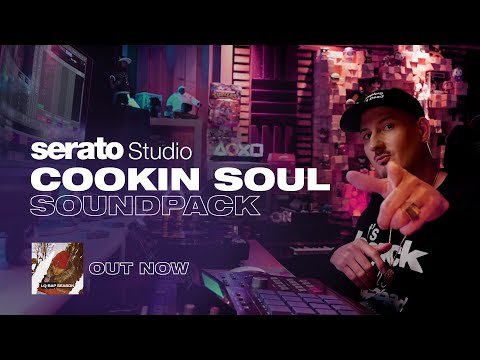

Watch the demo video to explore key features, real workflows, and how the software fits your business needs.
 Windows
  MacOS
MacOS  Desktop
  Perpetual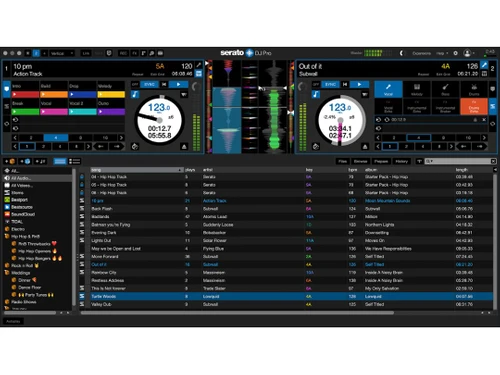
Small Business
Designed for startups and growing businesses
Medium Business
Built for business growth and flexibility
Enterprises
Designed for complex and large-scale business needs
4.4
Out of 5

Overall Rating
Based on
12 Verified Reviews
Rating Breakdown
86% Recommend this Product
Add ReviewOverall, users appreciate Serato DJ for its robust features and excellent sound quality, making it a preferred choice for both professional and advanced DJs. Many highlight its reliability during live performances and seamless integration with hardware. However, some users note that the software can be overwhelming for beginners and requires a significant investment, both in terms of cost and time to master. Occasional performance issues, such as crashes and high resource demands on older hardware, have also been mentioned.
Pros
"Great for both beginners and experienced DJs, solid customer support."
"Easy to use once you understand the layout, solid mixing features."
"Easy to use, great for beginners, affordable, runs smoothly on laptops, good for music library management."
Cons
"I’ve experienced occasional crashes when pushing the software with too many tracks. It’s a minor issue, but it can be frustrating during live performances. "
" Limited options for customizing the layout to personal preference. "
"The Lite version has some limitations compared to Pro, and it doesn't have all the fancy effects and features."


May 19, 2025
Techjockey Verified
“Reliable and Feature-Rich, But Pricey”
Serato DJ offers a lot of features that cater to both new and professional DJs, but the subscription cost and the need for regular updates can be a bit much. That said, it’s a fantastic tool if you’re serious about DJing.
Pros
Great for both beginners and experienced DJs, solid customer support.
Cons
Expensive and requires frequent updates
Reason to switch
Rekordbox’s streaming service restrictions apply, such as limitations on offline playback and using tracks from streaming services for certain functions like adding to playlists or exporting.
May 6, 2025
Techjockey Verified
“Perfect for the Advanced DJ”
Once I mastered Serato DJ, it became my go-to tool. The ability to customize everything from effects to track management is amazing.
Pros
Professional-grade features, highly customizable.
Cons
Interface can be overwhelming at first.
Reason to switch
Rekordbox’s recording feature limits each file to 3 hours, though recording continues, creating new files after 3 hours.
Apr 23, 2025
Techjockey Verified
“Great Software with Some Room for Improvement”
I've been using Serato since I was using DVS with Technics and control records. I find it to be easy to navigate and I prefer the look and feel compared to Rekordbox or Traktor.
Pros
Excellent sound quality, lots of advanced features.
Cons
I’ve experienced occasional crashes when pushing the software with too many tracks. It’s a minor issue, but it can be frustrating during live performances.
Reason to switch
Traktor doesn’t offer stability for heavy track usage.

Serato DJ
Price On Request
Desktop
Mobile
Web based
On Premises
Windows
Mac OS

MixMeister Fusion
₹ 17074
Desktop
Mobile
Web based
On Premises
Windows
Mac OS

VirtualDJ
Price On Request
Desktop
Mobile
Web based
On Premises
Windows
Mac OS

rekordbox
Price On Request
Desktop
Mobile
Web based
On Premises
Windows
Mac OS

PCDJ DEX 3
Price On Request
Desktop
Mobile
Web based
On Premises
Windows
Mac OS

YOUDJ
Price On Request
Desktop
Mobile
Web based
On Premises
Windows
Mac OS

Zulu DJ Software
Price On Request
Desktop
Mobile
Web based
On Premises
Windows
Mac OS

DJUCED
Price On Request
Desktop
Mobile
Web based
On Premises
Windows
Mac OS

DJ Studio
Price On Request
Desktop
Mobile
Web based
On Premises
Windows
Mac OS

TRAKTOR DJ
Price On Request
Desktop
Mobile
Web based
On Premises
Windows
Mac OS

Mixxx
Price On Request
Desktop
Mobile
Web based
On Premises
Windows
Mac OS
(0) Product(s) selected
Available
Price on Request

Starting Price:
€4,995

Available
Price on Request

Available
Price on Request

Available
Price on Request

Starting Price:
$8 /Month

Available
Price on Request
Serato software is compatible with Windows operating systems.
Serato app is unavailable on Android and iOS devices.
Serato system supports cloud-based deployment.
Serato pricing is available on request at techjockey.com.
Serato Audio Mixing system can be used by video editors, DJs, and video makers looking for robust audio mixing software.
Serato audio mixing platform demo is available for free with techjockey.com.
Serato Audio Mixing Software offers a free trial.
Serato is a cloud-based platform. So, download the installation file on your system and open the Setup Wizard to get started.
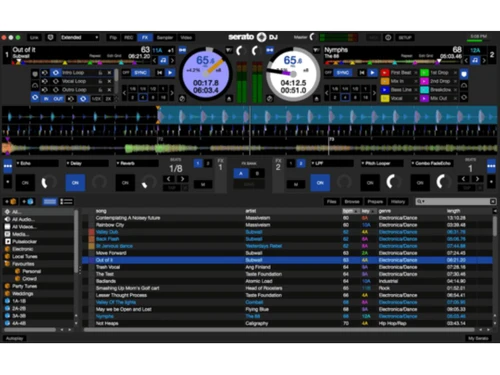
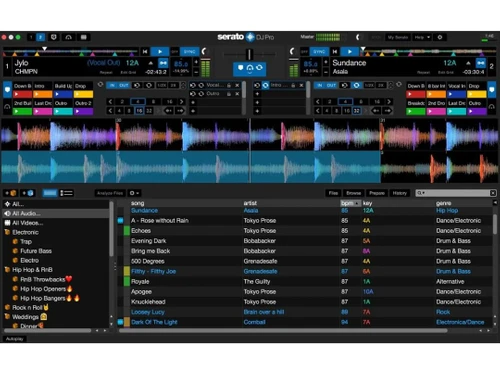
Serato offers audio editing, mixing, and live DJ control to enhance the user experience. It is a comprehensive audio-mixing software that will help you to enhance audio quality and effects through key shifting, time stretching, chopping sampling, etc. It provides support and tools for audio editing, trimming, chopping, and applying effects.
20,000+ Software Listed
Best Price Guranteed
Free Expert Consultation
2M+ Happy Customers
Terms and Condtions

Users with registered businesses can purchase goods from merchants on the platform to satisfy their business needs. Users are not permitted to utilize any products acquired through the platform for resale, advertising, business, or further distribution.
For each purchase made, users will receive a Tax Invoice (or 'GST invoice') that includes specific details such as:
the GSTIN of the user associated with their registered business, and
the specified Entity Name for their business.
It should be noted that not all products are eligible for GST Invoice. Only the products displayed by participating sellers with the 'GST-based Invoice Available' callout on the product description page would qualify.
Certain goods and services are not eligible to get a GST Invoice, including items with VAS, i.e., Value Added Services (e.g., Total Mobile Protection/Assured Buyback) and those involving an exchange offer at the time of purchase.
Users must ensure the accuracy of the GSTIN, and business entity name provided for the GST Invoice. Requests for corrections into GST Invoice would not be accommodated by Techjockey.com or any Seller, and any issues arising from user-provided information are the sole responsibility of users.
Techjockey.com is not liable for the GST Invoice or any associated input tax credit. To efficiently claim an input tax credit, users should select the registered place of business address as per the GST authority's data and follow the provisions of the GST Act and rules.
To claim an input tax credit, the delivery and billing addresses must match. Furthermore, input tax credits will not be granted if the delivery address and GSTIN on the invoice are from different states. In case of incorrect GST details provided during the order placement, the order will be canceled automatically.

