linkedin
Supernova logo
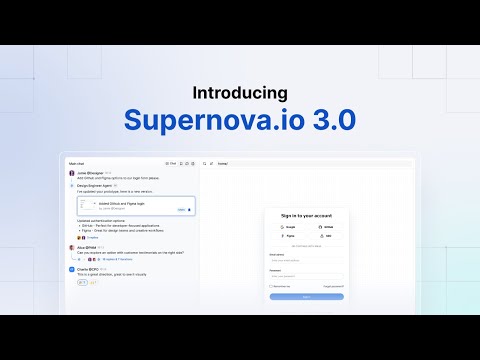
play Introducing Supernova.io 3.0 - vibes for real product teams
Supernova-prototype
Supernova-design

Supernova

Brand: Supernova Inc

  • No Ratings & Reviews

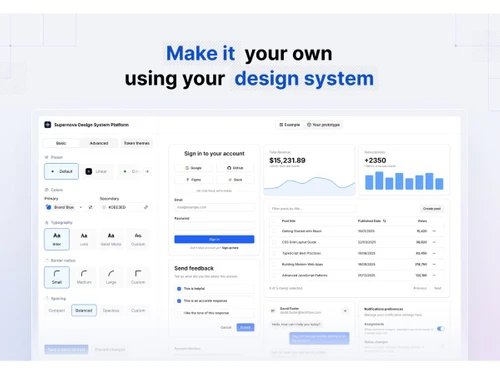
Supernova supercharges your prototyping by giving AI tools trusted context from design systems and docs, optimizing every team's workflow for innovation.

See More

Have you used Supernova before?

Share your insights for better experience

Add a Review
Starting Price
$45

View plans

100% Genuine
Products
Best Price
Guaranteed
Safe & Secure
Payment
  • Description

  • Pricing

  • Features

  • Specification

  • Review

  • Compare

  • FAQ

Starting at $45

Supernova Software Overview

What is Supernova?

Supernova is a comprehensive design system platform designed to bridge the gap between design and development teams. It functions as a single source of truth, enabling organizations to build, manage, and scale their design systems with precision and efficiency. The platform integrates directly with popular design tools like Figma and code repositories like Storybook, ensuring that design tokens, components, and documentation are always synchronized.

At its core, Supernova is engineered to provide trusted, structured context to AI tools. By curating information from your design system, documentation, and team skills, it empowers AI workflows to operate with accurate and relevant data. This enhances consistency and accelerates the entire product development lifecycle, from initial design concepts to final code implementation and documentation.

Why Choose Supernova?

  • Unified Source of Truth: By connecting design tools and code repositories, supernova ensures that everyone works with the most current and accurate design tokens, assets, and component libraries.
  • AI Context Management: A standout capability is its ability to create and manage "AI Contexts." This provides AI tools with a reliable, scoped knowledge base derived from your design system, dramatically improving the quality and relevance of AI-generated outputs.
  • Powerful Automation: The platform automates tedious tasks such as code generation and data source updates. This frees up valuable team resources, minimizes human error, and accelerates development cycles.
  • Enhanced Collaboration: Features like a multiplayer documentation editor, page drafts, selective publishing, and approval workflows foster seamless collaboration across different teams and roles.
  • Scalability and Security: With plans ranging from a free tier for small teams to a full enterprise solution, supernova scales with your organization. Enterprise-grade features like SAML SSO, IP allowlisting, and dedicated support ensure your design system remains secure and well-managed.

Advanced Features of Supernova

  1. Dynamic AI Contexts: Go beyond static data with dynamic filtering and nested context composition. This allows you to create highly specific and layered contexts for different AI tools and workflows, ensuring maximum relevance.
  2. Comprehensive Design System Governance: Maintain control over your design system with features like code adoption tracking, content approval workflows, invite-only design systems, and granular permissions for different user roles.
  3. Customizable Documentation Sites: Publish professional, polished documentation with support for custom domains, custom CSS and JavaScript, and page redirects. Selective publishing and private page options give you full control over content visibility.
  4. Enterprise-Grade Developer Tools: The platform includes a robust developer platform with unlimited automation pipelines, custom code exporters, SDK access, and the ability to work with codebases behind a VPN.
  5. Advanced Security and Administration: Secure your intellectual property with SAML 2.0 single sign-on, centralized administration, IP allowlisting, and dedicated support for infosec reviews.

Key Capabilities of Supernova

  • AI Context Management: Define, manage, and distribute trusted context from your design system and documentation to various AI tools. This includes creating skills, capturing feedback, and distributing contexts via unique Model-Context-Prompts (MCPs).
  • Design System Data Management: Connect directly to Figma and Storybook data sources. The platform supports automatic updates, Figma variables import, design token theming, and versioning to keep your system robust and up-to-date.
  • Multiplayer Documentation: A real-time, collaborative documentation editor allows teams to create and maintain comprehensive guides, component specifications, and brand guidelines together.
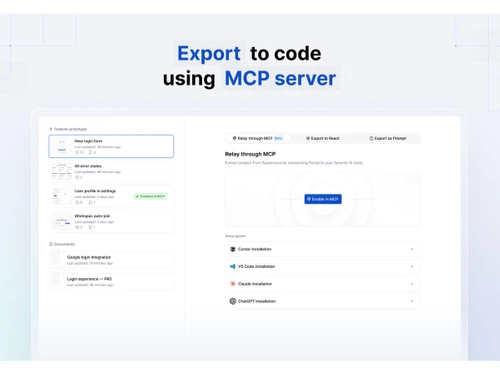
  • Code Automation Platform: Build and run automation pipelines that transform design tokens and data into production-ready code for any platform or framework, ensuring consistency from design to implementation.
  • Design System Portal: Provide a centralized, searchable portal for your entire organization. Users can use an "Ask AI" feature to query the design system, perform unified searches, and easily find the information they need.

How to Use Supernova?

  1. Connect Data Sources: Begin by linking your Figma files and Storybook instances. This establishes supernova as the central hub for all your design system assets.
  2. Manage Tokens and Assets: Import design variables, configure token themes, and manage datasets. This creates the foundational layer of your design system.
  3. Build Documentation: Use the collaborative editor to document components, styles, and usage guidelines. Organize content into pages and publish it to your documentation site.
  4. Configure Automation: Set up code automation pipelines to transform your design tokens into specific code outputs (e.g., CSS variables, Swift code) and deliver them to your code repositories.
  5. Define AI Contexts: Scope specific parts of your design system and documentation to create contexts for your AI tools, ensuring they operate with accurate, team-approved information.
  6. Publish and Govern: Publish your documentation site, manage user access with granular permissions, and use analytics to track adoption and engagement.

Supernova Price

Supernova price starts at USD 45 per month at Techjockey. The pricing model is based on different parameters, including extra features, deployment type, and the total number of users. For further queries related to the product, you can contact our product expert and learn more about the pricing and offers.

Read more

Supernova Inc Company Details

Founded Year:  2018

Supernova connects your design and engineering data in a single design system tool to accelerate and scale your product development.

Director/Founders Artem Ufimtcev, Jiri Trecak, Oskar Koristka, Vaclav Lustek
Company Size 1-100 Employees

Supernova Pricing & Plans

Pro
Key Features
  • Up to 15 seats
  • Up to 50 MCP consumers
  • Unlimited Documentation viewers
  • 3,000 automation credits / seat
  • Granular permissions
  • 10 AI contexts
Starting at $45
    • Licenses

      Licenses
      Licenses
    • Monthly

      Monthly
      Monthly

Key Features

  • Up to 15 seats

  • Up to 50 MCP consumers

  • Unlimited Documentation viewers

  • 3,000 automation credits / seat

  • Granular permissions

  • 10 AI contexts

Supernova Features

  • icon_check Design System Management
    Centralizes design assets, components, tokens, and documentation to maintain a consistent design system.
  • icon_check Token Management
    Stores and syncs colors, typography, spacing, and other design tokens across design and development tools.
  • icon_check Component Library
    Organizes reusable UI components in a shared library for faster product design and consistent experiences.
  • icon_check Documentation
    Creates comprehensive documentation for components, patterns, and design guidelines in one place.
  • icon_check Version Control
    Tracks design system updates, maintains version history, and enables easy rollback to previous releases.
  • icon_check Team Collaboration
    Enables designers, developers, and stakeholders to collaborate on shared design systems in real time.
  • icon_check Approval Workflow
    Streamlines review and approval processes before publishing updates to the design system repository.
  • icon_check Code Export
    Generates production-ready code for supported frameworks to simplify design-to-development handoff.
  • icon_check Asset Management
    Stores icons, illustrations, images, and UI assets in a centralized and easily accessible repository.
  • icon_check Figma Integration
    Synchronizes design files, variables, components, and tokens directly from Figma projects automatically.
  • icon_check Role-Based Access Control (RBAC)
    Controls user permissions with role-based access to manage editing, reviewing, and publishing rights.
  • icon_check Multi-Brand Support
    Manages multiple brand design systems while maintaining shared standards and reusable design assets.
  • icon_check API Integration
    Connects with external tools and development workflows using APIs for automated synchronization.
  • icon_check Insights & Analytics
    Tracks documentation usage and adoption to measure design system effectiveness across teams.
Supernova Demo Video play icon

Get Supernova Demo

Watch the demo video to explore key features, real workflows, and how the software fits your business needs.

Understand
Key Features
Personal
Demo Insights
Interactive
Demo Support

Supernova Specifications

Supported Platforms
Windows Windows MacOS MacOS Linux Linux
Devices
Desktop Desktop
Deployment
Cloud-Based Cloud-Based
Suitable For
All Industries
Business Specific
All Businesses
Business Size
Small Business Startups Medium Business Enterprises SMBs SMEs
Customer Support
Email Live Chat
Language
English
Integration
API Integration
Training Resources
Live Online Documentation Videos
AI Features
AI Integrated
Technology
Next Generation

Explore the Best Alternative Solutions Similar to Your Business Size and Needs

Supernova Review

Techjockey Trusted Reviews from Verified Users

No reviews are currently available for Supernova. Discover similar Prototyping Tools reviews

  • Indigo.Design

    5.0

    Whats great - Amazing software read more

  • Figma

    4.5

    Whats great - User-friendly app for UI designing with numerous plugins available. I really love the real-time collaboration abilities of th... read more

  • Adobe XD

    4.7

    Whats great - I would recommend Adobe XD to all designers and professionals who are working on product development projects. It is very eas... read more
Compare Supernova With other Prototyping Tools

Products
Ratings
Pricing
Device Supported
Deployment
Supported Platforms
  • img

    Supernova

  • Price On Request

  • Desktop

    Mobile

  • Web based

    On Premises

  • Windows

    Mac OS

  • img

    ProtoPie

  • 4.4

  • Price On Request

  • Desktop

    Mobile

  • Web based

    On Premises

  • Windows

    Mac OS

  • img

    Marvel

  • 4.3

  • Price On Request

  • Desktop

    Mobile

  • Web based

    On Premises

  • Windows

    Mac OS

  • img

    Proto.io

  • 4.4

  • Price On Request

  • Desktop

    Mobile

  • Web based

    On Premises

  • Windows

    Mac OS

  • img

    Justinmind

  • 4.5

  • Price On Request

  • Desktop

    Mobile

  • Web based

    On Premises

  • Windows

    Mac OS

  • img

    Flinto

  • 4.7

  • Price On Request

  • Desktop

    Mobile

  • Web based

    On Premises

  • Windows

    Mac OS

  • img

    Indigo.Design

  • 5

  • Price On Request

  • Desktop

    Mobile

  • Web based

    On Premises

  • Windows

    Mac OS

  • img

    Origami Design

  • 4.3

  • Price On Request

  • Desktop

    Mobile

  • Web based

    On Premises

  • Windows

    Mac OS

  • img

    Bravo Studio

  • 4.3

  • Price On Request

  • Desktop

    Mobile

  • Web based

    On Premises

  • Windows

    Mac OS

  • img

    Axure RP

  • 4.7

  • Price On Request

  • Desktop

    Mobile

  • Web based

    On Premises

  • Windows

    Mac OS

(0) Product(s) selected

Articles for Supernova

See All Related Articles

What does supernova do?

Supernova is a prototyping tool that provides trusted context from your design system, documentation, and skills to various AI tools, helping to scope information for specific teams and workflows.

How much does supernova cost?

Supernova price starts at USD 45 per month at Techjockey.com.

What are the main features of supernova?

Supernova's main features include AI context management, comprehensive design system management with integrations like Figma and Storybook, a multiplayer documentation editor, and robust code automation pipelines.

Is there a free trial for supernova?

Yes, Supernova offers a Free trial that allows small teams to start using its core features.

Who can use supernova?

Supernova is designed for a range of users including small teams looking to integrate design and code context into their AI tools, larger teams needing tailored context per workflow, and enterprises requiring scalable AI context governance with advanced security.

How does Supernova manage AI context for teams?

Supernova manages AI context by allowing users to define and distribute AI contexts, apply manual or dynamic data filtering, and utilize skills to provide relevant information to AI tools, ensuring they operate with accurate and scoped knowledge.

What design system integrations does Supernova support?

Supernova supports integrations with popular design tools such as Figma and Storybook, enabling automatic data source updates, import of Figma variables, and management of design token themes and versions.

Can Supernova help with code automation?

Yes, Supernova includes code automation pipelines, custom code exporters, and SDK access, which allow teams to automate various development tasks and streamline the process of turning designs into code.

What are workspace credits in Supernova?

Workspace credits in Supernova are a monthly allowance used for various operations within the platform, with different tiers offering varying amounts: 1,000 for Free, 3,000 per seat for Pro, and 5,000 per seat for Enterprise plans.

20,000+ Software Listed

Best Price Guranteed

Free Expert Consultation

2M+ Happy Customers

Terms and Condtions

close

Users with registered businesses can purchase goods from merchants on the platform to satisfy their business needs. Users are not permitted to utilize any products acquired through the platform for resale, advertising, business, or further distribution.

For each purchase made, users will receive a Tax Invoice (or 'GST invoice') that includes specific details such as:

  • the GSTIN of the user associated with their registered business, and

  • the specified Entity Name for their business.

It should be noted that not all products are eligible for GST Invoice. Only the products displayed by participating sellers with the 'GST-based Invoice Available' callout on the product description page would qualify.

Certain goods and services are not eligible to get a GST Invoice, including items with VAS, i.e., Value Added Services (e.g., Total Mobile Protection/Assured Buyback) and those involving an exchange offer at the time of purchase.

Users must ensure the accuracy of the GSTIN, and business entity name provided for the GST Invoice. Requests for corrections into GST Invoice would not be accommodated by Techjockey.com or any Seller, and any issues arising from user-provided information are the sole responsibility of users.

Techjockey.com is not liable for the GST Invoice or any associated input tax credit. To efficiently claim an input tax credit, users should select the registered place of business address as per the GST authority's data and follow the provisions of the GST Act and rules.

To claim an input tax credit, the delivery and billing addresses must match. Furthermore, input tax credits will not be granted if the delivery address and GSTIN on the invoice are from different states. In case of incorrect GST details provided during the order placement, the order will be canceled automatically.