linkedin
ProtoPie logo
play Introducing ProtoPie
protopie-dashboardpage
protopie-consolepage

ProtoPie

Brand: Studio XID

  • 4.4

  • 5 Ratings

ProtoPie is an intuitive prototyping software that empowers designers to create interactive and high-fidelity prototypes, enabling seamless user experience testing and collaboration.

See More

Have you used ProtoPie before?

Share your insights for better experience

Add a Review
Starting Price
$29

View plans

100% Genuine
Products
Best Price
Guaranteed
Safe & Secure
Payment
  • Description

  • Pricing

  • Features

  • Specification

  • Review

  • Compare

  • FAQ

Starting at $29

ProtoPie Software Overview

What is ProtoPie Software?

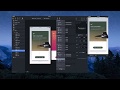
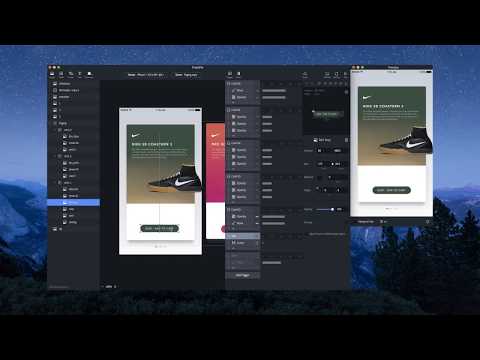
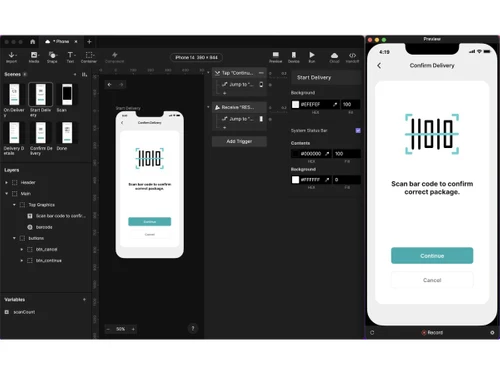
ProtoPie is a cutting-edge prototyping software that enables designers to seamlessly craft remarkable and realistic experiences across multiple devices. With ProtoPie, you can easily prototype cross-device interactions that can be tested immediately.

Renowned designers from top companies such as Microsoft, BMW Group, and Zillow have chosen ProtoPie as their preferred tool for high-fidelity prototyping. With ProtoPie plugins available for Figma, Adobe XD, and Sketch, the import experience is revamped to boost productivity; you can access the tools you need to bring your ideas to life.

ProtoPie's flexibility and power make it an invaluable asset in any team's workflow. You can easily import design assets effortlessly and create code-free prototypes in minutes. The tool allows you to connect hardware and APIs, bringing immersive experiences to life. ProtoPie empowers you to make prototypes that behave like the product, providing a realistic preview of your design. So, get ready to take inspiration from a wide range of real-world prototypes created by talented designers worldwide. It's that easy to get started with your prototyping journey.

Why Choose ProtoPie Software?

ProtoPie is a powerful prototyping tool. Designers and developers can leverage its capabilities to create visually appealing and interactive user interfaces, HMIs, and dashboards across the web, desktop, and mobile. It offers flexibility and customization options, allowing users to tailor their visualizations to meet specific requirements. Industrial automation professionals can utilize OAS Visualization to monitor real-time data, analyze trends, and manage alarms effectively. The platform empowers you to present complex data visually, compellingly, and intuitively, eventually enhancing decision-making processes and driving operational efficiency.

Benefits of ProtoPie Prototyping Software

  • ProtoPie empowers designers to create interactive prototypes that behave like the product, providing a realistic and immersive user experience.
  • It allows you to craft user experiences across multiple devices, enabling you to prototype and seamlessly test cross-device interactions.
  • The platform offers collaboration features that facilitate teamwork and feedback sharing. This enables designers and stakeholders to work together efficiently and iterate on designs effectively.
  • With ProtoPie, you can connect hardware and APIs to unlock the potential for creating immersive experiences and testing prototypes with real-world data.
  • The software ensures the smooth import and export of design assets, saving you time and boosting productivity. Integrate seamlessly with popular design tools like Figma, Adobe XD, and Sketch to enhance your workflow.

ProtoPie Software Price

The ProtoPie Prototyping system pricing starts from $29 per month at techjockey.com.

The overall pricing model is based on different factors such as personalization, extra features required, total users, and the deployment type. Please feel free to request a call from our product experts if you want to learn more about our subscription plans or premium package deals.

Read more

Studio XID Company Details

Founded Year:  2014

The easiest interaction design tool for all digital products, allowing designers to build highly interactive prototypes.

Director/Founders Scotty Kim, Tony Kim
Company Size 1-100 Employees

ProtoPie Pricing & Plans

Basic
Starting at $29
    • Licenses

      Licenses
      Licenses
    • Monthly

      Monthly
      Monthly

Key Features

  • No watermark

  • 20 prototypes, saved in Cloud

  • 10 scenes per prototype

  • 500MB Cloud storage

  • 1 handoff recording

Pro
Starting at $59
    • Users (Editor)

      Users (Editor)
      Users (Editor)
    • Monthly

      Monthly
      Monthly

Key Features

  • All Basic features, plus:

  • Unlimited prototypes

  • Unlimited handoff recordings

  • 5GB cloud storage per team

  • Local prototype saving

  • Team libraries

ProtoPie Features

  • icon_check Interaction Building
    Create interactions using visual triggers and responses to simulate functional UI behaviors without coding.
  • icon_check Gesture Support
    Configure taps, drags, swipes, long-presses, and multi-finger gestures to model real device-based interactions accurately.
  • icon_check Conditional Logic & Calculations
    Apply if-else conditions to control interactive flows by evaluating states, variables, and trigger responses dynamically.
  • icon_check Variable Management
    Store, modify, and reference variables to build data-driven interactions and maintain persistent prototype states.
  • icon_check Layer Animation
    Animate UI layers using move, scale, rotate, opacity, and timing controls for realistic interface motion behaviors.
  • icon_check Component System
    Build reusable components with internal logic and parameters to maintain consistent interaction structures across scenes.
  • icon_check Scene Management
    Use multiple scenes to organize prototype flows and navigate between them using jump actions and transition effects.
  • icon_check Sensor Integration
    Access device sensors like tilt, sound, proximity, and 3D touch to simulate realistic hardware-driven interactions.
  • icon_check Text Manipulation
    Update text values, formatting, and dynamic content to support variable-driven UI states during interaction playback.
  • icon_check Haptic Feedback
    Trigger device vibration and tactile feedback to simulate physical response patterns for supported mobile prototypes.
  • icon_check Cross Device Simulation
    Simulate multi-device workflows by linking phones, tablets, or hardware through communication events and protocols.
ProtoPie Demo Video play icon

Get ProtoPie Demo

Watch the demo video to explore key features, real workflows, and how the software fits your business needs.

Understand
Key Features
Personal
Demo Insights
Interactive
Demo Support

ProtoPie Specifications

Supported Platforms
Windows Windows MacOS MacOS
Devices
Desktop Desktop
Deployment
Cloud-Based Cloud-Based Perpetual Perpetual
Suitable For
All Industries
Business Specific
All Businesses
Business Size
Individual Small Business Startups Medium Business Enterprises Freelancers
Customer Support
Email Live Chat Communities
Language
English
Integration
API Integration
Training Resources
Documentation Videos

Explore the Best Alternative Solutions Similar to Your Business Size and Needs

ProtoPie Review

4.4

Out of 5

img

Overall Rating

Based on
5 Verified Ratings

Rating Breakdown

  • Features 4.2
  • Value for Money 4.3
  • Ease of Use 4.6
  • Customer Support 4.8

90% Recommend this Product

Add Review

Techjockey Trusted Reviews from Verified Users

No reviews are currently available for ProtoPie. Discover similar Prototyping Tools reviews

  • Indigo.Design

    5.0

    Whats great - Amazing software read more
  • Figma

    4.5

    Whats great - User-friendly app for UI designing with numerous plugins available. I really love the real-time collaboration abilities of th... read more

  • Adobe XD

    4.7

    Whats great - I would recommend Adobe XD to all designers and professionals who are working on product development projects. It is very eas... read more

Compare ProtoPie With other Prototyping Tools

Products
Ratings
Pricing
Device Supported
Deployment
Supported Platforms
  • img

    ProtoPie

  • 4.4

  • Price On Request

  • Desktop

    Mobile

  • Web based

    On Premises

  • Windows

    Mac OS

  • img

    Marvel

  • 4.3

  • Price On Request

  • Desktop

    Mobile

  • Web based

    On Premises

  • Windows

    Mac OS

  • img

    Proto.io

  • 4.4

  • Price On Request

  • Desktop

    Mobile

  • Web based

    On Premises

  • Windows

    Mac OS

  • img

    Origami Design

  • 4.3

  • Price On Request

  • Desktop

    Mobile

  • Web based

    On Premises

  • Windows

    Mac OS

  • img

    Justinmind

  • 4.5

  • Price On Request

  • Desktop

    Mobile

  • Web based

    On Premises

  • Windows

    Mac OS

  • img

    Flinto

  • 4.7

  • Price On Request

  • Desktop

    Mobile

  • Web based

    On Premises

  • Windows

    Mac OS

  • img

    Indigo.Design

  • 5

  • Price On Request

  • Desktop

    Mobile

  • Web based

    On Premises

  • Windows

    Mac OS

  • img

    Bravo Studio

  • 4.3

  • Price On Request

  • Desktop

    Mobile

  • Web based

    On Premises

  • Windows

    Mac OS

  • img

    Supernova

  • Price On Request

  • Desktop

    Mobile

  • Web based

    On Premises

  • Windows

    Mac OS

  • img

    Axure RP

  • 4.7

  • Price On Request

  • Desktop

    Mobile

  • Web based

    On Premises

  • Windows

    Mac OS

(0) Product(s) selected

Articles for ProtoPie

See All Related Articles

Which operating system does the ProtoPie Software support?

ProtoPie software is compatible with Windows and macOS operating systems.

Is there any ProtoPie app?

ProtoPie app is not available on Android and iOS devices.

What is the deployment type of the ProtoPie Software?

ProtoPie system supports web-based deployment.

How much does the ProtoPie Prototyping Software cost?

ProtoPie Prototyping Software pricing starts from $29 per month at techjockey.com.

Who are the potential users of the ProtoPie Prototyping Software?

ProtoPie system can be used by researchers, UX designers, product managers, developers, and businesses who need robust prototype software.

Is there any free trial or demo for ProtoPie?

ProtoPie demo is available for free with techjockey.com.

Is the ProtoPie Prototyping Software free?

ProtoPie Prototyping software does not offer a free trial.

How can you download ProtoPie?

ProtoPie Is a web-based software. So, you need not download any software to use it.

How does ProtoPie Prototype Software work?

ProtoPie is a powerful software for creating interactive prototypes without coding. It allows designers to visually design and simulate user interactions by linking different elements and adding behaviors, resulting in realistic and functional prototypes for testing and validation.

20,000+ Software Listed

Best Price Guranteed

Free Expert Consultation

2M+ Happy Customers

Terms and Condtions

close

Users with registered businesses can purchase goods from merchants on the platform to satisfy their business needs. Users are not permitted to utilize any products acquired through the platform for resale, advertising, business, or further distribution.

For each purchase made, users will receive a Tax Invoice (or 'GST invoice') that includes specific details such as:

  • the GSTIN of the user associated with their registered business, and

  • the specified Entity Name for their business.

It should be noted that not all products are eligible for GST Invoice. Only the products displayed by participating sellers with the 'GST-based Invoice Available' callout on the product description page would qualify.

Certain goods and services are not eligible to get a GST Invoice, including items with VAS, i.e., Value Added Services (e.g., Total Mobile Protection/Assured Buyback) and those involving an exchange offer at the time of purchase.

Users must ensure the accuracy of the GSTIN, and business entity name provided for the GST Invoice. Requests for corrections into GST Invoice would not be accommodated by Techjockey.com or any Seller, and any issues arising from user-provided information are the sole responsibility of users.

Techjockey.com is not liable for the GST Invoice or any associated input tax credit. To efficiently claim an input tax credit, users should select the registered place of business address as per the GST authority's data and follow the provisions of the GST Act and rules.

To claim an input tax credit, the delivery and billing addresses must match. Furthermore, input tax credits will not be granted if the delivery address and GSTIN on the invoice are from different states. In case of incorrect GST details provided during the order placement, the order will be canceled automatically.